






About Editable Emplacement
From Steam WorkshopAbout Garry once said that he's gonna reincarnate the Turret tool as an editable entity... well... seems like I've overtaken you Garry. This entity is an editable, usable turret. You can edit it like…
About
Garry once said that he's gonna reincarnate the Turret tool as an editable entity... well... seems like I've overtaken you Garry. This entity is an editable, usable turret. You can edit it like you would do with Bouncy Ball or Fog/Sun editors. Press "E" (or +use) on it to start controling it. The gun shoots exactly where you point it at, however you can enable the laser sight for aiming aid.
You can even mount it onto a vehicle and use it while driving!
How to
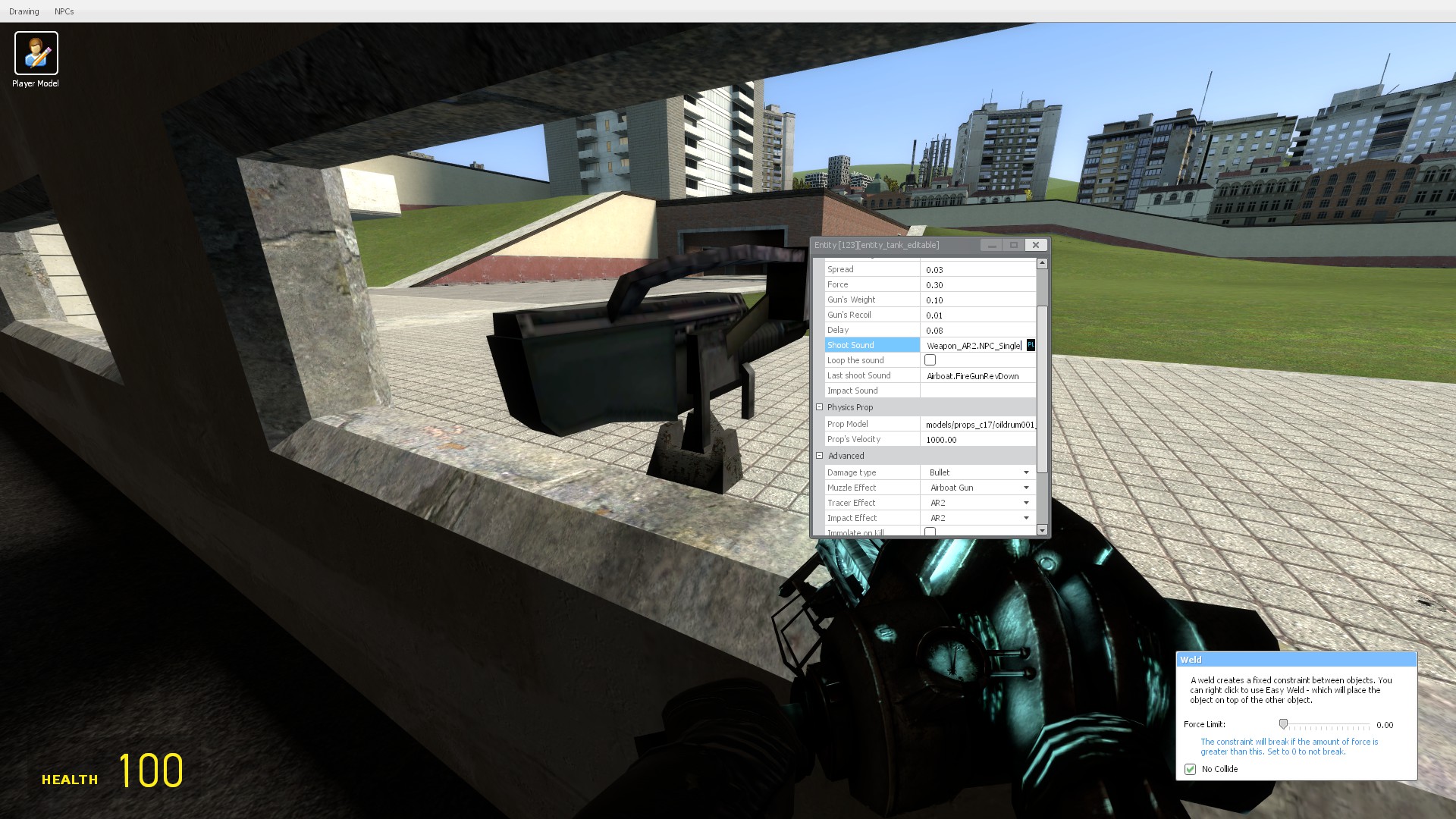
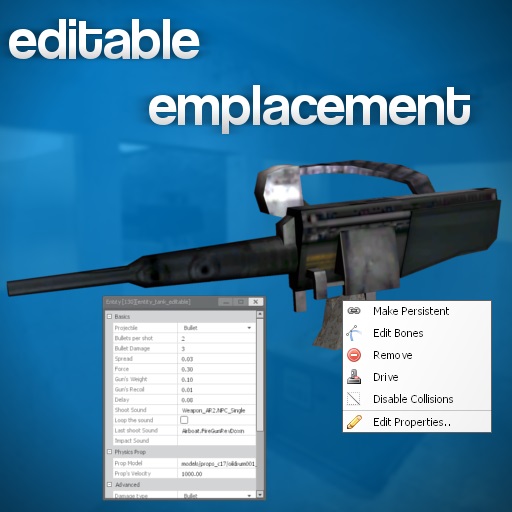
Go to Spawn Menu, Entities > Jakub Baku > Editable Emplacement and spawn it somewhere. Press and hold C, right click the base of the gun (not the gun itself) and click "Edit Properties..". Here you can edit bunch of stuff, I'm going to talk about it in a second. To use the gun just press "E" (or +use) on it and you'll be controlling the gun. Left Click - Shoot bullets/projectiles, Right Click - Shoot flare (works only if enabled in gun's properties)
Press "E" on it once again to stop controlling the gun.
You can duplicate the turret or apply constraints to it, just point at the base, not the gun itself! By duplicating you can save the gun's settings and then spawn it just like any other duplication, you can even publish it on workshop!
You can also use the gun while driving or sitting in a chair, just weld it directly to the vehicle and enter the vehicle - you'll be controlling it just like you would do with a Jeep gun or Airboat gun!
Editing
There's a bunch of settings you can play with. Let's get over them:
Basics - Projectile: allows you to change the thing you're shooting - bullets, SMG Grenades, Flechettes, Rocket or a prop, - Bullets per Shot: how many bullets you shoot at once, does not affect other projectile types, - Bullet damage: damage dealt by a bullet, does not affect other projectile types, - Spread: the lower the spread, the better the accuracy, this also affects other projectile types, - Force: force of the bullet, - Gun's Weight: the bigger the weight, the slower the gun rotates, - Gun's Recoil: how much the gun kicks when shoots, - Delay: time between shots, - Shoot sound: sound played when shooting, if "Loop Sound" is on, this is the sound that's going to be looped, - Loop the Sound: whether the Shoot sound should be looped, ex. Airboat gun sound, - Last shoot sound: only applicable if "Loop Sound" is on, - Impact sound: sound played on bullet impact, - Emit shells: whether or not should be shells emitted on shot, - Shell type: can be shotgun shells, rifle shells, default pistol shells.
Physics Prop - Prop Model: model of a prop, only applicable if the projectile is set to "Physics Prop", - Prop's Velocity: only applicable if the projectile is set to "Physics Prop",
Advanced - Damage Type: can be bullet, airboat (can destroy the Chopper), burn (sets zombies on fire), dissolve etc. - Model: let's you choose a gun model, - Muzzle effect: effect shown when firing, can be Airboat muzzle, Default, Counter-Strike, Strider etc. - Tracer effect: appearance of a bullet, can be Airboat, Chopper, Default, AR2 etc. - Impact effect: effect shown on impact, can be Strider wormhole, AR2 Impact, Sparks etc, - Immolate on Kill: electrically disintegrates the enemy when killed,
Misc - Laser sight: whether or not should be laser beam shown when using the gun, helps in aiming especially while driving, - Laser color: color of a laser beam, - Enable Flare (right click): whether or not should player be able to shoot flares, - Flare size: determines the brightness of a flare light.
Ammo & Regen - Enable Ammo: whether or not should the gun have a limited ammo amount, - Regenerate Ammo: whether or not should ammo regenerate, - Show Ammo: whether or not should be amount of ammo drawn, - Ammo Entity: with what entity or prop gun should be resupplied, - Ammo capacity: clip size, maximal amount of bullets in a clip, - Take ammo per Shot: how much ammo should the gun remove every shot, - Regen Delay: the smaller the delay the faster the ammo regenerates, - Post-shoot Regen Delay: delay between the last shot and a start of regenerating ammo.
Burst Mode - Rounds per burst: 0 disables the burst mode, sets the amount of bullets shot at one burst, - Delay between Bursts: time before you can burst again.
FAQ
- Can it target NPCs or players? - No, it's a manual turret, but if You want an automatic one, check out that addon.
- Sori, there is alredi a turet on workschop, not subskriping. - Well, maybe there are other Turret addons but I think mine is at least worth a try.
- I've spent hours on tweaking the settings, how can I save them? - Just duplicate the gun like a regular prop/entity. Remember to point at a metal base, not the gun itself.
- Can I weld it to a car or airboat and drive around shooting? - Yes you can, just weld it directly to the vehicle and then enter the car/sit.
- Can I mount multiple guns onto a car? - Yes, however you'll be able to use only the one you've welded first.
- Can I mount a gun onto a car with a built-in gun like a jeep or airboat? - Yes, you'll be able to control both guns. It's a bug and I'm going to fix it later.
- Is there a flash light like on a bunker gun? - Nope, there's no flashlight, this is why I've added the flare gun to light the terrain up.
- Can I change the model of a gun? - At the moment no, I'm gonna work on that later.
- How can I resupply the ammo? - Just grab the selected ammo entity from Half-Life 2 Entities and touch the gun with it.
- Where can I find the sounds for the turret?
Highlights
From source dataFootprint
Rated a light load on a server.
Last update
Its author last shipped an update 5 yr ago.
Editable Emplacement on Nxeon
From our catalogue- One-click install
- Supported on Nxeon Garry's Mod servers. We download it from Steam Workshop, place it, and restart the server.
- Server load
- light
- Smallest plan we suggest
- Garry's Mod — 2 GB (2 GB RAM). This follows our own load rating above, not a benchmark.
- Latest build
- 2021-10-03, released 2021-10-03
Game versions by loader
| Loader | Game versions | Newest |
|---|---|---|
| Workshop |
From 1 recorded build of Editable Emplacement.
Run Editable Emplacement on a Garry's Mod server
Pick a server or deploy a new one above; it is installed in one click.
What kind of mod it is
From the catalogWeapons, items & crafting
New weapons, gear, items and the recipes to make them.
Compatibility
- Game
- Garry's Mod
Verified at the source
- ✓Steam WorkshopOfficial listing, checked 2026-10-10Open ↗
- ✓AuthorAnonim47, as published on Steam Workshop
- ✓LicenseNot published by the sourceFree














