







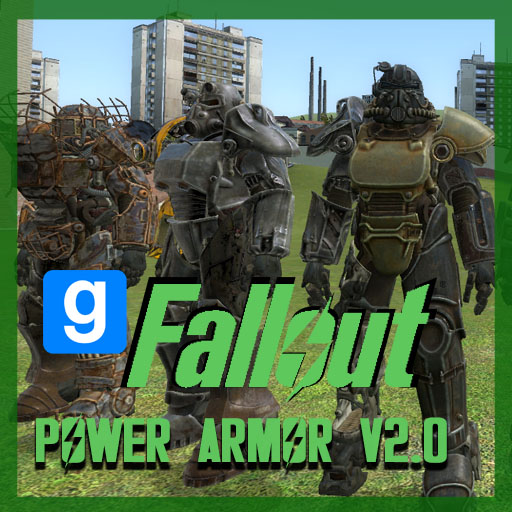
About Fallout 4 Power Armor V2.0 [FPA 2]
From Steam WorkshopCompatible with most (if not all) Custom SWEP packs on the Steam Workshop. Also Compatible with Modern Warfare Base (MW Base) + TFA Base + ARC9 Weapons + Most ArcCW SWEPS Although I've made a great…
Compatible with most (if not all) Custom SWEP packs on the Steam Workshop. Also Compatible with Modern Warfare Base (MW Base) + TFA Base + ARC9 Weapons + Most ArcCW SWEPS
Although I've made a great effort to make this compatible with as many SWEP packs as possible please let me know if I've missed any - PLEASE list your SWEP pack if it has an incorrect looking World Model - Thank you.
***************** IMPORTANT NOTE: Default Half Life 2 Weapons (including the physics gun) will not be positioned properly on the hands when in Power Armor. This is because the Default HL2 Weapons are hard-coded in C (and not LUA) hence they do not have a World Model Draw Call Override. Every other SWEP pack on the Workshop should be compatible with this Addon. ****************** Since posting V1.0 nearly 10 years ago, I’ve learnt a lot - and V2.0 was coded from scratch not using even a single model, sound, line of code or UI from V1.0. This is due to the fact that the previous version relied heavily on serverside entities which is terrible for performance. I’ve completely rewritten the system to handle rendering armor pieces and animations completely on the client - with only networking a couple of 5-bit integers and a single entity at a time serverside, only when that data is required. This should put almost no load on the server at any given time, meaning V2.0 not only looks a lot better but runs 100x better too. ** ** ** ** ** ** ** **
** ** ** ** ** ** ** ** DAMAGE THRESHOLD DEFAULT VALUES ** ** ** ** ** ** ** ** Damage Threshold is the number of damage subtracted from the initial damage. When DT is greather than the intial damage, the final damage number is capped to 10-30% of the initial value depending on what Armor Piece is worn at the time.
Raider = 15 T-45d = 24 T-51b = 40 T-65 = 50 Midwestern = 55 X-01 = 60
** ** ** ** || Read Frequently Asked Questions before posting please! || **********************
**READ** Frequently Asked Questions Q: How do I exit Armor?? A: Either press G by default or "FPA_ExitPA" -- Q: How do I spawn the armor? A: You must first spawn a PA Station via Entities > Fallout 4 Power Armor > PA Station. Then Spawn in the frame. -- Q: How do I enable/disable third person? A: FPA_ThirdPerson <num> in console, where (1 = on, 0 = off) -- Q: How do I customise the armor? A: By spawning the Armor Station and pressing E when a PA Frame is next to it
Help and Commands: FPA_ThirdPerson <number> (0 -Disable) (1 -Enable) (Enables or Disabled Third Person) FPA_ShowHUD <number> (0 -Disable) (1 -Enable) FPA_ExitPA (Alternative to exiting via the G key)
FPA_SetArmorMinDamage <armor type> <number> -Set the capped damage (as a %) when armor DT is greater than the received damage. This value should be between 0-50%. A value of 30 caps the damage at 30% of the initial damage received.
FPA_SetArmorDT <armor type> <number> -Set the Damage Threshold value for this armor type. DT is the damage subtracted from the initial damage. A DT of 40 subtracts 40 Dmg from the initial value.
Features: -Makes you appear larger -Gives you Damage Threshold -Slows you down -Custom Footstep sounds -Insane Jump Power -Armor Customisation
To Spawn press 'Q' and go to 'Entities' and then Power Armor, Spawn the Armor Stand and press Done
** ** ** ** ** Credits ** ** ** ** ** -Extra (Coding) -Bizz (Porting Models/Animations)
If you enjoy this Addon and would like to see updates consider supporting me
Buy me a coffee!

Highlights
From source dataFootprint
Rated a light load on a server.
Last update
Its author last shipped an update 2 yr ago.
Fallout 4 Power Armor V2.0 [FPA 2] on Nxeon
From our catalogue- One-click install
- Supported on Nxeon Garry's Mod servers. We download it from Steam Workshop, place it, and restart the server.
- Server load
- light
- Smallest plan we suggest
- Garry's Mod — 2 GB (2 GB RAM). This follows our own load rating above, not a benchmark.
- Latest build
- 2024-05-09, released 2024-05-09
Game versions by loader
| Loader | Game versions | Newest |
|---|---|---|
| Workshop |
From 1 recorded build of Fallout 4 Power Armor V2.0 [FPA 2].
Run Fallout 4 Power Armor V2.0 [FPA 2] on a Garry's Mod server
Pick a server or deploy a new one above; it is installed in one click.
What kind of mod it is
From the catalogWeapons, items & crafting
New weapons, gear, items and the recipes to make them.
Compatibility
- Game
- Garry's Mod
Verified at the source
- ✓Steam WorkshopOfficial listing, checked 2026-10-10Open ↗
- ✓AuthorExtra, as published on Steam Workshop
- ✓LicenseNot published by the sourceFree














