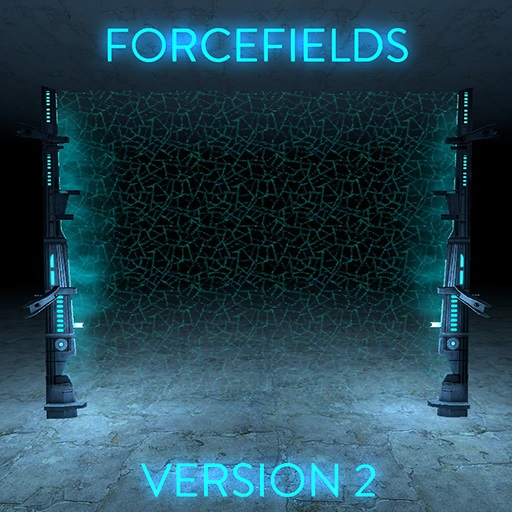
About Forcefields V2
From Steam WorkshopA quick foreword: You're probably thinking, "Don't you already have a forcefield addon uploaded here?" The answer is yes, and a considerable amount of time has passed since I made it. I'd like to…
A quick foreword:
You're probably thinking, "Don't you already have a forcefield addon uploaded here?"
The answer is yes, and a considerable amount of time has passed since I made it. I'd like to think my coding skills have improved greatly since then, and so I decided to revisit the addon and make it better.
What is it?
A place-able forcefield entity that sizes to the boundaries of any doorway you install it in. This forcefield will only allow whitelisted players and teams to pass through.
Why do I care?
Maybe you run a DarkRP server and you want your police station to use forcefields; maybe you're building a secret lair and only want your friends inside; MAYBE YOU LIKE FORCEFIELDS.
Dunno, I won't tell you how to live your life.
How do I use it?
1.) Open your spawn menu, navigate to the "Entities" tab, select the "Forcefields" category. 2.) Aim at a wall where you want the forcefield installed. It will attempt to find the closest wall across from it. 3.) Spawn the forcefield. 4.) Hold your slow-walk key (LEFT ALT by default) and press your USE key (E by default) to bring up the menu. 5.) Configure the options to your liking. 6.) Press USE to turn the forcefield on or off.
The "Manage Contributors" menu controls who, other than yourself, can edit the forcefield's settings. Being on the contributor list allows that player to turn the forcefield on and off as well.
Caveats
• If spawned in a doorway which is too small, the forcefield will sometimes fail to find a wall and fall under the map. • Forcefields cannot and should not be persisted! • Forcefields cannot be duplicated and should not be used in saves. You are welcome to try, but they usually broke for me during testing.
Highlights
From source dataFootprint
Rated a light load on a server.
Last update
Its author last shipped an update 10 yr ago.
Forcefields V2 on Nxeon
From our catalogue- One-click install
- Supported on Nxeon Garry's Mod servers. We download it from Steam Workshop, place it, and restart the server.
- Server load
- light
- Smallest plan we suggest
- Garry's Mod — 2 GB (2 GB RAM). This follows our own load rating above, not a benchmark.
- Latest build
- 2016-07-04, released 2016-07-04
Game versions by loader
| Loader | Game versions | Newest |
|---|---|---|
| Workshop |
From 1 recorded build of Forcefields V2.
Run Forcefields V2 on a Garry's Mod server
Pick a server or deploy a new one above; it is installed in one click.
What kind of mod it is
From the catalogQuality of life & UI
Small conveniences, tweaks and interface improvements players notice straight away.
Compatibility
- Game
- Garry's Mod
Verified at the source
- ✓Steam WorkshopOfficial listing, checked 2026-10-10Open ↗
- ✓Authorzamboni, as published on Steam Workshop
- ✓LicenseNot published by the sourceFree