About Fps Booster
From Steam WorkshopNEW FPS Booster - Enhanced Edition v2.0 https://steamcommunity.com/sharedfiles/filedetails/?id=3584550446 http://i.imgur.com/x9MBp0b.gif For Singleplayer and Servers! Fps Booster is a easy way to…
NEW FPS Booster - Enhanced Edition v2.0 https://steamcommunity.com/sharedfiles/filedetails/?id=3584550446

[h3]For Singleplayer and Servers![/h3]
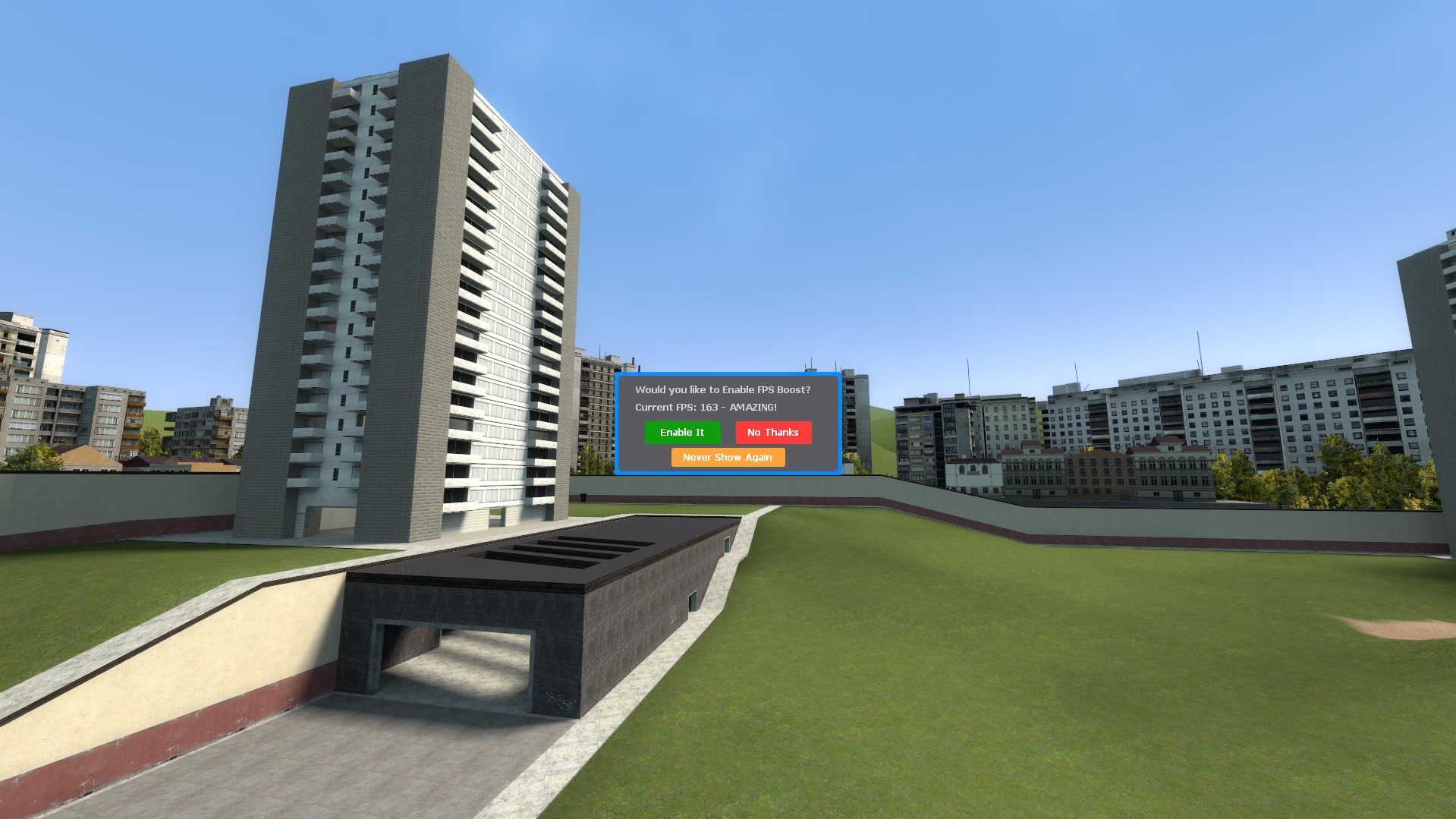
Fps Booster is a easy way to potentially help improve your Clients FPS. When first spawning into the server they are asked whether they would like to enable the FPS boost option or not. If they click yes a few client convars are set on them.
- "gmod_mcore_test 1"
- "r_queued_ropes 1"
- "cl_threaded_bone_setup 1"
- "cl_threaded_client_leaf_system 1"
- "mat_queue_mode -1"
- "r_threaded_renderables 1"
- "r_threaded_particles 1"
- "M9KGasEffect 0"
[h3]If enabled the menu will never popup again unless you type in the chat command "/fpsreset" or if you type gmod_mcore_test 0 in console. Clicking no also disables the auto popup on the initial spawn.
If you or the client experiences issues with the Fps Boost settings they can simply type /fpsreset in chat to revert their settings back to their default values. [/h3]
Compatible with ALL Gamemodes and can be used in Multiplayer and Singleplayer :D
------ FAQ ------
Q: Did you copy code from Multicore Enabler created by Rain?
A: No, this is all fresh code that I feel looks better and will eventually be more server friendly with lots of config options :)
----------------------------------------------------------------
Q: Will this fix my servers lag?
A: This is only deseigned to help boost clients FPS (sometimes by x2) but sometimes users will not see a difference. This will not fix your laggy darkrp server with 200 addons :P
----------------------------------------------------------------
Q: How can I access this menu after hitting no?
A: Simply type /fpsboost in chat
----------------------------------------------------------------
Q: My fps seemed to drop after enabling it :'(
A: For some strange reason a couple people have experienced this. Simply type /fpsreset to revert the settings back and next time you join the server be sure to hit "No thanks" when it pops up and you'll never see it pop up again on server join :P
Looking for another Great Addon? Checkout Sam Modules+!
https://steamcommunity.com/sharedfiles/filedetails/?id=2787943878

Highlights
From source dataFootprint
A 7 KB download, rated a light load on a server.
Last update
Its author last shipped an update 4 yr ago.
Fps Booster on Nxeon
From our catalogue- One-click install
- Supported on Nxeon Garry's Mod servers. We download it from Steam Workshop, place it, and restart the server.
- Server load
- light
- Smallest plan we suggest
- Garry's Mod — 2 GB (2 GB RAM). This follows our own load rating above, not a benchmark.
- Latest build
- 2023-02-21, released 2023-02-21, 7 KB
Game versions by loader
| Loader | Game versions | Newest |
|---|---|---|
| Workshop |
From 1 recorded build of Fps Booster.
Run Fps Booster on a Garry's Mod server
Pick a server or deploy a new one above; it is installed in one click.
What kind of mod it is
From the catalogQuality of life & UI
Small conveniences, tweaks and interface improvements players notice straight away.
Compatibility
- Game
- Garry's Mod
- File size
- 7 KB
Verified at the source
- ✓Steam WorkshopOfficial listing, checked 2026-10-10Open ↗
- ✓AuthorSubZero, as published on Steam Workshop
- ✓LicenseNot published by the sourceFree