






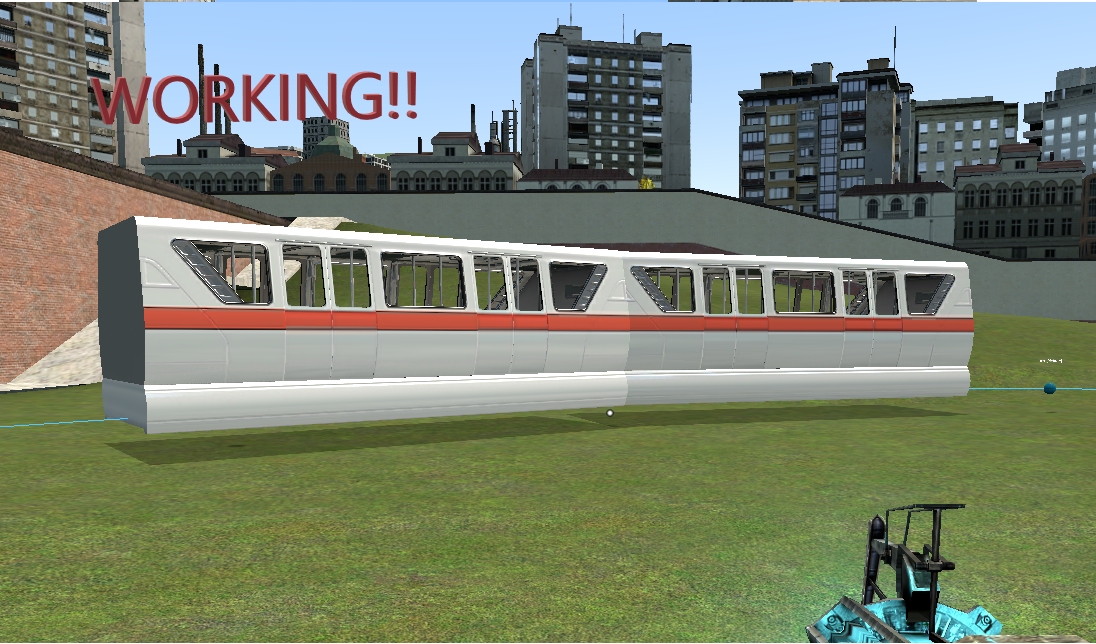
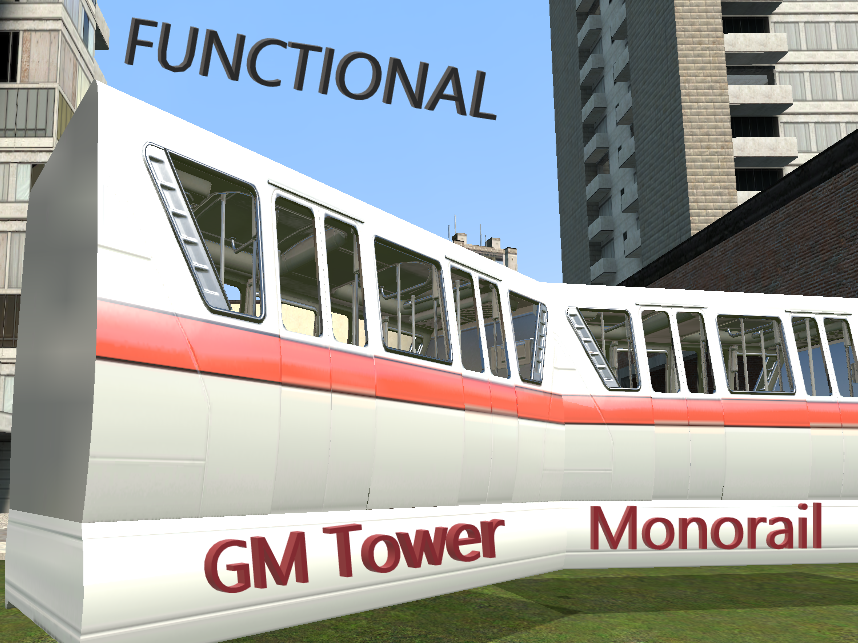
About [FUNCTIONAL] GM Tower Monorail
From Steam Workshop# Gmod Tower Path Monorail A fully spawnable monorail for Garry's Mod Sandbox. Place nodes anywhere, spawn the train, and it drives the loop by itself: it stops at stations, opens its doors, slows…
# Gmod Tower Path Monorail
A fully spawnable monorail for Garry's Mod Sandbox. Place nodes anywhere, spawn the train, and it drives the loop by itself: it stops at stations, opens its doors, slows down for key areas, speeds up on long stretches, and players can ride it and look around freely.
No map changes, no mapped interior, no other addons required.
---
## Quick start (2 minutes)
You need to be an **admin** (or singleplayer) to spawn the parts.
1. Open the spawn menu (Q) → **Entities** → **Path Monorail**. 2. Spawn **Monorail Path Node** at least **4 or 5 times**, spread out so they form a big loop. Each new node is numbered automatically (1, 2, 3, ...) and the last one connects back to the first. 3. Hold the **physgun** or **toolgun**: you'll see the nodes, their numbers and a blue line showing the track. Drag nodes with the physgun to shape the loop. 4. Spawn **Path Monorail**. It appears and starts driving along your nodes. 5. Walk up to the train and press **E** to sit down. You can look around freely. Press **E** again to get out (see "Leaving the train" below).
> **Tip:** a track needs to be long and wide enough for the train. With the default train (2 cars), the loop should be well over 1200 units long, with gentle turns. If it is too short, the server console prints an orange warning and the cars will end up sideways in the turns.
---
## Making stations
Select a node: press **C** (context menu), **right-click the node** → **Edit Properties**, and tick **Is Station Stop**. Set **Station Wait Time** to how many seconds the train should wait.
Quick way: right-click a node → **Toggle Station Stop**.
Stop nodes are shown **orange**, normal nodes **blue** (only while you hold the physgun or toolgun). At a station the train brakes smoothly, plays a chime, opens its doors, waits, closes them and leaves.
---
## Node properties
Right-click a node → **Edit Properties** (or use the extra right-click entries).
| Property | What it does | |---|---| | **Order** | Position of the node in the loop. Normally automatic. | | **Track** | Name of the line this node belongs to. Lets you build several separate lines. | | **Speed Scale** | Multiplies the train's top speed around this node. Below 1 = slow area (show off something nice, take a tight turn), above 1 = fast stretch. Blends smoothly between nodes. | | **Is Station Stop** | Turns the node into a station. | | **Station Wait Time (s)** | How long the train waits at the station. | | **Curve Tension** | How tight or loose the curve is at this node. |
**Right-click extras on a node**
- **Toggle Station Stop**: quick on/off for the station flag. - **Insert Node After This**: adds a node halfway to the next one and renumbers the whole track for you.
**Tip for slow areas:** the scale blends between neighbouring nodes. For a longer slow section, give several nodes in a row the same low value.
---
## Train properties
Right-click the train → **Edit Properties**.
| Property | What it does | |---|---| | **Track** | Which line (node group) this train drives on. | | **Max Speed** | Top speed in units per second. Node Speed Scale multiplies this. |
---
## Several lines
Nodes and trains are tied together by their **Track** name. To build a second line:
1. In the console, run `pmonorail_track metro` (any name). 2. Spawn nodes and a train. They now belong to the track `metro`. 3. Switch back with `pmonorail_track default`.
You can also change the Track field of any node or train in Edit Properties.
---
## Riding the train
- **Boarding:** look at any car and press **E**. You are put in the nearest free seat. - **Looking around:** the seats allow free 360° looking, so you can look out of the windows. - **Leaving the train:** press **E**. If the track has stations, you can only leave while the train is nearly stopped. You are placed beside the car. - The train does not push or block players walking around it.
---
## Settings (console commands)
Run these in the **server console** (or singleplayer console).
| Command | Default | What it does | |---|---|---| | `pmonorail_track <name>` | `default` | Track used by the nodes/trains you spawn next. | | `pmonorail_shownodes` (client) | `1` | Show nodes and the track while holding physgun/toolgun. `0` hides them. | | `pmonorail_model_yaw` | `auto` | Rotation of the model on the track. `auto` detects it, or enter degrees (`0`, `90`, `-90`, `180`). Use this if the train is sideways. | | `pmonorail_seat_floor` | `0.3` | Seat height as a fraction of the car height. Raise it if seated players sink into the floor. | | `pmonorail_seat_z` | `0` | Extra seat height in units. | | `pmonorail_seat_inset` | `35` | Distance of the seats from the side walls. | | `pmonorail_seats_per_side` | `3` | Number of seats per side in each car. | | `pmonorail_seat_inward` | `1` | `1` = seats face the aisle, `0` = face the windows. | | `pmonorail_seats_visible` | `0` | Makes the seats visible so you can see where they are. | | `pmonorail_rebuildseats` | - | Rebuilds the seats after you changed any `pmonorail_seat_*` setting. No respawn needed. |
---
## Troubleshooting
**The train is sideways on the track.** Run `pmonorail_model_yaw 90`, then try `-90` or `180` until it lines up.
**The cars are turned oddly in the curves.** The loop is too short or the turns are too tight for the train. Add more nodes, spread them further apart and make the turns wider.
**Players sit too low or too high.** Change `pmonorail_seat_floor` (try 0.35, 0.4, 0.5) or `pmonorail_seat_z`, then run `pmonorail_rebuildseats`.
**The doors open on the wrong side.** Tick **Flip Model** on the train, or set `pmonorail_flip 1`.
**The train doesn't move.** You need at least 2 nodes on the same Track as the train (4 or more recommended). Check the Track names match.
**I can't see the nodes.**
Highlights
From source dataFootprint
Rated a light load on a server.
Last update
Its author last shipped an update 5d ago.
[FUNCTIONAL] GM Tower Monorail on Nxeon
From our catalogue- One-click install
- Supported on Nxeon Garry's Mod servers. We download it from Steam Workshop, place it, and restart the server.
- Server load
- light
- Smallest plan we suggest
- Garry's Mod — 2 GB (2 GB RAM). This follows our own load rating above, not a benchmark.
- Latest build
- 2026-10-11, released 2026-10-11
Game versions by loader
| Loader | Game versions | Newest |
|---|---|---|
| Workshop |
From 1 recorded build of [FUNCTIONAL] GM Tower Monorail.
Run [FUNCTIONAL] GM Tower Monorail on a Garry's Mod server
Pick a server or deploy a new one above; it is installed in one click.
What kind of mod it is
From the catalogVehicles & ships
Cars, boats, aircraft, ships and other things to drive or fly.
Compatibility
- Game
- Garry's Mod
Verified at the source
- ✓Steam WorkshopOfficial listing, checked 2026-10-11Open ↗
- ✓Authorfluffy, as published on Steam Workshop
- ✓LicenseNot published by the sourceFree














