About Interactive doors
From Steam Workshop////////////////////////// This addon is abandoned ////////////////////////// You still can post about problems you've encountered, but they won't be fixed any time soon. //////////////////////////…
////////////////////////// This addon is abandoned //////////////////////////
You still can post about problems you've encountered, but they won't be fixed any time soon.
////////////////////////// This addon is abandoned //////////////////////////
Description
All doors movements are now smoothed (even when NPCs use them, upd: this is broken, doesnt work well with npc)
What new you can do:
- Rush rooms by kicking doors
- Open doors partly and peek around
- Look through keyholes
- Or blow doors up [into pieces] (customizable)
- Link a keypad to doors with "Keypad linker" STool (unlocks/locks a door on <access granted>)
To enable Mighty Foot Engaged support: Q - Options tab - Interactive doors - Client - Addon manager - Supported addons - MFE - Enable support (you must turn off door busting from MFE control panel for this to work)
Settings can be found here: Spawnmenu (Q) - Options tab - Interactive doors
Commands to show all available cvars and commands are: <find ID_cmd> and <find ID_cvar>
ATTENTION This addon doesn't add any type of first or third person animations to your character itself while interacting with a door. Works only with typical Half-Life 2 doors that are classified as "prop_door_rotating". It may conflict with other addons that change doors behavior.
WARNING
The addon relies on your tickrate. If the door doesn't react on your input try changing your tickrate to 33 or 66. You can do that by adding a launch option (Right click on the game in a library -> Properties -> General -> Launch options): -tickrate [number]
Reported incompatible addons
Playable piano Shrinkinator
FAQ
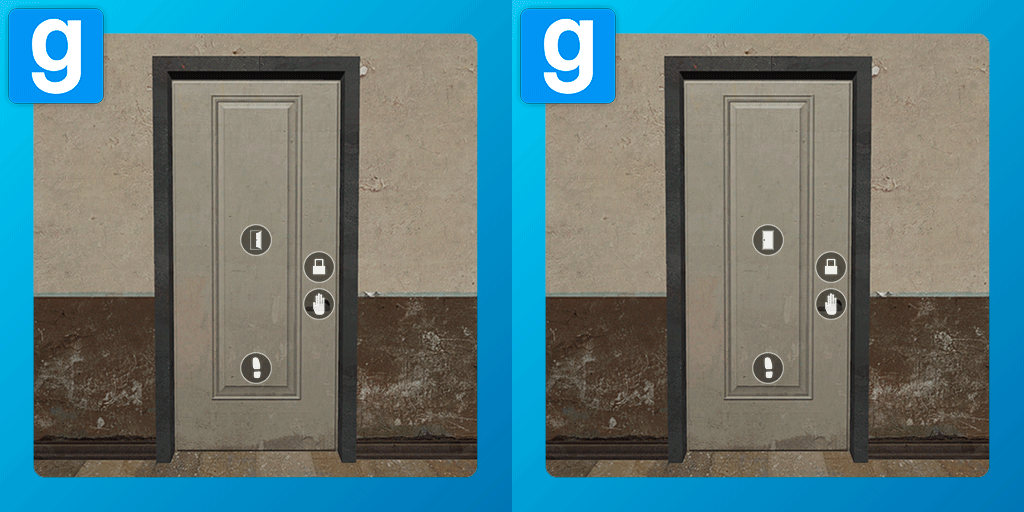
Q: How do I interact with the door? A: Aim at one of the icons and press USE (E by default).
Q: How to peek? A: Press USE while aiming at the lever, then just push the door.
Tags: interactive, destructible, door, ready or not, ron


Highlights
From source dataFootprint
Rated a light load on a server.
Last update
Its author last shipped an update 3 yr ago.
Interactive doors on Nxeon
From our catalogue- One-click install
- Supported on Nxeon Garry's Mod servers. We download it from Steam Workshop, place it, and restart the server.
- Server load
- light
- Smallest plan we suggest
- Garry's Mod — 2 GB (2 GB RAM). This follows our own load rating above, not a benchmark.
- Latest build
- 2024-01-01, released 2024-01-01
Game versions by loader
| Loader | Game versions | Newest |
|---|---|---|
| Workshop |
From 1 recorded build of Interactive doors.
Run Interactive doors on a Garry's Mod server
Pick a server or deploy a new one above; it is installed in one click.
What kind of mod it is
From the catalogBuilding & decoration
Blocks, furniture, decorations and building tools.
Compatibility
- Game
- Garry's Mod
Verified at the source
- ✓Steam WorkshopOfficial listing, checked 2026-11-01Open ↗
- ✓Author2krev, as published on Steam Workshop
- ✓LicenseNot published by the sourceFree