







About Minecraft Skin Changer
From Steam WorkshopRemember that one game called Minecraft nobody has heard of? Pixeltail does. Now with the latest innovation in web panel technology, you're able to bring your very own Minecraft skin into Garry's…
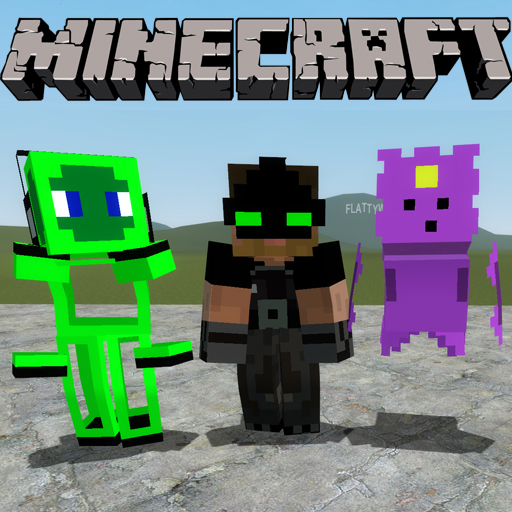
Remember that one game called Minecraft nobody has heard of? Pixeltail does. Now with the latest innovation in web panel technology, you're able to bring your very own Minecraft skin into Garry's Mod! Just enter your Minecraft username, and your playermodel will instantly change into your minecraft skin!
Features
- Ability to instantly change your playermodel skin via Minecraft username - Transparency support - Completely networked! Everyone can see eachother's skin. - Custom URL support - link any url that contains a valid minecraft skin.
FAQs - 'help it won't work'
Q: So how do I actually set my skin? A: Hold Q to open your spawn menu, and click the "options" tab in the top right corner. In it, select "Skin Selection" under the minecraft group. From there, type a valid case-specific minecraft name OR a URL to a minecraft skin.
Q: It says my model is not steve! What's the dealio? A: Your playermodel must be the steve model. Hold c, go to the top left and go to the playermodel selection button. Alternatively, you can type "cl_playermodel steve" in your developer console.
Q: It won't set my skin, what gives? A: The skins are case sensitive. If you're actual minecraft name has a capital in it, you'll need to type the capital. For example, a certain player's skin must be typed as 'Sunabouzu', not 'sunabouzu'.
Q: How do I set the skin of a ragdoll with the steve model? A: Hold C and right click on the ragdoll, and you should see the 'Set Minecraft Skin' menu item. Click it, and a similar dialogue as the player skin page will appear for that entity.
Links
Highlights
From source dataFootprint
A 19 KB download, rated a light load on a server.
Last update
Its author last shipped an update 12 yr ago.
Minecraft Skin Changer on Nxeon
From our catalogue- One-click install
- Supported on Nxeon Garry's Mod servers. We download it from Steam Workshop, place it, and restart the server.
- Server load
- light
- Smallest plan we suggest
- Garry's Mod — 2 GB (2 GB RAM). This follows our own load rating above, not a benchmark.
- Latest build
- 2015-03-18, released 2015-03-18, 19 KB
Game versions by loader
| Loader | Game versions | Newest |
|---|---|---|
| Workshop |
From 1 recorded build of Minecraft Skin Changer.
Run Minecraft Skin Changer on a Garry's Mod server
Pick a server or deploy a new one above; it is installed in one click.
What kind of mod it is
From the catalogCosmetics, visuals & audio
Skins, textures, shaders, models and sound — how the game looks and sounds.
Compatibility
- Game
- Garry's Mod
- File size
- 19 KB
Verified at the source
- ✓Steam WorkshopOfficial listing, checked 2026-10-10Open ↗
- ✓AuthorFoohy, as published on Steam Workshop
- ✓LicenseNot published by the sourceFree














