







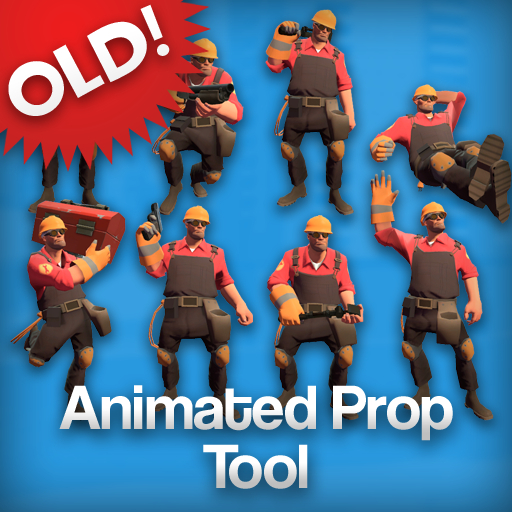
About (OLD) Animated Prop Tool
From Steam WorkshopThis is the old version of the Animated Props addon, made back in 2013 when I really wasn't all that great at it. For a modern version of the addon, with improved controls, a better physics…
This is the old version of the Animated Props addon, made back in 2013 when I really wasn't all that great at it. For a modern version of the addon, with improved controls, a better physics implementation, working gestures, and loads of new features to try out, click here.
A tool that spawns animated characters and models, for use in screenshots, scene builds, and videos.
Team Fortress 2 is not required, but is recommended because of the pre-made animated props.
Features:
- Play animations at any speed, or use the Reload key to pause them on that frame.
- You can change the scale of the models, too. Want a giant robot that's actually giant? Set the scale to 2 and he'll be twice as big as the normal robots. If you set the scale all the way up to 16, skybox props will be scaled up to normal size.
- 100% duplicator- and saving-friendly - if you pause an animation, it'll still be on the exact same frame when you duplicate or save it.
- Works seamlessly in screenshots alongside ordinary posed ragdolls. See that last screenshot there, the one with the scout and the robot? The robot is an animated prop, but the scout isn't, and they both look just fine.
- Includes a tool that gives physics to animated props, making them usable in contraptions and with Henry's Animation Tool.
- Comes with a number of pre-made animated props, like teleporters and the MvM tank, that you can't make normally because of their particle effects or multiple models. They can be found in the Entities tab.[/list]
- [h1]FAQ:[/h1]
- [list][*]How do I use it?
- There's a whole guide to using the tool in the images up there, but in short:
- 1: Select the Animated Props tool, in the category of the same name.
- 2: Spawn something and right click on it with the tool to get its model.
- 3: Left click anywhere to spawn the animated prop.
- 4: Select your prop by right clicking on it, and open the context menu. It will show a list of every animation the model has to choose from - select whichever one you want to use.
- The context menu also has other options available, such as model scale and animation speed. Animations can also be frozen in place with the Reload key.
- How do I make them hold weapons, like those Heavies in the third picture?
- You can attach weapons, hats, and other items by using the Easy Bonemerge Tool.
- What are these Height and Width options for, if they don't change the scale?
- These options let you change the size of the prop's collision box, to make it easier to grab with the Physgun. They're there to make bigger props like Striders easier to work with - if you're only using normal-sized characters, you won't need to change them.[/list]
Highlights
From source dataFootprint
A 256 KB download, rated a light load on a server.
Last update
Its author last shipped an update 3 yr ago.
(OLD) Animated Prop Tool on Nxeon
From our catalogue- One-click install
- Supported on Nxeon Garry's Mod servers. We download it from Steam Workshop, place it, and restart the server.
- Server load
- light
- Smallest plan we suggest
- Garry's Mod — 2 GB (2 GB RAM). This follows our own load rating above, not a benchmark.
- Latest build
- 2024-04-06, released 2024-04-06, 256 KB
Game versions by loader
| Loader | Game versions | Newest |
|---|---|---|
| Workshop |
From 1 recorded build of (OLD) Animated Prop Tool .
Run (OLD) Animated Prop Tool on a Garry's Mod server
Pick a server or deploy a new one above; it is installed in one click.
What kind of mod it is
From the catalogListed on Steam Workshop as “Workshop”
Weapons, items & crafting
New weapons, gear, items and the recipes to make them.
Compatibility
- Game
- Garry's Mod
- File size
- 256 KB
Verified at the source
- ✓Steam WorkshopOfficial listing, checked 2026-10-10Open ↗
- ✓Authorno loafing, as published on Steam Workshop
- ✓LicenseNot published by the sourceFree














