






About Rag Morph
From Steam WorkshopIf you want to contribute to the code you can do so here: https://github.com/sakarias88/rag-morph If you want to report an issue please do it in github here: https://github.com/sakarias88/rag-morph…
If you want to contribute to the code you can do so here: https://github.com/sakarias88/rag-morph If you want to report an issue please do it in github here: https://github.com/sakarias88/rag-morph
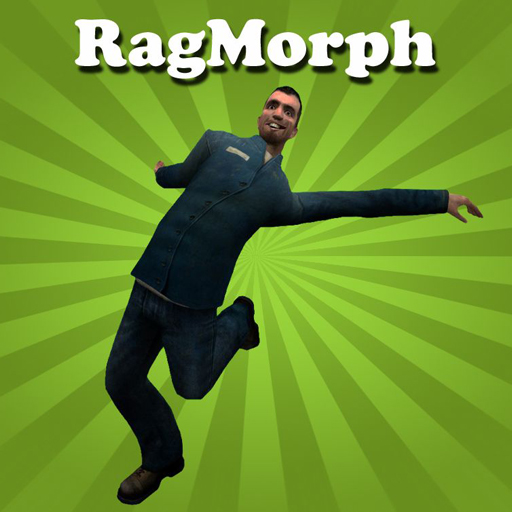
How does it work? A ragdoll will be pasted on the player. You can then decide which parts should mimic the player. The parts that doesn't will be able to move freely.
What can I do with it? This can become very handy when making machinimas. You can for example attach a box on the ragdoll and then walk around with it without any custom animations.
You can either use console commands for faster access or you use the command buttons under the RagMorph tab.
Console commands:
WobbleCreate This console command will spawn a ragdoll and paste it on the player. By default all the ragdoll bones will be stuck on the player. You will also get a third person view since the ragdoll blocks your view in first person. Using this console command while in ragmorph mode will undo it and you will return to first person view.
WobbleFreeze If you have a Wobble Man spawned it will freeze it and you will return to first person view. This will also only freeze the bones you have set to mimic the player. When the Wobble Man is freezed you are free to change the face pose, attach objects on it or use the rag mover tool.
WobbleToggleRagdoll This just turns your ragMorph into a ragdoll. Sort of works like a death ragdoll.
Tools:
Set Rag Morph Primary fire: Select a default RagMorph model. The model will always be used as RagMorph until you change it to some other
model.
Secondary fire: Select a specific ragdoll. Use the un-freeze command to start using the specific ragdoll.
Reload: Select the player model as default RagMorph model.
No collide player This tool is handy when attaching parts on the ragdoll. Even if you have nocollided the attached parts with the ragdoll it doesn't mean that they are nocollided with the
player. The parts will be nocollided with the player when using the set owner stool on them. When you are the "owner" of a part you will be nocollided with it, the No collide player tool also have some
defects. When you are the owner of a prop you will be unable to touch it with the physgun, to counter this you can
un-own it by using secondary fire with the No collide player tool.
Rag mover With this tool you can make different body parts move in a certain direction. Just freeze your ragdoll first with the freeze command so you can work on it. Just select keys, direction and force and then shoot at the limb you want to apply it on.
Highlights
From source dataFootprint
A 47 KB download, rated a light load on a server.
Last update
Its author last shipped an update 5 yr ago.
Rag Morph on Nxeon
From our catalogue- One-click install
- Supported on Nxeon Garry's Mod servers. We download it from Steam Workshop, place it, and restart the server.
- Server load
- light
- Smallest plan we suggest
- Garry's Mod — 2 GB (2 GB RAM). This follows our own load rating above, not a benchmark.
- Latest build
- 2021-12-17, released 2021-12-17, 47 KB
Game versions by loader
| Loader | Game versions | Newest |
|---|---|---|
| Workshop |
From 1 recorded build of Rag Morph.
Run Rag Morph on a Garry's Mod server
Pick a server or deploy a new one above; it is installed in one click.
What kind of mod it is
From the catalogWorkshop
Its source category doesn’t say more about what it does, so NxLabs lists it under Other.
Compatibility
- Game
- Garry's Mod
- File size
- 47 KB
Verified at the source
- ✓Steam WorkshopOfficial listing, checked 2026-10-10Open ↗
- ✓AuthorSakarias, as published on Steam Workshop
- ✓LicenseNot published by the sourceFree














