







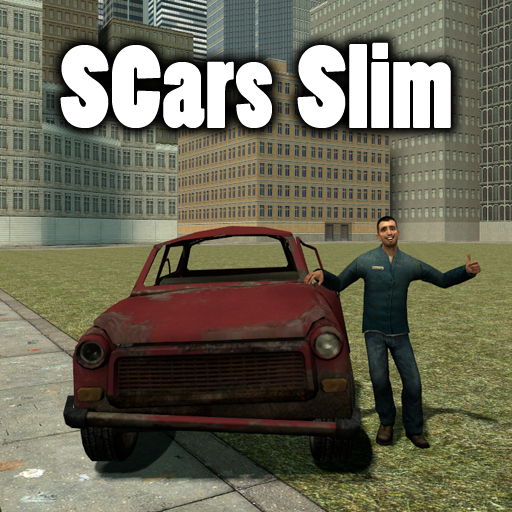
About SCars Slim
From Steam WorkshopSCars Version 2.3.5 Don't like normal hl2 vehicles? Then this addon is for you! With SCars you can customize your car in almost any way you want. Everything from paintjob and handling to suspension…
SCars Version 2.3.5
Don't like normal hl2 vehicles? Then this addon is for you! With SCars you can customize your car in almost any way you want. Everything from paintjob and handling to suspension height and wheels.
Keep in mind that this addon just contains the minimal content needed for SCars to work. You are supposed to combine this with other SCar packs such as SCars Basic and SCars Extra. You need SCars Slim in order for any SCar packs to work.
Features: * Create your own race tracks with the checkpoint spawner tool. Have a race with your friends and measure your finishing times. The race handler will keep track on your current position during the race and your lap times. Once the race is finished the race handler will display the position you finished.
* Make AIs drive the cars and have a derby competition.
* Customize the car by changing paint job, suspension settings and other car characteristics to fit your needs.
* Beat any car using the default vehicle base with SCars.
Controls:
USE: Enter or leave the SCar. WASD: Moving. SPRINT: Turbo. PRIMARY FIRE + A or S or D or W: Use hydraulics separately on the wheels. SECONDARY FIRE: Toggle the hydraulics. JUMP: Handbrake. Walk(Move slowly): Change seat. JUMP + W: Rev engine. W + S: Burnout. V: Toggle third person view.
You can of cource change the controls. Go to Utilities->Controls. Just browse the pictures at the top. There should be one displaying how to find the controls
Since people are too lazy to just click a link to check the FAQ i will put some here. [h1]FAQ[/h1] There is nothing in my SCar tab You got too many addons installed. This is a weird issue that is caused when you got to many addons installed. Can't do anything about it since it's decided by limitations in GMod which I can't change.
My wheels, cars or parts are missing/invisible I've never experienced this issue myself. People say that mounting certain games in GMod can cause this issue. Try to disable some and see if you get any result.
How does the DeLorean work? There is a key called special key. It's B by default and it's just an extra key some cars use. If you press the special key while holding W at the same time you will start the time travelling function. If you just press the special key while not pressing any other keys you will toggle hover mode.
How do I turn the police lights on? There is a key called "special key". It's B by default and it's just an extra key some cars uses. Police cars use it to turn the sirens on and off while the DeLorean uses it for both toggling hovermode and time travel.
My third person view doesn't work! Are you pressing the correct button? The default button to switch view in SCars is V. If you are pressing the correct button and it still doesn't work you probably got a conflicting addon installed. There really isn't much I can do about that. Basically what happens is that some other addon is overriding my camera. The only solution is for you to find out which addon is overriding it and then disable/uninstall the conflicting addon.
The camera is stuck in mode X Switch it back to default. Go to the Utilities tab and look for the SCar category. In the SCar category you should find something called "Camera". Click on it and then select default.
SCars Misc Content You will also need SCars Misc Content. Sorry for the inconvenience but if you don't get it you will miss some sounds and textures. You can find it here https://steamcommunity.com/sharedfiles/filedetails/?id=844579400. Some of the content in Slim belonged to SCars Extra or SCars Basic but because of the file size limit it ended up in Slim. This content have now been put in SCars Misc Content instead. Again, sorry for the inconvenience.
Highlights
From source dataFootprint
A 34 MB download, rated a light load on a server.
Last update
Its author last shipped an update 3 yr ago.
SCars Slim on Nxeon
From our catalogue- One-click install
- Supported on Nxeon Garry's Mod servers. We download it from Steam Workshop, place it, and restart the server.
- Server load
- light
- Smallest plan we suggest
- Garry's Mod — 2 GB (2 GB RAM). This follows our own load rating above, not a benchmark.
- Latest build
- 2023-12-17, released 2023-12-17, 34 MB
Game versions by loader
| Loader | Game versions | Newest |
|---|---|---|
| Workshop |
From 1 recorded build of SCars Slim.
Dependencies
- Required: SCars Misc Content
Declared by the newest build that lists any. Required ones are installed with it on one-click installs.
Run SCars Slim on a Garry's Mod server
Pick a server or deploy a new one above; it is installed in one click.
What kind of mod it is
From the catalogVehicles & ships
Cars, boats, aircraft, ships and other things to drive or fly.
Compatibility
- Game
- Garry's Mod
- File size
- 34 MB
Verified at the source
- ✓Steam WorkshopOfficial listing, checked 2026-10-10Open ↗
- ✓AuthorSakarias, as published on Steam Workshop
- ✓LicenseNot published by the sourceFree














