






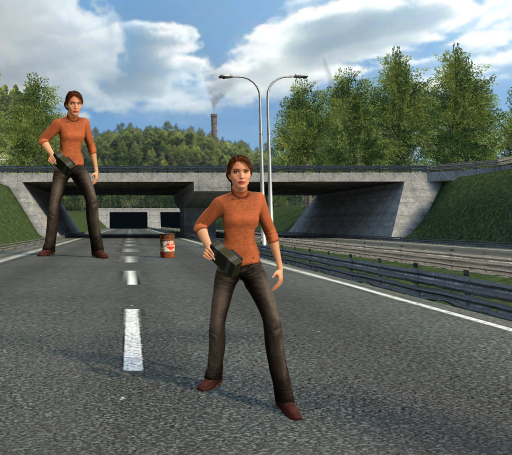
About Shrinkinator - Player Resizer
From Steam WorkshopThe Shrinkinator allows players to shrink or grow to many sizes. Movement speed, mass, jump height, damage dealt, damage received, eye height, hitbox, E +use range, and many other things all scale…
The Shrinkinator allows players to shrink or grow to many sizes. Movement speed, mass, jump height, damage dealt, damage received, eye height, hitbox, E +use range, and many other things all scale with your size for an immersive experience.
This addon supports 3 mechanisms of player resizing to play with or implement into your server. These include The Shrinkinator weapon, Shrinkshrooms, and player spawn resizing.
The weapon itself has 3 modes: -Green mode allows the user to use mouse 1 and 2 to scale to any size -Yellow mode allows the user to scale to an exact size by entering a number on their real keypad -Blue mode allows the user to see various stats and how they have scaled to their current size
This addon also comes with three mushroom entities. Once eaten, the blue mushroom will shrink you, the red one will grow you, and the green will return you to normal.
List of convars:
shrinkinator_cl_zoom_viewmodel, default = 0 (Set this to 1 if your viewmodel is too small, which will probably only matter if you play on a low resolution)
shrinkinator_min_size, default = 35, min = 5, max = 100 shrinkinator_max_size, default = 1000, min = 100, max = 2000 (min and max determine the size that players can reach by any method of growing, weapon and mushroom alike)
shrinkinator_rate, default = 2, min = 1, max = 100 (rate determines how much is added or removed from your current size every frame when sizing with the weapon)
shrinkinator_scale_damage, default = 1 shrinkinator_scale_movement, default = 1 (these are self-explanatory. I highly recommend leaving them on. Turning them off is no fun)
shrinkinator_sproutshroom_max, default = 6, min = 1, max = 50 shrinkinator_shrinkshroom_max, default = 6, min = 1, max = 50 (these will determine how many mushrooms it takes to reach (max or min) size from 100% size)
Bug/Error Reports:
I plan to read every comment posted, so you can post bugs you find there There are currently known issues with player sizing when any serverside convars are changed. A fix is currently in the works. You may also experience a size desync issue (camera jittering up and down) if you have a custom spawn size, but this will almost always fix within a few seconds if you move.
DarkRP Server Owners/Programmers:
This addon supports setting job-specific spawn sizes. to do this, you simply have to add 1 weapon to a job's list of spawn weapons. These weapons are called "player_resize_5", "player_resize_10", "player_resize_15", "player_resize_20", "player_resize_25", "player_resize_35", "player_resize_40", "player_resize_50", "player_resize_75", "player_resize_100", "player_resize_125", "player_resize_150", "player_resize_200", "player_resize_250", "player_resize_300", "player_resize_400", "player_resize_500", "player_resize_750", and "player_resize_1000" If you are using this for darkrp, I also recommend adding "ent_shrink_shroom", "ent_sprout_shroom", and "ent_reset_shroom" to the entities that drug dealer can buy. Additionally, for any version of the map 'rp_downtown_...', I recommend adding "shrinkinator_max_size 300" to your 'server.cfg' file, as anyone taller than this cannot pass through the tunnels without ducking.
Credits
TheTallGiraffe - Original idea Dekor - Workshop logo, spawnmenu icons, shrinkshroom design Other members of the Fragout Community - Testing
Highlights
From source dataFootprint
A 232 KB download, rated a light load on a server.
Last update
Its author last shipped an update 6 yr ago.
Shrinkinator - Player Resizer on Nxeon
From our catalogue- One-click install
- Supported on Nxeon Garry's Mod servers. We download it from Steam Workshop, place it, and restart the server.
- Server load
- light
- Smallest plan we suggest
- Garry's Mod — 2 GB (2 GB RAM). This follows our own load rating above, not a benchmark.
- Latest build
- 2021-01-30, released 2021-01-30, 232 KB
Game versions by loader
| Loader | Game versions | Newest |
|---|---|---|
| Workshop |
From 1 recorded build of Shrinkinator - Player Resizer.
Run Shrinkinator - Player Resizer on a Garry's Mod server
Pick a server or deploy a new one above; it is installed in one click.
What kind of mod it is
From the catalogWorkshop
Its source category doesn’t say more about what it does, so NxLabs lists it under Other.
Compatibility
- Game
- Garry's Mod
- File size
- 232 KB
Verified at the source
- ✓Steam WorkshopOfficial listing, checked 2026-10-10Open ↗
- ✓AuthorPinhead Larry, as published on Steam Workshop
- ✓LicenseNot published by the sourceFree














