About Slow Motion | Portal 2 BETA - Slowfield
From Steam WorkshopA customizable LUA recreation of the scrapped "Aperture Science Self Esteem Field" mechanic from Portal 2's BETA 2009 "Core Hub" era leaked game build. It is a simple, tactical ability that…
A customizable LUA recreation of the scrapped "Aperture Science Self Esteem Field" mechanic from Portal 2's BETA 2009 "Core Hub" era leaked game build. It is a simple, tactical ability that temporarily slows down the game, giving the player more time to react, aim, or perform precise actions. The mechanic survived as leftovers in Portal 2's files despite being removed from the final game, unused dialogue even describes the field as something that temporarily increases the player's reaction time.
You can use Draconic Base to fix FOV conflicts with thirdperson mods for now.
IMPORTANT: It has no default keybind. You must bind it yourself after installing the addon. And it is ONLY for a singleplayer.

[hr][/hr]
[h1]Console Commands:[/h1]1. Bind a key to activate Slowfield: [h1]bind G portal_slowfield_toggle[/h1] Note: this example uses G. You can replace it with any key you want. 2. Open the configuration menu (present in utilities): [h1]portal_slowfield_menu[/h1] 3. Sound pitch time scaling: [h1]sv_soundtime_disabled[/h1]
Features:
- Configuration Menu — in-game access to all available Slowfield settings.
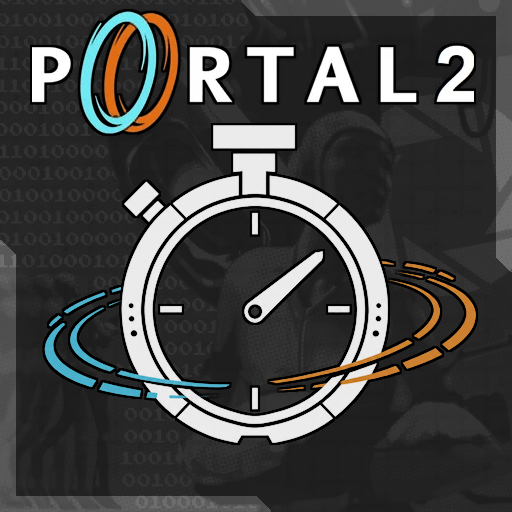
- HUD — animated stopwatch indicator with configurable screen position, colors, and frame appearance. Includes Original and Alternative stopwatch icons. The HUD frame can be disabled, recolored, and its opacity adjusted.
- Screen Filter — optional configurable visual effect with adjustable color.
- FOV Transition — subtle FOV adjustment while Slowfield is active. The effect can be configured or disabled entirely.
- Custom Sounds — configurable activation, loop, deactivation, and full-drain sounds with preview controls.
- Sound Pitch Time Scaling — optionally adjusts sound pitch according to the current game time scale, including Slowfield and host_timescale.
- Slow Motion — configurable game time scale for the Slowfield effect.
- Time Reserve — optional stamina-like resource with configurable maximum capacity, drain rate, and recharge rate. It can be disabled entirely for an infinite Slowfield.
- Player Compensation — optional dynamic movement and weapon fire-rate compensation, helping the activating player remain responsive during Slowfield.
- Configurable Compensation — movement compensation multiplier and weapon compensation strength can be adjusted independently from the Slowfield strength.
[hr][/hr]
Tags:
[spoiler]corehub, cut, alpha, prototype, bullet time.[/spoiler]
Highlights
From source dataFootprint
Rated a light load on a server.
Last update
Its author last shipped an update 31d ago.
Slow Motion | Portal 2 BETA - Slowfield on Nxeon
From our catalogue- One-click install
- Supported on Nxeon Garry's Mod servers. We download it from Steam Workshop, place it, and restart the server.
- Server load
- light
- Smallest plan we suggest
- Garry's Mod — 2 GB (2 GB RAM). This follows our own load rating above, not a benchmark.
- Latest build
- 2026-10-05, released 2026-10-05
Game versions by loader
| Loader | Game versions | Newest |
|---|---|---|
| Workshop |
From 1 recorded build of Slow Motion | Portal 2 BETA - Slowfield.
Run Slow Motion | Portal 2 BETA - Slowfield on a Garry's Mod server
Pick a server or deploy a new one above; it is installed in one click.
What kind of mod it is
From the catalogBuilding & decoration
Blocks, furniture, decorations and building tools.
Compatibility
- Game
- Garry's Mod
Verified at the source
- ✓Steam WorkshopOfficial listing, checked 2026-10-05Open ↗
- ✓Author, as published on Steam Workshop
- ✓LicenseNot published by the sourceFree