






About Star Wars Hover Vehicles
From Steam Workshophttps://dl.dropboxusercontent.com/u/74549506/deschedder_starwars_01.png Description: A pack of useable Star Wars hover vehicles with working weapons. If you make use of these vehicles on your server,…

Description:
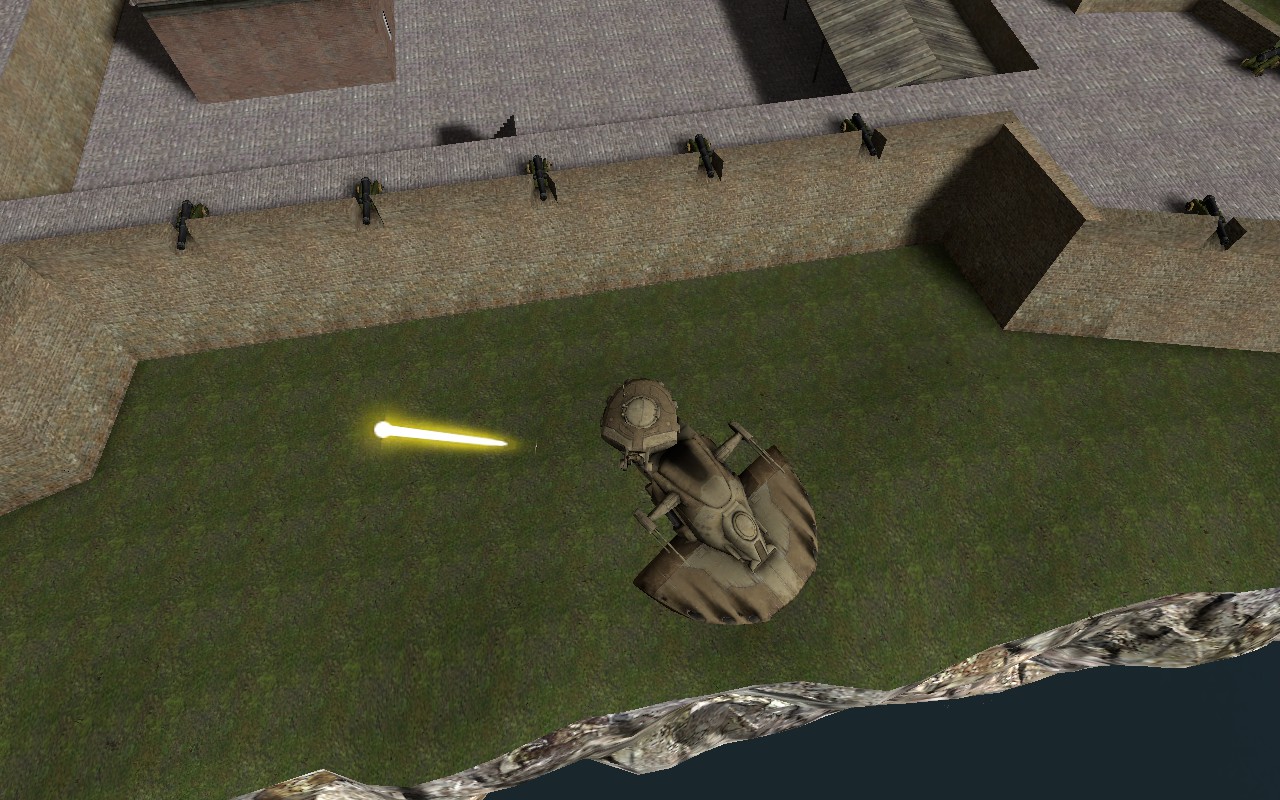
A pack of useable Star Wars hover vehicles with working weapons. If you make use of these vehicles on your server, you must give appropriate credit. Note that some of the models have been rescaled for gameplay reasons.
These vehicles were made for the Star Wars HFG server.
This pack contains the following vehicles: 74-Z Speeder AAT AV-21 Landspeeder BARC Speeder STAP TX-130T (Blue) TX-130T (Gray) TX-130T (Red) X-34 Landspeeder
Controls: E - Enter and/or exit ship. W - Accelerate. LEFT CTRL - Zoom in. SPACE - Zoom out. LEFT MOUSE - Fire weapons. R - switch between seats.
Frequently Asked Questions and Issues:
How does one download this? Click on the green "Subscribe" button, and Garry's Mod will download it the next time you start it.
How does one activate DOD:S in Garry's Mod (for addons which require DOD:S)? Tick it in the pop-up menu that appears when you click on the game controller icon in the bottom right of the Garry's Mod main menu.
It does not show up in-game. Try deleting the addon's GMA file from the Garry' Mod addon folder, and allowing Garry's Mod to re-download the addon.
When they die they enter the T pose position (for NPCs). This is known to be caused by addons and/or mods which remove and/or replace the error model.
It does not work and/or crashes the game, please fix. How do you expect me to do anything if you give me no information? Try checking for addon and/or mod conflicts.

Steam Group:

Highlights
From source dataFootprint
Rated a light load on a server.
Last update
Its author last shipped an update 11 yr ago.
Star Wars Hover Vehicles on Nxeon
From our catalogue- One-click install
- Supported on Nxeon Garry's Mod servers. We download it from Steam Workshop, place it, and restart the server.
- Server load
- light
- Smallest plan we suggest
- Garry's Mod — 2 GB (2 GB RAM). This follows our own load rating above, not a benchmark.
- Latest build
- 2016-01-15, released 2016-01-15
Game versions by loader
| Loader | Game versions | Newest |
|---|---|---|
| Workshop |
From 1 recorded build of Star Wars Hover Vehicles.
Run Star Wars Hover Vehicles on a Garry's Mod server
Pick a server or deploy a new one above; it is installed in one click.
What kind of mod it is
From the catalogVehicles & ships
Cars, boats, aircraft, ships and other things to drive or fly.
Compatibility
- Game
- Garry's Mod
Verified at the source
- ✓Steam WorkshopOfficial listing, checked 2026-10-10Open ↗
- ✓AuthorSyntaxError752, as published on Steam Workshop
- ✓LicenseNot published by the sourceFree














