






About Stop Motion Helper
From Steam WorkshopWhat is it? Stop Motion Helper is a tool that is designed to help with making stop motion animations in Garry's Mod. It can save the state of ragdolls and props into frames and animate between them.…
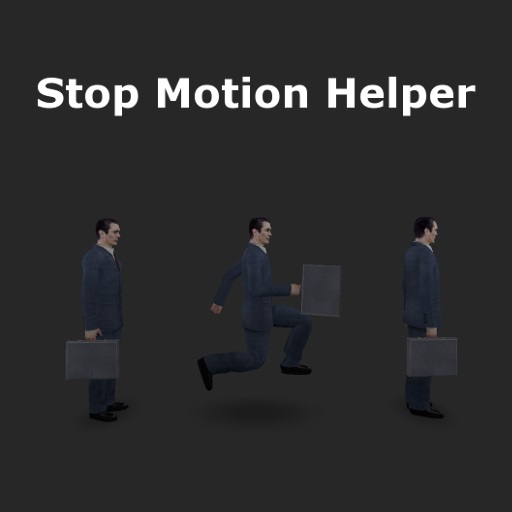
What is it? Stop Motion Helper is a tool that is designed to help with making stop motion animations in Garry's Mod. It can save the state of ragdolls and props into frames and animate between them.
Why should I use it? There are many reasons. - You can make linear transitions between two positions, and also ease them in and out - You can store ragdoll and prop positions into frames, so you don't have to make screenshots right away - You can save all of your recorded frames, so you can come back to your project, change things, and render it again - You can use it in any ragdoll posing situation to store different poses of your ragdolls
What's new in version 2? - Frames are now stored seperately for each entity, so they are not locked to all entities - Frames are positioned in a timeline, very similar to 3D animation programs, which makes frame manipulation much more easier and fluid - There's a save/load system that works - The tool is much more stable now
What's new in version 3? - It is possible to separate modifiers that record properties of entities into separate timelines, like faceposing and posing - Physics of props and ragdolls can be recorded in SMH with Physics Recorder - Load menu now has a function to spawn and offset position of saved entities
How do I download it? Just press that subscribe button up there and play gmod.
How do I use it? Follow the tutorial.
FAQ Q: I press record, but nothing happens! A: Generally this happens because you didn't select an entity to record the poses of. To do that, bring up SMH menu, and right click on the entity you want to record, which would highlight it with a green halo (Although highlighting doesn't always work, but it still should select the entity)
Q: Why can't I select more than one entity? A: In the new version, entities are selected for editing their frames. All entities that have any recorded frames are animated automatically, when the playhead is moved or when smh_playback command is used. So if you select one entity, record frames, select another, record frames, both of these entities will be animated.
Q: SMH isn't playing facial animations? A: If you have the faceposer tool open, it will override any facial changes made when you move between frames with SMH, so you need to unequip the faceposer tool to see the changes.
Q: Command x doesn't work, and I'm getting x error A: First, make sure the command you use is correct. Most often you may forget the + sign in front of some commands. Check the tutorial to make sure you are typing the commands correctly. Also, SMH has only been tested on sandbox mode, and most likely doesn't work on other gamemodes. So if you are getting errors and you are not in sandbox mode, disable the addon. Otherwise, leave a comment below including the error you are getting.
Q: Ragdolls don't move when I playback my animation, but their shadows do? A: This issue is generally caused by desync of the "Don't animate physbones" setting. You can fix that by going to the settings through SMH's menu, and checking and unchecking "Don't animate physbones".
Q: I can't understand the tutorial A: I know my tutorial making skills are not that good, but if you have some patience to fiddle around with the tool, you get the hang of it and understand it better. There is also a video tutorial available, which can clear things up better.
More extensive FAQ and guidelines for reporting bugs can be found here.
Bug reporting and links Report any issues in the comments. I may not be responding much, but I do read them frequently.
FP thread: http://facepunch.com/showthread.php?t=1444421 GitHub: https://github.com/Winded/StopMotionHelper
Highlights
From source dataFootprint
A 213 KB download, rated a light load on a server.
Last update
Its author last shipped an update 5 yr ago.
Stop Motion Helper on Nxeon
From our catalogue- One-click install
- Supported on Nxeon Garry's Mod servers. We download it from Steam Workshop, place it, and restart the server.
- Server load
- light
- Smallest plan we suggest
- Garry's Mod — 2 GB (2 GB RAM). This follows our own load rating above, not a benchmark.
- Latest build
- 2022-02-02, released 2022-02-02, 213 KB
Game versions by loader
| Loader | Game versions | Newest |
|---|---|---|
| Workshop |
From 1 recorded build of Stop Motion Helper.
Run Stop Motion Helper on a Garry's Mod server
Pick a server or deploy a new one above; it is installed in one click.
What kind of mod it is
From the catalogWeapons, items & crafting
New weapons, gear, items and the recipes to make them.
Compatibility
- Game
- Garry's Mod
- File size
- 213 KB
Verified at the source
- ✓Steam WorkshopOfficial listing, checked 2026-10-10Open ↗
- ✓AuthorWinded, as published on Steam Workshop
- ✓LicenseNot published by the sourceFree














