






About SW Blue-X15
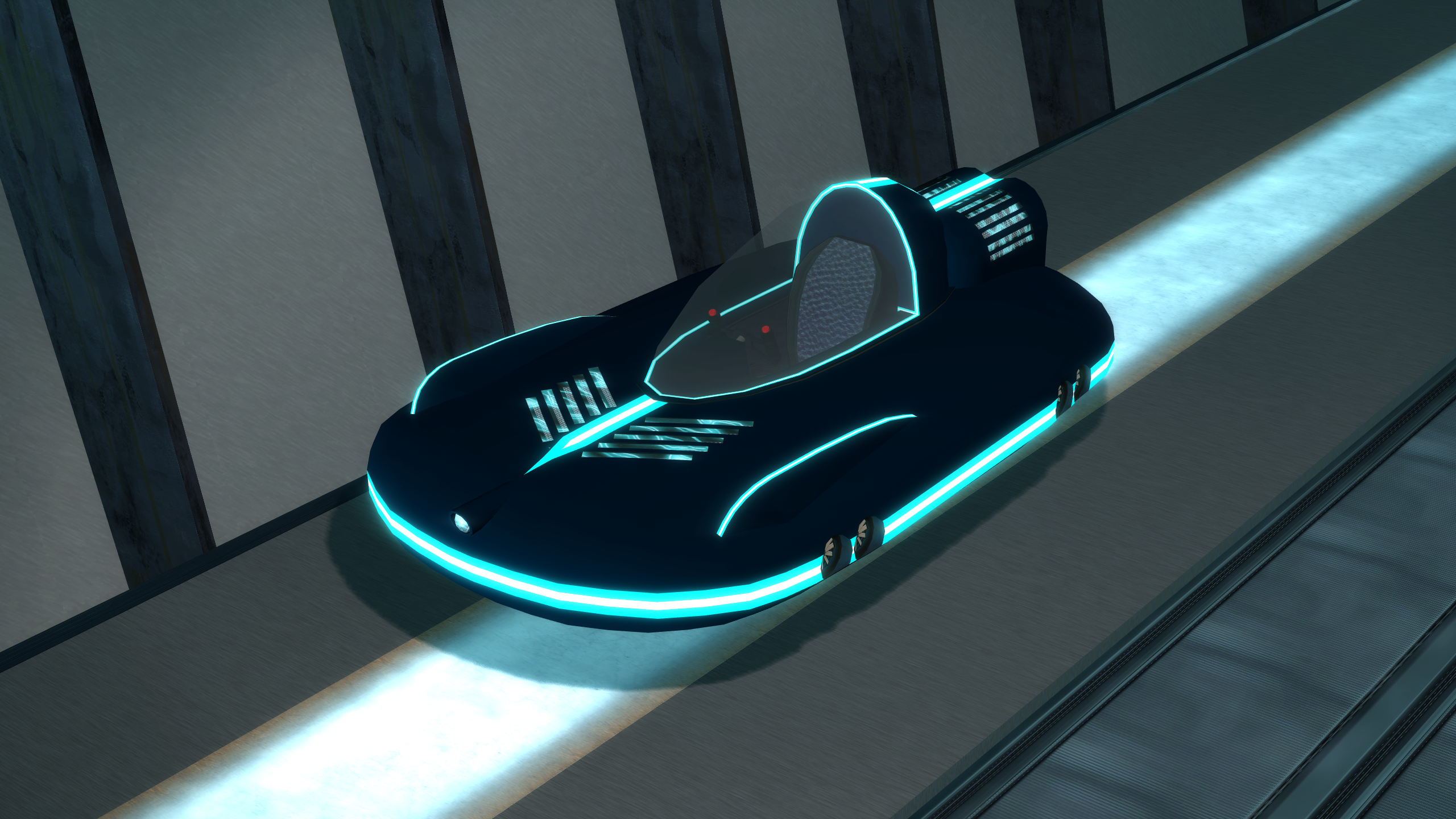
From Steam WorkshopA tron styled 4-in-1 vehicle. Please read the description for all informations about the addon! Click for the terms of use. Special thanks to: Grocel NaibaXD Ron Thunderr Sheppard Requirements: You…
A tron styled 4-in-1 vehicle. [hr][/hr]
[h3]Please read the description for all informations about the addon! Click for the terms of use.[/h3]
Special thanks to:
- Grocel
- NaibaXD
- [GER] Ron Thunderr
- Sheppard
Requirements:
- You need to have the SW Base Addon installed!
Info:
- Watch at the seat to enter the vehicle.
- The vehicle have also a magnet on the bottom to lift small things.
- Dynamic Theme-System & Colorable. Video Link!
- Support for Dupes and Saves
- Robust Multi-Entity physics system
- CPPI integration for prop protection and anti-abuse
- Build-in spam protection
About the different modes:
- Hover-Mode (Hover slightly over ground.)
- Boat-Mode (Drive on the watersurface.)
- Fly/Submarine-Mode (Fly around in the air or underwater.)
- Railway-Mode: (Drive on the rails.)
Reasons why you can't change the mode:
- If the dashboard lamp is red, then it is not possible to change the mode.
- You are to fast, brake down under 25 kph.
- The vehicle is not straight enough to enable the fly mode.
- There is not enough space underneath your position to enable the railway mode.
Controls:
- W (+forward) = Forward
- S (+back) = Backward
- A (+moveleft) = Steer Left
- D (+moveright) = Steer Right
- Only in Hover-Mode:
- Space (+jump) = Jump
- Only in Fly- and Railway-Mode:
- Space (+jump) = Move Up
- Alt (+walk) = Move Down
Changeable controls:
- F = Light
- V = Grab Object / Release Object
- R = Move Right
- Shift = Move Left
- 1 = Hover-Mode
- 2 = Boat-Mode
- 3 = Fly/Submarine-Mode
- 4 = Railway-Mode
- Keypad 1 = Extra Camera Left
- Keypad 2 = Extra Camera Front
- Keypad 3 = Extra Camera Right
- Keypad 4 = Extra Camera Back
Comments and feedback:
In order to centilize our addon maintenance efforts, the comments has been disabled in all addons. Please go to the SW Addons Group to comment and give feedback on our addons. Mind the rules, though!
Any problems? Please read those:
[h3]► FAQ & Common Issues ► Troubleshooting[/h3]
Still got problems? Post here:
► Bug Reports
[h3]Please read the description for all informations about the addon! Click for the terms of use.[/h3]
Highlights
From source dataFootprint
A 6 MB download, rated a light load on a server.
Last update
Its author last shipped an update 28d ago.
SW Blue-X15 on Nxeon
From our catalogue- One-click install
- Supported on Nxeon Garry's Mod servers. We download it from Steam Workshop, place it, and restart the server.
- Server load
- light
- Smallest plan we suggest
- Garry's Mod — 2 GB (2 GB RAM). This follows our own load rating above, not a benchmark.
- Latest build
- 2026-09-17, released 2026-09-17, 6 MB
Game versions by loader
| Loader | Game versions | Newest |
|---|---|---|
| Workshop |
From 1 recorded build of SW Blue-X15.
Dependencies
- Required: SW Base
Declared by the newest build that lists any. Required ones are installed with it on one-click installs.
Run SW Blue-X15 on a Garry's Mod server
Pick a server or deploy a new one above; it is installed in one click.
What kind of mod it is
From the catalogVehicles & ships
Cars, boats, aircraft, ships and other things to drive or fly.
Compatibility
- Game
- Garry's Mod
- File size
- 6 MB
Verified at the source
- ✓Steam WorkshopOfficial listing, checked 2026-10-10Open ↗
- ✓AuthorSligWolf, as published on Steam Workshop
- ✓LicenseNot published by the sourceFree














