







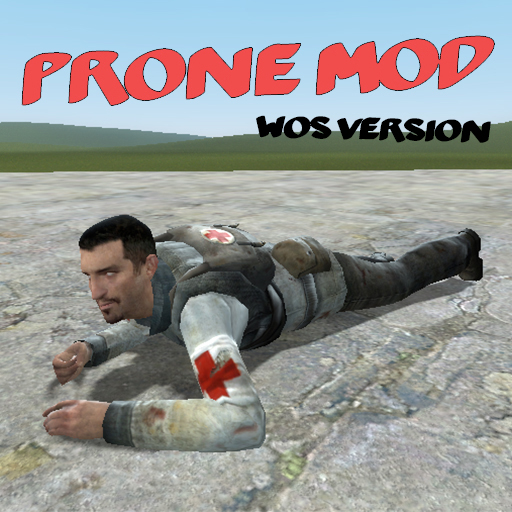
About The Prone Mod - wOS
From Steam WorkshopGive those tired legs a break and go prone! Note: This version of the addon requires [url=https://steamcommunity.com/workshop/filedetails/?id=918084741]wOS - Base Extension and…
Give those tired legs a break and go prone!
Note: This version of the addon requires wOS - Base Extension and wOS - Prone Mod Extension to work.
Note: This addon may cause some NPCs to glitch into prone animations at random times. Currently this issue is known but will not be addressed until a proper solution is found.
[h1]How do I install this?[/h1][list] [*] Make sure you, everyone else in your game, and the server itself (if you have a dedicated server) all have this addon, and it's two dependency addons, installed. Then restart your game. Dedicated servers need the models mounted on the server.[/list]
How do I go prone?
- [h1]How do I change what key it is to go prone?[/h1]
- [list][*] Type "prone_config" in console.[/list]
- [h1]Model X doesn't work properly with the Prone Mod, what can I do?[/h1]
- [list][*] This addon works by adding prone animations to the base Garry's Mod and HL2 animation models, not to each model in the game itself. If a model is not working with this addon you should direct your complaints to the creator of said model.[/list]
- [h1]I see a config menu in the images above, how do I access it?[/h1]
- [list][*] Use the GitHub version of the addon linked here. The config file is in prone_mod/lua/prone/config.lua[/list]
- [h1]How does this work with Clockwork, Nutscript, or Helix?[/h1][list]
- (As of June 2020) Perfectly fine, just like any other gamemode.[/list]
- [h1]Do I need to use wOS for this addon to work?[/h1][list]
- Nope, use this version instead. This other version will not work with wOS.[/list]
- [h1]My view while prone keeps bouncing/I can prone really fast/I can jump while prone/etc[/h1][list]
- This is because some addon is conflicting with the Prone Mod. The best thing to do would be to pinpoint the exact addon causing the problem and letting Stalker know about it.[/list]
- [h1]The addon doesn't work![/h1][list]
- It most likely does but Garry's Mod supports only one single addon that adds animations at a time. The wOS version of this addon was made to help circumvent this but not every animation addon supports it. Please test the addon on a vanilla server before reporting that the addon doesn't work.[/list]
- [h1]I'm a lua developer, does your addon have an API?[/h1][list]
- Yep, here is the documentation.[/list]
- [h1]I'm making my own animations base, how do I add support for your Prone Mod?[/h1][list]
- Follow this guide.[/list]
- [h1]I have another problem not covered here, where should I ask?[/h1]
- [list][*] Post it in the pinned Report Issues Here thread below.[/list]
- [h1]Console Commands:[/h1]
- [code]prone -- Lets you go in and out of prone.
- prone_config -- Opens up a menu to change what keys make you go prone.
- prone_movespeed -- Sets the move speed of the players while prone (Server only).
- prone_disabletransitions -- Disables view transitions between prone get up/down.
- [/code]
- Github Link - https://github.com/gspetrou/Prone-Mod
- Stalker - Responsible for the Lua code. Contact him for support.
- Stiffy360 - Responsible for porting and tweaking the animations. DO NOT contact him for support.
- Don't forget to leave an honest comment or rating!
Highlights
From source dataFootprint
A 962 KB download, rated a light load on a server.
Last update
Its author last shipped an update 5 yr ago.
The Prone Mod - wOS on Nxeon
From our catalogue- One-click install
- Supported on Nxeon Garry's Mod servers. We download it from Steam Workshop, place it, and restart the server.
- Server load
- light
- Smallest plan we suggest
- Garry's Mod — 2 GB (2 GB RAM). This follows our own load rating above, not a benchmark.
- Latest build
- 2021-10-27, released 2021-10-27, 962 KB
Game versions by loader
| Loader | Game versions | Newest |
|---|---|---|
| Workshop |
From 1 recorded build of The Prone Mod - wOS.
Dependencies
- Required: [wOS] Animation Extension - Base (Full Version)
- Required: [wOS] Animation Extension - Prone Mod
Declared by the newest build that lists any. Required ones are installed with it on one-click installs.
Run The Prone Mod - wOS on a Garry's Mod server
Pick a server or deploy a new one above; it is installed in one click.
What kind of mod it is
From the catalogWorkshop
Its source category doesn’t say more about what it does, so NxLabs lists it under Other.
Compatibility
- Game
- Garry's Mod
- File size
- 962 KB
Verified at the source
- ✓Steam WorkshopOfficial listing, checked 2026-10-10Open ↗
- ✓AuthorDetective Sour Pants, as published on Steam Workshop
- ✓LicenseNot published by the sourceFree














