






About Universal Relations - NPC, player and LVS relationship editor
From Steam WorkshopUniversal Relations Decide who is friend and who is foe - for every NPC base, for players and for LVS vehicles, all in one graph. (Formerly LVS AI Fix - everything it did is still here.) Relationship…
Universal Relations
Decide who is friend and who is foe - for every NPC base, for players and for LVS vehicles, all in one graph. (Formerly LVS AI Fix - everything it did is still here.)
Relationship editor
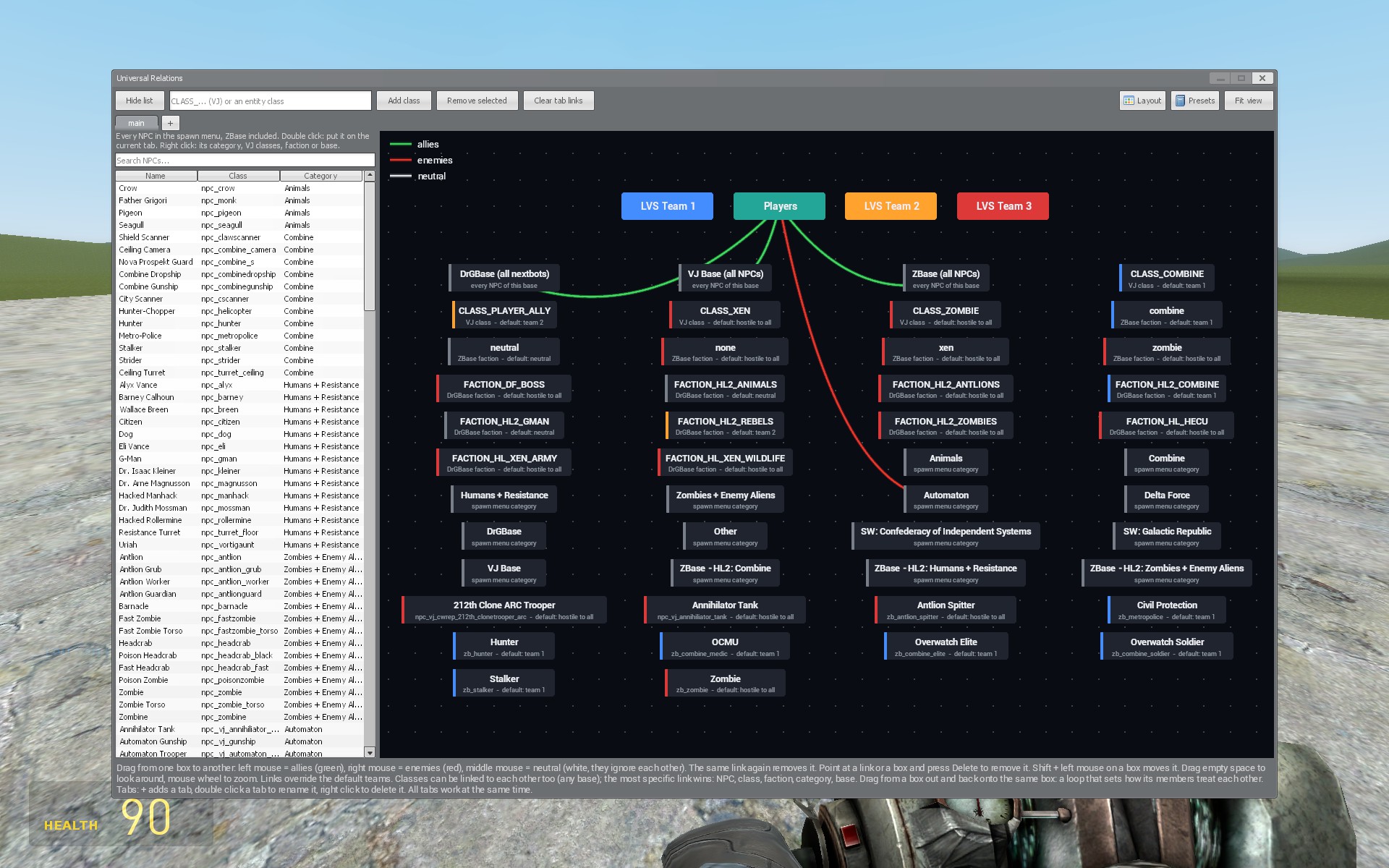
- A graph of everything that can fight: LVS teams, Players, VJ classes, ZBase and DrGBase factions, spawn menu categories, whole bases (all VJ, all ZBase, all DrGBase NPCs) and single NPCs.
- Everything is loaded automatically from your installed NPCs, single NPCs can be added from a searchable list.
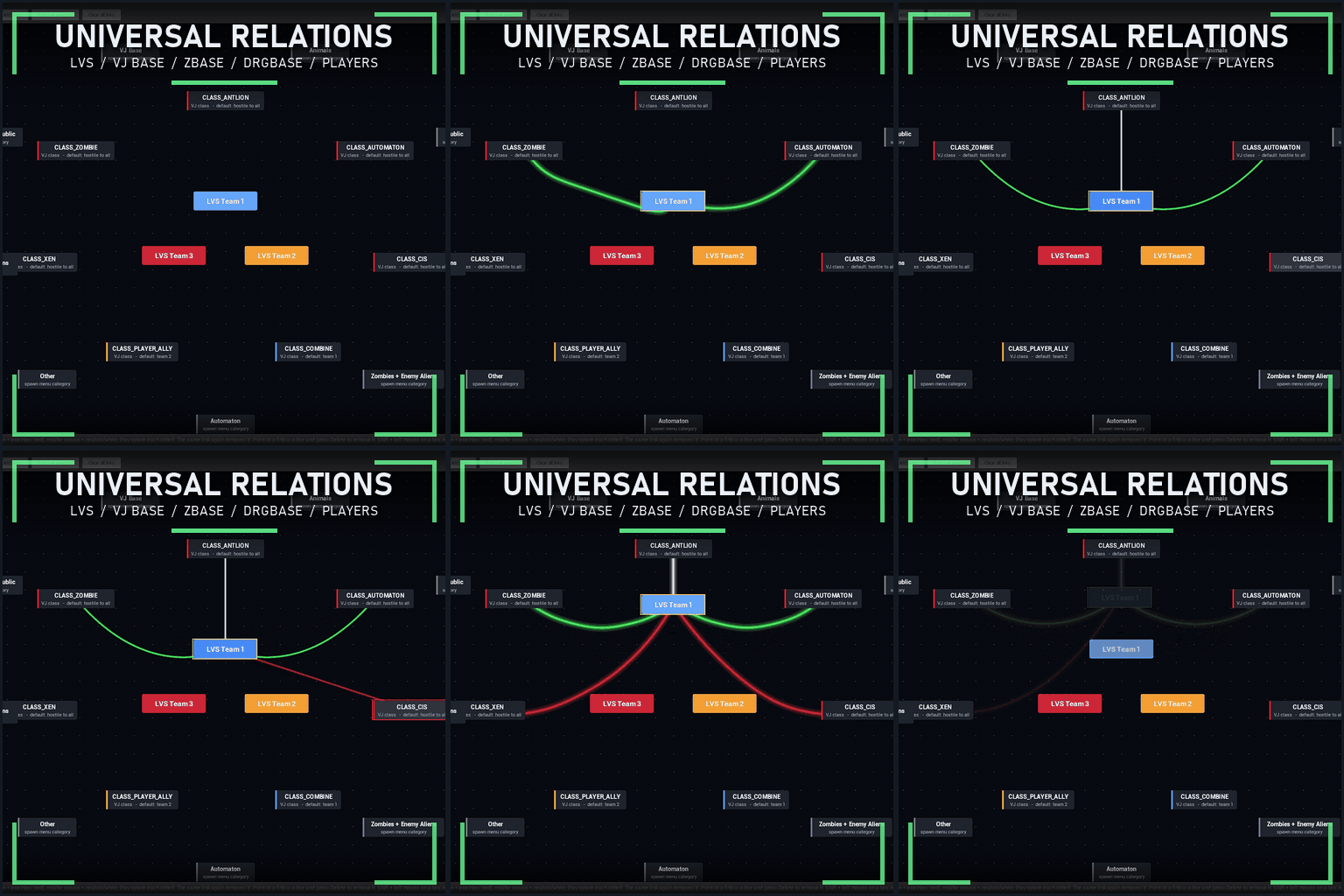
- Link two boxes with the mouse: green allies, red enemies, white neutral (they ignore each other).
- Drag a box out and back onto itself: a loop that sets how its own members treat each other (for example: all VJ NPCs are allies).
- Works between any bases: VJ Base, ZBase, DrGBase, Half-Life 2 NPCs and LVS vehicles. The most specific link wins: single NPC, class, faction, category, base.
- Rules apply right away, also to NPCs that spawn later, and the bases cannot override them. Remove a link and the NPCs go back to their usual behaviour.
- Tabs split a big setup into smaller scenes that all work at once.
- Four layouts (star, columns, grid, rows), move boxes freely, zoom and pan.
- Presets: save, load and share them as a code.
- Saved on the server, only the host or a superadmin can edit.
LVS AI fixes
- LVS AI sees and fights VJ Base, ZBase and DrGBase NPCs and NextBots, and they see and fight LVS vehicles.
- LVS AI cars and tanks no longer drive into deep water or off cliffs.
- LVS AI respects ai_ignoreplayers.
- LVS vehicles fight back against NPCs that attack them.
For NPC authors
ENT.LVSTeam = 1 (0 - 3) or the VJ class "CLASS_LVS_TEAM1" puts an NPC into an LVS team.
Settings
Utilities - Universal Relations - Settings. The editor opens with the "Relationship editor" button or the console command universal_relations. Console lvs_aifix_debug: look at an NPC to see its groups and how it treats everyone around it.
LVS features need LVS Base. VJ Base, ZBase and DrGBase are optional.
tags: [spoiler]universal relations, relationships, relationship editor, faction editor, factions, allies, enemies, neutral, teams, npc, npcs, vj base, vj, zbase, drgbase, drg base, nextbot, nextbots, half-life 2, hl2, lvs, lvs base, luna's vehicle script, ai, ai fix, lvs ai fix, ai_ignoreplayers, vehicle ai, compatibility, vj class, npc relationships, friendly fire[/spoiler]
Highlights
From source dataFootprint
Rated a light load on a server.
Last update
Its author last shipped an update today.
Universal Relations - NPC, player and LVS relationship editor on Nxeon
From our catalogue- One-click install
- Supported on Nxeon Garry's Mod servers. We download it from Steam Workshop, place it, and restart the server.
- Server load
- light
- Smallest plan we suggest
- Garry's Mod — 2 GB (2 GB RAM). This follows our own load rating above, not a benchmark.
- Latest build
- 2026-10-15, released 2026-10-15
Game versions by loader
| Loader | Game versions | Newest |
|---|---|---|
| Workshop |
From 1 recorded build of Universal Relations - NPC, player and LVS relationship editor.
Run Universal Relations - NPC, player and LVS relationship editor on a Garry's Mod server
Pick a server or deploy a new one above; it is installed in one click.
What kind of mod it is
From the catalogCreatures & NPCs
Adds or changes creatures, NPCs and how they behave.
Compatibility
- Game
- Garry's Mod
Verified at the source
- ✓Steam WorkshopOfficial listing, checked 2026-10-16Open ↗
- ✓AuthorDer1k, as published on Steam Workshop
- ✓LicenseNot published by the sourceFree














