






About Ammo Control
From Steam Workshophttps://img.shields.io/static/v1?label=KF2&message=Mutator&color=blue https://img.shields.io/static/v1?label=config&message=INI%20tunable&color=orange…



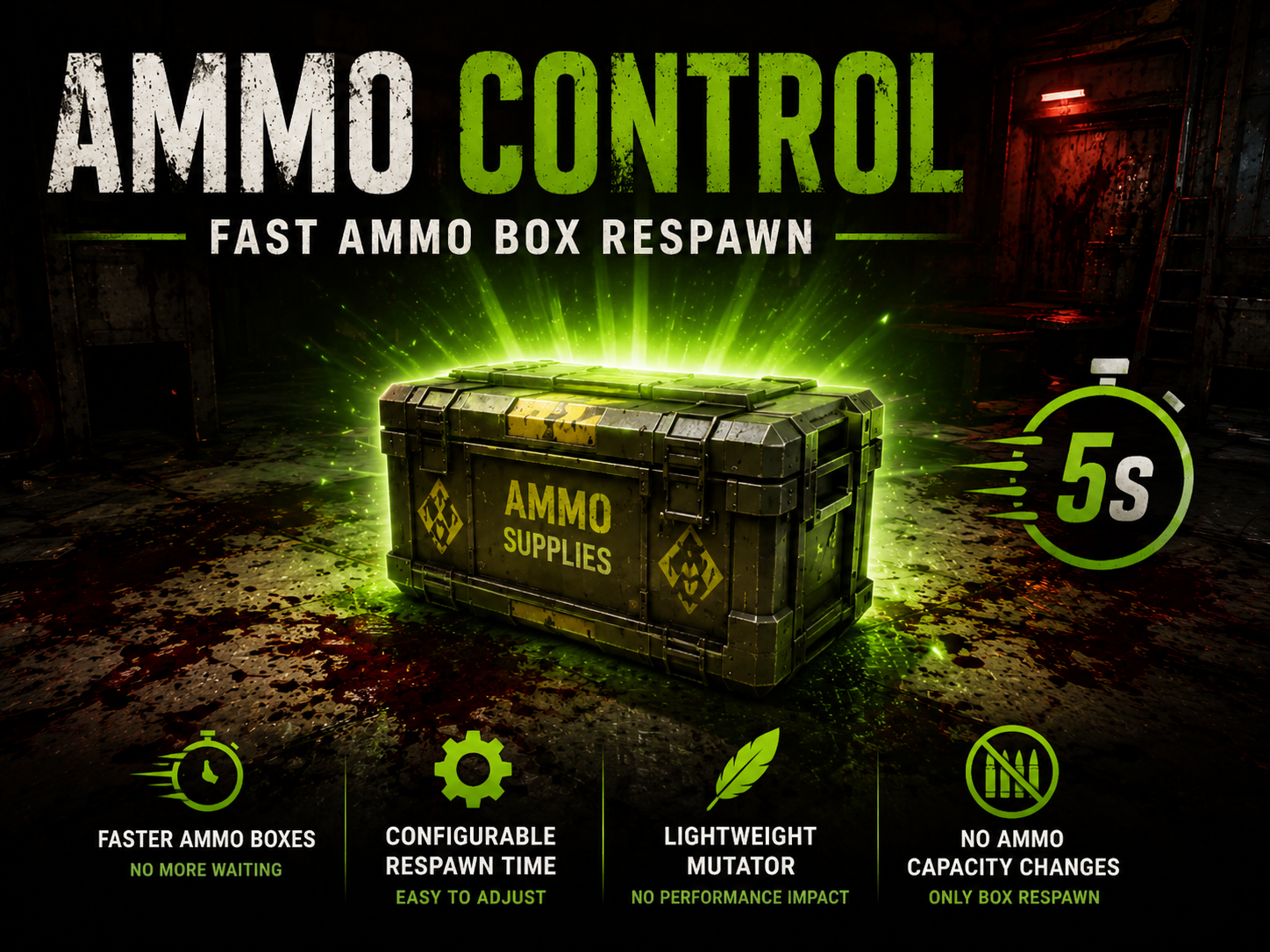
Ammo Control is a lightweight mutator that lets server owners configure ammo box respawn timing and pickup rewards.
Features
- Configure how quickly ammo boxes respawn.
- Choose how many grenades each ammo box gives.
- Choose how many armor points each ammo box gives.
- Multiply weapon reserve capacity and starting reserve ammo.
- Multiply the ammunition supplied by ammo boxes while preserving each weapon's individual pickup balance.
- Infinite ammo
- All ammo boxes in the first wave.
- Custom maps supported (kismet method, default is disabled)
Ammo and armor rewards never exceed their normal maximum capacity. The reserve multiplier does not change weapon magazine size.
Usage
?Mutator=AmmoControl.AmmoControlMut[/code]

[b]Configuration[/b]

Create the .ini file or launch the mutator once to generate or update the .ini file if you had a previous version:
[code]Documents\My Games\KillingFloor2\KFGame\Config\KFAmmoControl.ini
Recomended configuration:
[AmmoControl.AmmoControlMut]
bConfigsInit=True
bEnabled=True
bDebugLog=False
AmmoBoxRespawnTime=5.000000
MinRespawnTime=1.000000
MaxRespawnTime=180.000000
bRewardsConfigInit=True
bAmmoMultiplierConfigInit=True
bAmmoPickupMultiplierConfigInit=True
GrenadesPerAmmoPickup=1
ArmorPerAmmoPickup=0
AmmoMultiplier=1.000000
AmmoPickupMultiplier=1.000000
bAutoRefillAmmoConfigInit=True
bAutoRefillAmmo=False
bInitialAmmoPickupsConfigInit=True
bActivateAllAmmoPickupsOnFirstWave=False
bKismetPickupSupportConfigInit=True
bEnableKismetPickupSupport=True
ExcludedKismetPickupMaps=
ExcludedKismetPickupMapPatterns=_Challenge
The default configuration affects the ammo box respawn timing only, the means: When a player picks up an ammo box, the game will activate the next ammo box location faster using the configured respawn time. It does not increase weapon ammo capacity, does not modify grenades, armor, weapon pickups, or player inventory.
Default vanilla respawn is around 30 seconds, sometimes minutes (depending on the map). This mutator lets server owners configure a faster value, in this example is 5 seconds.
Options
- AmmoBoxRespawnTime — Seconds before the game activates another available ammo box location.
- MinRespawnTime / MaxRespawnTime — Safety limits applied to the configured respawn time.
- GrenadesPerAmmoPickup — Grenades supplied by each box. Set to 0 to disable grenade rewards.
- ArmorPerAmmoPickup — Armor points supplied by each box. Set to 0 to disable armor rewards.
- AmmoMultiplier — Multiplies maximum weapon reserve and starting reserve ammo. 1.0 keeps vanilla values and does not alter magazine size.
- AmmoPickupMultiplier — Multiplies the normal weapon-specific ammunition supplied by each box. 1.0 keeps vanilla values, 2.0 doubles the reward, and 0.0 disables weapon-ammo rewards.
- bAutoRefillAmmo — Infinite ammunition. True enables this option, you still have to reload.
- bActivateAllAmmoPickupsOnFirstWave — All ammo boxes in the first wave. True enables this option.
- bEnableKismetPickupSupport by default is False (disabled) because many custom maps have custom ammo spawn rules.
- ExcludedKismetPickupMaps add KF-MapName to exclude a map from ammocontrol. You can add as many lines as you like, this way:
- ExcludedKismetPickupMaps=KF-Nuked
- ExcludedKismetPickupMaps=KF-custommap
- ExcludedKismetPickupMapPatterns exclude all maps that have the "_Challenge " in the name, you can use any word, or leave empty to not exclude any.
The b...ConfigInit entries are migration markers. Leave them set to True; they allow existing installations to receive new options without losing their previous settings.
Example
The following settings activate another ammo box location after 5 seconds, give 2 grenades and 10 armor points per pickup, double reserve capacity, and double the normal ammunition supplied by each box:
AmmoBoxRespawnTime=5.000000
GrenadesPerAmmoPickup=2
ArmorPerAmmoPickup=10
AmmoMultiplier=2.000000
AmmoPickupMultiplier=2.000000Highlights
From source dataFootprint
Rated a light load on a server.
Last update
Its author last shipped an update 42d ago.
Ammo Control on Nxeon
From our catalogue- One-click install
- Supported on Nxeon Killing Floor 2 servers. We download it from Steam Workshop, place it, and restart the server.
- Server load
- light
- Smallest plan we suggest
- Killing Floor 2 — 2 GB (2 GB RAM). This follows our own load rating above, not a benchmark.
- Latest build
- 2026-09-03, released 2026-09-03
Game versions by loader
| Loader | Game versions | Newest |
|---|---|---|
| Workshop |
From 1 recorded build of Ammo Control.
Run Ammo Control on a Killing Floor 2 server
Pick a server or deploy a new one above; it is installed in one click.
What kind of mod it is
From the catalogWeapons, items & crafting
New weapons, gear, items and the recipes to make them.
Compatibility
- Game
- Killing Floor 2
Verified at the source
- ✓Steam WorkshopOfficial listing, checked 2026-10-16Open ↗
- ✓AuthorFalita, as published on Steam Workshop
- ✓LicenseNot published by the sourceFree















