







About BlueArchive Musicmod
From Steam Workshophttps://i.postimg.cc/pX56wcHC/2.png 🔵 YAP Notes : - I have stopped updating music after Highlander Railroad Explosion Incident event. - ~200 random looped songs ( All songs will repeat endlessly,…
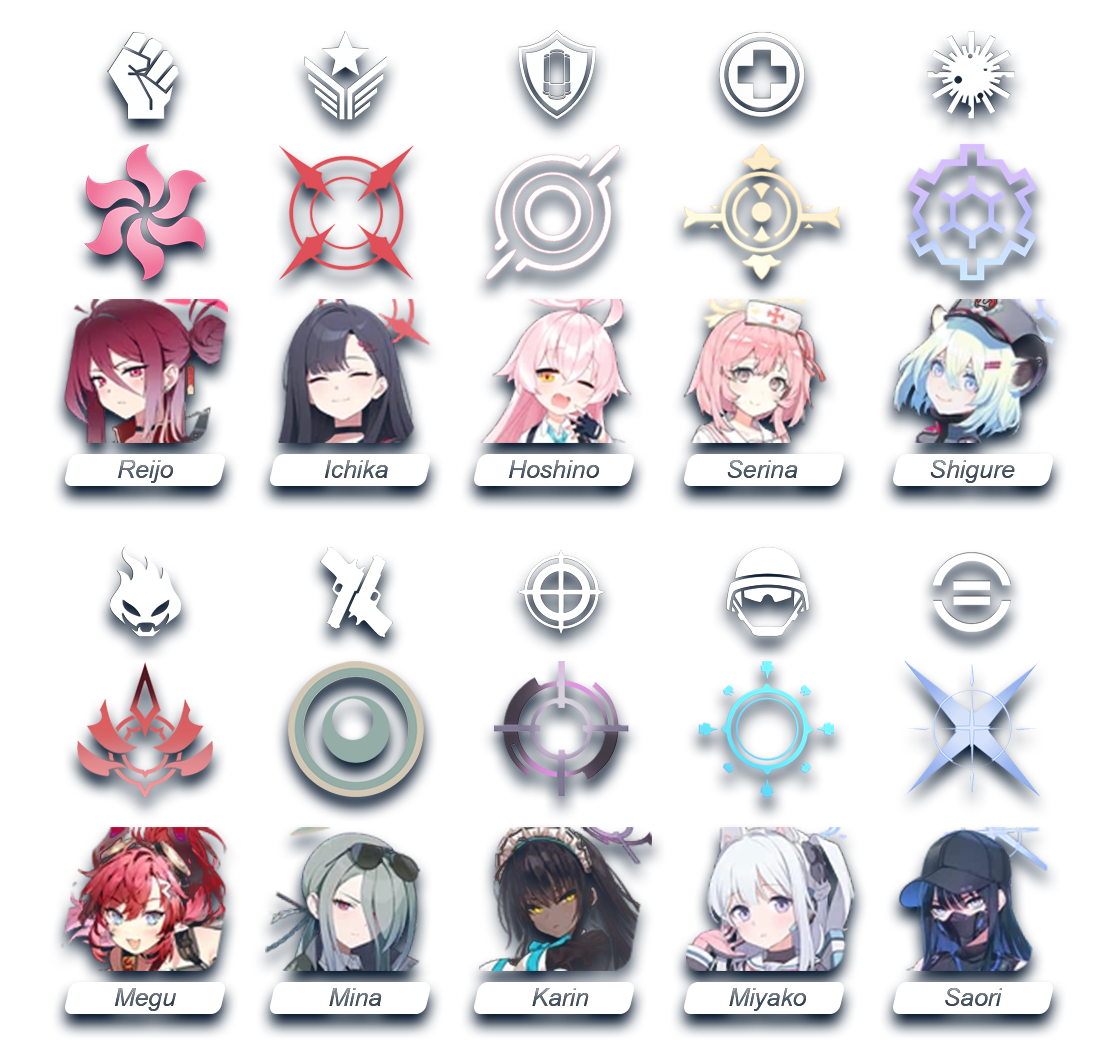
 🔵 [h1]YAP Notes : [/h1] - I have stopped updating music after Highlander Railroad Explosion Incident event. - ~200 random looped songs ( All songs will repeat endlessly, except for the main menu, which will only repeat 3 times before switching to the next song ) - Main menu ( PVs ) + loading vids ( student's l2ds ) - Some UI ( user interface ) soundmods - Perk, UI icons replaced with Student's halos and BA's icons - A weird headshot fx - Perk names / loading screen tip / voice command texts replace - No bigzeds spawn sound
 🔵 [h1]Known Issues :[/h1] - Some tracks will be interrupted and replaced by another track at the beginning - Sometimes the music will get stuck and there will be no music for the entire match - There will be no music if the game is in Wild West Weekly gamemode. Try a different game mode other than survival during this time to hear the music ( I tried replacing the WWL music but it didn't work, also TWI said they won't fix kf2 anymore ) - All songs have been volume-balanced, but they might still be a bit loud, and this also depends on your in-game sound settings - Teamwipe music and game opening sound effect will be affected by the in-game SFX settings - I'm too lazy to fix all the current issues, so just try to get used to them xd
------------------------------------------------------------------------------------------
 🔵 [h1]INSTALL[/h1]
[list] [*] Subscribe and wait for Steam to finish downloading the file [*] Extract Published and Localization folders inside the .zip from [/list] SteamLibrary\steamapps\workshop\content\232090\3696760910 [list] to [/list] Documents\My games\KillingFloor2\KFGame\
🔵 [h3]PERK ICONS[/h3] [list] [*] Current file is color ver , if you want black&white perk icon then go to [/list] Documents\My games\KillingFloor2\KFGame\Published\BrewedPC\Packages\UserInterface\Shared [list] [*] Then rename UI_PerkIcons_TEX - BA BW.upk to UI_PerkIcons_TEX.upk [/list]
🔵 [h3]MAINMENU & LOADING VIDS[/h3] [list] [*] Download Movies folder in this link [/list] https://drive.google.com/drive/folders/140ZiCKzWFRSyJXoTcWDyNbKSFE9Edsc5 [list] and move it to [/list] SteamLibrary\steamapps\common\killingfloor2\KFGame I have some more vids in BIK folder from the same link if you want to change : [list] [*] Download 3 Loading_00*.bik to replace loading videos and 1 MenuBG - PV*.bik to replace main menu vid [/list] ( Main menu vid has 2 version : 720p and 1080p 0.5x speed ) ( 1080p are slowed down and smoothed by AI, so some parts look weird cause distortion ) ( PV6 dosen't have slowdown ver ) [list] [*] Rename Loading_00*.bik vids to Loading_001.bik Loading_002.bik Loading_003.bik [*] Rename MenuBG - PV*.bik to MenuBG.bik [/list] ( You can also use Loading_00*.bik as mainmenu vid , just rename them to MenuBG.bik ) [list] [*] Put them to [/list] SteamLibrary\steamapps\common\killingfloor2\KFGame\Movies
 🔵 [h1]UNINSTALL[/h1]
First method : ( Fast / ez / Super effective ) 🔥🔥🔥 Let Haruka destroy your whole place 🔥🔥🔥
Second method : Manual delete ( slow af / complicated / boring ) 🔵 [h3]SOUNDMOD : [/h3] ■ Music ├── WwiseDefaultBank_WW_MACT_Default.bnk ├── WwiseDefaultBank_WW_MAMB_Default.bnk ├── WwiseDefaultBank_WW_MMNU_Login.bnk ├── WwiseDefaultBank_WW_Music_Fall_2018.bnk ├── WwiseDefaultBank_WW_Music_Krampus_2017.bnk └── WwiseDefaultBank_WW_Music_SS_2017.bnk and all the *.wem ■ UI ├── WwiseDefaultBank_WW_UI_Menu.bnk └── WwiseDefaultBank_WW_MSTG_Global.bnk ■ Bigzeds sound ├── WwiseDefaultBank_WW_ZED_FleshPound_2.bnk ├── WwiseDefaultBank_WW_ZED_Scrake.bnk └── WwiseDefaultBank_WW_ZED_Scrake_2.bnk in Documents\My games\KillingFloor2\KFGame\published\BrewedPC\WWISEAUDIO\WINDOWS
🔵 [h3]HEADSHOT FX : [/h3] Documents\My games\KillingFloor2\KFGame\Published\BrewedPC\Packages\Economy └── HEADSHOT_TEX.upk Documents\My games\KillingFloor2\KFGame\Published\BrewedPC\Packages\EffectsThree └── WwiseDefaultBank_WW_Headshot_Packs.bnk
🔵 [h3]ICONS / TEXTS / WHATS NEWS :[/h3] ■ Perks / Voice command icons Documents\My games\KillingFloor2\KFGame\published\BrewedPC\Packages\UserInterface\Shared ├── UI_World_TEX.upk └── UI_VoiceComms_TEX.upk Documents\My games\KillingFloor2\KFGame\published\BrewedPC\Packages\UserInterface\World └── UI_PerkIcons_TEX.upk ■ Match end team award icons Documents\My games\KillingFloor2\KFGame\published\BrewedPC\Packages\UserInterface\Award_Icons ├── UI_Award_PersonalMulti.upk ├── UI_Award_PersonalSolo.upk └── UI_Award_Team.upk ■ What's News Documents\My games\KillingFloor2\KFGame\published\BrewedPC\Packages\UserInterface\WhatsNew ├── UI_WhatsNew.upk ├── UI_WhatsNew_OLD.upk └── UI_WhatsNew_PS4.upk ■ Perk names/Voice commands/Loading text replace Documents\My games\KillingFloor2\KFGame\Localization\INT └── KFGame.int
🌞 [h3]VIDS[/h3] - Copy vids from OG folder in here https://drive.google.com/drive/folders/140ZiCKzWFRSyJXoTcWDyNbKSFE9Edsc5 to SteamLibrary\steamapps\common\killingfloor2\KFGame\Movies

Highlights
From source dataFootprint
Rated a light load on a server.
Last update
Its author last shipped an update 7 mo ago.
BlueArchive Musicmod on Nxeon
From our catalogue- One-click install
- Supported on Nxeon Killing Floor 2 servers. We download it from Steam Workshop, place it, and restart the server.
- Server load
- light
- Smallest plan we suggest
- Killing Floor 2 — 2 GB (2 GB RAM). This follows our own load rating above, not a benchmark.
- Latest build
- 2026-03-31, released 2026-03-31
Game versions by loader
| Loader | Game versions | Newest |
|---|---|---|
| Workshop |
From 1 recorded build of BlueArchive Musicmod.
Run BlueArchive Musicmod on a Killing Floor 2 server
Pick a server or deploy a new one above; it is installed in one click.
What kind of mod it is
From the catalogCosmetics, visuals & audio
Skins, textures, shaders, models and sound — how the game looks and sounds.
Compatibility
- Game
- Killing Floor 2
Verified at the source
- ✓Steam WorkshopOfficial listing, checked 2026-10-16Open ↗
- ✓AuthornEC, as published on Steam Workshop
- ✓LicenseNot published by the sourceFree















