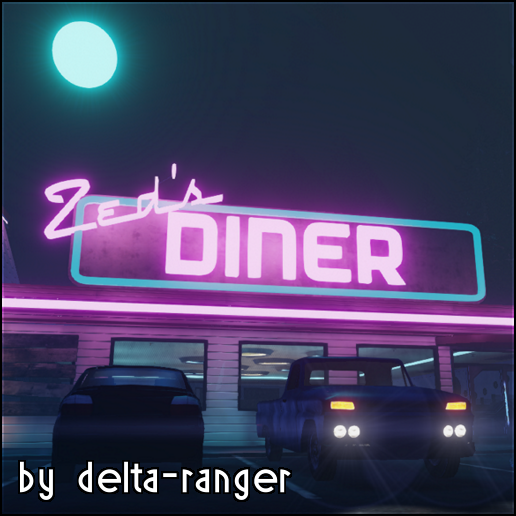
About Bossapalooza
From Steam WorkshopYou maybe be able to beat 1 1-hit-to-kill boss, but can you handle 30 at once? This gamemode mod makes all zeds spawned into either a patriarch or a hans (randomly). They all have around 1/3750th the…
You maybe be able to beat 1 1-hit-to-kill boss, but can you handle 30 at once?
This gamemode mod makes all zeds spawned into either a patriarch or a hans (randomly). They all have around 1/3750th the health (0.00027).
To play solo using console, type "open mapname?game=Bossapalooza.KFGameinfo_Boss" To play using launch options, put "mapname?game=Bossapalooza.KFGameinfo_Boss" in the Set Launch Options text field (found by right clicking the game in your steam library).
Example: open KF-Burningparis?game=Bossapalooza.KFGameinfo_Boss
This can also be played on a server by adding ?game=Bossapalooza.KFGameinfo_Boss to the command line Example: start .\Binaries\win64\kfserver kf-burningparis?game=Bossapalooza.KFGameinfo_Boss
you can install this mod on a server like any other steam workshop item. Incase you've never put things on your server from the workshop before, you need to go to your PCServer-KFEngine.ini file and go to where it says [OnlineSubsystemSteamworks.KFWorkshopSteamworks] (mine is at the bottom, if it's not there you must add it on its own line). under that, add a line ServerSubscribedWorkshopItems=the items ID
So for this mod it should look like this: [OnlineSubsystemSteamworks.KFWorkshopSteamworks] ServerSubscribedWorkshopItems=719300826
Once you have that there, boot up the server and it will download the item from the workshop. To run the mod once it's on the server, use the method described in the description (add ?game=Bossapalooza.KFGameinfo_Boss to your server startup line)
**NOTE** For whatever reason, KF2 servers can sometimes take upwards of 10 minutes to notice that a workshop item isn't downloaded/updated, so you'll need to leave it online until it downloads it and says the items status is 4 (4 means up to date). Once it is downloaded, just restart the server with the line added to make it start up in this gamemode.
Highlights
From source dataFootprint
Rated a light load on a server.
Last update
Its author last shipped an update 10 yr ago.
Bossapalooza on Nxeon
From our catalogue- One-click install
- Supported on Nxeon Killing Floor 2 servers. We download it from Steam Workshop, place it, and restart the server.
- Server load
- light
- Smallest plan we suggest
- Killing Floor 2 — 2 GB (2 GB RAM). This follows our own load rating above, not a benchmark.
- Latest build
- 2016-07-09, released 2016-07-09
Game versions by loader
| Loader | Game versions | Newest |
|---|---|---|
| Workshop |
From 1 recorded build of Bossapalooza.
Run Bossapalooza on a Killing Floor 2 server
Pick a server or deploy a new one above; it is installed in one click.
What kind of mod it is
From the catalogGame modes & minigames
Game modes, minigames and competitive formats for your server.
Compatibility
- Game
- Killing Floor 2
Verified at the source
- ✓Steam WorkshopOfficial listing, checked 2026-10-10Open ↗
- ✓AuthorStar, as published on Steam Workshop
- ✓LicenseNot published by the sourceFree