






About Classic DJ Scully
From Steam Workshop============================================================================== DOWNLOADING FROM THE WORKSHOP INVOLVES ADDITIONAL INSTRUCTIONS FOR PROPER INSTALLATION, PLEASE READ…
============================================================================== DOWNLOADING FROM THE WORKSHOP INVOLVES ADDITIONAL INSTRUCTIONS FOR PROPER INSTALLATION, PLEASE READ ============================================================================== GAMEBANANA DOWNLOAD: http://gamebanana.com/skins/143116 ============================================================================== Installation instructions:
[From Gamebanana]: Read the readme.txt included in the download there.
[From Workshop]:
1. Click the subscribe button.
2. Launch KF2, then exit. This is to make sure the file downloads properly, sometimes you need to start the game in order to start the download.
3. Navigate to the following directory: C:\Users\(USERNAME)\Documents\My Games\KillingFloor2\KFGame\Cache\727875516\0\Published\BrewedPC\Packages\Characters\ NOTE: If the directory does not exist, you either didn't subscribe or didn't launch the game first.
4. You will see a folder there named "DJSkully". Right-click it, and select "Copy" or "Cut"
5. Navigate to the following directory: C:\Users\(USERNAME)\Documents\My Games\KillingFloor2\KFGame\Published\BrewedPC\Packages\Characters\ NOTE: If you are missing any directories/folders, create them.
6. Right-click and select "Paste" and the "DJSkully" folder will appear there.
7. Launch KF2 and select all the "blackest black" skins for the hoodie and head. Scully Cap optional, but reccommended.
8. Enjoy! ============================================================================== Uninstallation instructions:
1. Navigate to the following directory: C:\Users\(USERNAME)\Documents\My Games\KillingFloor2\KFGame\Published\BrewedPC\Packages\Characters\
2. Delete the folder named "DJSkully"
3. Unsubscribe from this mod on the workshop, otherwise it'll download it again the next time you launch the game.
4. Thank you for trying the skin! ============================================================================== 7/19/16 UPDATE: Not sure if I did this right, the workshop uploader is pretty confusing. But, if all went well, hopefully this mod updated correctly. I synced it up with the new Gamebanana version I just uploaded, which makes the stripes on DJ Scully (not in 1st person) look more consistent in colors with each other.
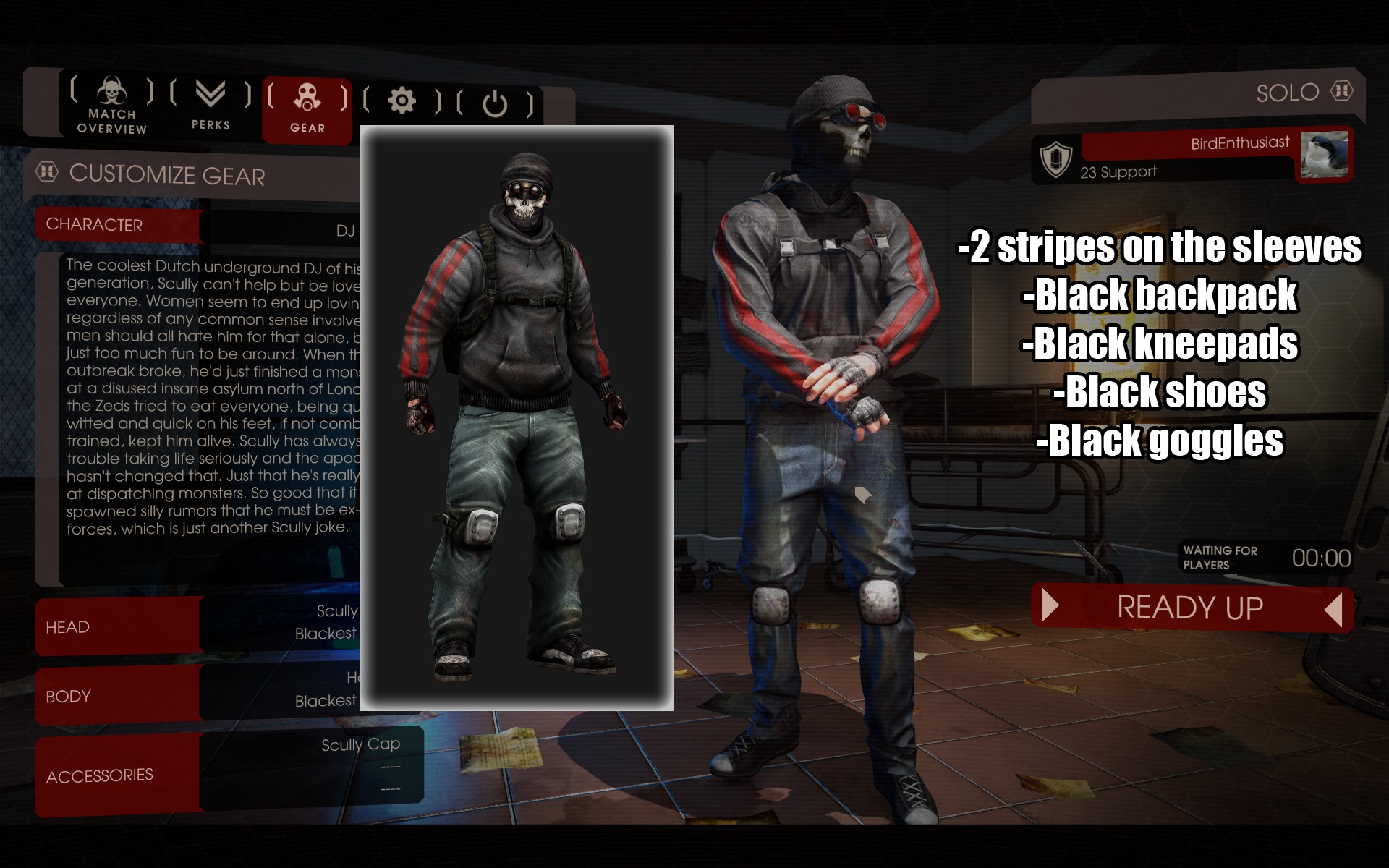
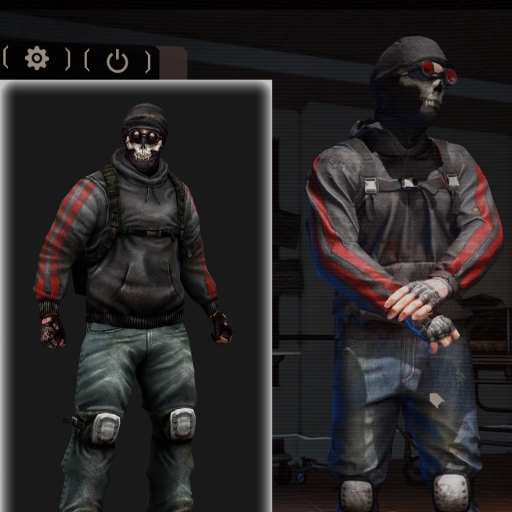
An upload from my Gamebanana, now on the Steam Workshop. Introducing 'Blacker Than The Blackest Black', or 'Classic DJ Skully'. This mod restores DJ Scully's original black backpack, kneepads, shoes, goggles, and double-striped hoodie. Includes viewmodel arms!
Highlights
From source dataFootprint
A 93 MB download, rated a light load on a server.
Last update
Its author last shipped an update 10 yr ago.
Classic DJ Scully on Nxeon
From our catalogue- One-click install
- Supported on Nxeon Killing Floor 2 servers. We download it from Steam Workshop, place it, and restart the server.
- Server load
- light
- Smallest plan we suggest
- Killing Floor 2 — 2 GB (2 GB RAM). This follows our own load rating above, not a benchmark.
- Latest build
- 2016-07-20, released 2016-07-20, 93 MB
Game versions by loader
| Loader | Game versions | Newest |
|---|---|---|
| Workshop |
From 1 recorded build of Classic DJ Scully.
Run Classic DJ Scully on a Killing Floor 2 server
Pick a server or deploy a new one above; it is installed in one click.
What kind of mod it is
From the catalogWorkshop
Its source category doesn’t say more about what it does, so NxLabs lists it under Other.
Compatibility
- Game
- Killing Floor 2
- File size
- 93 MB
Verified at the source
- ✓Steam WorkshopOfficial listing, checked 2026-10-10Open ↗
- ✓AuthorBunslinger, as published on Steam Workshop
- ✓LicenseNot published by the sourceFree















