







About Controlled Vote Collector
From Steam Workshophttps://img.shields.io/static/v1?logo=GitHub&labelColor=gray&color=blue&logoColor=white&label=&message=Open Source https://img.shields.io/github/license/GenZmeY/KF2-ControlledVoteCollector…





📋 Description
New vote collector with improvements and features.
✨ Features
- Map statistics
- Next map setting
- Public voting
- Kick logging
- Kick voting setup
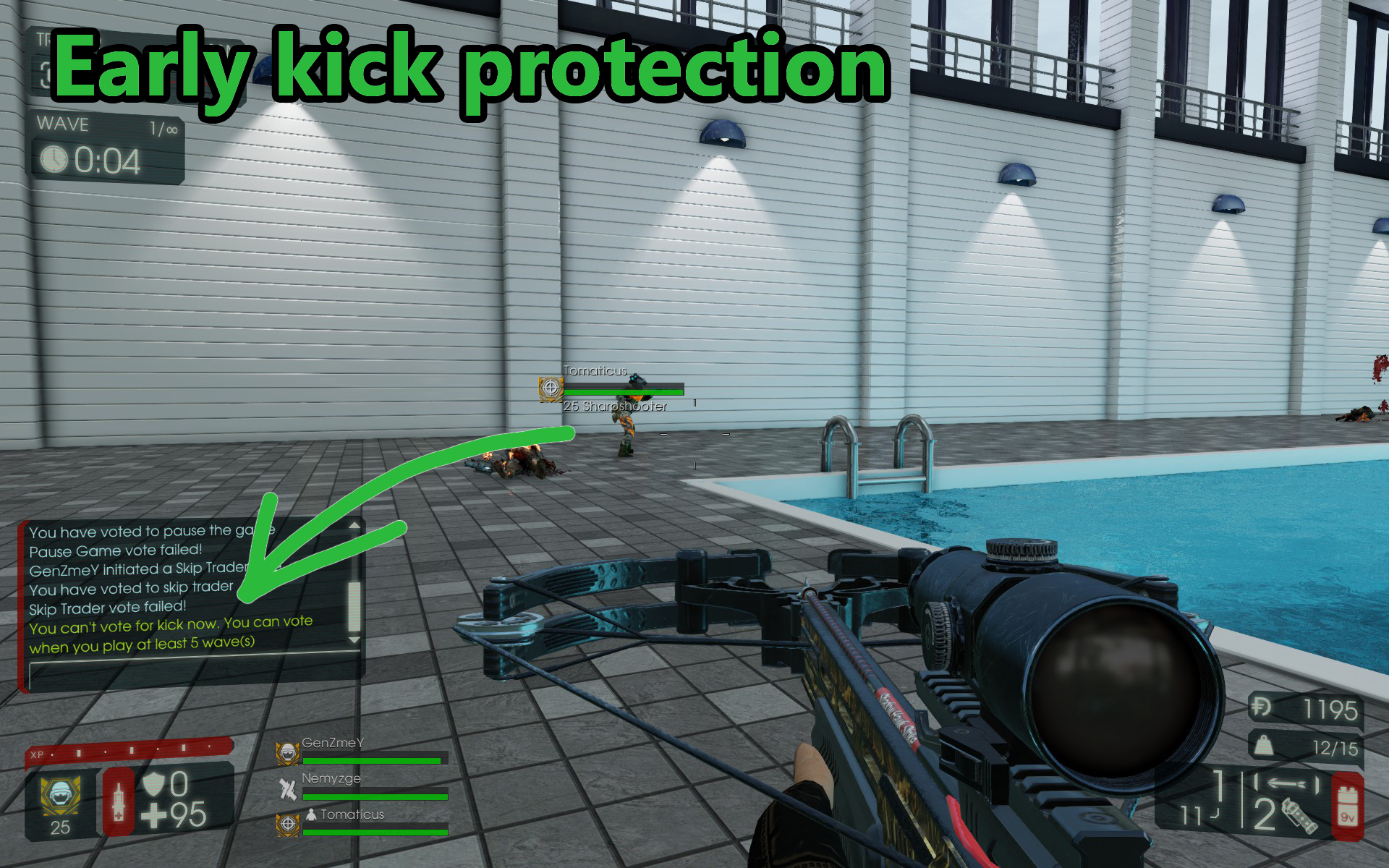
- Early kick protection
❌ Whitelisted?
No. This mod is not whitelisted and will de-rank your server. Any XP earned will not be saved.
But I hope that it will be whitelisted - I submitted whitelist request here: https://forums.tripwireinteractive.com/index.php?threads/whitelisting-mods-and-mutators.120340/post-2353667
🖥️ Usage (server)
Note: If this is unclear, first read: Dedicated Server Guide (KF2 wiki) [olist] [*]Open PCServer-KFEngine.ini / LinuxServer-KFEngine.ini. [*]Find [IpDrv.TcpNetDriver] section and ensure line exists (add if missing):
DownloadManagers=OnlineSubsystemSteamworks.SteamWorkshopDownload[/code]
(If there are several [b]DownloadManagers[/b] then the line above should be the first)
[*]Add the following string to the [b][OnlineSubsystemSteamworks.KFWorkshopSteamworks][/b] section (create one if it doesn't exist):
[code]ServerSubscribedWorkshopItems=2847465899
[*]Start server and wait for mutator download. [*]When the download is complete, stop the server. [*]Create a file: [code]<kf2-server>\KFGame\Config\KFCVC.ini[/code] with content:
[CVC.CVC]
Version=0
[*]Add mutator to server start parameters: [code]?Mutator=CVC.Mut[/code] and start the server. [*]Stop the server and configure the mutator (see ⚙️ Setup (KFCVC.ini) below). [*]Start the server. [/olist]
⚙️ Setup (KFCVC.ini)
[CVC.MapStat]
- Set bEnable=True to start collecting maps stats. Statistics are stored in the KFMapStats.ini.
- Set SortPolicy to sort the list of statistics. Possible values:
- [list]
- CounterAsc
- CounterDesc
- NameAsc
- NameDesc
- PlayTimeTotalAsc
- PlayTimeTotalDesc
- PlayTimeAvgAsc
- PlayTimeAvgDesc
[/list]
[CVC.MapVote]
- Set DefaultNextMap to choose which map will be next if no players voted for the next map. Possible values:
- [list]
- Any - Any map from the current map cycle.
- Official - Official map from the current map cycle.
- Custom - Custom map from the current map cycle.
- <MapName> - Specified map. If the specified map is not in the current map cycle, the next map from the cycle will be selected.
[*]Set bRandomizeNextMap to True to randomize the next map (will be selected a random map that matches the DefaultNextMap parameter). [/list]
[CVC.SkipTraderVote]
- bChatNotifications - Set to True to see player votes in chat.
- PositiveColorHex - Hex color for yes vote in chat.
- NegativeColorHex - Hex color for no vote in chat.
- bHudNotifications - Set to True to see player votes in HUD.
- DefferedClearHUD - HUD notification will remain on the screen for the specified number of seconds after voting ends.
- VoteTime - Time in seconds for voting (will be reduced if it exceeds the trader's remaining time).
[CVC.PauseVote]
- bChatNotifications - Set to True to see player votes in chat.
- PositiveColorHex - Hex color for yes vote in chat.
- NegativeColorHex - Hex color for no vote in chat.
- bHudNotifications - Set to True to see player votes in HUD.
- DefferedClearHUD - HUD notification will remain on the screen for the specified number of seconds after voting ends.
- VoteTime - Time in seconds for voting (will be reduced if it exceeds the trader's remaining time).
[CVC.KickVote]
- bChatNotifications - Set to True to see player votes in chat.
- WarningColorHex - Hex color for chat warnings.
- PositiveColorHex - Hex color for yes vote in chat.
- NegativeColorHex - Hex color for no vote in chat.
- bHudNotifications - Set to True to see player votes in HUD.
- bHudNotificationsOnlyOnTraderTime - Set to True to show HUD notification only during the trader time.
- DefferedClearHUD - HUD notification will remain on the screen for the specified number of seconds after voting ends.
- bLogKickVote - Set to True to log information about every kick vote.
- MinVotingPlayersToStartKickVote - Minimum number of voting players to start kick voting.
- MaxKicks - Maximum number of kicks per game.
- VoteTime - Time in seconds for voting.
[CVC.KickProtected]
- Use PlayerID to set the list of players immune to kick (use UniqueID or SteamID).
- Set NotifyPlayerAboutKickAttempt to True to let players on this list receive notifications of attempts to kick them.
[CVC.StartWaveKickProtection]
- Waves - The number of waves during which a new player has kick protection and cannot start kick vote.
- MinLevel - The minimum level that a player needs to have in order to receive protection from a kick after joining the server.
Highlights
From source dataFootprint
A 124 KB download, rated a light load on a server.
Last update
Its author last shipped an update 2 yr ago.
Controlled Vote Collector on Nxeon
From our catalogue- One-click install
- Supported on Nxeon Killing Floor 2 servers. We download it from Steam Workshop, place it, and restart the server.
- Server load
- light
- Smallest plan we suggest
- Killing Floor 2 — 2 GB (2 GB RAM). This follows our own load rating above, not a benchmark.
- Latest build
- 2024-04-26, released 2024-04-26, 124 KB
Game versions by loader
| Loader | Game versions | Newest |
|---|---|---|
| Workshop |
From 1 recorded build of Controlled Vote Collector.
Run Controlled Vote Collector on a Killing Floor 2 server
Pick a server or deploy a new one above; it is installed in one click.
What kind of mod it is
From the catalogWorkshop
Its source category doesn’t say more about what it does, so NxLabs lists it under Other.
Compatibility
- Game
- Killing Floor 2
- File size
- 124 KB
Verified at the source
- ✓Steam WorkshopOfficial listing, checked 2026-10-10Open ↗
- ✓AuthorGenZmeY, as published on Steam Workshop
- ✓LicenseNot published by the sourceFree















