






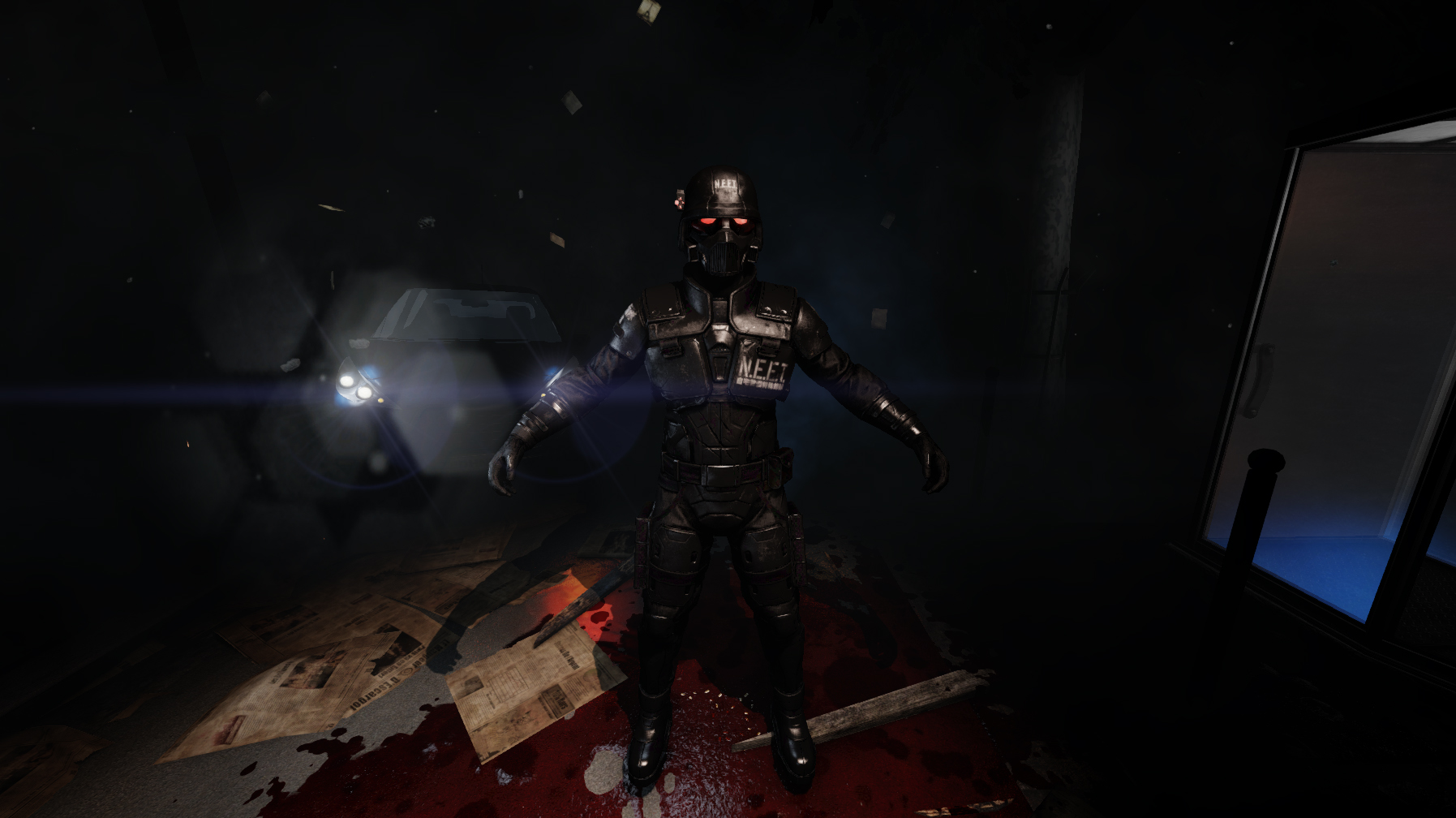

About [Horzine Armor] Classic Wilkes + 自宅警備隊N.E.E.T. Armor
From Steam WorkshopThe legend returns. This mod changes all of the basic colors of the Horzine Security Armor and Helmets. The Classic Wilkes skin replaces the Blue, Green, and White variants. The Red variant is…
The legend returns.
This mod changes all of the basic colors of the Horzine Security Armor and Helmets. The Classic Wilkes skin replaces the Blue, Green, and White variants. The Red variant is replaced with a black color scheme inspired by the 自宅警備隊N.E.E.T., and if you'd like to download more mods like this, please visit the collection linked above.
All of these skins are fully online compatible. They also includes a first person arm swap respective of their colors (Classic Wilkes for Blue, Green, White, and 自宅警備隊N.E.E.T. for Red.) Note: unfortunately, it is not possible to get rid of the glowing parts of each helmet. The setting that makes the helmet glow is part of an MIC file, and to put it in layman's terms, you can't edit that if you want to play online at all
How to install: 1. Subscribe to the item and download it. 2. Go to \SteamLibrary\steamapps\workshop\content\232090\743979373\BrewedPC\Packages\Characters\ 3. Copy the HorzineSecurity folder 4. Go to \Users\[YOURNAME]\Documents\My Games\KillingFloor2\KFGame\Published\BrewedPC\Packages\Characters\ 5. Paste the folder in there. Done!
If anything does not work correctly, please leave a comment and I'll see if I can fix it.
Highlights
From source dataFootprint
A 219 MB download, rated a light load on a server.
Last update
Its author last shipped an update 10 yr ago.
[Horzine Armor] Classic Wilkes + 自宅警備隊N.E.E.T. Armor on Nxeon
From our catalogue- One-click install
- Supported on Nxeon Killing Floor 2 servers. We download it from Steam Workshop, place it, and restart the server.
- Server load
- light
- Smallest plan we suggest
- Killing Floor 2 — 2 GB (2 GB RAM). This follows our own load rating above, not a benchmark.
- Latest build
- 2016-11-19, released 2016-11-19, 219 MB
Game versions by loader
| Loader | Game versions | Newest |
|---|---|---|
| Workshop |
From 1 recorded build of [Horzine Armor] Classic Wilkes + 自宅警備隊N.E.E.T. Armor.
Run [Horzine Armor] Classic Wilkes + 自宅警備隊N.E.E.T. Armor on a Killing Floor 2 server
Pick a server or deploy a new one above; it is installed in one click.
What kind of mod it is
From the catalogWeapons, items & crafting
New weapons, gear, items and the recipes to make them.
Compatibility
- Game
- Killing Floor 2
- File size
- 219 MB
Verified at the source
- ✓Steam WorkshopOfficial listing, checked 2026-10-10Open ↗
- ✓AuthorIntumesce, as published on Steam Workshop
- ✓LicenseNot published by the sourceFree















