






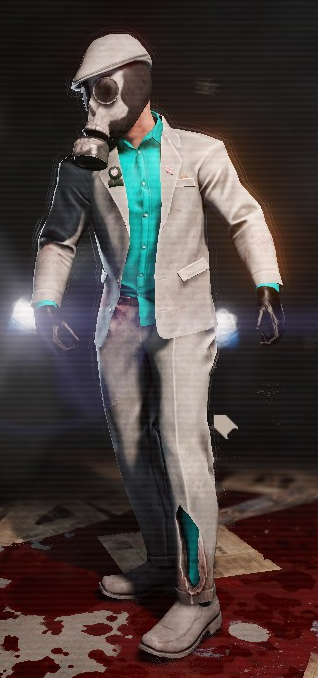
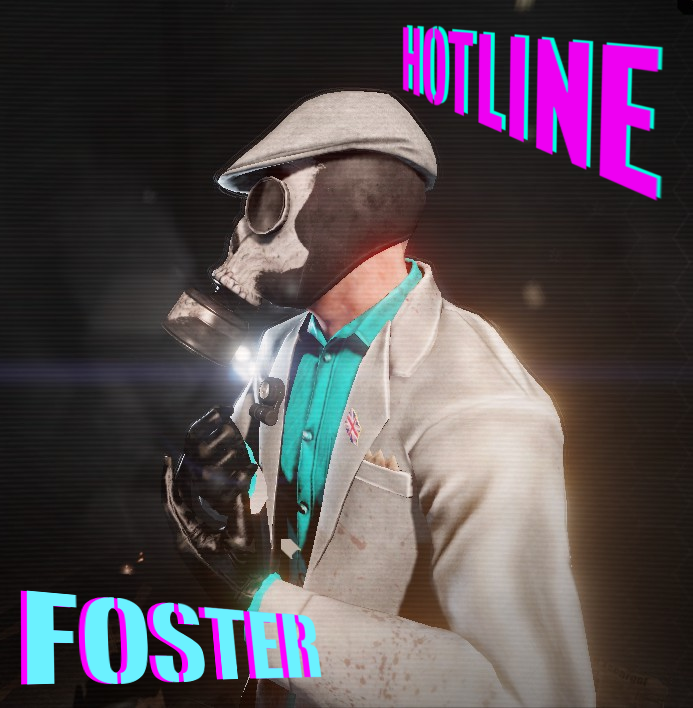
About Hotline Foster(In-Game Sprite Edition)
From Steam WorkshopA simple retexture of Classic Foster's 'Vice' suit to make it look like the in-game Russian mobsters from Hotline Miami. !!YOU NEED THE CLASSIC FOSTER SUIT FOR THIS TO WORK!! This mod requires…
A simple retexture of Classic Foster's 'Vice' suit to make it look like the in-game Russian mobsters from Hotline Miami. !!YOU NEED THE CLASSIC FOSTER SUIT FOR THIS TO WORK!!
This mod requires additional steps to work, follow the steps below.
HOW TO MAKE IT WORK: 1: Click subscribe 2: Launch KF2 3: Go to C:\Users\(YourNameHere)\Documents\My Games\KillingFloor2\KFGame\Cache\663501890\0\Published 4: Copy the "BrewedPC" folder 5: Make a folder named "Published" in Documents\My Games\KillingFloor2\KFGame 6: Paste the files into your newly created Published folder
If that doesn't work, download the file directly form here: https://www.dropbox.com/s/3q5bo54dieyclqy/CHR_MrFoster_Suit_TEX.upk?dl=0 To make this work, you'll need to do some extra things. 1: Go to Documents\My Games\KillingFloor2\KFGame 2: Create a folder named 'Published' 3: Inside that, make a folder titled 'BrewedPC' 4: In 'BrewedPC' make a folder called 'Packages' 5: Make a folder named 'Characters' in the 'Packages' folder. 6: Create a folder called 'MrFoster_Suit' in the 'Characters' folder. 7: Paste the CHR_MrFoster_Suit_TEX.upk into the 'MRFoster_Suit' folder. If you already have folders that are mentioned, you don't need to create new ones. Bonus points: count the number of times I've typed 'folder' by this point.
Credits Yazza1993 - Teaching me how import textures, edit and test them Me - Retexture Original model - Tripwire
Highlights
From source dataFootprint
A 124 MB download, rated a light load on a server.
Last update
Its author last shipped an update 11 yr ago.
Hotline Foster(In-Game Sprite Edition) on Nxeon
From our catalogue- One-click install
- Supported on Nxeon Killing Floor 2 servers. We download it from Steam Workshop, place it, and restart the server.
- Server load
- light
- Smallest plan we suggest
- Killing Floor 2 — 2 GB (2 GB RAM). This follows our own load rating above, not a benchmark.
- Latest build
- 2016-04-11, released 2016-04-11, 124 MB
Game versions by loader
| Loader | Game versions | Newest |
|---|---|---|
| Workshop |
From 1 recorded build of Hotline Foster(In-Game Sprite Edition).
Run Hotline Foster(In-Game Sprite Edition) on a Killing Floor 2 server
Pick a server or deploy a new one above; it is installed in one click.
What kind of mod it is
From the catalogWeapons, items & crafting
New weapons, gear, items and the recipes to make them.
Compatibility
- Game
- Killing Floor 2
- File size
- 124 MB
Verified at the source
- ✓Steam WorkshopOfficial listing, checked 2026-10-10Open ↗
- ✓AuthorKiluKahur, as published on Steam Workshop
- ✓LicenseNot published by the sourceFree















