






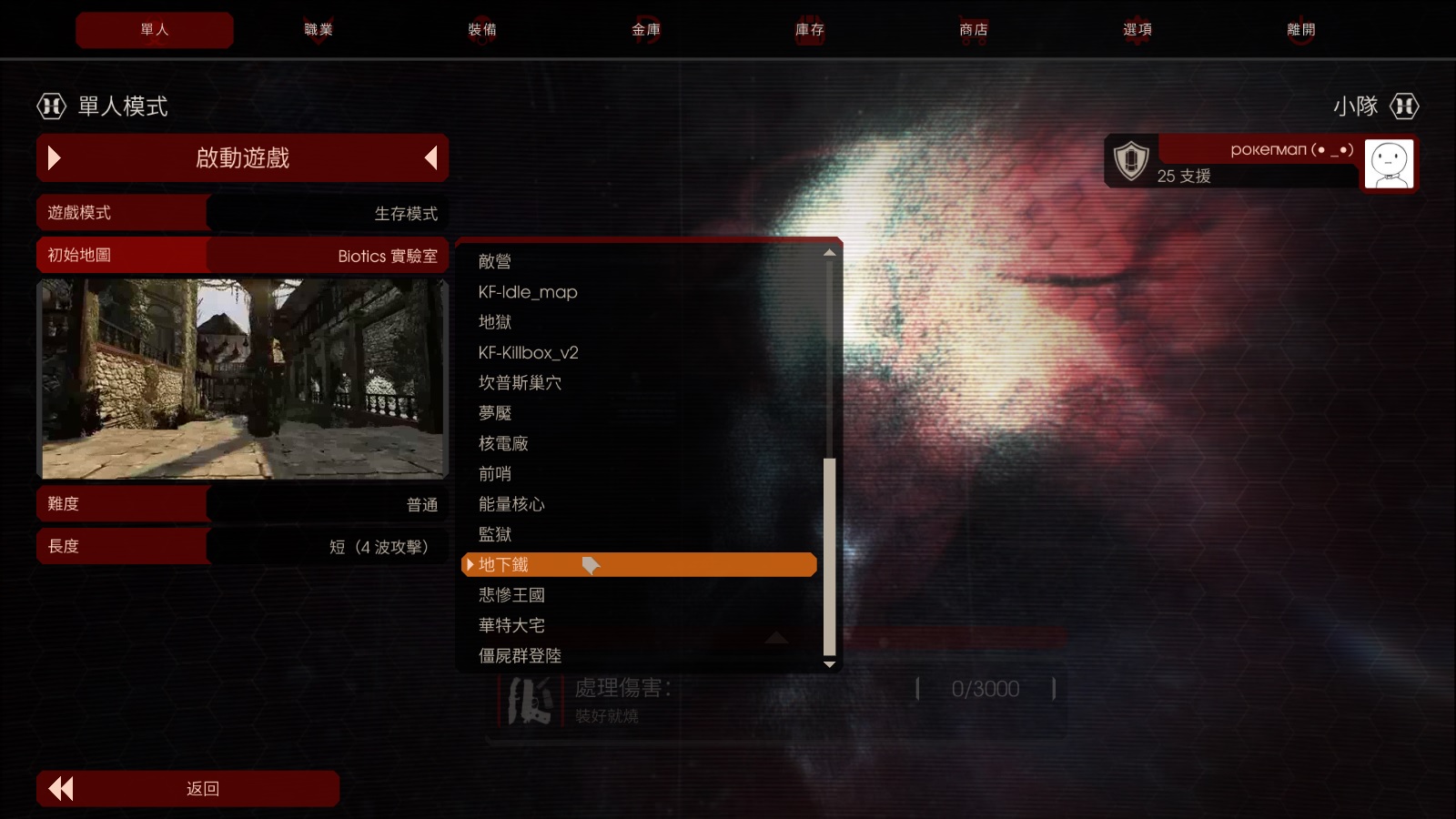
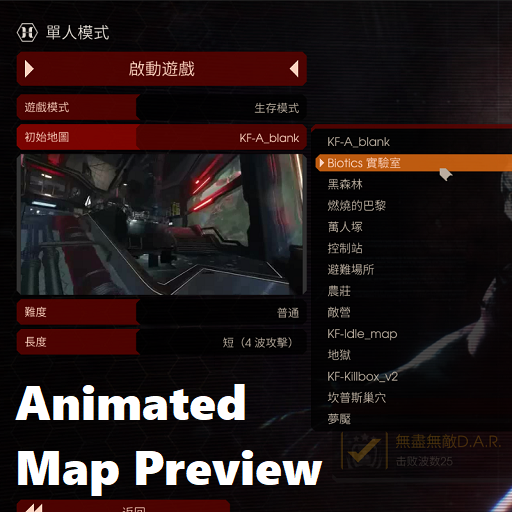
About Map Preview Animated
From Steam WorkshopThis is a project : Map Preview Animated How it work : It will show up animated map preview in any server and your solo game. Warning, do not install it to your Server setting, or your server will…
This is a project : Map Preview Animated
How it work : It will show up animated map preview in any server and your solo game.
Warning, do not install it to your Server setting, or your server will cause problem, these settings only affect client side
Installlation :
Step 1 : Click Subscribe
Step 2 : Go to Steam Folder and Search '1364374834', find the UPK files.
Step 3 : Paste UPK files to the folder 'C:\Users\Username\Documents\My Games\KillingFloor2\KFGame\Published\BrewedPC\Packages'
Step 4 : Open the 'KFGame.ini' located in C:\Users\<Username>\Documents\My Games\KillingFloor2\KFGame\Config
Step 5 : Copy the codes in these pages : Official Maps , Custom Maps (Warning, Codes of Official maps can only paste once.)
Step 6 : Paste it in any blank place of your KFGame.ini, the best place is the end page.
Step 7 : Undo the Subscribe and clear your cache. (Prevent file download to your cache when you enter the game, cause double files and decrease your HardDrive capacity, this file is big)
Done!
This project still ongoing, check it every time when this project updates.
===========================================================================
How to record a map preview :
1. Open a Solo game. 2. Press F3 or "~" button. 3. Input "Enablecheats" , turn on testing command 4. Input "God" , make you invincible from any damage. 5. Input "Killzeds" to kill zeds until 1~8 zeds remaining. 6. Input "Ghost" and move to a place out of your record target. (Input "Walk" to cancel the ghost mode) 7. Input "SpawnZed Crawler" to spawn a dummy crawler. 8. Kill the remaining alive zeds except the dummy zed. 9. Input "Clearcorpses" to clear the corpses. 10. Input "ClearSplatters" to clear the blood stains (But if the map is bloody, skip this step) 11. Input "ToggleScreenshotMode" to hide your HUD and your Weapon. 12. Start recording by your Video Recorder (ex: Nvidia video recorder)
Highlights
From source dataFootprint
Rated a light load on a server.
Last update
Its author last shipped an update 8 yr ago.
Map Preview Animated on Nxeon
From our catalogue- One-click install
- Supported on Nxeon Killing Floor 2 servers. We download it from Steam Workshop, place it, and restart the server.
- Server load
- light
- Smallest plan we suggest
- Killing Floor 2 — 2 GB (2 GB RAM). This follows our own load rating above, not a benchmark.
- Latest build
- 2018-04-20, released 2018-04-20
Game versions by loader
| Loader | Game versions | Newest |
|---|---|---|
| Workshop |
From 1 recorded build of Map Preview Animated.
Run Map Preview Animated on a Killing Floor 2 server
Pick a server or deploy a new one above; it is installed in one click.
What kind of mod it is
From the catalogMaps & scenarios
Custom maps, arenas and scenarios to play on.
Compatibility
- Game
- Killing Floor 2
Verified at the source
- ✓Steam WorkshopOfficial listing, checked 2026-10-10Open ↗
- ✓AuthorPokerman, as published on Steam Workshop
- ✓LicenseNot published by the sourceFree















