







About (Not) Vanilla Weapons Pack
From Steam Workshop'Weapons for all Gamers and Veterans' Before anything else,I'd like to thank [url=https://steamcommunity.com/id/Bm_c3a2h] Jasper for teaching me how to use Blender and other useful techniques. And…
'Weapons for all Gamers and Veterans'
Before anything else,I'd like to thank Jasper for teaching me how to use Blender and other useful techniques. And SiN for suggesting most of weapon concepts, providing me videos,pics, testing and helping with UI,Mesh edits,...
All weapons here only have 1p model that means if you're using in multiplayer, other players won't see like what you see.
Requirements
https://steamcommunity.com/sharedfiles/filedetails/?id=1131663339
How to use this in Singleplayer ?
1.Subscribe to Trader Inventory Mutator (TIM) then press F3 or ~ to open up the console and type "open kf-nuked?mutator=TIM.TIMut" without quotes once it's loaded KFTIM.ini will appear in the config folder. if it doesn't try re-launching the game then put this command again.
2.open up KFTIM.ini under [TIM.TIMut] add this line, for example CustomItems=ModWeapons.KFWeapDef_NewRPG "CustomItems=" means which weapon will appear in the trader menu
3.save then you're done
How to use this in Multiplayer ?
1.If you don't already know how to set up workshop items on a server, follow this link Setting Up Steam Workshop for servers Link
2. Add this line ServerSubscribedWorkshopItems=2780242602 under [OnlineSubsystemSteamworks.KFWorkshopSteamworks]
3. I'm assuming you've already added TIM to your server, so now open up KFTIM.ini under [TIM.TIMut] add this line, for example CustomItems=ModWeapons.KFWeapDef_NewRPG "CustomItems=" means which weapon will appear in the trader menu
4.save and now you're done (Optional 4). if you want your weapons skin to apply to some custom weapons, you have to add ' ?mutator=ModWeapons.ModWeaponsMut' in the command line ex.Kf-burningparis?mutator=ModWeapons.ModWeaponsMut,TIM,TIMut
[h1]Some example of Weapon Specifications[/h1]
- ModWeapons.KFWeapDef_NewKriss changed Reddot to Acog Sight
- ModWeapons.KFWeapDef_NewCenterfire changed the scope to Reddot and added toggleable lasersight (middle mouse)
- ModWeapons.KFWeapDef_NewNailgun (Swat) added Reddot Sight
- ModWeapons.KFWeapDef_NewAR15 added Reddot Sight increased MagCap to '30'
- ModWeapons.KFWeapDef_NewM16 removed M203, altfire
- ModWeapons.KFWeapDef_NewBuckshot,ModWeapons.KFWeapDef_NewDualBuckshot (Gunslinger) changed weapon class to Gunslinger, reduced spread,applied Rack Em Up
- ModWeapons.KFWeapDef_NewM1911,ModWeapons.KFWeapDef_NewDualM1911 added suppressors
- ModWeapons.KFWeapDef_NewAF,ModWeapons.KFWeapDef_NewDualAF (Gunslinger , Demo) explosive rounds
- ModWeapons.KFWeapDef_NewDeagle,ModWeapons.KFWeapDef_NewDualDeagle added suppressors
- ModWeapons.KFWeapDef_NewFNFAL removed scoped, slightly reduced recoil
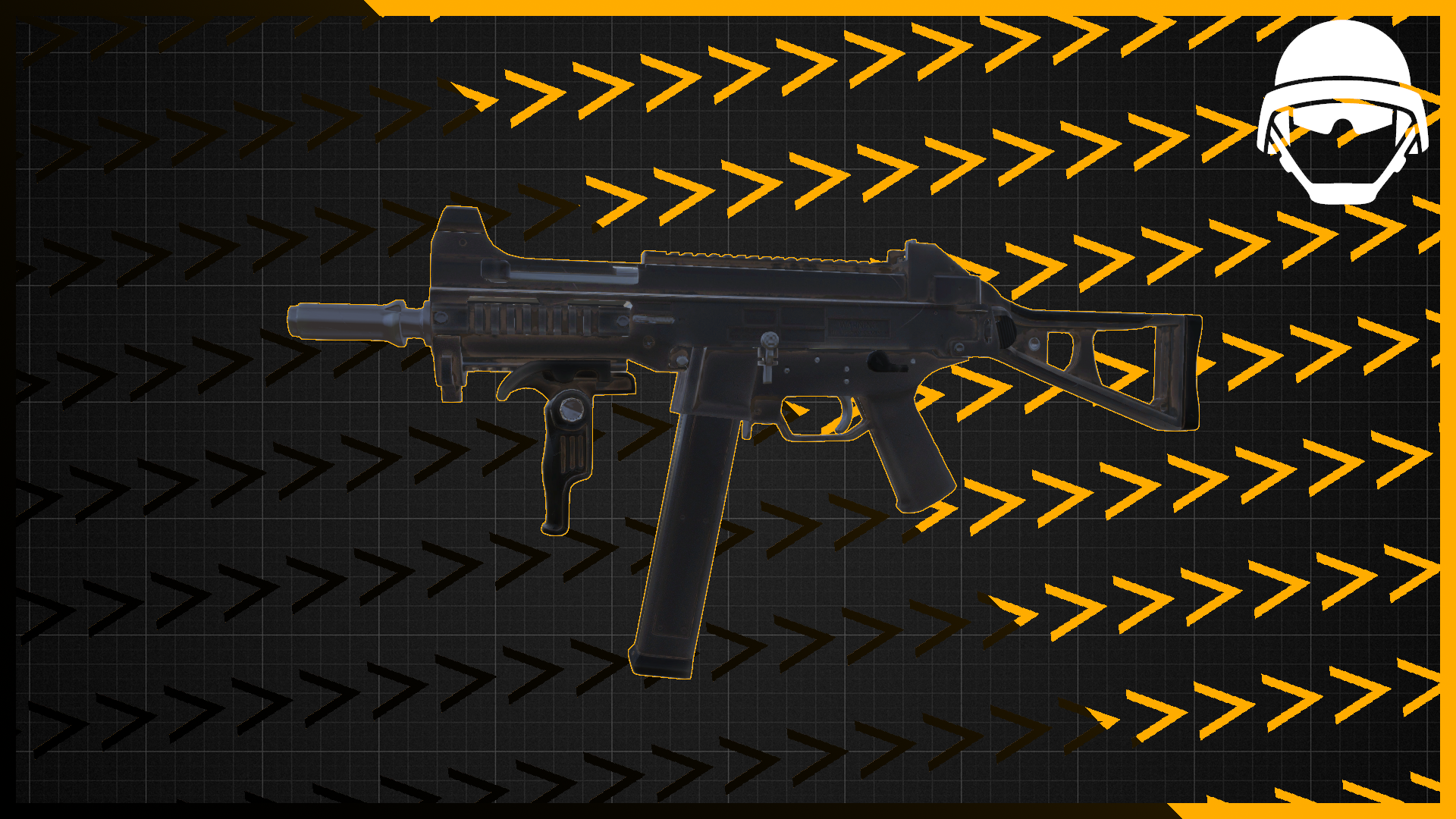
- ModWeapons.KFWeapDef_NewUMP removed scoped
- ModWeapons.KFWeapDef_NewMedPistol changed single fire to auto fire mode
- ModWeapons.KFWeapDef_NewRPG added Railgun scope added rocket tracking functionality
- ModWeapons.KFWeapDef_NewMAC10 (SWAT only) removed fire affliction on hits
- ModWeapons.KFWeapDef_NewDualMedPistol Dual Medic pistol (Fixed animation)
- ModWeapons.KFWeapDef_NewHMTech401 add a suppressor (for what?)
- (SiN: for gaming so of course xdddddddddddddddd)
- ModWeapons.KFWeapDef_NewGlock18,ModWeapons.KFWeapDef_NewDualGlock18 remove suppressors
- ModWeapons.KFWeapDef_MedicMinigun (Medic,Commando) Minigun for medic Default firemode shoots single dart consumes 1 round ALT firemode shoots simultaneously 5darts consumes 5 round (some darts would be separated to nearest players)
- ModWeapons.KFWeapDef_MedRPG7(Medic,Demo) releasing healing gas when hitting on smth instead of exploding
- ModWeapons.KFWeapDef_LaserGun Default firemode shoots edar laser ALT firemode fire shockwave that pushes zeds away
- [h1]Newly added/ Updated[/h1]
- *Newly Added* [*]ModWeapons.KFWeapDef_NewCenterfire2 (ONLY Gunslinger) has a suppressor with A Stoner63 Ironsight[/list]
- *Newly Added* [*]ModWeapons.KFWeapDef_NewMKB42 (Commando) has removed rear sight and decrease viewmodel FOV for better view/movement with this gun[/list]
- *Newly Added* [*]ModWeapons.KFWeapDef_NewMosinNagant (Sharpshooter) has removed rear sight and modified viewmodel for better view/movement[/list]
- PS: giveweapon ModWeapons.KFWeap_NewMosinNagant
- *Newly Added* [*]ModWeapons.KFWeapDef_NewAK12 (Commando) has added Medic scope sight instead of AK12 reddot one[/list]
- *Newly Added* [*]ModWeapons.KFWeapDef_NewP90 (SWAT) has added a new better sight instead of P90 reddot one[/list]
- *Newly Added* [*]ModWeapons.KFWeapDef_NewKriss2 (SWAT) has added a new better sight instead of Kriss reddot one[/list]
- [quote]
- [h1]Known Issues[/h1]
- These weapons below have some physical bugs between bones and weapon, we've been trying to resolve these issues, but it still persists.only way to get rid of this is to change your character to DARs, kinda odd right? but it does the job.
- "CustomItems=ModWeapons.KFWeapDef_NewCenterfire2"
- "CustomItems=ModWeapons.KFWeapDef_NewMKB42"
- "CustomItems=ModWeapons.KFWeapDef_NewMosinNagant"
- "CustomItems=ModWeapons.KFWeapDef_NewAK12"
- "CustomItems=ModWeapons.KFWeapDef_NewP90"
- "CustomItems=ModWeapons.KFWeapDef_NewKriss2"
- [/quote]
- [quote]
- [h1]Trader Names[/h1]
- CustomItems=ModWeapons.KFWeapDef_NewKriss
- CustomItems=ModWeapons.KFWeapDef_NewCenterfire
- CustomItems=ModWeapons.KFWeapDef_NewNailgun
- CustomItems=ModWeapons.KFWeapDef_NewAR15
- CustomItems=ModWeapons.KFWeapDef_NewM16
- CustomItems=ModWeapons.KFWeapDef_NewBuckshot
- CustomItems=ModWeapons.KFWeapDef_NewDualBuckshot
- CustomItems=ModWeapons.KFWeapDef_NewM1911
- CustomItems=ModWeapons.KFWeapDef_NewDualM1911
Highlights
From source dataFootprint
Rated a light load on a server.
Last update
Its author last shipped an update 4 yr ago.
(Not) Vanilla Weapons Pack on Nxeon
From our catalogue- One-click install
- Supported on Nxeon Killing Floor 2 servers. We download it from Steam Workshop, place it, and restart the server.
- Server load
- light
- Smallest plan we suggest
- Killing Floor 2 — 2 GB (2 GB RAM). This follows our own load rating above, not a benchmark.
- Latest build
- 2022-04-17, released 2022-04-17
Game versions by loader
| Loader | Game versions | Newest |
|---|---|---|
| Workshop |
From 1 recorded build of (Not) Vanilla Weapons Pack.
Dependencies
- Required: Trader Inventory Mutator
Declared by the newest build that lists any. Required ones are installed with it on one-click installs.
Run (Not) Vanilla Weapons Pack on a Killing Floor 2 server
Pick a server or deploy a new one above; it is installed in one click.
What kind of mod it is
From the catalogWeapons, items & crafting
New weapons, gear, items and the recipes to make them.
Compatibility
- Game
- Killing Floor 2
Verified at the source
- ✓Steam WorkshopOfficial listing, checked 2026-10-10Open ↗
- ✓AuthorPatrick, as published on Steam Workshop
- ✓LicenseNot published by the sourceFree















