
About SetWave [Endless]
From Steam WorkshopA small utility mod that allows players to use the SetWave console command in Endless. The use of this command requires cheats enabled. This mod is not whitelisted, and will unrank your server…
A small utility mod that allows players to use the SetWave console command in Endless. The use of this command requires cheats enabled.
This mod is not whitelisted, and will unrank your server regardless of whether you enablecheats.
The point of this mod is to allow players to jump to whatever wave they wish, allowing them to experience later waves that they may not have time to normally reach, or for testing purposes. This mod should help players beta test the Endless mode more thoroughly, as there are currently many scaling issues that are prominent in the later waves.
Source code:
class SWGameInfo_Endless extends KFGameInfo_Endless;
function bool AllowWaveCheats() { return true; }
Yep, that’s it. It’s unfortunate that this mod is even required to use the SetWave command, but as far as I’m aware only the devs can use that command in their non-shipping versions.
To use this mod on solo, enter this into the console (opened using the tilde key in-game):
open KF-BurningParis?Game=SetWave.SWGameInfo_Endless?Difficulty=3?GameLength=1[/code]
To use this on a server, the Game parameter must be set to SetWave.SWGameInfo, e.g.
[code] start .\Binaries\win64\kfserver KF-BurningParis?Game=SetWave.SWGameInfo_Endless?Difficulty=3?GameLength=1?adminpassword=123
Difficulty can be 0, 1, 2 or 3 for Normal, Hard, Suicidal and Hell on Earth, respectively. GameLength can be 0, 1 or 2, for Short, Medium and Long, respectively. The example shown would be 7 waves on Hell on Earth.
During a match with cheats enabled (by entering enablecheats into the console), players can use the following command to set the wave number:
setwave <WaveNumber>[/code]
where <WaveNumber> is the wave you want to go to. E.g. to jump to wave 105, enter
[code]setwave 105
into the console. NOTE: the use of this command requires admin privileges on multiplayer matches. In this case, the command is:
admin setwave 105[/code]
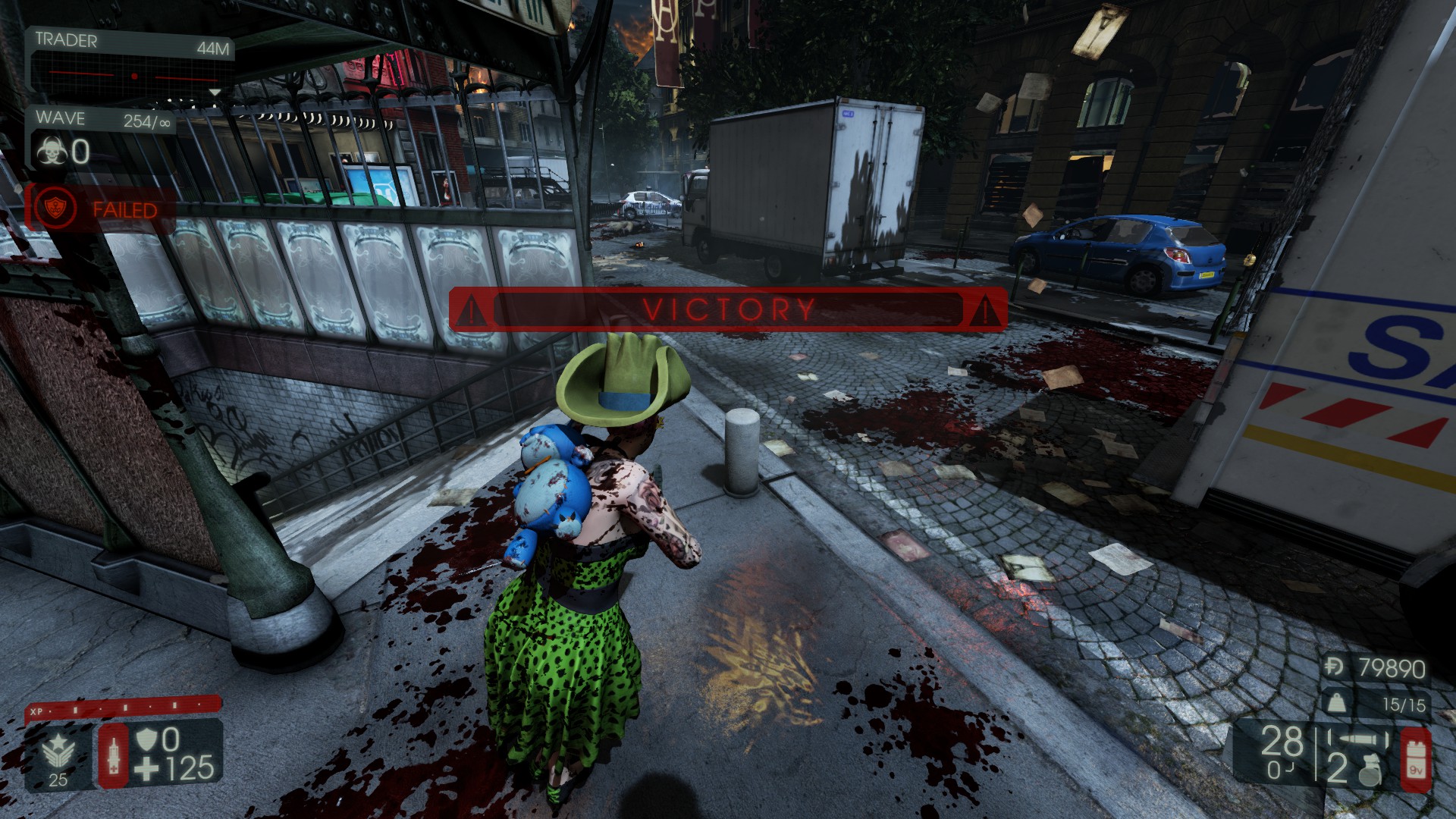
[b]NOTE:[/b] the wave number is stored as a byte, i.e. it can take on the values 0-255. Completing wave 254, thus bringing you to 255, is actually a victory condition for endless – as shown in the screenshot. Entering a <WaveNumber> larger than 255 will wrap around within the range of 0-255. E.g. a <WaveNumber> of 265 would result in jumping to wave 10.

[b]Issues/bugs[/b]
At the end of a match the vault dosh gained from the match displays incorrectly. In fact, the display value is the negative of your current vault dosh. This scary looking value is [b]NOT[/b] applied to your vault dosh - you won’t lose your vault dosh.
After entering the setwave command, the wave you jump to will begin without trader timer beforehand. This is more something to be wary of than a bug.

Anyone who isn't amazed by my artwork should know that it's a joke inspired by the song Metal on Metal, by Anvil.Highlights
From source dataFootprint
Rated a light load on a server.
Last update
Its author last shipped an update 9 yr ago.
SetWave [Endless] on Nxeon
From our catalogue- One-click install
- Supported on Nxeon Killing Floor 2 servers. We download it from Steam Workshop, place it, and restart the server.
- Server load
- light
- Smallest plan we suggest
- Killing Floor 2 — 2 GB (2 GB RAM). This follows our own load rating above, not a benchmark.
- Latest build
- 2018-03-04, released 2018-03-04
Game versions by loader
| Loader | Game versions | Newest |
|---|---|---|
| Workshop |
From 1 recorded build of SetWave [Endless].
Run SetWave [Endless] on a Killing Floor 2 server
Pick a server or deploy a new one above; it is installed in one click.
What kind of mod it is
From the catalogQuality of life & UI
Small conveniences, tweaks and interface improvements players notice straight away.
Compatibility
- Game
- Killing Floor 2
Verified at the source
- ✓Steam WorkshopOfficial listing, checked 2026-11-01Open ↗
- ✓AuthorPharrahnox, as published on Steam Workshop
- ✓LicenseNot published by the sourceFree