







About Biome Cleaner
From ModrinthRemoves micro-biomes from your world.
Biome Cleaner
Cleans up the messy, scattered biome patches that Minecraft's terrain generation creates. Small biome regions are merged into their larger neighbors, giving your world cleaner boundaries and a more natural feel -- without changing terrain shape, structures, or gameplay.
The mod works server-side only (no client installation needed) and runs entirely on its own background threads, so your server's tick rate is unaffected.
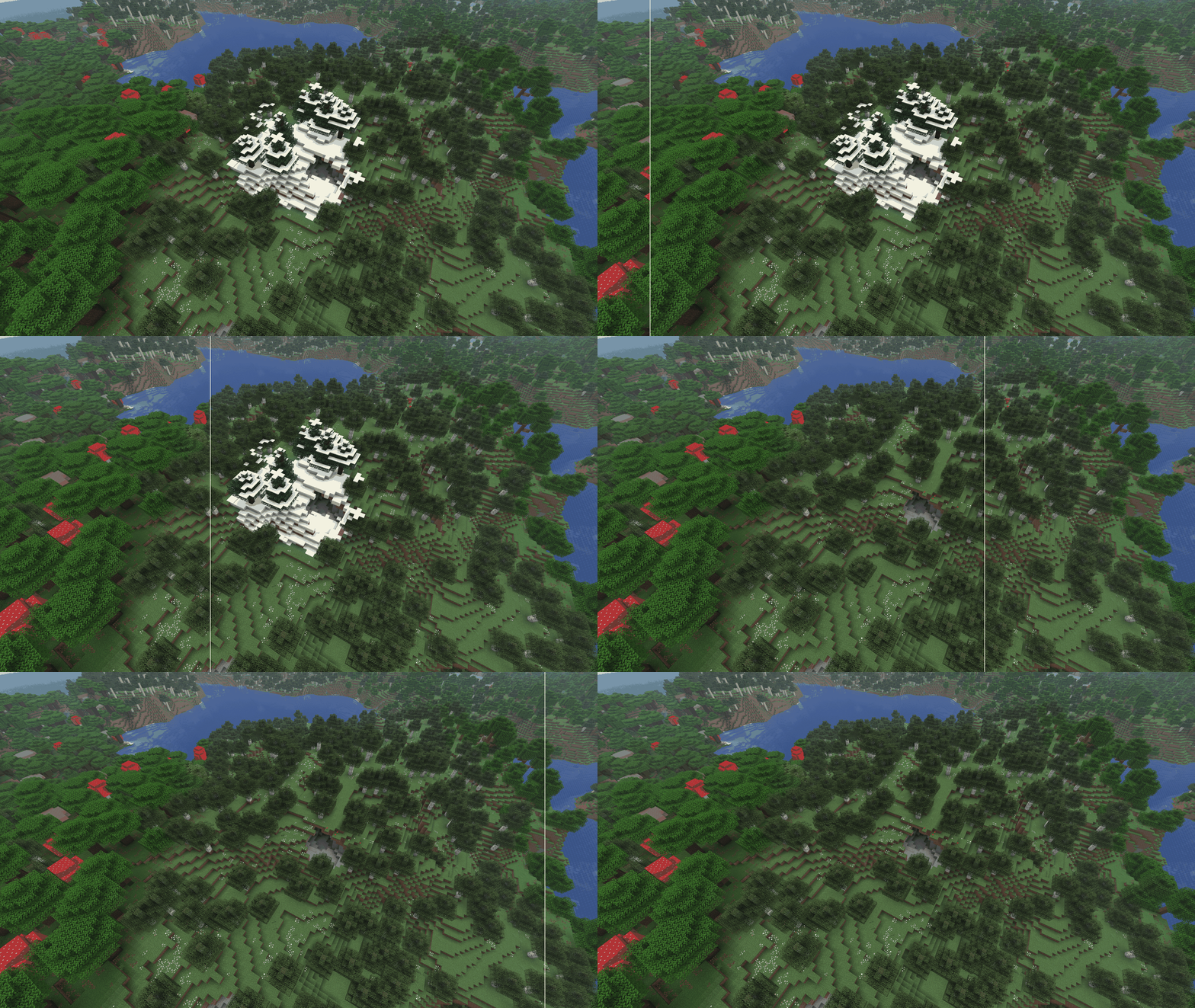
Before & After
With the default settings, those tiny 1-chunk patches of plains in the middle of a forest, or awkward slivers of beach where they don't belong, get absorbed into the surrounding biome. The result is smoother, more coherent biome regions while keeping the overall world layout intact.
Features
- Configurable threshold -- Set how small a biome region must be before it gets merged (default: 512 quarts)
- Biome protection -- Mark specific biomes (like rare ones) to never be replaced
- Replacement control -- Prevent certain biomes (like oceans) from spreading into other areas
- Biome groups -- Define groups for bulk configuration (e.g., all ocean variants)
- Per-group thresholds -- Use different size thresholds for different biome types
- Size-range trimming -- Cap a biome's maximum size by trimming oversized regions down instead of replacing them outright (e.g. keep stony shores small)
- Group-aware preservation -- Mark a group as "preferred" so its members merge into each other before flipping to outside biomes; mid-sized regions with no in-group neighbour are kept rather than replaced (e.g. preserve inland lakes, but still clean up tiny ocean puddles)
- Boundary requirements -- Force a biome to be cleaned up if its boundary doesn't touch the right neighbours, regardless of size (e.g. wipe out inland beaches with no ocean or river next to them)
- Background preprocessing -- Chunks are cleaned ahead of the player, so there's no lag when new terrain loads
- Server-side only -- No client installation required
Adding to an Existing World
The mod works best on new worlds, but you can add it to an existing world with one caveat: biome seams can appear at the border of your already-explored area.
This happens because the mod only affects chunks as they're generated for the first time. If a small biome patch straddles the boundary between chunks you've already explored and chunks you haven't, the old side keeps its original biomes while the new side gets cleaned up -- creating a visible mismatch where the two halves meet.
These seams only occur right at the edge of your previously explored territory and only where a small biome patch happens to cross that boundary. The rest of your new terrain will be fully cleaned as expected. Once you move past the border area, everything is seamless.
Starting a new world? No issues at all -- every chunk is cleaned as it generates.
Configuration
Main Config
Located at config/biomecleaner/common.json:
| Option | Default | Description | |--------|---------|-------------| | enabled | true | Master toggle for biome cleaning | | sizeThreshold | 512 | Minimum region size in quarts (4x4 block areas). Regions smaller than this get merged. Range: 1--1024 | | neverReplace | ["rare"] | Biomes/groups that are never replaced, even if small | | neverUseAsReplacement | ["oceans", "rivers"] | Biomes/groups that never replace other biomes | | allowIntraGroupReplacement | ["oceans"] | Groups where biomes can replace others within the same group | | preprocessingEnabled | true | Enable background preprocessing (recommended). When enabled, chunks are cleaned before the player reaches them | | preprocessingThreadCount | 0 | Number of worker threads for preprocessing. 0 = automatic (based on your CPU) | | cacheMemoryMB | 128 | Memory budget for the preprocessing cache in MB. Increase if you have RAM to spare and want longer lead times |
What is a quart? Minecraft stores biomes at 1/4 block resolution (one biome value per 4x4x4 block cube). A "quart" is one of these 4x4 biome cells. The default threshold of 512 quarts corresponds to roughly a 90x90 block area -- small patches below this size get cleaned up.
Advanced Config
Located at config/biomecleaner/advanced.json:
| Field | Description | |-------|-------------| | groups | Define named groups of biomes for use in the main config | | sizeThresholdOverrides | Override the size threshold for specific biomes or groups. Accepts a single number (minimum size) or a [min, max] pair | | intraGroupPreference | Mark a group as "preferred" so its members merge into each other before flipping to a different group, and preserve mid-sized regions that have no in-group neighbour | | requiredBoundaryGroups | Require a biome's boundary to touch at least one of the listed groups -- regions that don't are cleaned up regardless of size |
sizeThresholdOverrides
Each entry takes either a single number or a [min, max] pair:
"biome": N-- regions smaller thanNquarts get replaced. No upper bound. (Same behaviour as before 1.1.0.)"biome": [min, max]-- regions smaller thanminget replaced; regions betweenminandmaxare kept; regions larger thanmaxget trimmed down to amax-sized patch instead of replaced outright.
The default config uses [32, 64] for minecraft:stony_shore so that very small stony shore patches are still cleaned up entirely, but oversized stony shore expanses get shrunk down rather than wiped from the world.
When the same biome is named both directly (e.g. "minecraft:stony_shore") and through a group it belongs to (e.g. "beaches"), the more specific biome-id entry wins.
intraGroupPreference
Each entry maps a group name to a preference object:
Highlights
From source dataGame versions
Supports 5 Minecraft versions, the newest being 26.1.2.
Loaders
Runs on Fabric, Forge and NeoForge.
Footprint
Rated a light load on a server.
Biome Cleaner on Nxeon
From our catalogue- One-click install
- Supported on Nxeon Minecraft servers. We download it from Modrinth, place it, and restart the server.
- Server side
- Required on the server
- Server type needed
- Fabric, Forge, NeoForge
- Server load
- light
- Smallest plan we suggest
- Minecraft — 2 GB (2 GB RAM). This follows our own load rating above, not a benchmark.
- Latest build
- 1.1.8, released 2026-05-10
Game versions by loader
| Loader | Game versions | Newest |
|---|---|---|
| Fabric | 1.21.1 to 26.1.2 (5 versions) | 26.1.2 |
| Forge | 1.21.1 | 1.21.1 |
| NeoForge | 1.21.1 | 1.21.1 |
From 5 recorded builds of Biome Cleaner.
Recent builds
| Build | Released | Game versions | Loaders |
|---|---|---|---|
| 1.1.8 | 2026-05-10 | 1.21.1 | Fabric |
| 1.1.8 | 2026-05-10 | 1.21.11 | Fabric |
| 1.1.8 | 2026-05-10 | 26.1 to 26.1.2 (3 versions) | Fabric |
| 1.1.8 | 2026-05-10 | 1.21.1 | Forge |
| 1.1.8 | 2026-05-10 | 1.21.1 | NeoForge |
Dependencies
- Required: modrinth project P7dR8mSH (modrinth, not in our catalogue)
Declared by the newest build that lists any. Required ones are installed with it on one-click installs.
Run Biome Cleaner on a Minecraft server
Pick a server or deploy a new one above; it is installed in one click.
What kind of mod it is
From the catalogWorld generation
Changes or adds to how new terrain, biomes and structures are created.
Runs on your server
From source side supportModrinth lists Biome Cleaner as required on the server. Check its Modrinth page to see whether players need it too.
Compatibility
- Game
- Minecraft
- Loaders
- FabricForgeNeoForge
- Runs on
- Serverrequired on the server
- Game versions
- 26.1.2 and 4 earlier
Verified at the source
- ✓ModrinthOfficial listing, checked 2026-10-02Open ↗
- ✓Authoralexthundercook, as published on Modrinth
- ✓LicenseMITFree









