








About Bkups
From ModrinthA backup mod with GUI, three different types of backups and a trash system, all customizable. V3 available with Whopper System, Detailed Screen and Settings Menu.

Why Bkups?
- Comes with a GUI that will help you through out the mod
- Four different types of backups
- Whopper System (switch between worlds in-game)
- Many ways to protect your world or server
- Lots of option to have your own personal customization
- Settings Menu
- No cheats on needed
- Install and Play!
Backup Manager (GUI)


Types of Backups

- Manual: this backup is made by the player manually
- Auto: this backup is made automatically according to the settings you've set
- Exit: this backup is made whenever you leave the world you're in
- Legacy: this type of backups are the ones that are created with the minecraft settings
Whopper System
This system lets you switch worlds without having to go back to the main menu 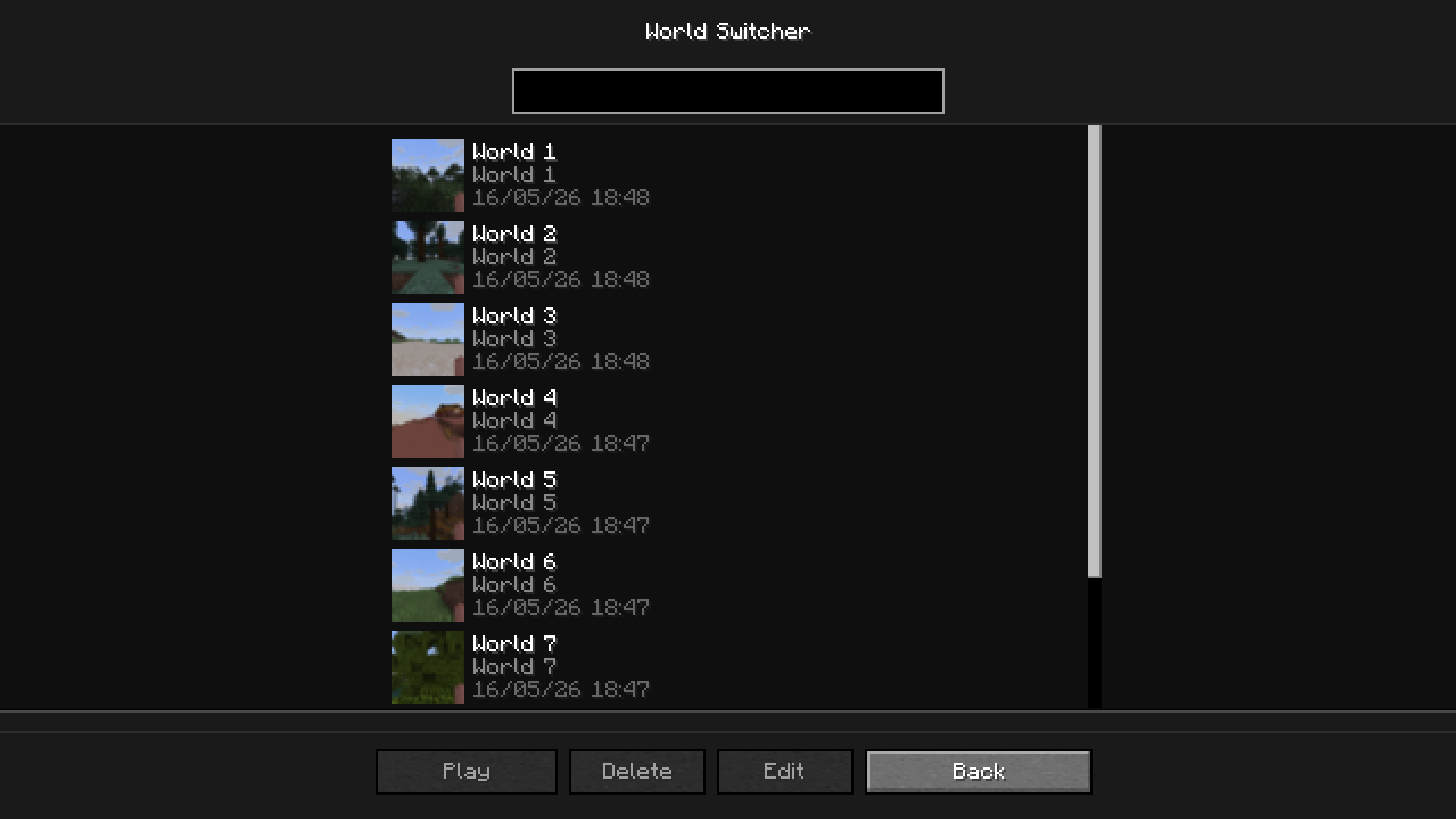
The Trash
To access the trash, click on the trash button in Backup Manager. All your deleted backups will appear here if you have the trash enabled (/bkup trash on)  With the trash, you can permanently delete the backup or recover it
Settings Menu
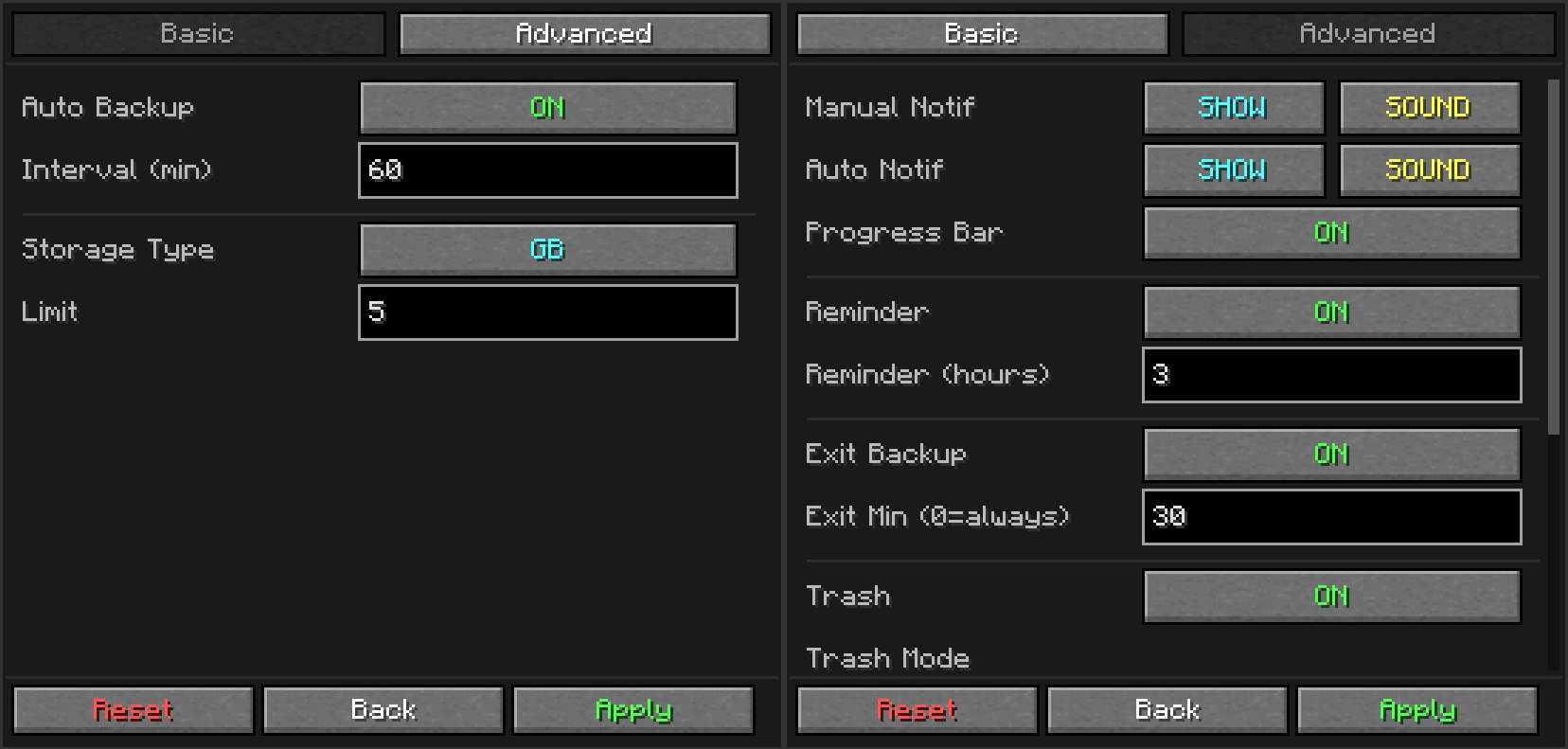
A settings menu so you don't have to use commands
Detailed Backup
To access this screen, double-click on a backup in the backup manager 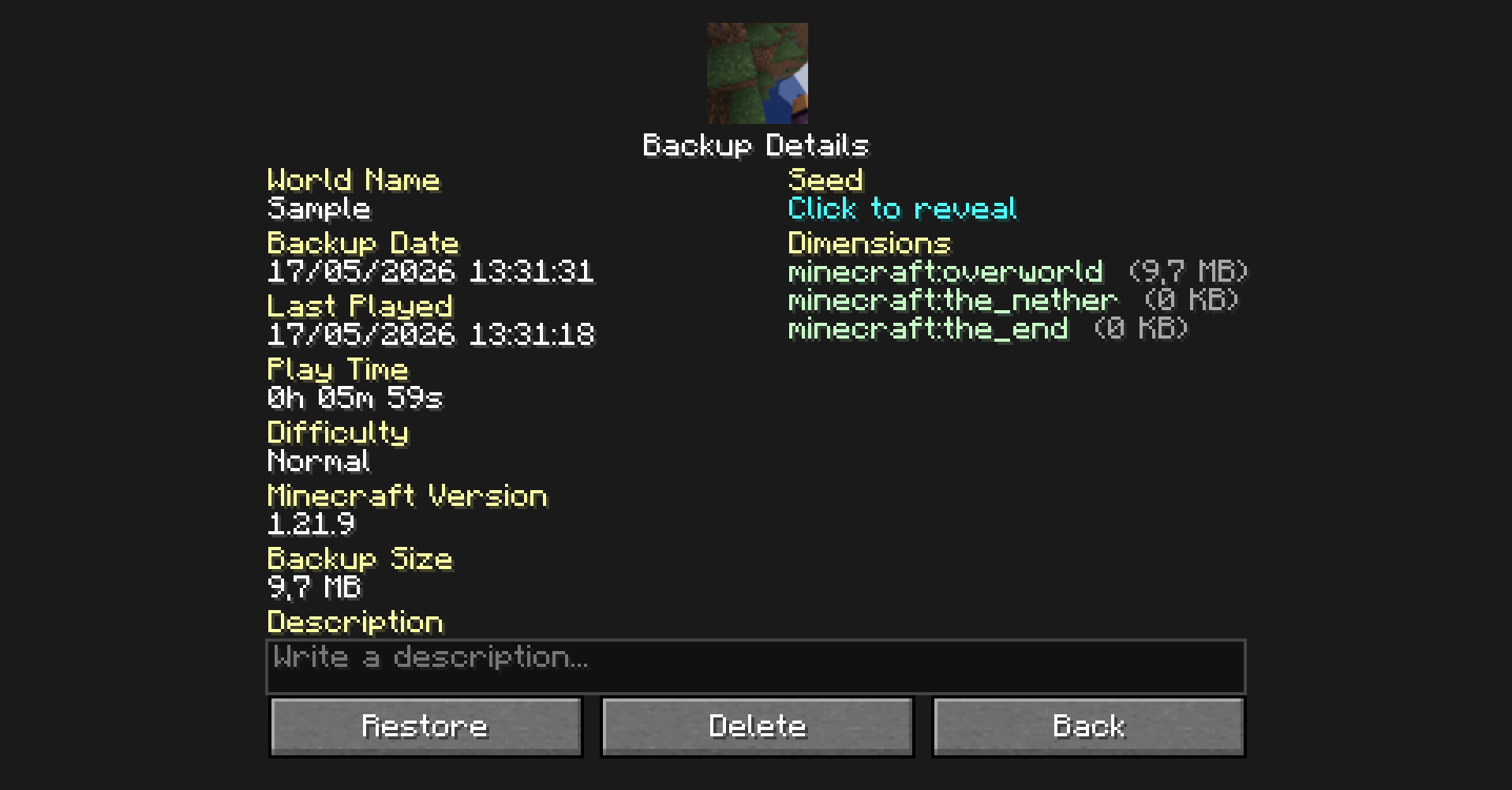
Favorites
You can add your backups to your favorites. The advantages are:
- Your backup will not be deleted by auto-cleanup
- Better visibility of your backups
Tree Structure
The tree structure works to view backups easily
Commands
/bk [custom_name]If you want to make a manual backup ([custom_name]it's used to name the backup)/bkup <subcommand>To do a lot of option to customization, more about it bellow
Subcommands
| Command | Description | | :--- | :--- | | /bkup auto <on/off> | Toggles automatic backups | | /bkup storage <lim> <type> | Sets retention limit by gb or backups | | /bkup delete <file> | Deletes a backup (or moves to trash if enabled) | | /bkup status | Shows current settings and disk usage | | /bkup help [command] | Displays the command list in-game | | /bkup advanced exit <on/off> | Toggles backup when stopping the server or leaving the world | | /bkup advanced trash <options> | Manages trash system (on, off, clear, recover) | | /bkup advanced compression <mode> | Sets compression to fast (larger) or heavy (smaller) | | /bkup advanced path <path> | Changes the backup folder location | | /bkup advanced config <options> | Toggles chat notifications, sounds, and progress bar | | /bkup advanced admin <player> | Grants backup permissions to non-OP players | | /bkup advanced unadmin <player> | Removes backup permissions from non-OP players |
Detailed
Highlights
From source dataGame versions
Supports 23 Minecraft versions, the newest being 26.3.
Loaders
Runs on Fabric, Forge and NeoForge.
Footprint
Rated a light load on a server.
Bkups on Nxeon
From our catalogue- One-click install
- Supported on Nxeon Minecraft servers. We download it from Modrinth, place it, and restart the server.
- Server side
- Required on the server
- Server type needed
- Fabric, Forge, NeoForge
- Server load
- light
- Smallest plan we suggest
- Minecraft — 2 GB (2 GB RAM). This follows our own load rating above, not a benchmark.
- Latest build
- 26.3-Forge-V3, released 2026-09-20
Game versions by loader
| Loader | Game versions | Newest |
|---|---|---|
| Forge | 26.2 to 26.3 (2 versions) | 26.3 |
| NeoForge | 26.2 to 26.3 (2 versions) | 26.3 |
| Fabric | 26.3 | 26.3 |
From 5 recorded builds of Bkups.
Recent builds
| Build | Released | Game versions | Loaders |
|---|---|---|---|
| 26.3-Forge-V3 | 2026-09-20 | 26.3 | Forge |
| 26.3-NeoForge-V3 beta | 2026-09-17 | 26.3 | NeoForge |
| 26.3-Fabric-V3 | 2026-09-15 | 26.3 | Fabric |
| 26.2-NeoForge-V3 | 2026-06-19 | 26.2 | NeoForge |
| 26.2-Forge-V3 | 2026-06-19 | 26.2 | Forge |
Dependencies
- Required: modrinth project P7dR8mSH (modrinth, not in our catalogue)
Declared by the newest build that lists any. Required ones are installed with it on one-click installs.
Run Bkups on a Minecraft server
Pick a server or deploy a new one above; it is installed in one click.
What kind of mod it is
From the catalogQuality of life & UI
Small conveniences, tweaks and interface improvements players notice straight away.
Runs on your server
From source side supportModrinth lists Bkups as required on the server. Check its Modrinth page to see whether players need it too.
Compatibility
- Game
- Minecraft
- Loaders
- FabricForgeNeoForge
- Runs on
- Serverrequired on the server
- Game versions
- 26.3 and 22 earlier
Verified at the source
- ✓ModrinthOfficial listing, checked 2026-10-01Open ↗
- ✓AuthorBlanq_Ky, as published on Modrinth
- ✓LicenseCC-BY-NC-SA-4.0Free









