







About Blockball
From ModrinthBlockball is a football(soccer) mod built specifically for server events, and custom arena setups or having fun with your friends.

About the Mod
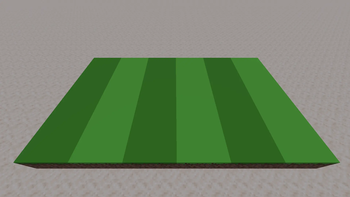
Blockball adds soccer to Minecraft. Map makers place dedicated blocks (goals, spawns, ball spawner blocks) to build a field; the match controller opens a simple settings screen to configure things like match length before a game starts. Once a match is running, the blocks handle scoring, spawning, and goal detection automatically. This works for anything from a 1v1 duel to a full tournament.To open the match controller press B to open the Blockball Tab
Features (current beta)
_Gameplay_
- A dedicated shoot hotkey [G] with a chargeable shot, so you can vary passes and shots on the fly
- A HUD meter shows your charge level while you're holding the shot
- The ball physics track the last player who touched it, for goal announcements and own-goal
_Blocks_
- Ball Spawner: place it and right-click to register it as the match ball spawner
- Goal Blocks (Team 1 / Team 2): detect when the ball crosses the line, update the score
- Team Spawn Blocks: teleport players to their kickoff positions at match start and after each goal
- Team Color Blocks: decorative blocks that switch texture and glow to match the active team colors
Setup
Blockball isn't survival-friendly yet, so setting up a match in Creative Mode takes just a few minutes:
- Build your field and mark the boundaries with standard blocks or Team Color Blocks
- Fill each team's net with their Goal Blocks
- Place the Ball Spawner in the center and activate it with a right-click, then place Team Spawn Blocks on both halves
- Open the team controller , set up the teams
- Open the match controller, set the match length, and start
Tutorial
<iframe width="560" height="315" src="https://www.youtube-nocookie.com/embed/D7Xq88kjpb4" title="YouTube video player" frameborder="0" allow="accelerometer; autoplay; clipboard-write; encrypted-media; gyroscope; picture-in-picture; web-share" allowfullscreen></iframe>
Feedback
The mod is in active beta. Bug reports, feedback on ball physics, and feature suggestions are welcome.Google Forms
Highlights
From source dataGame versions
Built for Minecraft 26.1.2.
Loaders
Runs on NeoForge.
Footprint
Rated a light load on a server.
Blockball on Nxeon
From our catalogue- One-click install
- Supported on Nxeon Minecraft servers. We download it from Modrinth, place it, and restart the server.
- Server side
- Required on the server
- Server type needed
- NeoForge
- Server load
- light
- Smallest plan we suggest
- Minecraft — 2 GB (2 GB RAM). This follows our own load rating above, not a benchmark.
- Latest build
- 0.1.3 (beta), released 2026-08-28
Game versions by loader
| Loader | Game versions | Newest |
|---|---|---|
| NeoForge | 26.1.2 | 26.1.2 |
From 4 recorded builds of Blockball.
Recent builds
| Build | Released | Game versions | Loaders |
|---|---|---|---|
| 0.1.3 beta | 2026-08-28 | 26.1.2 | NeoForge |
| 0.1.2 beta | 2026-08-09 | 26.1.2 | NeoForge |
| 0.1.1 beta | 2026-08-03 | 26.1.2 | NeoForge |
| 0.1.0 beta | 2026-08-03 | 26.1.2 | NeoForge |
Run Blockball on a Minecraft server
Pick a server or deploy a new one above; it is installed in one click.
What kind of mod it is
From the catalogMaps & scenarios
Custom maps, arenas and scenarios to play on.
Runs on your server
From source side supportModrinth lists Blockball as required on the server. Check its Modrinth page to see whether players need it too.
Compatibility
- Game
- Minecraft
- Loaders
- NeoForge
- Runs on
- Serverrequired on the server
- Game versions
- 26.1.2
Verified at the source
- ✓ModrinthOfficial listing, checked 2026-10-03Open ↗
- ✓AuthorBendasBuch, as published on Modrinth
- ✓LicenseLicenseRef-All-Rights-ReservedFree









