







About CobbleKanto Core
From ModrinthThe core support mod for the CobbleKanto modpack, powering legendary events, puzzles and utility commands.
CobbleKanto Core
CobbleKanto Core is the main support mod used by the CobbleKanto modpack.
This is not the full CobbleKanto modpack by itself. It is the internal core mod that helps power some of the custom systems used across the project, including special encounter tools, puzzle logic, legendary receiver events, utility commands, and a few server-side QoL systems made for the CobbleKanto experience.
If you are playing the official CobbleKanto modpack, you normally do not need to install this manually. It is mainly published so the core mod can be tracked, updated, and used as part of the full modpack setup.

Get 25% off your Minecraft server with Shockbyte! Ready to start an epic adventure with your friends? Just click here or on the banner and use promo code “COBBLEKANTO”, plus you’ll be helping us keep improving the modpack and developing future projects!
What It Does
It brings together several custom systems that were created for the CobbleKanto map and multiplayer adventure flow. Some of these features are useful for admins and map makers, while others are meant to quietly support the modpack in the background.
This includes things like:
- legendary receiver blocks and orb based activation
- internal map puzzle systems
- special gym interaction logic
- mount configuration commands
- night vision handling for exploration
- shiny capture notifications
- custom utility blocks
The mod is best understood as the “core layer” behind CobbleKanto’s custom adventure mechanics.
For Players
If you are downloading the full CobbleKanto modpack, you usually do not need to think about this mod separately.
CobbleKanto Core is included to make the modpack’s custom systems work correctly. Removing it from the modpack can break custom spawns, legendary events, puzzles, GUI screens, utility commands, or other map-specific behavior.
In short:
Playing the CobbleKanto modpack? Keep this installed.For Server Owners
CobbleKanto Core contains systems that were made with multiplayer adventure servers in mind.
Some features are designed to help admins control or tune the server experience, such as:
- mount behavior
- special encounter zones
- shiny capture announcements
- puzzle resets
- legendary receiver setup
- controlled spawner configuration
Because this mod is tied closely to CobbleKanto’s map logic, it is recommended to use it as part of the intended CobbleKanto modpack environment unless you are comfortable configuring custom adventure systems yourself.
For Map Makers
Some systems inside CobbleKanto Core can be useful for map makers building controlled adventure areas.
Legendary Receivers can be tied to custom events or commands. Gym puzzle systems can be used to create more interactive map moments.
That said, this mod was not designed as a generic public API. It is a core mod for CobbleKanto first, and a toolkit second.
If you want smaller standalone versions of some systems, check the related CobbleKanto project mods.
Legendary Receivers
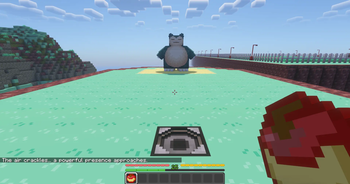
CobbleKanto Core includes a Legendary Receiver block and orb items used for special encounter events.
These systems are designed for controlled legendary or unique map encounters. A receiver can be configured with a key, and the correct orb is required to activate it.
Included orb items:
- Articuno
- Zapdos
- Moltres
- Mewtwo
- Mew
- Snorlax male
- Snorlax female
Gym and Puzzle Systems
CobbleKanto Core includes internal logic for some map-specific puzzle and gym mechanics.
Current systems include:
- Lt. Surge-style switch/trashcan puzzle logic
- Blaine Gym question binding and reload tools
These systems are built around the CobbleKanto adventure map and may require configuration files or map-specific setup to be useful outside the official pack.
Utility Commands
CobbleKanto Core includes several admin-facing commands used to manage project systems.
Examples include command groups for:
- mount settings
- night vision toggle
- special spawn command helpers
- shiny notification toggle
- legendary receiver setup
- Lt. Surge puzzle reset/debug
- Blaine Gym binding/reload
These commands are mainly intended for server admins and map setup.
Night Vision
CobbleKanto Core includes a night vision helper designed for the CobbleKanto exploration experience.
It can keep night vision refreshed for players and also allows admins to toggle it off for individual players when needed.
This helps keep dark areas readable while still allowing specific areas or moments to behave differently.
Shiny Notifications
When enabled, CobbleKanto Core can announce when a player captures a shiny Cobblemon.
This is mostly a server/community feature, meant to make rare captures feel more exciting in multiplayer.
Dependencies
Required:
- Minecraft 1.21.1
- Fabric Loader
- Fabric API
- Java 21
- Cobblemon
- GeckoLib
Recommended:
- The official CobbleKanto modpack environment
Some systems may also interact with other CobbleKanto ecosystem mods or datapack/config content when used inside the full modpack.
FAQ
Is this the full CobbleKanto modpack?
No. This is the core mod used by the CobbleKanto modpack. The full experience requires the full modpack.
Can I use this outside CobbleKanto?
Highlights
From source dataGame versions
Built for Minecraft 1.21.1.
Loaders
Runs on Fabric and NeoForge.
Footprint
Rated a light load on a server.
CobbleKanto Core on Nxeon
From our catalogue- One-click install
- Supported on Nxeon Minecraft servers. We download it from Modrinth, place it, and restart the server.
- Server side
- Required on the server
- Server type needed
- Fabric, NeoForge
- Server load
- light
- Smallest plan we suggest
- Minecraft — 2 GB (2 GB RAM). This follows our own load rating above, not a benchmark.
- Latest build
- 0.9.3, released 2026-10-19
Game versions by loader
| Loader | Game versions | Newest |
|---|---|---|
| Fabric | 1.21.1 | 1.21.1 |
| NeoForge | 1.21.1 | 1.21.1 |
From 7 recorded builds of CobbleKanto Core.
Recent builds
| Build | Released | Game versions | Loaders |
|---|---|---|---|
| 0.9.3 | 2026-10-19 | 1.21.1 | NeoForge |
| 0.9.3 | 2026-10-19 | 1.21.1 | Fabric |
| 0.9.2 | 2026-07-15 | 1.21.1 | Fabric |
| 0.9.1 | 2026-06-15 | 1.21.1 | Fabric |
| 0.9.0 | 2026-06-10 | 1.21.1 | Fabric |
| 0.8.9 | 2026-06-10 | 1.21.1 | Fabric |
Run CobbleKanto Core on a Minecraft server
Pick a server or deploy a new one above; it is installed in one click.
What kind of mod it is
From the catalogQuality of life & UI
Small conveniences, tweaks and interface improvements players notice straight away.
Runs on your server
From source side supportModrinth lists CobbleKanto Core as required on the server. Check its Modrinth page to see whether players need it too.
Compatibility
- Game
- Minecraft
- Loaders
- FabricNeoForge
- Runs on
- Serverrequired on the server
- Game versions
- 1.21.1
Verified at the source
- ✓ModrinthOfficial listing, checked 2026-10-20Open ↗
- ✓AuthorCobbleKanto, as published on Modrinth
- ✓LicenseLicenseRef-CobbleKanto-Project-Custom-LicenseFree









