







About Cobbleloots: Loot Balls and More!
From ModrinthA side-mod for cobblemon that adds different ways to obtain items like in the original games.
Cobbleloots: Loot Balls and More!
Cobbleloots is a mod for Cobblemon that adds different ways to obtain items based on the original Pokémon video games.
> IMPORTANT (BETA-2.2.0+): Recent updates have introduced breaking changes, especially with the configuration. You will need to update your configurations to ensure compatibility.
<!-- TOC -->
- Cobbleloots: Loot Balls and More!
- Features
- Loot Balls 💎
- Obtaining Loot Balls
- Valuable Items 💰
- Mapmaking 🗺️
- Custom Loot Balls 🎁
- Mod configuration ⚙️
- Commands 🛠️
- FAQ
- How do I make loot balls give loot to every player, not just the first one?
- Planned Features
- Hidden Items 🔍
- Fake Items 🪤
<!-- TOC -->
Features
Loot Balls 💎
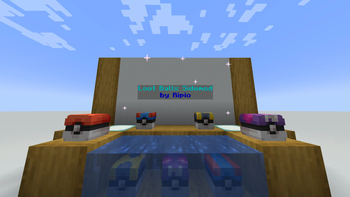
These balls contain useful items for the player. They can grant XP and items when opened, and can be used as a decorative entity in survival mode. When a loot ball has no remaining uses, it can be destroyed to drop as a decorative item (this behavior is configurable).
Obtaining Loot Balls
- Generation: Loot balls can be found in the world. Some of them are specific to biomes, while others are more common.
- Spawning: Over time, loot balls will spawn in the world around random players.
- Fishing: Players can catch loot balls when fishing with Cobblemon Poké Rods. Different rods can catch different tiers of loot balls, and using the _Luck of the Sea_ enchantment increases the chance of finding a loot ball.
Loot balls are categorized into tiers that determine their rarity and loot quality: Common, Uncommon, Rare, and Ultra Rare.
Valuable Items 💰
Cobbleloots incorporates 10 classic valuable items from Pokémon that serve as trade goods, rewards, or server economy tokens:
- Nugget & Big Nugget (
cobbleloots:nugget,cobbleloots:big_nugget) - Pearl, Big Pearl & Pearl String (
cobbleloots:pearl,cobbleloots:big_pearl,cobbleloots:pearl_string) - Stardust, Star Piece & Comet Shard (
cobbleloots:stardust,cobbleloots:star_piece,cobbleloots:comet_shard) - Rare Bone (
cobbleloots:rare_bone) - Balm Mushroom (
cobbleloots:balm_mushroom)
Each item includes custom 16x16 pixel-art textures, immersive tooltips referencing collectors and shops who buy them at high prices, and is available in the Cobbleloots creative mode tab.
Mapmaking 🗺️
Check out the documentation to learn how to use the mod objects and features in your custom maps. If you still have questions, feel free to ask on my discord server.
> Note: The documentation is a work in progress, and some features may not be fully documented yet. If you need help with a specific feature, please reach out on my Discord server.
Custom Loot Balls 🎁
Create custom loot balls with different items and properties using the new Loot Ball Data system. You can customize various aspects, including:
- The name displayed in-game.
- The loot table used when opened.
- The texture of the loot ball.
- The amount of XP granted to the player.
- Player-specific timers (cooldowns) before a player can reopen the loot ball.
- Sources for how loot balls appear (e.g.,
generation,spawning), with detailed filters: weightfor rarity.structuretags.biometags (biome keys, biome tags, or biome dicts).dimensionlists.blocktags (for spawn block or base block).fluidtags.position(x, y, z coordinates with min/max ranges).lightlevels (block and sky, for spawning).timeof day (with period options).dateranges (e.g., seasonal events).weatherconditions (clear, rain, thunder).- Variants for a single loot ball type, each with its own optional name, texture, and loot table.
Some of these features are continuously being refined, but the data system is designed for flexibility and future additions.
Mod configuration ⚙️
The mod configuration is powered by MidnightLib and supports in-game editing:
- Fabric: Edit via ModMenu.
- NeoForge: Edit via the Mods menu.
- Command: Server OPs can use
/midnightconfig cobbleloots <key> <value>.
The config file is located in the config folder of your Minecraft instance. Check the Configuration docs for more information.
Commands 🛠️
Cobbleloots provides in-game commands to help server operators and mapmakers manage loot balls:
/cobbleloots reset loot_ball target [player] [restore_uses]: Resets the loot ball in your line of sight (within 16 blocks) for yourself or targeted player(s)./cobbleloots reset loot_ball all [player] [restore_uses]: Globally resets all loot balls in the world (with automatic persistence for unloaded chunks)./cobbleloots reset loot_ball entity <selector> [player] [restore_uses]: Resets specific loot balls matching an entity selector./cobbleloots reset loot_ball undo [player]: Reverts the last reset action performed./cobbleloots debug weights [source_type] [pos]: Displays the weighted spawn probability table for candidate loot balls at your position./cobbleloots debug check <id> [source_type] [pos]: Evaluates each filter condition for a specific loot ball ID and reports passed/failed checks.
Check out the full Commands Reference for detailed arguments, permissions, and examples.
FAQ
Highlights
From source dataGame versions
Supports 2 Minecraft versions, the newest being 1.21.1.
Loaders
Runs on Fabric and NeoForge.
Footprint
Rated a light load on a server.
Cobbleloots: Loot Balls and More! on Nxeon
From our catalogue- One-click install
- Supported on Nxeon Minecraft servers. We download it from Modrinth, place it, and restart the server.
- Server side
- Required on the server
- Server type needed
- Fabric, NeoForge
- Server load
- light
- Smallest plan we suggest
- Minecraft — 2 GB (2 GB RAM). This follows our own load rating above, not a benchmark.
- Latest build
- 2.5.0-alpha.2 (alpha), released 2026-09-29
Game versions by loader
| Loader | Game versions | Newest |
|---|---|---|
| Fabric | 1.21.1 | 1.21.1 |
| NeoForge | 1.21.1 | 1.21.1 |
From 5 recorded builds of Cobbleloots: Loot Balls and More!.
Recent builds
| Build | Released | Game versions | Loaders |
|---|---|---|---|
| 2.5.0-alpha.2 alpha | 2026-09-29 | 1.21.1 | NeoForge |
| 2.5.0-alpha.2 alpha | 2026-09-29 | 1.21.1 | Fabric |
| 2.5.0-alpha.1 alpha | 2026-09-23 | 1.21.1 | NeoForge |
| 2.5.0-alpha.1 alpha | 2026-09-23 | 1.21.1 | Fabric |
| 2.4.0-alpha.1 alpha | 2026-09-19 | 1.21.1 | NeoForge |
Run Cobbleloots: Loot Balls and More! on a Minecraft server
Pick a server or deploy a new one above; it is installed in one click.
What kind of mod it is
From the catalogWeapons, items & crafting
New weapons, gear, items and the recipes to make them.
Runs on your server
From source side supportModrinth lists Cobbleloots: Loot Balls and More! as required on the server. Check its Modrinth page to see whether players need it too.
Compatibility
- Game
- Minecraft
- Loaders
- FabricNeoForge
- Runs on
- Serverrequired on the server
- Game versions
- 1.21.1 and 1 earlier
Verified at the source
- ✓ModrinthOfficial listing, checked 2026-10-01Open ↗
- ✓AuthorRipio, as published on Modrinth
- ✓LicenseMITFree









