






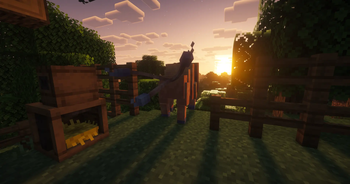

About Cobblemon TP-Pastures (No despawn for Pasture Block's)
From ModrinthCobblemon Pasture Recall/Teleport Change
Cobblemon TP-Pastures
Prevents pastured Pokémon from being recalled to the PC when they wander too far away. Instead, they are teleported back near their Pasture Block.
The mod includes automatic radius configuration, safe landing detection, fall damage protection, configurable damage immunity, hazardous-state removal, optional teleport effects, and administrative commands.
It is available for both Fabric and NeoForge on Minecraft 1.21.1.
Server-side
This mod works in both singleplayer and multiplayer.
For multiplayer servers, this is a server-side mod, so it only needs to be installed on the server. Download the Fabric or NeoForge version that matches your server’s mod loader.
Why should you use it?
- Prevents your Pasture Block from suddenly becoming almost empty because Pokémon wandered too far away.
- Removes the need to trap your Pokémon with fences just to stop them from being recalled.
- Automatically adjusts the teleport radius based on Cobblemon’s configuration.
- Protects Pokémon from fall damage caused by teleporting them back.
- Protects pastured Pokémon from damage using a configurable whitelist or blacklist.
- Removes fire, drowning, and freezing states after teleporting.
- Improves compatibility with Cobbleworkers, allowing it to work more reliably.
- Lets you use pastured Pokémon more freely for decoration, zoos, safaris, farms, and similar builds.
~~You may also want to use Cobblemon: SafePastures, which protects your Pokémon from damage.~~ SafePastures is no longer necessary for damage protection because TP-Pastures now includes configurable damage immunity for Pokémon assigned to a Pasture Block.
Cobblemon 1.8.0 attempted to address pastured Pokémon despawning or running away, but Pokémon can still be recalled to the PC after leaving their allowed area. TP-Pastures is therefore still useful to prevent this behavior.
Dependencies
All versions require:
- Cobblemon 1.7.1+ (1.8.0 tested)
Fabric version:
- Fabric Loader 0.18.4+
- Fabric API 0.116.8+
NeoForge version:
- NeoForge 21.1+
Configuration
The config file is located here:
...\config\cobblemon_tp_pastures.json
Automatic radius configuration
By default, TP-Pastures automatically reads Cobblemon’s pastureMaxWanderDistance setting and subtracts the configured radiusMargin.
The default radiusMargin is 4.
Examples:
- Cobblemon radius
32→ TP-Pastures radius28 - Cobblemon radius
64→ TP-Pastures radius60
This means you normally only need to change Cobblemon’s pastureMaxWanderDistance. TP-Pastures automatically adjusts its effective teleport radius.
Cobblemon’s value can usually be found here:
...\config\cobblemon\main.json
Cobblemon 1.8.0 changed the default pastureMaxWanderDistance from 64 to 32. With automatic radius configuration enabled, TP-Pastures automatically changes its effective radius from 60 to 28.
If Cobblemon’s configuration cannot be read, maxPastureRadius is used as a fallback.
Manual radius configuration
To use a fixed radius instead, set:
"automaticRadius": falseTP-Pastures will then use the value configured under maxPastureRadius.
When using manual mode, always keep TP-Pastures’ maxPastureRadius lower than Cobblemon’s pastureMaxWanderDistance. Otherwise, Cobblemon may recall the Pokémon before TP-Pastures can teleport it back.
Using a larger pasture radius
When automatic radius configuration is enabled, you only need to increase Cobblemon’s pastureMaxWanderDistance.
For example:
"pastureMaxWanderDistance": 64With the default radiusMargin of 4, TP-Pastures will automatically use an effective radius of 60.
You can change radiusMargin if you want TP-Pastures to teleport Pokémon sooner or later.
Updating from an older version
Existing config files are preserved when updating.
New settings are automatically added when the config is loaded. An old maxPastureRadius value may remain in the file, but it is only used as a fallback while automaticRadius is enabled.
You no longer need to manually change an old radius such as 54 to 28 when using automatic radius configuration.
Damage protection
By default, Pokémon currently assigned to a Pasture Block are protected from all damage.
Damage protection can be customized using:
invulnerablePasturedPokemondamageFilterModedamageTypes
Blacklist mode
BLACKLIST prevents the damage types listed under damageTypes.
The default wildcard configuration prevents all damage:
"damageFilterMode": "BLACKLIST",
"damageTypes": [
  "*"
]
You can replace * with individual Minecraft damage type IDs if only specific damage types should be prevented:
"damageTypes": [
  "minecraft:in_fire",
  "minecraft:on_fire",
  "minecraft:fall"
]
Whitelist mode
WHITELIST allows the damage types listed under damageTypes and prevents all other damage.
For example, this allows fall damage while preventing other damage:
"damageFilterMode": "WHITELIST",
"damageTypes": [
  "minecraft:fall"
]
Set invulnerablePasturedPokemon to false to disable general damage protection completely.
Teleport-related fall damage can still be prevented separately using preventTeleportFallDamage.
Commands
/tppastures— Displays the current configuration status./tppastures status— Displays the effective radius and enabled protection settings./tppastures reload— Reloads the configuration without restarting the server. Requires permission level 2 (server operator).
Default config
Highlights
From source dataGame versions
Built for Minecraft 1.21.1.
Loaders
Runs on Fabric and NeoForge.
Footprint
Rated a light load on a server.
Cobblemon TP-Pastures (No despawn for Pasture Block's) on Nxeon
From our catalogue- One-click install
- Supported on Nxeon Minecraft servers. We download it from Modrinth, place it, and restart the server.
- Server side
- Required on the server
- Server type needed
- Fabric, NeoForge
- Server load
- light
- Smallest plan we suggest
- Minecraft — 2 GB (2 GB RAM). This follows our own load rating above, not a benchmark.
- Latest build
- 1.21.1-1.3.0, released 2026-10-02
Game versions by loader
| Loader | Game versions | Newest |
|---|---|---|
| Fabric | 1.21.1 | 1.21.1 |
| NeoForge | 1.21.1 | 1.21.1 |
From 7 recorded builds of Cobblemon TP-Pastures (No despawn for Pasture Block's).
Recent builds
| Build | Released | Game versions | Loaders |
|---|---|---|---|
| 1.21.1-1.3.0 | 2026-10-02 | 1.21.1 | NeoForge |
| 1.21.1-1.3.0 | 2026-10-02 | 1.21.1 | Fabric |
| 1.21.1-1.2.1 | 2026-09-06 | 1.21.1 | NeoForge |
| 1.21.1-1.2.1 | 2026-09-06 | 1.21.1 | Fabric |
| 1.21.1-1.2 | 2026-09-06 | 1.21.1 | NeoForge |
| 1.21.1-1.2 | 2026-09-06 | 1.21.1 | Fabric |
Dependencies
- Required: modrinth project MdwFAVRL (modrinth, not in our catalogue)
Declared by the newest build that lists any. Required ones are installed with it on one-click installs.
Run Cobblemon TP-Pastures (No despawn for Pasture Block's) on a Minecraft server
Pick a server or deploy a new one above; it is installed in one click.
What kind of mod it is
From the catalogBuilding & decoration
Blocks, furniture, decorations and building tools.
Runs on your server
From source side supportModrinth lists Cobblemon TP-Pastures (No despawn for Pasture Block's) as required on the server. Check its Modrinth page to see whether players need it too.
Compatibility
- Game
- Minecraft
- Loaders
- FabricNeoForge
- Runs on
- Serverrequired on the server
- Game versions
- 1.21.1
Verified at the source
- ✓ModrinthOfficial listing, checked 2026-10-10Open ↗
- ✓Authordatibrr, as published on Modrinth
- ✓LicenseLicenseRef-All-Rights-ReservedFree









