






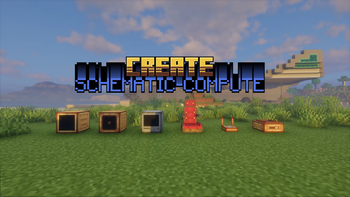

About create-schematic-compute
From ModrinthCreate: Schematic Compute brings a graph-based visual programming interface to the Create ecosystem, allowing you to build complex computational blueprints without messy redstone dust.
Create: Schematic Compute
🎮 12 Programmable Blocks · 102 Node Types · Formula Syntax Highlighting & Autocomplete · Multiplayer Collaboration
十二种可编程方块 · 102种节点 · 公式语法高亮与自动补全 · 多人实时协作
Drag, connect, and build logic — just like Unreal Engine Blueprints!
拖拽连接,构建逻辑 — 像虚幻引擎蓝图一样直观!
Created by StarryNight_Luo (y15173334444)





Table of Contents / 目录
- Overview / 简介
- Blocks / 方块
- Multiplayer Collaboration / 多人协作
- Formula Script Node / 公式脚本节点
- BUS System / BUS 总线系统
- Node Reference / 节点参考
- Controls / 操作指南
- Sable Physics Integration / Sable 物理集成
- Schematic Support / 蓝图兼容
- Recipes / 合成配方
- Block Properties / 方块属性
- Technical Highlights / 技术亮点
- Changelog / 更新日志
- FAQ / 常见问题
- Installation / 安装
- Links / 链接
📖 Overview / 简介
🇬🇧 Create: Schematic Compute is a Create mod addon that introduces 12 programmable blocks + 1 portable terminal with a visual node-based programming system. Instead of writing complex redstone circuits, simply drag and connect nodes to build logic — just like Unreal Engine Blueprints or Blender Geometry Nodes. Each computer runs at 20Hz (every game tick) for real-time control. All 12 blocks support real-time multiplayer collaborative editing with live cursor tracking and node lock protection. The FORMULA script editor features syntax highlighting (9 token colours), intelligent autocomplete (functions, variables, @output), real-time validation with error badges, and named constants (PI)/(E).
🇨🇳 机械动力:蓝图计算机 是一个机械动力附属模组,添加了十二种可编程方块和一个便携终端,采用可视化节点图编程系统。无需搭建复杂红石电路,只需拖拽连接节点即可构建逻辑——就像虚幻引擎的蓝图系统或 Blender 的几何节点一样直观。每台设备拥有独立的节点图,以 20Hz(每游戏刻) 的频率运行,适合实时控制应用。全部 12 种方块支持多人实时协作编辑,带实时光标追踪和节点锁定保护。FORMULA 公式脚本编辑器 支持语法高亮(9 种词法颜色)、智能自动补全(函数、变量、@output)、实时校验与错误徽章、以及命名常量 (PI)/(E)。
🖥️ Blocks / 方块
🖥️ Holographic Monitor / 全息显示器
3D floating display / 3D 悬浮显示方块
| Feature / 功能 | Description / 说明 | |----------------|-------------------| | 🖼️ Display Nodes / 显示节点 | TEXT, DATA, IMAGE, IMAGE_SEQUENCE / 文本、数值、图片、动画 | | 🎨 16×16 Pixel Editor / 16×16像素编辑器 | Multi-frame animation + undo/redo / 多帧动画+撤销重做 | | 📋 Layer Panel / 图层面板 | Drag-drop reorder + 24×24 thumbnails / 拖拽排序+缩略图预览 | | 🎯 3D Positioning / 3D定位 | X/Y/Z + Roll/Pitch/Yaw freely adjustable / 自由调整位置和旋转 | | 📡 Signal-Driven / 信号驱动 | IMAGE position/rotation via input signals / 通过输入信号驱位置旋转 | | 📡 Redstone Input / 红石输入 | Read Redstone Link signals / 从红石链接网络读取信号 |
🖥️ Blueprint Computer / 蓝图计算机
Redstone Link controller / 红石链接控制器
| Feature / 功能 | Description / 说明 | |----------------|-------------------| | 📡 Redstone I/O / 红石I/O | Read/Write Redstone Link network / 读写红石链接网络 | | 🔗 Private Signal / 私有信号 | Named channel cross-computer communication / 命名通道跨计算机通信 | | 🚌 Bus System / 总线系统 | BUS_IN/BUS_OUT multi-band data sharing / 多频段数据共享 | | 📦 Encapsulation I/O / 封装导入导出 | File browser import/export .nbt files / 文件浏览器导入导出 |
⚡ Speed Proxy / 转速代理控制器
Speed Controller direct control / 转速直控
| Feature / 功能 | Description / 说明 | |----------------|-------------------| | 🔄 Speed Control / 转速控制 | Set adjacent Speed Controller RPM (-256~256) / 设置相邻转速控制器RPM | | 🔗 Private Signal / 私有信号输入 | Named channel cross-computer coordination / 命名通道跨计算机联动 |
⚙️ Programmable Transmission / 可编程变速器
In-line programmable gearbox / 轴上可编程变速
| Feature / 功能 | Description / 说明 | |----------------|-------------------| | 🎚️ Target RPM / 目标转速 | Scroll-set absolute output RPM; graph TX_OUT node overrides while running / 滚轮设定绝对输出转速,图运行时由 TX_OUT 节点接管 | | 🔀 Face-Relative Direction / 面相对转向 | Output CW/CCW follows the placed face, creative-motor style / 输出逆/顺随放置面(创造马达同款语义) | | ↕️ 3-Axis Placement / 三向放置 | Horizontal or vertical in-line placement; wrench on side face rotates the axis / 水平/竖直线上放置,扳手点侧面换轴 | | ⚙️ Bearing Visuals / 轴承动画 | Two independent shaft stubs: input follows network, output follows target / 两端独立轴头动画:输入随网络、输出随目标 | | 🤝 Stress Network Member / 应力网络成员 | First-class driven member — no input power, no output / 官方应力网络一等成员,无输入动力则无输出 |
🔧 CNC Gearbox / 数控齿轮箱
Driven clutch + motion quota / 从动离合器 + 运动配额
Highlights
From source dataGame versions
Built for Minecraft 1.21.1.
Loaders
Runs on NeoForge.
Footprint
Rated a light load on a server.
create-schematic-compute on Nxeon
From our catalogue- One-click install
- Supported on Nxeon Minecraft servers. We download it from Modrinth, place it, and restart the server.
- Server side
- Required on the server
- Server type needed
- NeoForge
- Server load
- light
- Smallest plan we suggest
- Minecraft — 2 GB (2 GB RAM). This follows our own load rating above, not a benchmark.
- Latest build
- 1.2.6.2, released 2026-10-24
Game versions by loader
| Loader | Game versions | Newest |
|---|---|---|
| NeoForge | 1.21.1 | 1.21.1 |
From 8 recorded builds of create-schematic-compute.
Recent builds
| Build | Released | Game versions | Loaders |
|---|---|---|---|
| 1.2.6.2 | 2026-10-24 | 1.21.1 | NeoForge |
| 1.2.6.1 | 2026-10-24 | 1.21.1 | NeoForge |
| 1.2.6 | 2026-10-18 | 1.21.1 | NeoForge |
| 1.2.5.2 | 2026-09-27 | 1.21.1 | NeoForge |
| 1.2.5.1 | 2026-09-13 | 1.21.1 | NeoForge |
| 1.2.5 | 2026-09-11 | 1.21.1 | NeoForge |
Dependencies
- Required: modrinth project LNytGWDc (modrinth, not in our catalogue)
- Optional: modrinth project T9PomCSv (modrinth, not in our catalogue)
Declared by the newest build that lists any. Required ones are installed with it on one-click installs.
Run create-schematic-compute on a Minecraft server
Pick a server or deploy a new one above; it is installed in one click.
What kind of mod it is
From the catalogBuilding & decoration
Blocks, furniture, decorations and building tools.
Runs on your server
From source side supportModrinth lists create-schematic-compute as required on the server. Check its Modrinth page to see whether players need it too.
Compatibility
- Game
- Minecraft
- Loaders
- NeoForge
- Runs on
- Serverrequired on the server
- Game versions
- 1.21.1
Verified at the source
- ✓ModrinthOfficial listing, checked 2026-10-25Open ↗
- ✓AuthorStarryNight_Luo, as published on Modrinth
- ✓LicenseMITFree









