






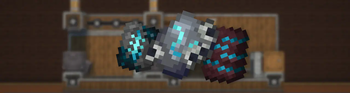

About Create: Templates & Gears
From ModrinthAllows you to create Smithing Templates using the machines from the Create mod.
IMPORTANT
- This mod requires Create and Create Enchantment Industry.
- This mod is compatible with More Armor Trims.
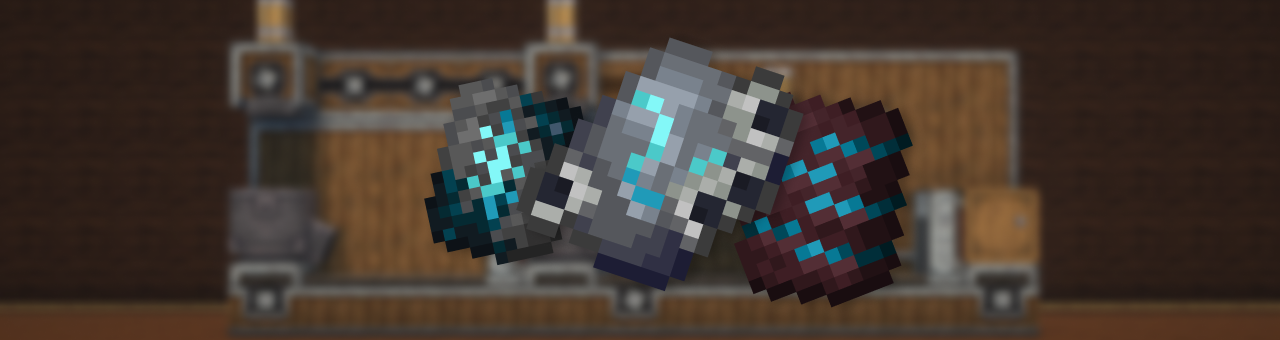
_Description_
This mod adds a complex, immersive, and fully automated way to craft Armor Trim Smithing Templates using Create machines and experience fluid.
Forget vanilla loot tables — now you build your trims like an engineer.
🔨 _Making the Shards_
The first step is to craft a base shard using various Create machines like the Press and the Basin. Each trim starts its journey as a raw material processed with care.
<table> <tr> <td>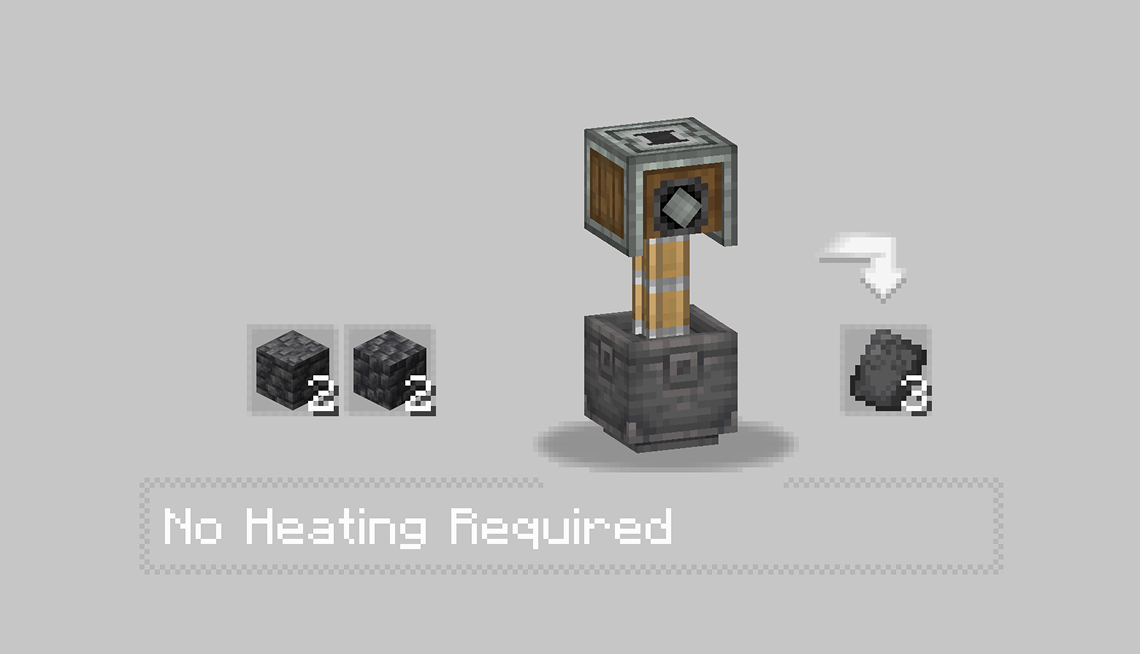 </td> <td>
 </td> </tr> </table>
- In the first recipe, Some Stones is pressed into a flat sheet, forming the basis of the trim’s structure.
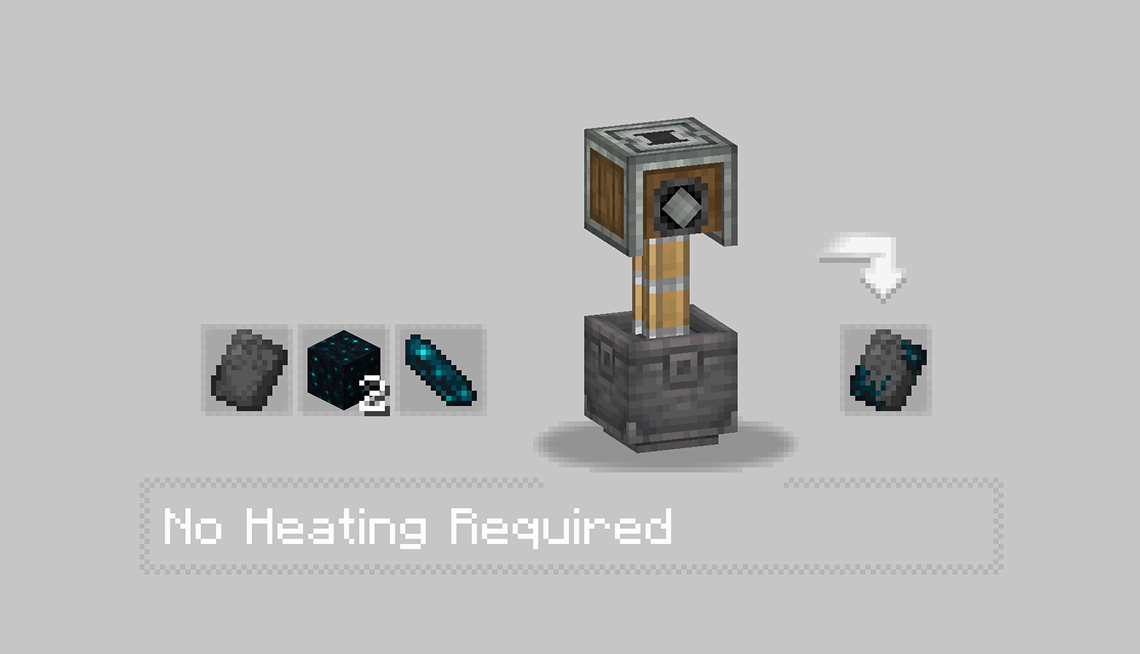
- Then, some item like echo or moss is added inside a basin and pressed, producing a charged and purified core shard.
- Each Trim got there personnal recipe check it with JEI mod.
⚙️ _Assembling the Shard_
With the base shards ready, the real process begins.
You’ll need to:
- Use Mechanical Arms to deploy Diamond Shard.
- Run them through Sequenced Assembly, where each action upgrades the item step by step.
- Finally, inject XP fluid into the item using a Spout to awaken its full potential.
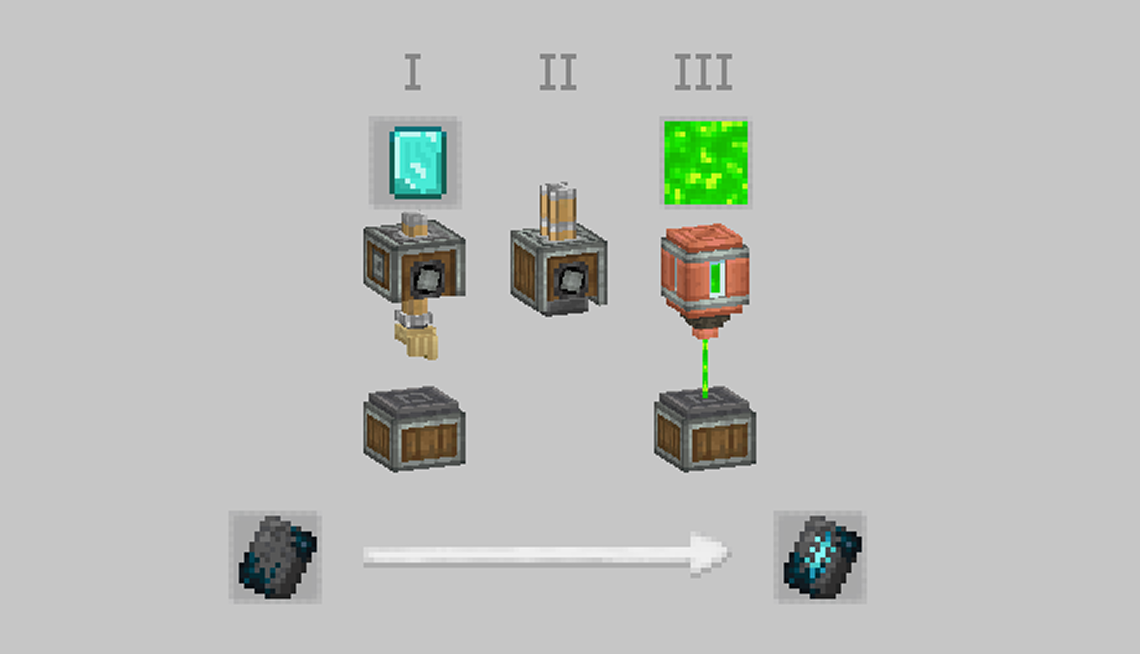
> Every trim has a different flavor — some require specific coral types, others need rare materials like diamonds or nether components. > The XP injection is what activates the shard, making it usable as a Smithing Template.
✅ _Result_
After these steps, you’ll have a fully functional Armor Trim Template — obtained through automation, logic, and style. Perfect for tech-based survival worlds or modpacks aiming to reduce RNG and promote player-driven progression.
Highlights
From source dataGame versions
Supports 8 Minecraft versions, the newest being 1.21.1.
Loaders
Runs on Fabric, Forge and NeoForge.
Footprint
Rated a light load on a server.
Create: Templates & Gears on Nxeon
From our catalogue- One-click install
- Supported on Nxeon Minecraft servers. We download it from Modrinth, place it, and restart the server.
- Server side
- Required on the server
- Server type needed
- Fabric, Forge, NeoForge
- Server load
- light
- Smallest plan we suggest
- Minecraft — 2 GB (2 GB RAM). This follows our own load rating above, not a benchmark.
- Latest build
- 1.2.2, released 2026-03-23
Game versions by loader
| Loader | Game versions | Newest |
|---|---|---|
| Fabric | 1.20 to 1.20.6 (7 versions) | 1.20.6 |
| NeoForge | 1.21.1 | 1.21.1 |
From 5 recorded builds of Create: Templates & Gears.
Recent builds
| Build | Released | Game versions | Loaders |
|---|---|---|---|
| 1.2.2 | 2026-03-23 | 1.21.1 | NeoForge |
| 1.2.1 | 2026-03-18 | 1.21.1 | NeoForge |
| 1.2.0 beta | 2026-03-18 | 1.21.1 | NeoForge |
| 1.1.2 alpha | 2026-03-16 | 1.21.1 | NeoForge |
| 1.1.2 | 2025-08-03 | 1.20 to 1.20.6 (7 versions) | Fabric |
Dependencies
- Required: modrinth project LNytGWDc (modrinth, not in our catalogue)
- Required: modrinth project JWGBpFUP (modrinth, not in our catalogue)
- Optional: modrinth project FGNYBAJ6 (modrinth, not in our catalogue)
Declared by the newest build that lists any. Required ones are installed with it on one-click installs.
Run Create: Templates & Gears on a Minecraft server
Pick a server or deploy a new one above; it is installed in one click.
What kind of mod it is
From the catalogTechnology & automation
Machines, power, logistics and automation.
Runs on your server
From source side supportModrinth lists Create: Templates & Gears as required on the server. Check its Modrinth page to see whether players need it too.
Compatibility
- Game
- Minecraft
- Loaders
- FabricForgeNeoForge
- Runs on
- Serverrequired on the server
- Game versions
- 1.21.1 and 7 earlier
Verified at the source
- ✓ModrinthOfficial listing, checked 2026-10-02Open ↗
- ✓AuthorsuAptInstallKuma, as published on Modrinth
- ✓LicenseMITFree









