








About Desolate Planet - A Crash Landing Remake
From ModrinthSurvive on a desolate planet while managing heat and thirst. Progress through the quest tree, learn the secrets of the planet, and build up technology to escape!


***
You have survived a crash landing on Planet T4L0S, an uncharted planet in the Varkin system. Preliminary scans indicate an arid environment with pockets of elevated radiation, high mineral content, and subterranean hydrocarbon reservoirs.
You will need to brave the blazing heat, find sources of food and water, scour the planet for resources, build up technology, and search for a way to escape the planet.
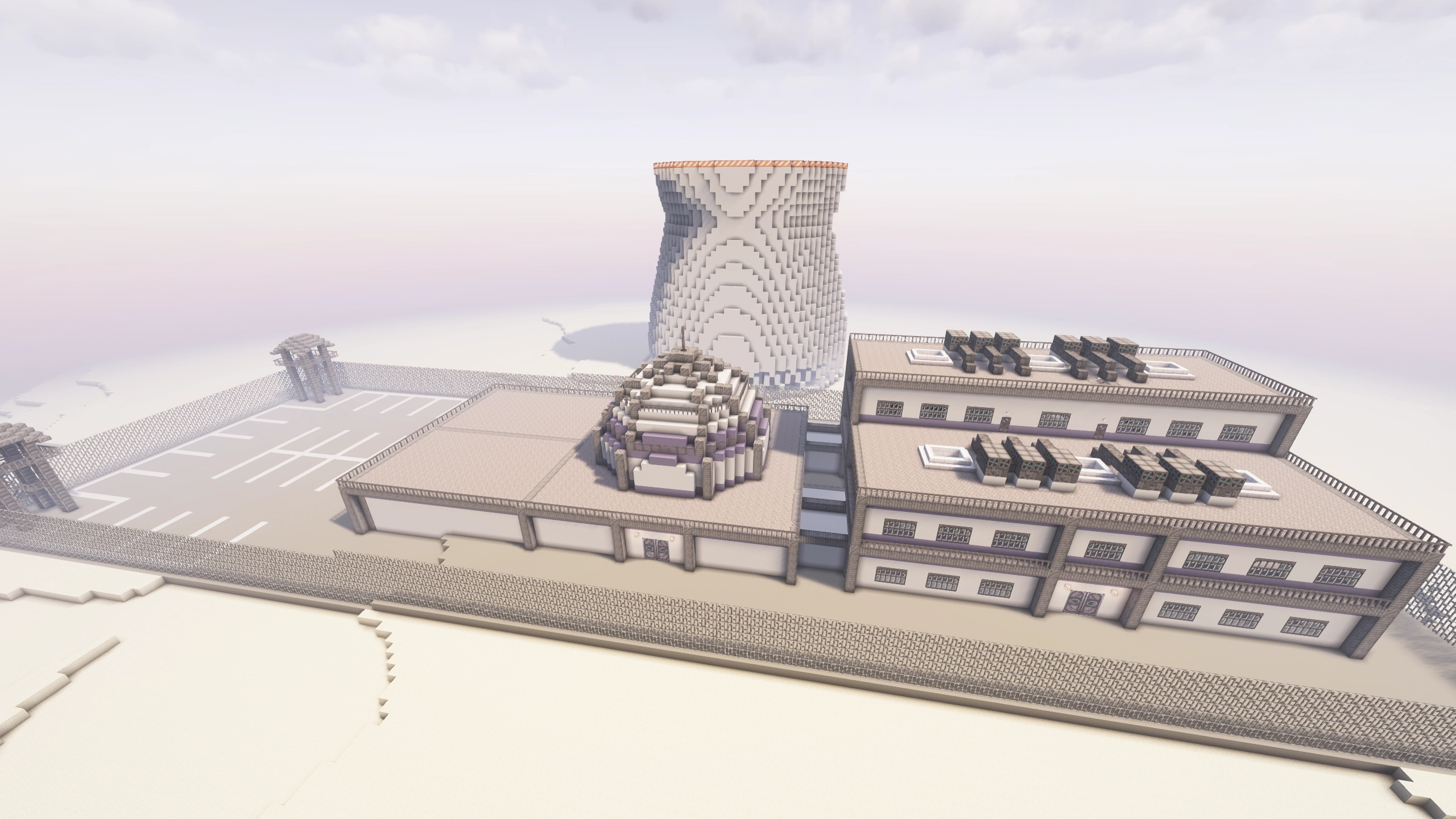
Desolate Planet is a challenging, quest-based modpack where you must struggle for survival on a dust planet with limited resources. The map is set to hardcore, you must use the Sync mod to build yourself more lives.
***


This pack is still under development. This version will still have bugs, and feedback is welcome.
Reach us directly on the Discord server: https://discord.gg/4en3SpWtJg
Or through the Subreddit: https://www.reddit.com/r/CrashLanding2Modpack
***
FAQ
Q: How do I install the modpack?
A: Download the Modrinth or Curseforge app, search for the name of the pack, and click install. Make sure you are using 6-8 GB of RAM in the modpack or launcher's settings.
Q: How can I play multiplayer?
A: The e4mc mod is installed. To play multiplayer, simply open your world to LAN, and it will print an address in chat that other players can join with.
Q: How do I set up a server? Do you have a server pack?
A: If you _aren't_ experienced with server hosting, see the answer above. If you _are_ experienced with server hosting, server packs are available alongside most Curseforge releases (Modrinth no longer allows server pack publishing). To download the server pack, visit Curseforge's project files page, select the most recent one, go to the "Additional Files" tab, select the server pack, and click Download.
Once downloaded, unzip the file and run it locally via the run.bat (Windows) or run.sh (Linux/Mac) files. If you use a server hosting provider, upload _all_ the contents of the server pack to your host and find instructions for how to set up a Forge server on that host. These instructions are different for each server host, so find instructions specific to the one you are using.
Q: Why does my game/world gets stuck while loading in?
A: Make sure you have allocated at least 6 GB of RAM to the modpack. I usually recommend 8 GB if your computer has enough.
Q: How can I disable hardcore?
A: I strongly recommend learning to use the sync shells for extra lives, it's what the game was balanced around. If you select the easy route, you'll start with enough power for 3 shells. Follow the steps in the Sync quest for a detailed guide.
However, if you've tried that and still want to disable hardcore, you can edit the hardcore setting in config/globalgamerules-common.toml. On a server, the steps are slightly different. Download this file and replace the files on the server with the files in that zip. I recommend backing up the target files before replacing them.
Q: Why do I have debuffs like weakness, mining fatigue, or hunger?
A: You are likely malnourished. Check your nutrition by clicking the Diet button in your inventory. Aim to get a balanced diet by keeping the four main food groups above 50%. Higher values will give buffs, lower ones will give debuffs. The one exception is the sugars group, which isn't necessary to maintain. The sugars group will give speed buffs at moderate levels, but be careful because you will get debuffs if your meter goes over 80%. Read about the specific buffs and debuffs from the Diet mod on the wiki page here.
Q: How do I update the modpack?
A: In most launchers, open the modpack from your library and click the “Change Version” or “Update” button in the top-right.
Q: Will updating to a new version break my world?
A: Generally no, you won't have any issues. Only major releases break anything and there will be a description of exactly what they break near the start of the changelog. However, it is always a good idea to frequently back up your world.
Q: What is the best power source?
Highlights
From source dataGame versions
Built for Minecraft 1.20.1.
Loaders
Runs on Forge.
Footprint
Rated a light load on a server.
Desolate Planet - A Crash Landing Remake on Nxeon
From our catalogue- One-click install
- Supported on Nxeon Minecraft servers. We download it from Modrinth, place it, and restart the server.
- Server side
- Required on the server
- Server type needed
- Forge
- Server load
- light
- Smallest plan we suggest
- Minecraft — 2 GB (2 GB RAM). This follows our own load rating above, not a benchmark.
- Latest build
- 1.8.6.0 (beta), released 2026-06-17
Game versions by loader
| Loader | Game versions | Newest |
|---|---|---|
| Forge | 1.20.1 | 1.20.1 |
From 5 recorded builds of Desolate Planet - A Crash Landing Remake.
Recent builds
| Build | Released | Game versions | Loaders |
|---|---|---|---|
| 1.8.6.0 beta | 2026-06-17 | 1.20.1 | Forge |
| 1.8.5.1 beta | 2026-05-18 | 1.20.1 | Forge |
| 1.8.5.0 beta | 2026-05-17 | 1.20.1 | Forge |
| 1.8.4.1 beta | 2026-03-16 | 1.20.1 | Forge |
| 1.8.4.0 beta | 2026-03-15 | 1.20.1 | Forge |
Dependencies
- Bundled: modrinth project Jrmoreqs (modrinth, not in our catalogue)
- Bundled: modrinth project b1ZV3DIJ (modrinth, not in our catalogue)
- Bundled: modrinth project taN3HInZ (modrinth, not in our catalogue)
- Bundled: modrinth project sMvUb4Rb (modrinth, not in our catalogue)
- Bundled: modrinth project t8bmWGI2 (modrinth, not in our catalogue)
- Bundled: modrinth project Ro7yiyD4 (modrinth, not in our catalogue)
- Bundled: modrinth project HVnmMxH1 (modrinth, not in our catalogue)
- Bundled: modrinth project hMlaZH8f (modrinth, not in our catalogue)
- Bundled: modrinth project ht0eTMEs (modrinth, not in our catalogue)
- Bundled: modrinth project sdaSaQEz (modrinth, not in our catalogue)
- Bundled: modrinth project MJ0hdevs (modrinth, not in our catalogue)
- Bundled: modrinth project fPdy2fCM (modrinth, not in our catalogue)
- Bundled: modrinth project 49ZofO4f (modrinth, not in our catalogue)
- Bundled: modrinth project Tl8ESrhX (modrinth, not in our catalogue)
- Bundled: modrinth project OfKzpbRU (modrinth, not in our catalogue)
- Bundled: modrinth project 7vb8E40Y (modrinth, not in our catalogue)
- Bundled: modrinth project Arx7g8V4 (modrinth, not in our catalogue)
- Bundled: modrinth project QqnCC1mH (modrinth, not in our catalogue)
- Bundled: modrinth project aecUorJQ (modrinth, not in our catalogue)
- Bundled: modrinth project rLLJ1OZM (modrinth, not in our catalogue)
- Bundled: modrinth project B0g2vT6l (modrinth, not in our catalogue)
- Bundled: modrinth project uXXizFIs (modrinth, not in our catalogue)
- Bundled: modrinth project RH2KUdKJ (modrinth, not in our catalogue)
- Bundled: modrinth project E6867niZ (modrinth, not in our catalogue)
- Bundled: modrinth project yjvKidNM (modrinth, not in our catalogue)
Declared by the newest build that lists any. Required ones are installed with it on one-click installs.
Run Desolate Planet - A Crash Landing Remake on a Minecraft server
Pick a server or deploy a new one above; it is installed in one click.
What kind of mod it is
From the catalogWorld generation
Changes or adds to how new terrain, biomes and structures are created.
Runs on your server
From source side supportModrinth lists Desolate Planet - A Crash Landing Remake as required on the server. Check its Modrinth page to see whether players need it too.
Compatibility
- Game
- Minecraft
- Loaders
- Forge
- Runs on
- Serverrequired on the server
- Game versions
- 1.20.1
Verified at the source
- ✓ModrinthOfficial listing, checked 2026-10-03Open ↗
- ✓AuthorMarkSDR, as published on Modrinth
- ✓LicenseCC-BY-NC-SA-4.0Free









