






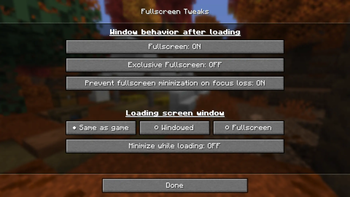

About Fullscreen Tweaks
From ModrinthExpands Minecraft's window settings with native and borderless fullscreen modes, customizable focus-loss behavior, and independent loading-screen options — including staying minimized until the game finishes launching!
<!-- SPDX-FileCopyrightText: 2026 Oggvik SPDX-License-Identifier: AGPL-3.0-or-later -->
Fullscreen Tweaks

⚠️ Fabric versions 1.0.0 and up also require installing Fabric API ⚠️
A client-side Minecraft mod for controlling fullscreen style, focus-loss behavior, and the loading window independently from the rest of the game. Version 2.0.0 supports native, borderless, and SDL3 fullscreen behavior across a large range of Minecraft and loader versions.
Install the jar that matches both your Minecraft version and mod loader. No server installation is required.
Fullscreen Tweaks was previously known as Stop Minimizing on Focus Loss (versions 1.0.0 and older) before its feature set and scope grew beyond the original single-purpose design. Existing settings are migrated automatically after the rename.
Features
Added in 0.1.0:
- 🔒 Keeps native fullscreen visible when Minecraft loses focus, such as while alt-tabbing, clicking another monitor, or using another application.
- 🛡️ Reapplies the focus-loss policy after Minecraft creates its window and whenever it changes window mode, so the behavior remains reliable across fullscreen transitions.
- 🌐 Supports a wide range of Minecraft versions and loaders, including Fabric, Forge, NeoForge, Quilt, Liteloader, Babric, and Better Than Adventure targets.
Added in 1.0.0:
- 🧑🔧 Provides a dedicated Fullscreen Settings screen directly from Minecraft's main Options menu.
- Lets minimization prevention be enabled or disabled independently from the selected fullscreen style.
- Offers both Minecraft's native fullscreen mode and a borderless fullscreen mode on GLFW versions. SDL versions use Minecraft's built-in exclusive-fullscreen choice instead.
- Makes borderless fullscreen fill the monitor containing most of the Minecraft window, with a safe fallback to the primary monitor.
- 🪟/🐧/🍎 Uses practical platform defaults: borderless fullscreen on Windows and native fullscreen with minimization prevention elsewhere.
- Stores portable settings in
config/fullscreen-tweaks.properties, automatically migrating both the previous filename and the original enable/disable setting.
Added in 2.0.0:
- ⏳ Lets the loading screen follow the game's saved fullscreen setting or independently use windowed or fullscreen mode.
- 🥷 Can keep Minecraft minimized throughout loading, then restore and show it in the regular game window mode when loading finishes.
- Restores both the actual window mode and Minecraft's displayed fullscreen setting after temporary loading-window overrides.
- Presents multi-choice settings as radio-style controls, with concise labels and an individual tooltip for every setting and choice.
- ⚡ Supports Minecraft's newer SDL3 window backend, including optional classic minimize-on-focus-loss behavior for native fullscreen.
- Full 🇵🇱 Polish and 🇳🇴 Norwegian (Bokmål) translations.
- 🔥 Rebranded from "Stop Minimizing on Focus Loss" to "Fullscreen Tweaks":))
Configuration
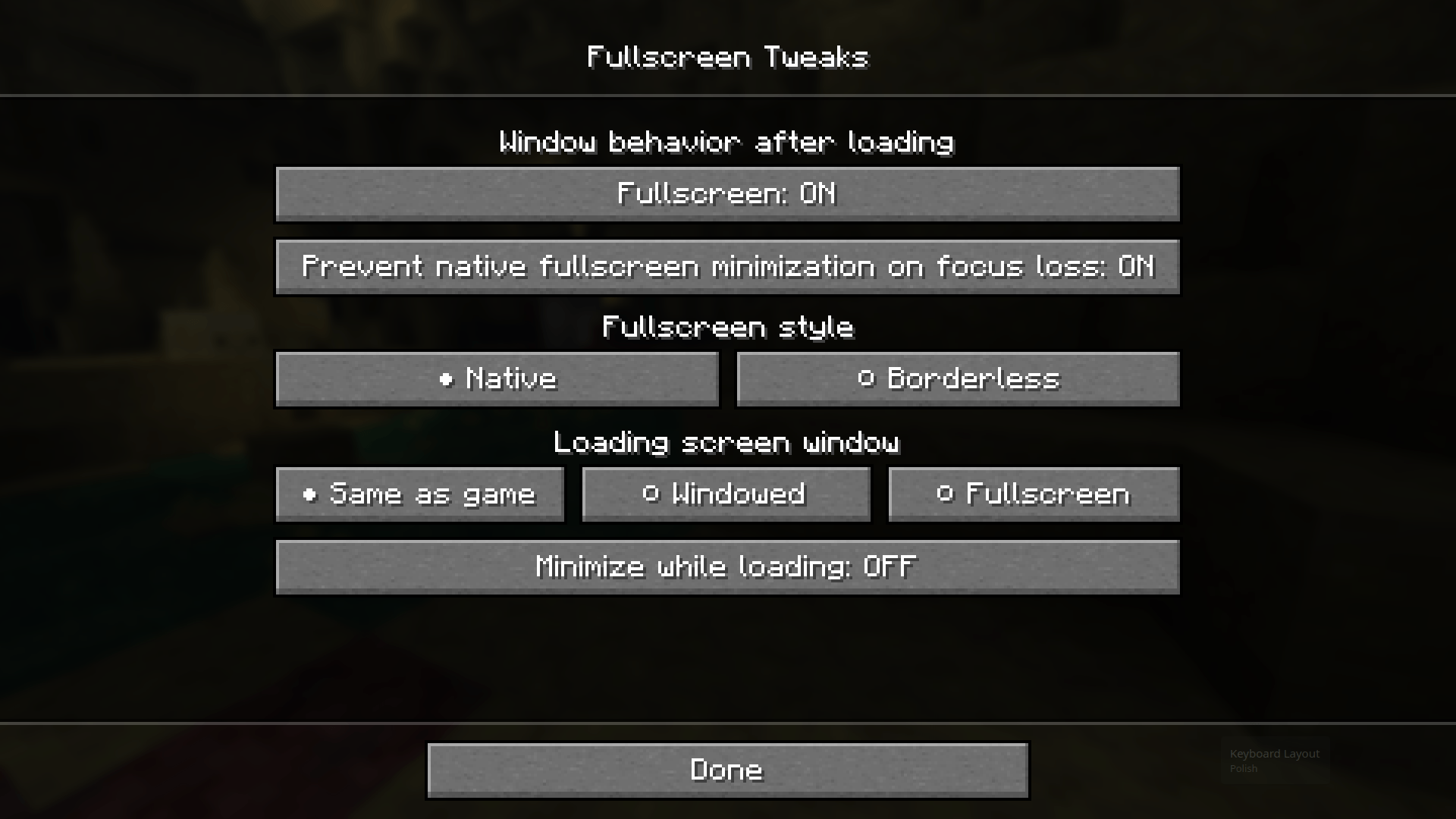
Open Options → Fullscreen Settings in Minecraft. The page controls:
- Fullscreen: Minecraft's normal fullscreen setting. F11 and other screens use the same value.
- Prevent native fullscreen minimization: controls focus-loss minimization for native fullscreen; borderless fullscreen normally remains visible regardless.
- Fullscreen mode: chooses native or borderless fullscreen on GLFW versions. Minecraft 26.3 and newer use the equivalent vanilla exclusive-fullscreen setting.
- Loading screen: follows the game's fullscreen setting or temporarily forces the loading screen to be windowed or fullscreen.
- Start loading screen minimized: keeps Minecraft minimized in the operating system's taskbar or dock throughout loading, then shows it in the regular game window mode when loading finishes.🔥
Although do note that on some Minecraft targets (e.g. SDL-based versions such as 26.3 or Better Than Adventure), the available options may differ slightly.
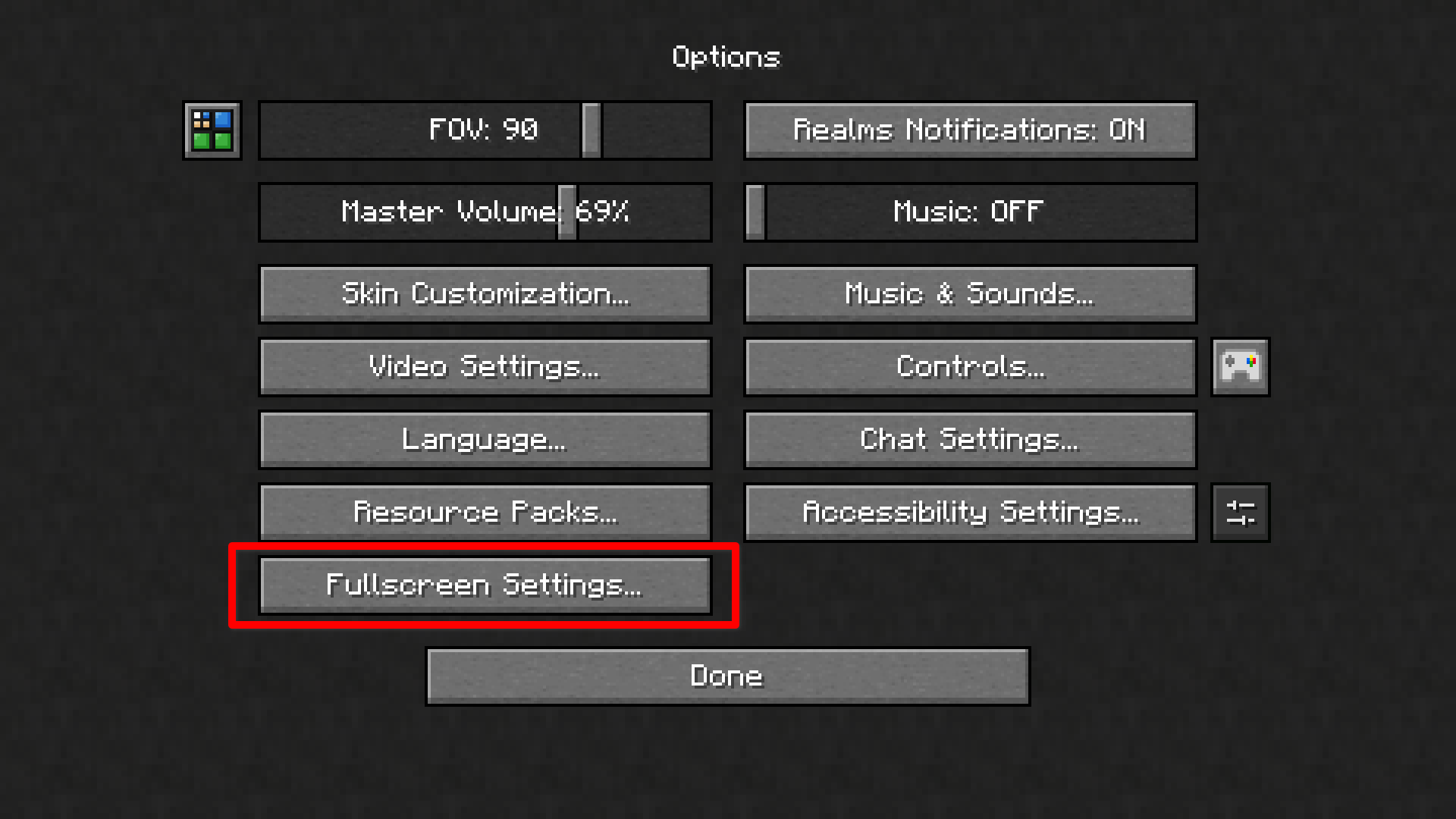
The Options entry searches for a free position without moving other mods' controls hence helping prevent the button from causing conflicts even on very large modpacks. On crowded screens it can shrink to ... or hide until a slot becomes available. In which case, the same settings screen can also be accessed through the Mod Menu mod on Fabric or (Neo)Forge's built-in modlist.
Meanwhile, on Better Than Adventure, the mod adds its options directly to Better Than Adventure's video settings tab. 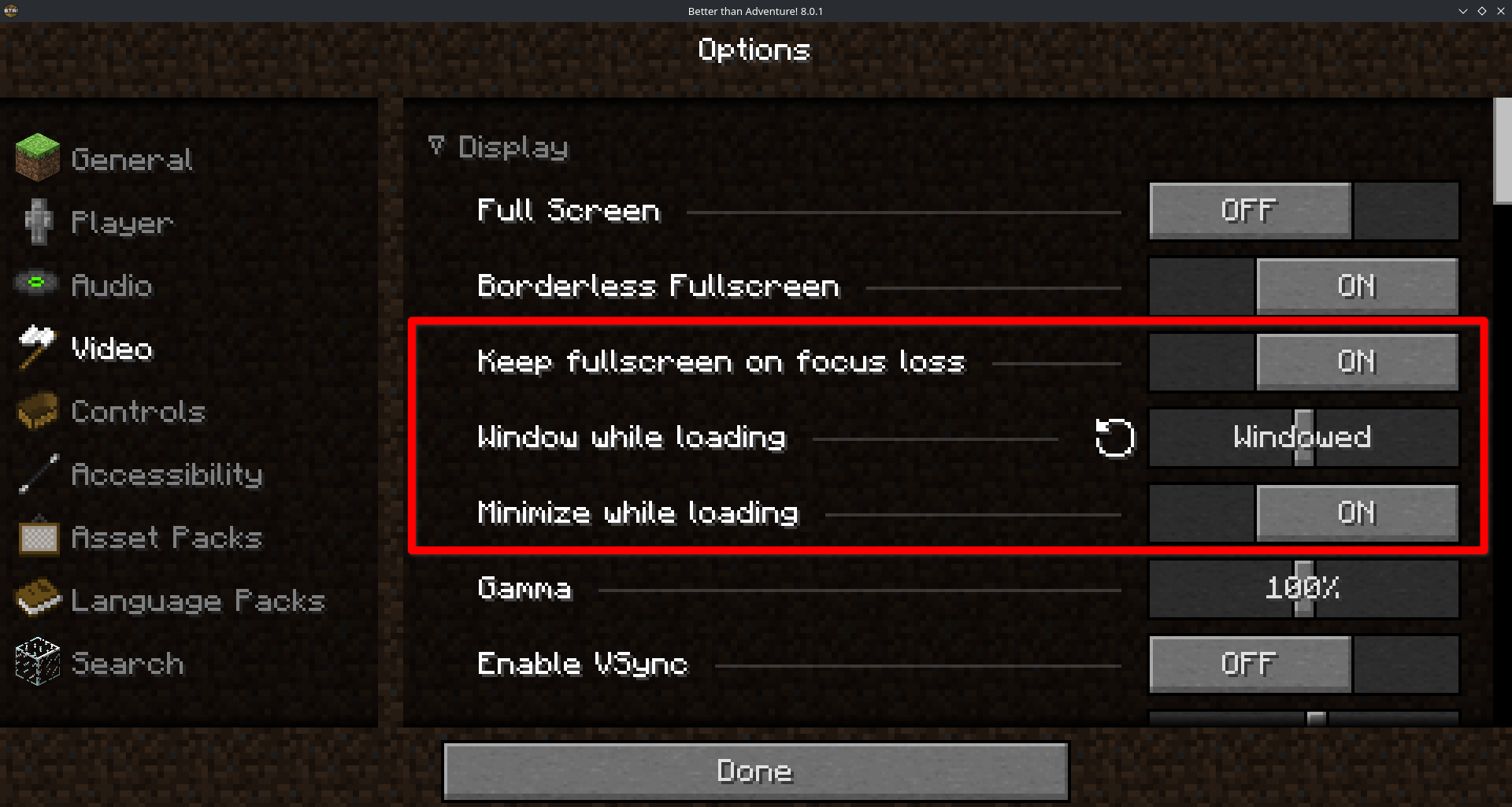
Version Support
Fullscreen Tweaks 2.0.x is actively supported only on the exact Minecraft and loader combinations listed below. Each jar is built for one specific combination; do not use a jar with a different Minecraft version or loader.
Highlights
From source dataGame versions
Supports 58 Minecraft versions, the newest being 26.3.
Loaders
Runs on Babric, Bta-babric, Fabric, Forge, LiteLoader, NeoForge and Quilt.
Footprint
Rated a light load on a server.
Fullscreen Tweaks on Nxeon
From our catalogue- One-click install
- Supported on Nxeon Minecraft servers. We download it from Modrinth, place it, and restart the server.
- Server side
- Client-only: it runs in players’ own games, so it can’t be installed on a server
- Server type needed
- Babric, Bta-babric, Fabric, Forge, LiteLoader, NeoForge, Quilt
- Server load
- light
- Smallest plan we suggest
- Minecraft — 2 GB (2 GB RAM). This follows our own load rating above, not a benchmark.
- Latest build
- 2.0.2+1.21.11-neoforge, released 2026-10-05
Game versions by loader
| Loader | Game versions | Newest |
|---|---|---|
| NeoForge | 1.20.6 to 26.3 (5 versions) | 26.3 |
| Fabric | 1.21.1 to 26.3 (4 versions) | 26.3 |
| Bta-babric | b1.7.3 | b1.7.3 |
From 10 recorded builds of Fullscreen Tweaks.
Recent builds
| Build | Released | Game versions | Loaders |
|---|---|---|---|
| 2.0.2+1.21.11-neoforge | 2026-10-05 | 1.21.11 | NeoForge |
| 2.0.2+1.21.11-fabric | 2026-10-05 | 1.21.11 | Fabric |
| 2.0.2+1.21.1-neoforge | 2026-10-05 | 1.21.1 | NeoForge |
| 2.0.2+1.21.1-fabric | 2026-10-05 | 1.21.1 | Fabric |
| 2.0.2+1.20.6-neoforge | 2026-10-05 | 1.20.6 | NeoForge |
| 2.0.1+bta-8.0.1-babric | 2026-09-24 | b1.7.3 | Bta-babric |
Dependencies
- Required: modrinth project P7dR8mSH (modrinth, not in our catalogue)
- Optional: modrinth project mOgUt4GM (modrinth, not in our catalogue)
Declared by the newest build that lists any. Required ones are installed with it on one-click installs.
Run Fullscreen Tweaks on a Minecraft server
Pick a server or deploy a new one above; it is installed in one click.
What kind of mod it is
From the catalogQuality of life & UI
Small conveniences, tweaks and interface improvements players notice straight away.
Client-side mod
From source side supportModrinth lists Fullscreen Tweaks as not supported on servers. It runs in players’ own games, not on your server.
Compatibility
- Game
- Minecraft
- Loaders
- BabricBta-babricFabricForgeLiteLoaderNeoForgeQuilt
- Runs on
- Client only
- Game versions
- 26.3 and 57 earlier
Verified at the source
- ✓ModrinthOfficial listing, checked 2026-10-05Open ↗
- ✓Authoroggvik, as published on Modrinth
- ✓LicenseAGPL-3.0-or-laterFree









