






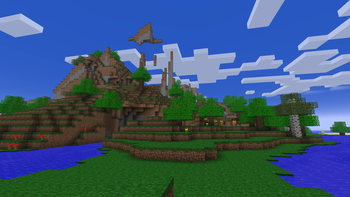

About Genesis
From ModrinthA Vanilla+ Modpack that merges Alpha/Beta elements with the modern builds, alongside adding a few QoL features and enhancements.
<iframe width="560" height="315" src="https://www.youtube-nocookie.com/embed/wllM2YN8OGc" title="YouTube video player" frameborder="0" allow="accelerometer; autoplay; clipboard-write; encrypted-media; gyroscope; picture-in-picture; web-share" allowfullscreen></iframe>
Respecting the past, but not worshipping it
Too many people argue whether Alpha/Beta was better than Modern Minecraft, or vice versa, but I've always felt those arguments were meaningless. Alpha is good, Beta is good, modern is good, they're all good in their own ways. The modpack's goal is to try and merge Minecraft's modern day with its past, so all eras of Minecraft can co-exist.
This isn't a big overhaul mod like Reminiscence or Taproot (go play those modpacks btw, they're good). This is a vanilla+ modpack that has some quality-of-life mods here and there, alongside few new additions and changes that respect Minecraft for what it is and don't add too much. The highlight of this modpack is how elements from Minecraft's past are merged with the present. Alpha and Beta features and bugs co-existing alongside modern features.
What is there to expect? Let's go through some highlights.
- Hunger is now disabled by default, and eating now restores hearts like they did back in Alpha and Beta. Unlike the Alpha and Beta, however, eating still plays an animation that must be completed, adding some mild risk to eating in dangerous scenarios to get a quick heal. Though disabled by default, it can be re-enabled whenever desired through NostalgicTweaks' config screen, and is even favorited for convenience.
- Hunger may be disabled, but in its place is a Stamina system. You can sprint, but don't sprint for too long, or you'll face a penalty and will have to regain your Stamina. Even if you enable Hunger, the Stamina system will be in place. The Stamina system is also favorited for convenience in NT's config to allow disabling it, but you'll have to separately disable sprinting if you don't want sprinting at all. Also favorited for convenience!
- Sword Blocking is re-enabled, but it only blocks 50% of damage. The off-hand slot is also still fully functional, so consider Sword Blocking an alternative until you can craft a shield.
- Acquire a Clock to display the time and number of days since your world started on your HUD, and acquire a Compass to display your looking direction and your coordinates.
- Craft a Map Atlas to have a vanilla-styled minimap in the corner of the screen, but make sure you have plenty of Empty Maps to work with, because it eats through maps very quickly.
- Levels and Experience are enabled, yet they're now tracked via text overlay at the top left of the screen, keeping the classic look of the Hotbar. (Unless playing in the Modern Style, where it keeps the modern look.) Experience is immediately transferred to the closest player where applicable, as well.
- Press G (substituting F) to toggle the Fog and F6 (substituting F5) to toggle cosmetic client-side weather, just like in Minecraft's earliest Alphas and Classic builds. This is purely for fun, but it's a neat little thing.
- Craft or find Waystones for fast travel. You can only fast travel from one Waystone to another, but if you craft a Waystone and name it Home, you can fast travel to your Home Waystone immediately via button in your inventory!
- Modern Combat is in effect, but with classic arm animations from the Alpha/Beta builds, keeping a fun little mesh between modern and classic combat that I feel is quite nice.
- Craft Bundles to hold various items and Quivers to hold lots of arrows! They work very similarly, with Quivers able to be worn on your torso for easy arrow management.
- Smelt Oak Slabs in Furnaces to create Petrified Oak Slabs, the version of Oak Slabs based in the Stone Slab's code from early builds.
Mimic different versions of Minecraft...

Using NostalgicTweaks' Config, you can change the style of Minecraft to mimic four different versions. Minecraft Classic, Alpha, Beta, and Modern. These presets can be changed by pressing O to bring up NT's config, clicking Manage, then clicking Presets. Then just click and hold "Apply" on the preset you want. Version 2.x.x includes a zip file of these presets if you accidentally delete them or want to access them in other modpacks.
_Note: The presets only change visuals. Gameplay is unchanged and consistent between all Styles._
You'll have to adjust your enabled Resource Packs as well...

Here's the intended load order for each style. "Alpha" also applies to Classic too, in this case. You technically can mix and match these all you want, but it'll look quite odd. When using the Modern Style, you only need the Vanilla, Fabric Mods, and Moonlight Lib packs.
Highlights
From source dataGame versions
Built for Minecraft 1.20.1.
Loaders
Runs on Fabric.
Footprint
Rated a light load on a server.
Genesis on Nxeon
From our catalogue- One-click install
- Supported on Nxeon Minecraft servers. We download it from Modrinth, place it, and restart the server.
- Server side
- Required on the server
- Server type needed
- Fabric
- Server load
- light
- Smallest plan we suggest
- Minecraft — 2 GB (2 GB RAM). This follows our own load rating above, not a benchmark.
- Latest build
- 2.1.1, released 2025-10-29
Game versions by loader
| Loader | Game versions | Newest |
|---|---|---|
| Fabric | 1.20.1 | 1.20.1 |
From 5 recorded builds of Genesis.
Recent builds
| Build | Released | Game versions | Loaders |
|---|---|---|---|
| 2.1.1 | 2025-10-29 | 1.20.1 | Fabric |
| 2.1.0 | 2025-10-29 | 1.20.1 | Fabric |
| 2.0.0 | 2025-10-17 | 1.20.1 | Fabric |
| 1.1.2 | 2025-10-09 | 1.20.1 | Fabric |
| 1.1.1 | 2025-10-02 | 1.20.1 | Fabric |
Dependencies
- Bundled: modrinth project Y8uFrUil (modrinth, not in our catalogue)
- Bundled: modrinth project J4Qby0Pe (modrinth, not in our catalogue)
- Bundled: modrinth project JtifUr64 (modrinth, not in our catalogue)
- Bundled: modrinth project R6PYx1PW (modrinth, not in our catalogue)
- Bundled: modrinth project MYKWfbX7 (modrinth, not in our catalogue)
- Bundled: modrinth project BFzJ6aQL (modrinth, not in our catalogue)
- Bundled: modrinth project wF189hn9 (modrinth, not in our catalogue)
- Bundled: modrinth project mOgUt4GM (modrinth, not in our catalogue)
- Bundled: modrinth project Drdcgicd (modrinth, not in our catalogue)
- Bundled: modrinth project twkfQtEc (modrinth, not in our catalogue)
- Bundled: modrinth project 6hNNZ0Et (modrinth, not in our catalogue)
- Bundled: modrinth project g1yXisD2 (modrinth, not in our catalogue)
- Bundled: modrinth project MBAkmtvl (modrinth, not in our catalogue)
- Bundled: modrinth project IIpWIe1o (modrinth, not in our catalogue)
- Bundled: modrinth project fRiHVvU7 (modrinth, not in our catalogue)
- Bundled: modrinth project QAGBst4M (modrinth, not in our catalogue)
- Bundled: modrinth project s9XXQTOb (modrinth, not in our catalogue)
- Bundled: modrinth project Ua7DFN59 (modrinth, not in our catalogue)
- Bundled: modrinth project oOi0CKes (modrinth, not in our catalogue)
- Bundled: modrinth project BVzZfTc1 (modrinth, not in our catalogue)
- Bundled: modrinth project AANobbMI (modrinth, not in our catalogue)
- Bundled: modrinth project 1gXbjQe7 (modrinth, not in our catalogue)
- Bundled: modrinth project lhGA9TYQ (modrinth, not in our catalogue)
- Bundled: modrinth project DyxlTY19 (modrinth, not in our catalogue)
- Bundled: modrinth project JrvR9OHr (modrinth, not in our catalogue)
Declared by the newest build that lists any. Required ones are installed with it on one-click installs.
Run Genesis on a Minecraft server
Pick a server or deploy a new one above; it is installed in one click.
What kind of mod it is
From the catalogQuality of life & UI
Small conveniences, tweaks and interface improvements players notice straight away.
Runs on your server
From source side supportModrinth lists Genesis as required on the server. Check its Modrinth page to see whether players need it too.
Compatibility
- Game
- Minecraft
- Loaders
- Fabric
- Runs on
- Serverrequired on the server
- Game versions
- 1.20.1
Verified at the source
- ✓ModrinthOfficial listing, checked 2026-10-03Open ↗
- ✓AuthorOnemario1234, as published on Modrinth
- ✓LicenseLicenseRef-All-Rights-ReservedFree









