






About Improved Map Colors
From ModrinthSmall project aimed at improving the customizability of Minecraft maps through datapacks, made for Gneiss Name's video
Improved Map Colors
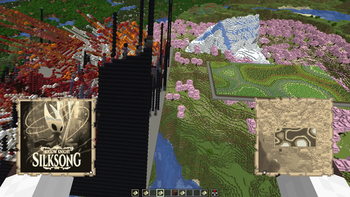
Improved Map Colors is a Minecraft mod made for Gneiss Name's video that improves Minecraft's default map colors, including making them configurable by the user or by datapacks on a server or singleplayer world. Because of that server functionality, this mod must be installed on both the dedicated server and the client distributions.
There are also several pre-configured options for Minecraft map colors, including sepia tones, grayscale, and inverted colors.
> Gneiss Name's channel: https://www.youtube.com/@gneissname
Video this mod was made for
<iframe width="560" height="315" src="https://www.youtube-nocookie.com/embed/4dEx8D1mjso" title="YouTube video player" frameborder="0" allow="accelerometer; autoplay; clipboard-write; encrypted-media; gyroscope; picture-in-picture; web-share" allowfullscreen></iframe>
Usage
The mod allows you to configure both the color palette Minecraft uses as well as which blocks and blockstates show up as which colors. This is achieved through two main ways: Mod config files and datapacks.
Config
The config file provides two fields that can be used to directly modify the palette and state list: colorlist and state_list.
colorlist, as the name and description suggest, allows you to modify the color palette Minecraft uses. This is set to vanilla by default, to illustrate the format that the mod expects, which is a list containing up to 63 colors specified by their hexadecimal color code.
state_list allows you to modify the color ID that a BlockState or a Block shows up as on a map. The format the mod expects is also illustrated by the default entries, graciously provided by Gneiss: blockid[blockstate information]:colorID. The blockstate information is specified in the same way as vanilla blockstate data, [name=value,name1=value1]. The mod will do its best to guess what you intend with a specified state, but it can be a bit finicky.
Also included is something like a debug method of overriding everything in the form of a CSV file. This must be specified in the provided config fields, color_file and blockstate_file. The format for each is described and shown below.
CSV format
Color CSV should be in the format: |hex color|[optional id]|, like:"#000000","0"
"#00ff00","3"
"#ff00ff"Block State CSV should be in the format:
|BlockID[statedata]|colorID<required>| OR |BlockID|[statedata]|colorID<required>|, like:
"minecraft:grass_block","1"
"minecraft:black_bed[part=foot]","3"
"minecraft:grass_block","[snowy=true]","2"
Datapacks
These allow per-world map settings and are how the included presets work. The format for them is provided in the presets, but in short the mod will scan the mapcolors/colors and mapcolors/states subdirectories in any datapack.
Colors: The format for the color list files is a "colorlist" JSON object for colors in the /colors directory, mapping from a numerical colorID string to a hex color code, like "id":"hex color", where id is in a range from 0 to 63 inclusive.
States: The format for the blockstate file is an array called "stateColorIDList", which contains JSON objects in the format below.
State Holder Format
{
  "state": {
    "Name": "<minecraft block id>",
    "Properties": {
      "name": "value",
      "name1": "value1",
      "name2": "value2"
    }
  },
  "colorID": <id>,
  [optional] "trackedProperties": [
    "name",
    "name1"
  ]
}
Big thanks to Gneiss for inspiring the project and Grassy for translating it into Russian!
Highlights
From source dataGame versions
Supports 7 Minecraft versions, the newest being 1.21.8.
Loaders
Runs on Fabric, NeoForge and Quilt.
Footprint
Rated a light load on a server.
Improved Map Colors on Nxeon
From our catalogue- One-click install
- Supported on Nxeon Minecraft servers. We download it from Modrinth, place it, and restart the server.
- Server side
- Required on the server
- Server type needed
- Fabric, NeoForge, Quilt
- Server load
- light
- Smallest plan we suggest
- Minecraft — 2 GB (2 GB RAM). This follows our own load rating above, not a benchmark.
- Latest build
- 1.0.0, released 2025-09-29
Game versions by loader
| Loader | Game versions | Newest |
|---|---|---|
| Fabric | 1.21.2 to 1.21.8 (7 versions) | 1.21.8 |
| NeoForge | 1.21.2 to 1.21.8 (7 versions) | 1.21.8 |
| Quilt | 1.21.2 to 1.21.8 (7 versions) | 1.21.8 |
From 2 recorded builds of Improved Map Colors.
Recent builds
| Build | Released | Game versions | Loaders |
|---|---|---|---|
| 1.0.0 | 2025-09-29 | 1.21.2 to 1.21.8 (7 versions) | Fabric, Quilt |
| 1.0.0 | 2025-09-29 | 1.21.2 to 1.21.8 (7 versions) | NeoForge |
Dependencies
- Required: modrinth project lhGA9TYQ (modrinth, not in our catalogue)
- Required: modrinth project ohNO6lps (modrinth, not in our catalogue)
- Required: modrinth project P7dR8mSH (modrinth, not in our catalogue)
- Optional: modrinth project mOgUt4GM (modrinth, not in our catalogue)
Declared by the newest build that lists any. Required ones are installed with it on one-click installs.
Run Improved Map Colors on a Minecraft server
Pick a server or deploy a new one above; it is installed in one click.
What kind of mod it is
From the catalogMaps & scenarios
Custom maps, arenas and scenarios to play on.
Runs on your server
From source side supportModrinth lists Improved Map Colors as required on the server. Check its Modrinth page to see whether players need it too.
Compatibility
- Game
- Minecraft
- Loaders
- FabricNeoForgeQuilt
- Runs on
- Serverrequired on the server
- Game versions
- 1.21.8 and 6 earlier
Verified at the source
- ✓ModrinthOfficial listing, checked 2026-10-02Open ↗
- ✓Authorgamma-02, as published on Modrinth
- ✓LicenseMITFree









