







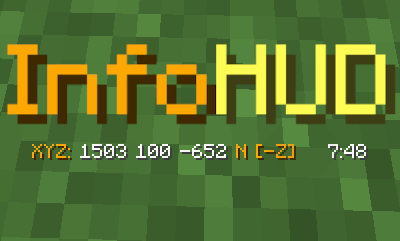
About InfoHUD
From ModrinthDisplay coordinates and time to the player's action bar. All the functionality of the Coordinates HUD datapack and more.

InfoHUD
Display coordinates and time to the player's action bar. All the functionality of Coordinates HUD and more.
Compatible with Craftbukkit/Spigot/Paper 1.8+, although craftbukkit versions will probably stop working each update because of NMS changes.
Features
Display the current coordinates and time. \ 
Display the time in different formats (villager schedule shown). \ 
Automatically switch to 'dark mode' in brighter biomes such as deserts and snow biomes. \ 
Nearly every setting can be adjusted (See config.yml).
Commands
For players (infohud.use):\ /infohud <enable|disable> : Enable/Disable InfoHUD for yourself.\ /infohud coordinates <disabled|enabled> : Enable/Disable showing your coordinates.\ /infohud time <disabled|currentTick|clock12|clock24|villagerSchedule> : Time display format. \ /infohud darkMode <disabled|enabled|auto> : Dark mode settings.
For admins (infohud.admin):\ /infohud messageUpdateDelay: Change how quickly (ticks) the text is being updated.\ /infohud reload: Reload settings (Reloads config.yml).\ /infohud benchmark: Display how long InfoHUD took to process the last update.\ /infohud brightBiomes <add|remove> <here|BIOME_NAME>: Add/Remove biomes where dark mode turns on automatically.
Permissions
infohud.use Allows player to enable/disable InfoHUD and change their own settings (enabled by default).\ infohud.admin Allows player to change plugin settings.
config.yml
Settings that apply to every player.
infohudVersion: '1.X'
# Ticks between each update. Performance cost is tiny, so you are unlikely to run into any
# performance issues even if it is set to 1. Values above 20 can lead to the message fading.
messageUpdateDelay: <number> {Default:5}
# Lower to reduce the delay between entering a bright biome and InfoHUD changing colors.
# Very heavy performance impact since MC 1.13. Recommend above 20.
biomeUpdateDelay: <number> {Default:40}
# Colors used by the bright and dark modes respectively (UPPERCASE). https://minecraft.gamepedia.com/Formatting_codes
colors:
  bright1: GOLD
  bright2: WHITE
  dark1: DARK_AQUA
  dark2: AQUA
# Biomes where dark mode will turn on automatically.
# Find by using https://minecraft.gamepedia.com/Biome#Biome_IDs, the F3 menu or use /infohud biome add
# Must be in UPPERCASE. E.g. DEEP_FROZEN_OCEAN
# Only biomes in this list that are recognised by the current MC version will be loaded. Biomes from older/newer versions
# will not be loaded, but remain in the file.
brightBiomes:
- DESERT
- BIOME_NAME
- ...
players.yml
Player settings are saved on a separate file.
infohudVersion: '1.X'
# Settings on a per-player basis. https://namemc.com/ to get UUIDs.
playerConfig:
  7445052d-632b-4aa1-8da8-44be2053bd5b:
    coordinatesMode: <enabled | disabled>
    timeMode: <disabled | currentTick | clock12 | clock24 | villagerSchedule>
    darkMode: <disabled | enabled | auto>
  Another-UUID:
    coordinatesMode: enabled
    timeMode: clock12
    darkMode: auto
...
See also
This plugin is inspired by the excellent CoordinatesHUD datapack. Find it at https://vanillatweaks.net/picker/datapacks/.
Highlights
From source dataGame versions
Supports 62 Minecraft versions, the newest being 1.21.3.
Loaders
Runs on Bukkit, Paper and Spigot.
Footprint
Rated a light load on a server.
InfoHUD on Nxeon
From our catalogue- One-click install
- Supported on Nxeon Minecraft servers. We download it from Modrinth, place it, and restart the server.
- Server side
- Required on the server
- Server type needed
- Bukkit, Paper, Spigot
- Server load
- light
- Smallest plan we suggest
- Minecraft — 2 GB (2 GB RAM). This follows our own load rating above, not a benchmark.
- Latest build
- 1.5.4, released 2024-10-27
Game versions by loader
| Loader | Game versions | Newest |
|---|---|---|
| Bukkit | 1.8 to 1.21.3 (62 versions) | 1.21.3 |
| Paper | 1.8 to 1.21.3 (62 versions) | 1.21.3 |
| Spigot | 1.8 to 1.21.3 (62 versions) | 1.21.3 |
From 2 recorded builds of InfoHUD.
Recent builds
| Build | Released | Game versions | Loaders |
|---|---|---|---|
| 1.5.4 | 2024-10-27 | 1.8.1 to 1.21.3 (61 versions) | Bukkit, Paper, Spigot |
| 1.5.3 | 2023-09-18 | 1.8 to 1.20.1 (53 versions) | Bukkit, Paper, Spigot |
Run InfoHUD on a Minecraft server
Pick a server or deploy a new one above; it is installed in one click.
What kind of mod it is
From the catalogQuality of life & UI
Small conveniences, tweaks and interface improvements players notice straight away.
Runs on your server
From source side supportModrinth lists InfoHUD as required on the server. Check its Modrinth page to see whether players need it too.
Compatibility
- Game
- Minecraft
- Loaders
- BukkitPaperSpigot
- Runs on
- Serverrequired on the server
- Game versions
- 1.21.3 and 61 earlier
Verified at the source
- ✓ModrinthOfficial listing, checked 2026-10-03Open ↗
- ✓AuthorRoverIsADog, as published on Modrinth
- ✓LicenseMITFree









