







About Lucky Block Cobblemon
From ModrinthThis mod adds Lucky Blocks to Cobblemon, with 100% configurable events via JSON.
Get 25% off your Minecraft server with Shockbyte! Ready to start an epic adventure with your friends? Just click here or on the banner and use promo code “COBBLEKANTO”, plus you’ll be helping us keep improving the mod and developing future projects!
Lucky Block Cobblemon
Break it. Catch it. Repeat. Lucky Blocks for Cobblemon that drop Pokémon, Cobblemon items, TMs, entire structures… or awaken an Alpha.
Now on Fabric and NeoForge · Minecraft 1.21.1 · Cobblemon 1.8.2
> Still on Cobblemon 1.7 or 1.6? You can still play! Check the version table in Installation below.

Why play with it?
- 🎲 10 kinds of Lucky Blocks: the classic Lucky Block, the Legendary Lucky Block and 8 themed ones (Fire, Water, Grass, Ground, Flying, Steel, Electric, Fairy).
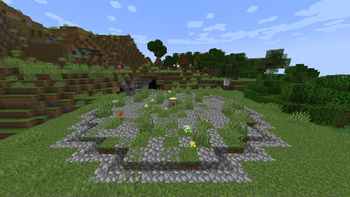
- 🌍 Found in the wild: themed Lucky Blocks spawn naturally in matching biomes, and special Lucky Block structures and houses generate across your world.
- ⚔️ Alpha Awakening: sometimes an Alpha Pokémon bursts out with a boss bar and a herd of its pre-evolutions. Defeat it for a reward, or capture it for even more loot.
- 📈 Survival progression: Pokémon levels grow as the in-game days pass, so the challenge keeps up with you (fully adjustable).
- 💎 Cobblemon 1.8 loot: TMs, Type Gems, Gem Clusters, Gem Blocks, TM Machine, Crystal Core, Terrain plants, Oricorio flowers and much more.
- 🛠️ 100% configurable: every pool, chance, level and reward is a simple JSON file.
All features
- Craftable Lucky Blocks: the Lucky Block and the Legendary Lucky Block have recipes (can be turned off).
- Event types: single Pokémon, multiple Pokémon, shiny Pokémon, random Pokémon, Alpha Pokémon, Minecraft items, Cobblemon items, TMs and structures.
- Legendary Lucky Block: legendary Pokémon plus Type Gems of their types and a chance of a matching TM.
- Themed Lucky Blocks: Pokémon, items, Type Gems and TMs of their own types.
- Three level modes: fixed range (
minLevel/maxLevel), scaling with world days (timeLeveling, default) or weighted ranges (levelWeighting). - Configurable shiny chance per pool and per event.
- Weighted structures: each structure in a pool has its own weight.
- Locked-tier Lucky Blocks with a fixed level range, perfect for adventure modpacks and quests.
- Creative Mode control: choose whether Lucky Blocks trigger when broken in Creative.
- Instant reload of every config with one command.
- Automatic config upgrades: new content is added to your existing configs on update, and a backup is kept.
- Multiplayer-ready. Translated to English and Brazilian Portuguese.
How does it work?
Break a Lucky Block and a random event happens, picked from its pool by chance.
All configs are generated in config/luckyblockcobblemon/:
settings.json: global options (recipes, world generation, structure events, Alpha events, Creative Mode).pools/default.json: the Lucky Block.pools/legendary.json: the Legendary Lucky Block.pools/themed/*.json: the 8 themed Lucky Blocks.tiers.json: level ranges of the locked-tier Lucky Blocks.README.txt: explains every event and option.
Example: a Pokémon event with a fixed level range:
{
  "type": "cobblemonp",
  "cobblemons": ["pikachu", "bulbasaur"],
  "minLevel": 5,
  "maxLevel": 15,
  "chance": 10.0
}
Use "minLevel": 0 and "maxLevel": 0 to follow the pool's level mode instead. Always use Cobblemon's species names, without underscores (example: nidoranm).
Installation
Which version should I download?
| Your Cobblemon | Lucky Block Cobblemon | Loader | |---|---|---| | 1.8.x | 0.2.0 or newer | Fabric or NeoForge | | 1.7.x | 0.1.8 | Fabric | | 1.6.x | 0.1.4 | Fabric |
Older versions are in the Versions tab. They don't have the newer features (Alpha, Cobblemon 1.8 items, NeoForge).
Requirements (current version):
| | Fabric | NeoForge | |---|---|---| | Minecraft | 1.21.1 | 1.21.1 | | Loader | Fabric Loader 0.16.10+ and Fabric API | NeoForge 21.1+ | | Cobblemon | 1.8.x | 1.8.x + Kotlin for Forge |
- Download the file for your loader and put it in the
mods/folder. - Start the game once to generate the configs.
- Edit the pools in
config/luckyblockcobblemon/if you want, then run/luckyblock reload.
Commands
Reload configs: /luckyblock reload
Find the nearest Lucky Block: /luckyblocklocate [radius]
Locate Lucky Block structures: /locate structure luckblockcobblemon:luckblockrandom1 (also luckblockrandom2, luckblockrandom3, luckblockrandom4)
Locked-tier Lucky Blocks: /luckyblockgive <target> <type> <tier> [amount]
> Types: default, fire, water, grass, ground, fly, steel, eletric, fairy · Tiers: 1 to 10
Examples: /luckyblockgive @s default 3 5 /luckyblockgive @a water 2 10
> These commands require operator permission.
Extra recommendation: model datapacks
For an even richer experience, add Cobblemon model datapacks to increase the number of Pokémon with unique models. Check the Cobblemon community on Discord or Modrinth.
FAQ
Highlights
From source dataGame versions
Supports 11 Minecraft versions, the newest being 1.21.11.
Loaders
Runs on Fabric and NeoForge.
Footprint
Rated a light load on a server.
Lucky Block Cobblemon on Nxeon
From our catalogue- One-click install
- Supported on Nxeon Minecraft servers. We download it from Modrinth, place it, and restart the server.
- Server side
- Required on the server
- Server type needed
- Fabric, NeoForge
- Server load
- light
- Smallest plan we suggest
- Minecraft — 2 GB (2 GB RAM). This follows our own load rating above, not a benchmark.
- Latest build
- 0.2.0, released 2026-10-24
Game versions by loader
| Loader | Game versions | Newest |
|---|---|---|
| Fabric | 1.21.1 to 1.21.11 (11 versions) | 1.21.11 |
| NeoForge | 1.21.1 | 1.21.1 |
From 7 recorded builds of Lucky Block Cobblemon.
Recent builds
| Build | Released | Game versions | Loaders |
|---|---|---|---|
| 0.2.0 | 2026-10-24 | 1.21.1 | NeoForge |
| 0.2.0 | 2026-10-24 | 1.21.1 to 1.21.11 (11 versions) | Fabric |
| 0.1.8 | 2026-06-09 | 1.21.1 to 1.21.11 (11 versions) | Fabric |
| 0.1.7 | 2026-05-12 | 1.21.1 to 1.21.11 (11 versions) | Fabric |
| 0.1.6 | 2026-04-01 | 1.21.1 to 1.21.11 (11 versions) | Fabric |
| 0.1.5 | 2025-12-06 | 1.21.1 | Fabric |
Dependencies
- Required: modrinth project MdwFAVRL (modrinth, not in our catalogue)
Declared by the newest build that lists any. Required ones are installed with it on one-click installs.
Run Lucky Block Cobblemon on a Minecraft server
Pick a server or deploy a new one above; it is installed in one click.
What kind of mod it is
From the catalogBuilding & decoration
Blocks, furniture, decorations and building tools.
Runs on your server
From source side supportModrinth lists Lucky Block Cobblemon as required on the server. Check its Modrinth page to see whether players need it too.
Compatibility
- Game
- Minecraft
- Loaders
- FabricNeoForge
- Runs on
- Serverrequired on the server
- Game versions
- 1.21.11 and 10 earlier
Verified at the source
- ✓ModrinthOfficial listing, checked 2026-10-24Open ↗
- ✓AuthorCobbleKanto, as published on Modrinth
- ✓LicenseMITFree









