







About Map Tools
From ModrinthEssential utilities for creating maps or building. Create smooth animations, realistic message printing, resource pack management, block display tools, danger command checker, position saver and much more
Map Tools
Map Tools helps you to create various things in Minecraft Maps. All features are seperated modules, that can be toggled off/on at anytime.
Everything created with Map Tools will work 100% vanilla without any plugins installed.
Map Tools saves you countles hours of work if you...
- ...work with display entites like blocks to create details or animations
- ...need smooth camera paths, transitions or entity animations (datapack)
- ...need custom npc/entity pathing, e.g. for adventure maps (datapack)
- ...want fancy styled or even animated messages or titles (datapack & resource pack for nametags)
- ...quick load and constantly change resource packs
- ...and more!
Watch the video to see everything! (Or scroll down to read about every module in detail)
Coming Soon - I hate cutting... 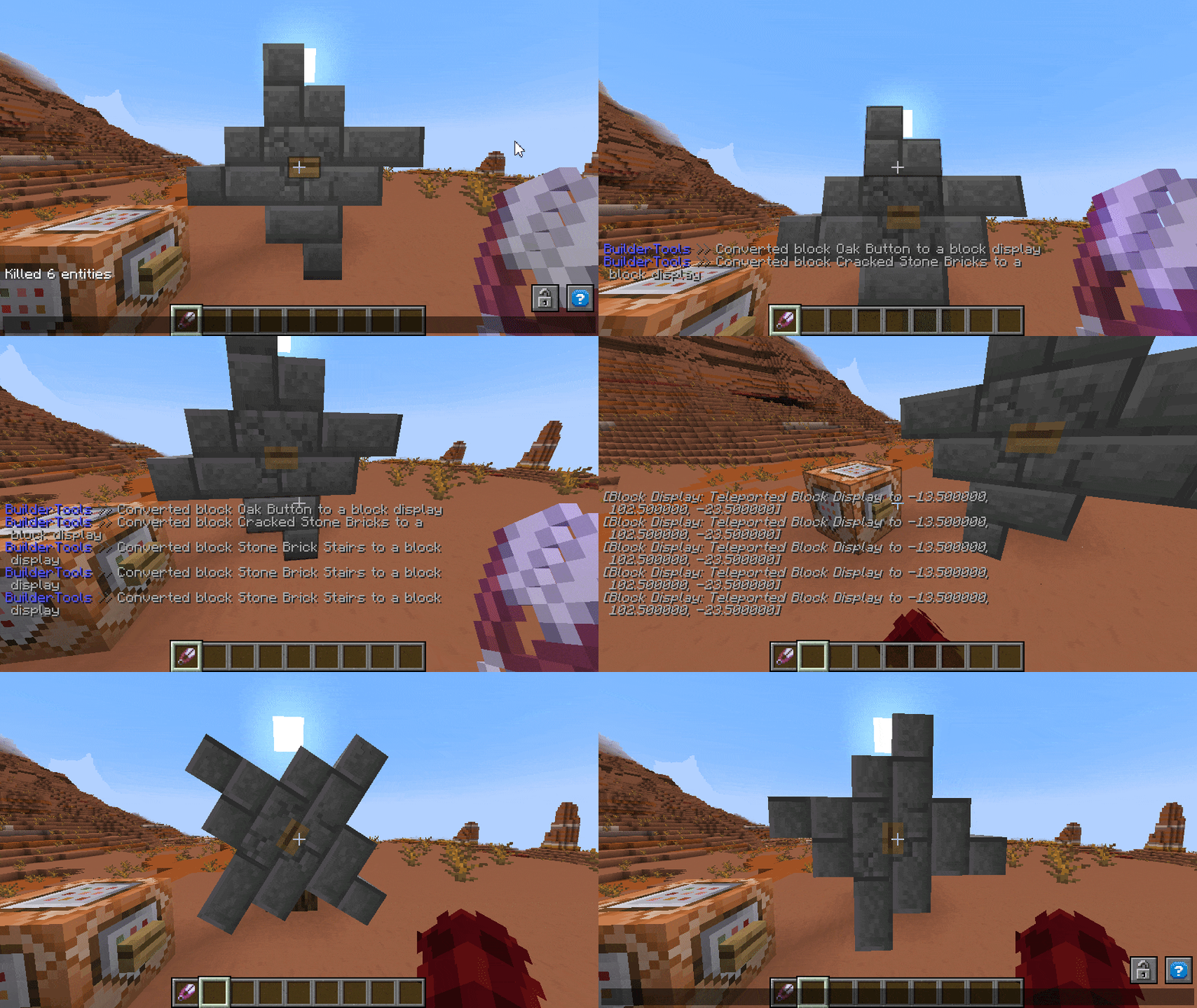 (meanwhile enjoy this gif)
🧩 Module Breakdown
Every module can be toggled on or off via /maptools module <module> <enable/disable>. If toggled off all interactions and commands instantly disappear but already saved creations will still work.
A few modules are only useable if you supported me on KoFi. If you think Map Tools saved you some hours of work worth a coffe, i would appreciate any support ❤️
All Modules - Click to unwrap
Smooth Animations
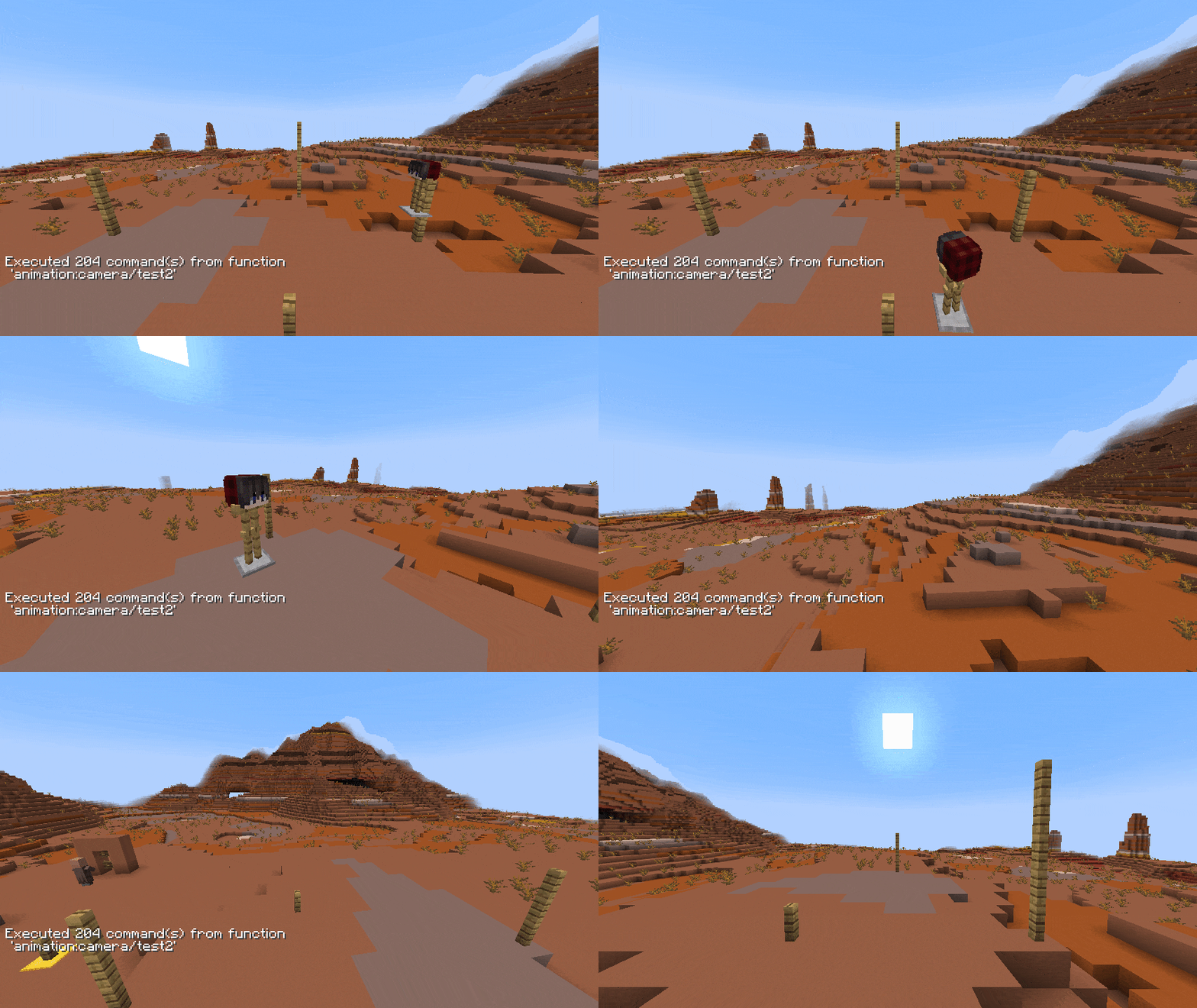
Create smooth animations for entities any type. This can be used for camera paths (i highly recommend to animate an armorstand and force the player to spectate it, this highly increase the animation smoothness) but also for detailed display animations. You can set it up to auto loop.NOTE - After printing, the animation can be used/played without the plugin via datapack
Guide
Start with entering `/animation new to begin a new setup. Now you can add as many new control points as you want to manipulate the animation with /animation add. The added point is your current location and you need at least 3 to create proper interpolation. Remove unwanted positions with /animation remove-last. To complete or test your animation render it with /animation render <loop> <ticks> <target> (loop:true will connect the last point with the first, ticks is the animation time between each point and target a given selector). After rendering you can either continue modifying your animation or print it to a usable datapack function via /animation print <target> <name> (name represents the function name, use " "` for nested paths e.g. "camera/island/front"
Block Update Toggler
Annoyed by stairs auto connecting? Sand is falling away? Disable all block updates when placing or breaking blocks. Don't forget to turn it on later on! (Removing the plugin will also enable block updates)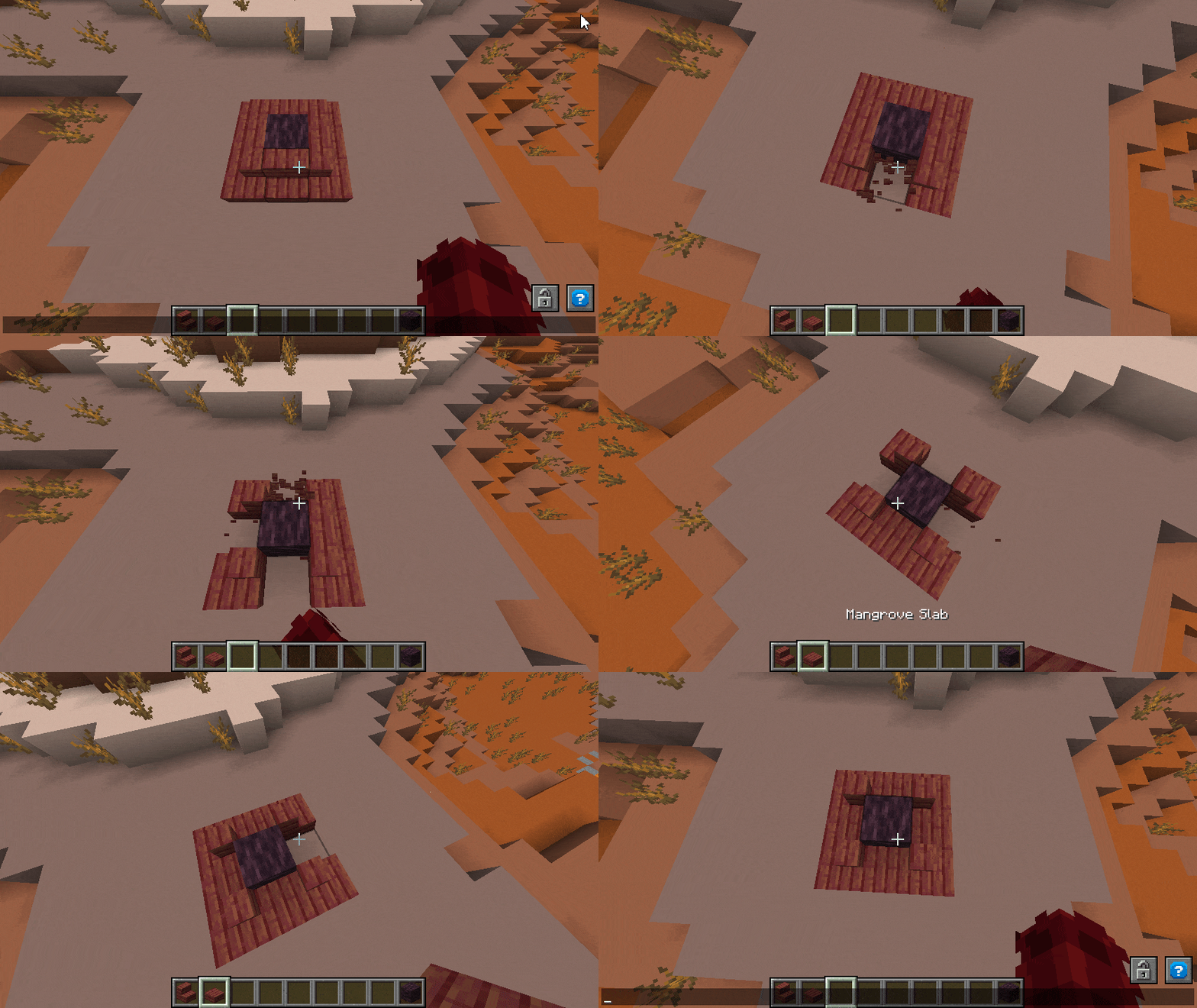
Guide
Use `/block-update toggle` to turn any updating on block placing/breaking.
Command Tool Binding
Don't want to enter a command multiple times? Bind any commands to your favorite item and click with it on a block to execute this command at the clicked position. If you don't target any block, the command will be executed on your position. Command items persists through restarts.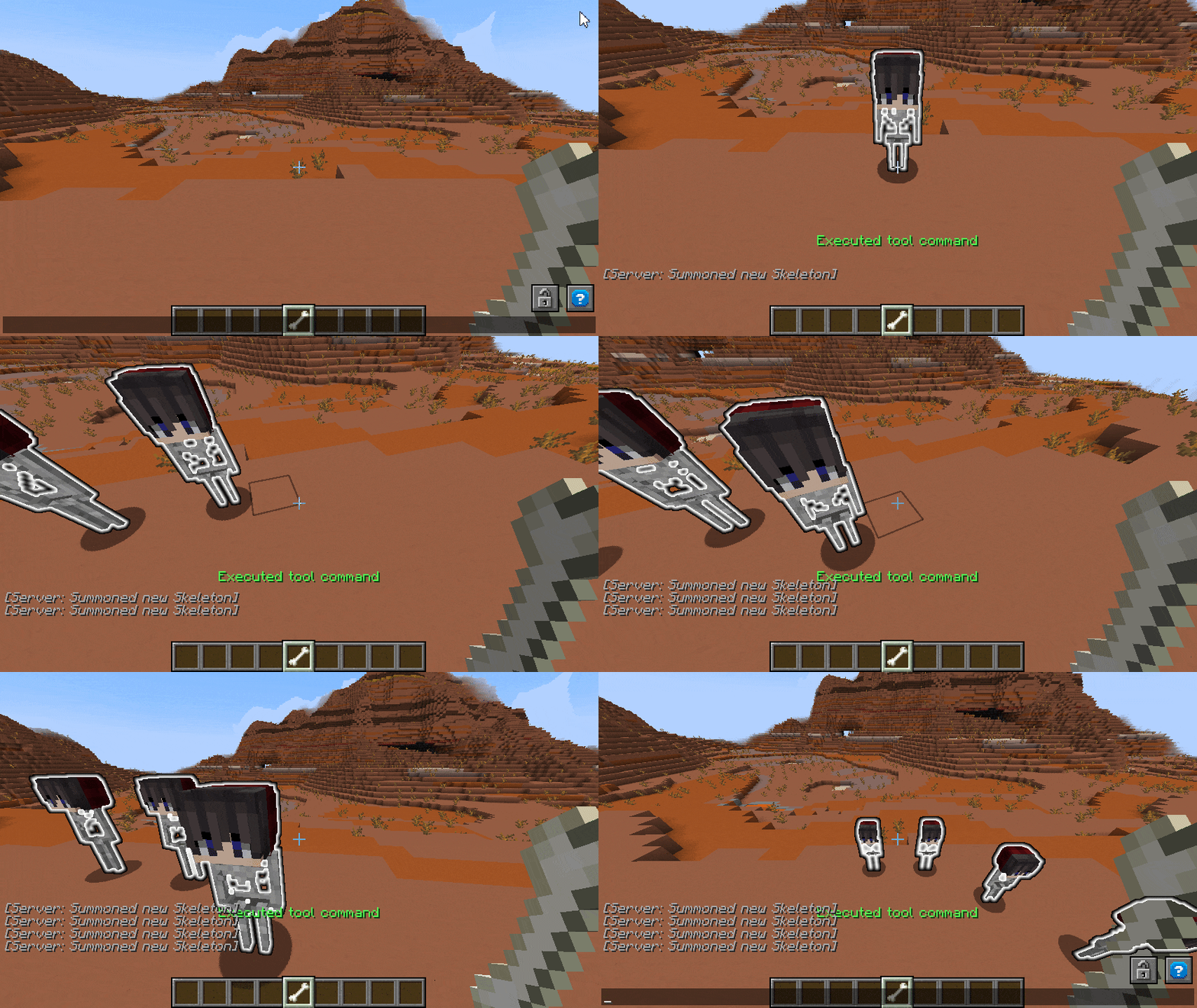
Guide
Take an item in your hand and enter `/commandtool command <command> to apply any command to it. Use /commandtool clear` to remove it again
Block To Display
Turn blocks into their non solid state - Block Displays. With block displays you can easily animate any structure or single blocks by scaling, rotating, reforming and moving it around. In comparison to falling blocks, block displays are way more soft for client and server so you can use up to ~1.000 displays in one area without much performance impact.
Guide
To convert a single block use `/blockify <position> <tag> <scale> [origin] (tag will be applied as tag to the created entity, scale is the final scale of the block where 1 is default, origin is the source location -> useful multi-block structures that should rotate). For easier use get the tool with /blockify-tool <scale> <tag> [origin]` and click on any blocks to convert them
Hitbox Anything
You want custom interactions on certain blocks or entities? Or just want to avoid any interaction with it at all? Wrap a hitbox (interaction) around that automatically adjust its size to the blocks/entities hitbox size. Now you can detect either left or right clicks (or both) on the hitbox.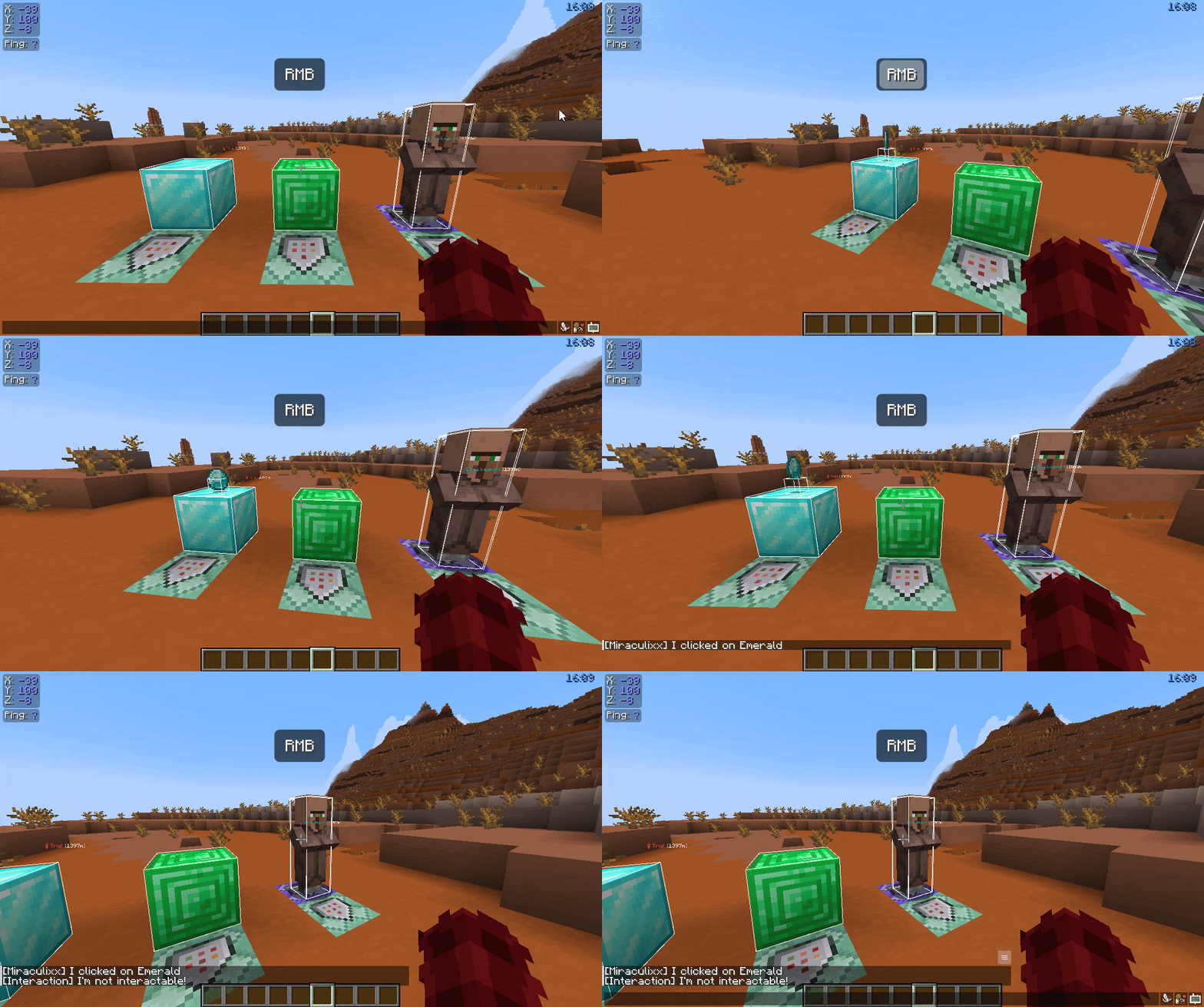
Guide
To wrap an interaction hitbox around any entity or block enter `/interaction spawn <target> [tag] [space] (target can be a block or selector, tag will be applied as tag to the interaction, space is the extra amount of size relativ to the source hitbox size in blocks). For easier use get the tool with /interaction tool <tag>` and click on any block or entity
Leash Fences
Finaly you can connect fences with other fences with leashes. Thats it. Why is this not a vanilla feature?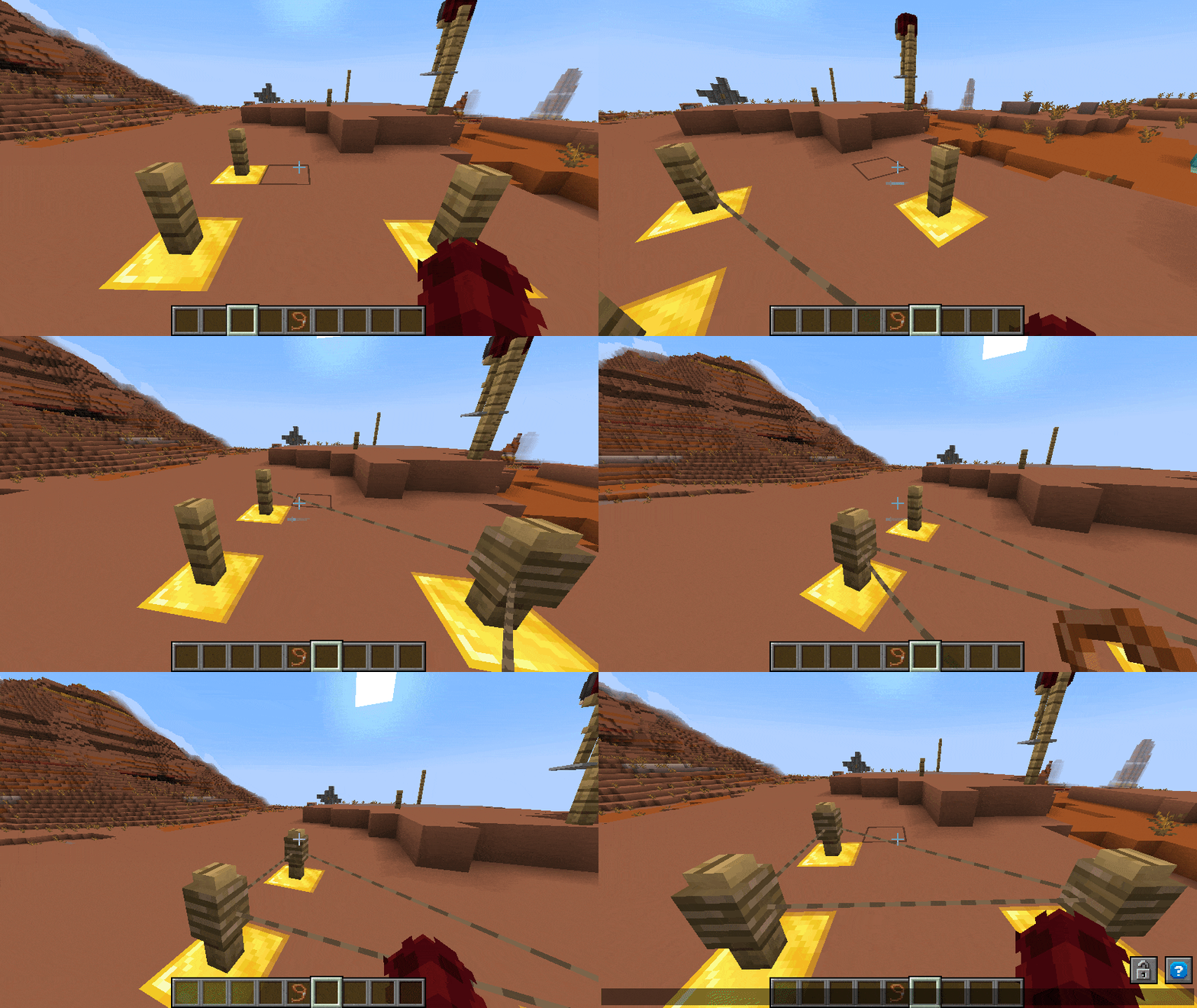
Highlights
From source dataGame versions
Supports 20 Minecraft versions, the newest being 1.21.4.
Loaders
Runs on Paper and Purpur.
Footprint
Rated a light load on a server.
Map Tools on Nxeon
From our catalogue- One-click install
- Supported on Nxeon Minecraft servers. We download it from Modrinth, place it, and restart the server.
- Server side
- Required on the server
- Server type needed
- Paper, Purpur
- Server load
- light
- Smallest plan we suggest
- Minecraft — 2 GB (2 GB RAM). This follows our own load rating above, not a benchmark.
- Latest build
- 1.2.1, released 2024-12-25
Game versions by loader
| Loader | Game versions | Newest |
|---|---|---|
| Paper | 1.18 to 1.21.4 (20 versions) | 1.21.4 |
| Purpur | 1.18 to 1.21.4 (20 versions) | 1.21.4 |
From 5 recorded builds of Map Tools.
Recent builds
| Build | Released | Game versions | Loaders |
|---|---|---|---|
| 1.2.1 | 2024-12-25 | 1.21 to 1.21.4 (5 versions) | Paper, Purpur |
| 1.2.0 | 2024-09-09 | 1.21 to 1.21.1 (2 versions) | Paper, Purpur |
| 1.1.1 | 2024-06-28 | 1.20.5 to 1.20.6 (2 versions) | Paper, Purpur |
| 1.1.0 | 2024-02-18 | 1.18 to 1.20.4 (13 versions) | Paper, Purpur |
| 1.0.1 | 2024-02-17 | 1.18 to 1.20.4 (13 versions) | Paper, Purpur |
Dependencies
- Required: modrinth project Wd2WDXoA (modrinth, not in our catalogue)
Declared by the newest build that lists any. Required ones are installed with it on one-click installs.
Run Map Tools on a Minecraft server
Pick a server or deploy a new one above; it is installed in one click.
What kind of mod it is
From the catalogMaps & scenarios
Custom maps, arenas and scenarios to play on.
Runs on your server
From source side supportModrinth lists Map Tools as required on the server. Check its Modrinth page to see whether players need it too.
Compatibility
- Game
- Minecraft
- Loaders
- PaperPurpur
- Runs on
- Serverrequired on the server
- Game versions
- 1.21.4 and 19 earlier
Verified at the source
- ✓ModrinthOfficial listing, checked 2026-10-03Open ↗
- ✓AuthorMiraculixx, as published on Modrinth
- ✓LicenseLicenseRef-All-Rights-ReservedFree









