







About Worlds: Multiverse for Fabric
From ModrinthRun unlimited worlds on one Fabric server, like Multiverse on Paper, World Manager or Multiworld: create, list and teleport with commands. Every world keeps its own time, weather and game rules, and the End dragon, portals and maps work in all of them.
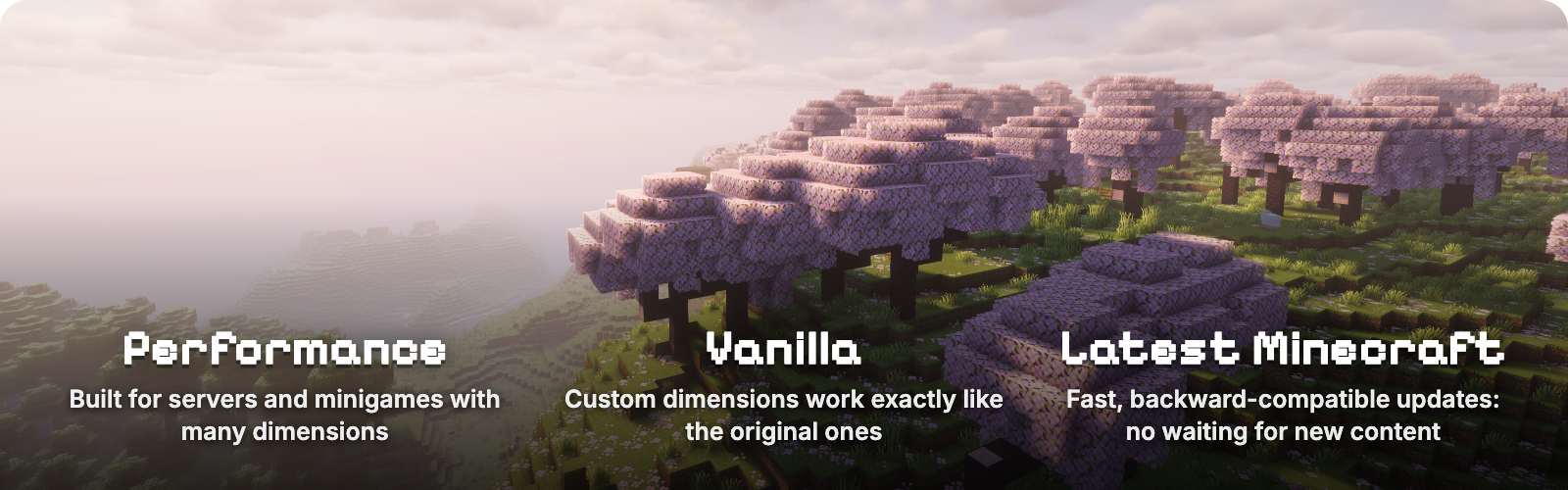

Worlds lets a Fabric server run as many worlds as it wants, the way Multiverse does on Paper. Create, list, delete and teleport between worlds with in-game commands, and give each one its own time, weather and game rules. Every world plays like real vanilla Minecraft, down to the End dragon, which also makes Worlds a base other mods build their dimensions on. Worlds from World Manager or Multiworld can be recreated with one command each.

<table> <tr> <td width="60%">  </td> <td width="40%">
World types
/worlds create <id> makes an Overworld. Add from-preset for flat, amplified or any data pack preset, or from-dimension for a Nether, an End or any dimension type. /worlds tp takes you there.

- The End dragon fight, portals, maps and ender pearls work in every world you create, not only in the original three.
- Own weather and time. Vanilla
/weatherand/timerun inside a world change only that world. - Own game rules. Keep inventory, PvP, mob spawning, daylight and more, set with vanilla
/gameruleinside the world. Rules you leave alone follow the server, and/gamerule <rule> inherithands one back. With Worlds installed on the client, the Game Rules screen shows which rules the world changed. - Nothing new to learn. No extra commands for weather, time or rules, and the Overworld, Nether and End behave exactly as in vanilla.

- Load on demand. A world loads when a player enters it and unloads a minute after the last player leaves, so you can keep hundreds of worlds without paying for idle ones.
- Updated within a week of each Minecraft release. Worlds follows the newest Minecraft version; older versions stay on the Versions tab.
- A base for other mods. Mods register their own world types through the Worlds API and let Worlds handle creating, loading, saving and teleporting. Stargate is built on it; API.md has the guide and the Gradle setup.

| Command | What it does | |---|---| | /worlds create <id> [seed] | Creates an overworld | | /worlds create <id> from-preset <preset> [dimension] [seed] | Creates a world from a world preset, for example minecraft:flat or minecraft:amplified | | /worlds create <id> from-dimension <type> [seed] | Creates a world of a dimension type, for example minecraft:the_nether or minecraft:the_end | | /worlds import <id> <save> [<dimension>\|all] | Imports a singleplayer world, another server's worlds (Paper and Multiverse too), a zip, or a direct download link to a zip | | /worlds tp <id> [players] | Teleports you or other players to a world's spawn | | /worlds list [loaded\|unloaded] | Lists worlds; hover for details, click to teleport | | /worlds delete <id> | Deletes a world after moving everyone out of it | | /worlds settings spawn [here\|<x> <y> <z>] | Shows or sets the spawn of the world you are in | | /worlds settings loadOnStartup [true\|false] | Shows or sets whether the world you are in loads when the server starts | | /gamerule <rule> <value> | In a created world, sets a rule for that world only | | /gamerule | In a created world, lists the rules the world changed | | /gamerule <rule> inherit | In a created world, makes a rule follow the server again |
A world id without a namespace gets minecraft:, so /worlds create mining creates minecraft:mining. Run any command for another world with /execute in <world> run .... /worlds commands need operator level 3; /gamerule needs level 2, as in vanilla.
Highlights
From source dataGame versions
Supports 28 Minecraft versions, the newest being 26.3.
Loaders
Runs on Fabric and Quilt.
Footprint
Rated a light load on a server.
Worlds: Multiverse for Fabric on Nxeon
From our catalogue- One-click install
- Supported on Nxeon Minecraft servers. We download it from Modrinth, place it, and restart the server.
- Server side
- Optional on the server
- Server type needed
- Fabric, Quilt
- Server load
- light
- Smallest plan we suggest
- Minecraft — 2 GB (2 GB RAM). This follows our own load rating above, not a benchmark.
- Latest build
- 1.11.0+26.3, released 2026-10-28
Game versions by loader
| Loader | Game versions | Newest |
|---|---|---|
| Fabric | 26.3 to 26.3-rc-3 (5 versions) | 26.3-rc-3 |
| Quilt | 26.3 to 26.3-rc-3 (5 versions) | 26.3-rc-3 |
From 13 recorded builds of Worlds: Multiverse for Fabric.
Recent builds
| Build | Released | Game versions | Loaders |
|---|---|---|---|
| 1.11.0+26.3 | 2026-10-28 | 26.3 | Fabric, Quilt |
| 1.10.0+26.3 | 2026-10-07 | 26.3 | Fabric, Quilt |
| 1.9.0+26.3 | 2026-10-06 | 26.3 | Fabric, Quilt |
| 1.8.27+26.3 | 2026-10-06 | 26.3 | Fabric, Quilt |
| 1.8.26+26.3 | 2026-10-06 | 26.3 | Fabric, Quilt |
| 1.8.25+26.3 | 2026-10-06 | 26.3 | Fabric, Quilt |
Dependencies
- Required: modrinth project P7dR8mSH (modrinth, not in our catalogue)
Declared by the newest build that lists any. Required ones are installed with it on one-click installs.
Run Worlds: Multiverse for Fabric on a Minecraft server
Pick a server or deploy a new one above; it is installed in one click.
What kind of mod it is
From the catalogMaps & scenarios
Custom maps, arenas and scenarios to play on.
Works on a server
From source side supportModrinth lists server-side support for Worlds: Multiverse for Fabric as optional: it can run on a server, but isn’t required there.
Compatibility
- Game
- Minecraft
- Loaders
- FabricQuilt
- Runs on
- Serveroptional on the server
- Game versions
- 26.3 and 27 earlier
Verified at the source
- ✓ModrinthOfficial listing, checked 2026-10-29Open ↗
- ✓AuthorWroud, as published on Modrinth
- ✓LicenseMITFree









