







About Motion Capture
From ModrinthAllows you to record and replay player movements
About
Motion Capture is a mod that allows you to record and replay player movements. It is created mainly for people who want to create complex scenes in Minecraft without using real players.
It records:
- movements
- sprinting, jumping, swimming, sneaking
- swinging hands
- using items
- items in hands and armor
- states like being on fire, being invisible, or glowing
- placing, breaking and interacting with blocks
- nearby entities and riding them
After you save recording, you can create a scene to which you can add multiple recordings or other scenes with parameters like player name, position offset, or start delay.
How to use
- First, you need to start recording using ``
/mocap recording start``. It will record all your movements or movements of a player given as an argument. - Then, you can stop recording using ``
/mocap recording stop`and save it with`/mocap recording save [name]``. - Use ``
/mocap playing start [name] (player_name) (mineskin_url)`` to play recording. - You can also create scenes to which you can add multiple recordings or other scenes, with parameters like player name, position offset, or start delay.
- To create scene use ``
/mocap scenes add (scene_name)`. Then, add your recording using`/mocap scenes addTo [scene_name] [recording_name] (delay) (x_offset) (y_offset) (z_offset) (player_name) (skin_source_type) (skin_source)`` (you can skip arguments in round brackets if you want). - To play scene use ``
/mocap playing start .[scene_name]`` - you need to put a dot before the scene name. - By putting a dot before name, when using ``
/mocap scenes addTo [...]``, you can also add scenes to other scenes.
Commands
## Example
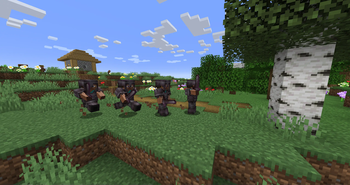
### Simple example of one recording used 4 times in a scene with time and position offset

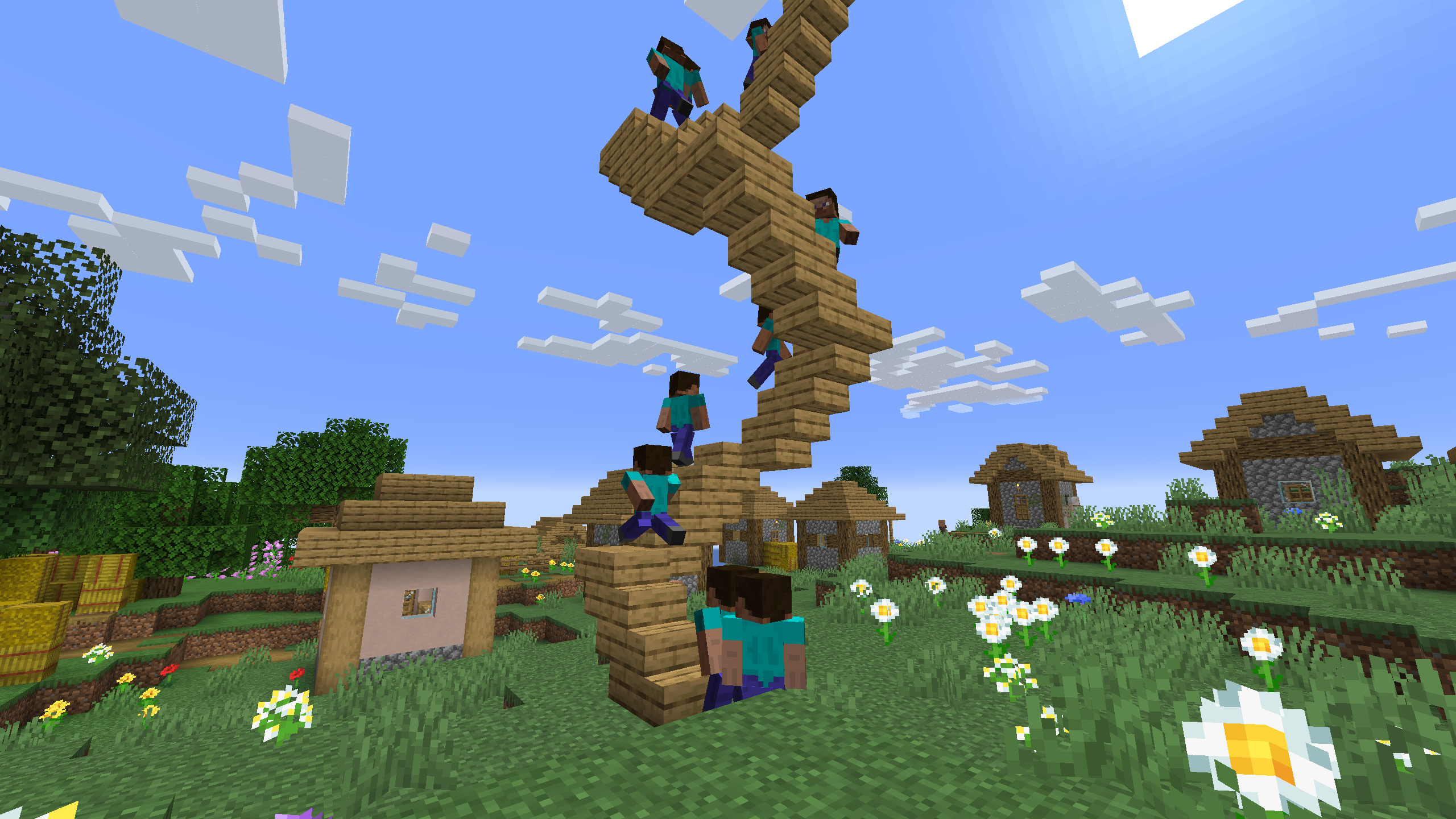
### One recording of climbing stairs used multiple times in a scene with start delay
Highlights
From source dataGame versions
Supports 29 Minecraft versions, the newest being 26.2.
Loaders
Runs on Fabric, Forge and NeoForge.
Footprint
Rated a light load on a server.
Motion Capture on Nxeon
From our catalogue- One-click install
- Supported on Nxeon Minecraft servers. We download it from Modrinth, place it, and restart the server.
- Server side
- Required on the server
- Server type needed
- Fabric, Forge, NeoForge
- Server load
- light
- Smallest plan we suggest
- Minecraft — 2 GB (2 GB RAM). This follows our own load rating above, not a benchmark.
- Latest build
- 1.3.10-fabric-26.2, released 2026-06-22
Game versions by loader
| Loader | Game versions | Newest |
|---|---|---|
| Fabric | 1.21.5 to 26.2 (5 versions) | 26.2 |
| NeoForge | 26.1 to 26.2 (4 versions) | 26.2 |
From 5 recorded builds of Motion Capture.
Recent builds
| Build | Released | Game versions | Loaders |
|---|---|---|---|
| 1.3.10-fabric-26.2 | 2026-06-22 | 26.2 | Fabric |
| 1.3.10-neoforge-26.2 | 2026-06-22 | 26.2 | NeoForge |
| 1.3.10-fabric-26.1 | 2026-03-30 | 26.1 to 26.1.2 (3 versions) | Fabric |
| 1.3.10-neoforge-26.1 | 2026-03-30 | 26.1 to 26.1.2 (3 versions) | NeoForge |
| 1.4-alpha-10-fabric-1.21.5 alpha | 2025-12-31 | 1.21.5 | Fabric |
Run Motion Capture on a Minecraft server
Pick a server or deploy a new one above; it is installed in one click.
What kind of mod it is
From the catalogGameplay & overhauls
New mechanics, content and overhauls that change how the game plays.
Runs on your server
From source side supportModrinth lists Motion Capture as required on the server. Check its Modrinth page to see whether players need it too.
Compatibility
- Game
- Minecraft
- Loaders
- FabricForgeNeoForge
- Runs on
- Serverrequired on the server
- Game versions
- 26.2 and 28 earlier
Verified at the source
- ✓ModrinthOfficial listing, checked 2026-10-01Open ↗
- ✓Authormt1006, as published on Modrinth
- ✓LicenseLGPL-3.0-onlyFree









