






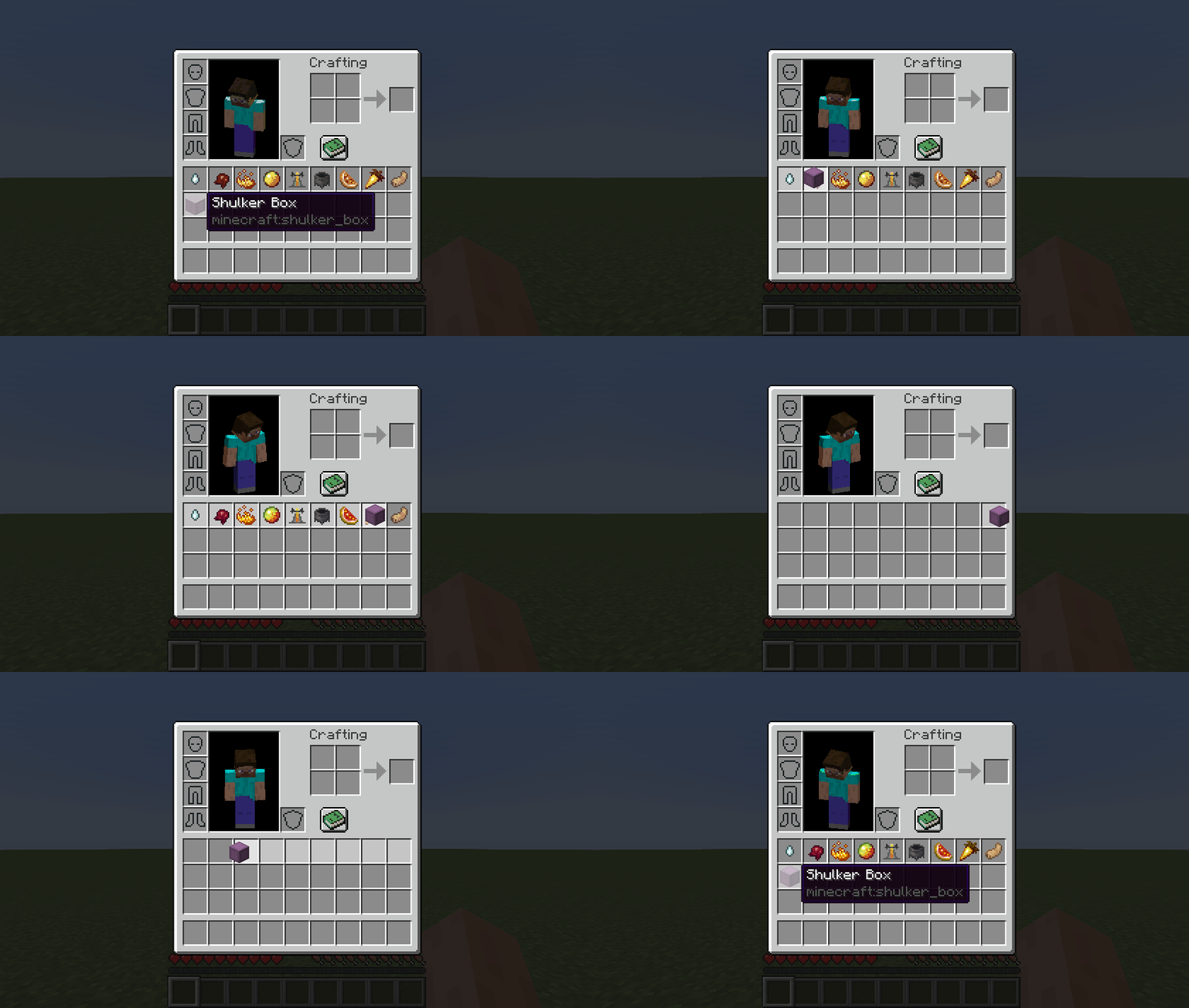

About Packed Inventory
From ModrinthInventory management has never been so easy.

Packed Inventory


A Minecraft mod that attempts to mitigate the ever-growing Inventory Problem by making it possible to manage the contents of shulker boxes, ender chests, and more directly from your inventory.
Oh, we also have fancy tooltips for shulker boxes, ender chests, maps, and beyond!
Features
- Manage the inventory of shulker boxes without ever placing them.
- Manage the inventory of your ender chest without ever placing it.
- Quickly move items into or out of shulker boxes, ender chests, and other inventory-providing items.
- Access crafting tables, stonecutters, and other workstations directly from your inventory.
- Vanilla-like tooltips for shulker boxes.
- Vanilla-like tooltips for ender chests.
- Vanilla-like tooltips for filled maps.
- Vanilla-like tooltips for NBT-containing items acquired in Creative mode via
Ctrl + MMB, such as chests, barrels, furnaces, hoppers, dispensers, droppers, and more. - An extensive and simple API that helps other modders implement these features for their blocks and items.
Bundle-Like Functionality
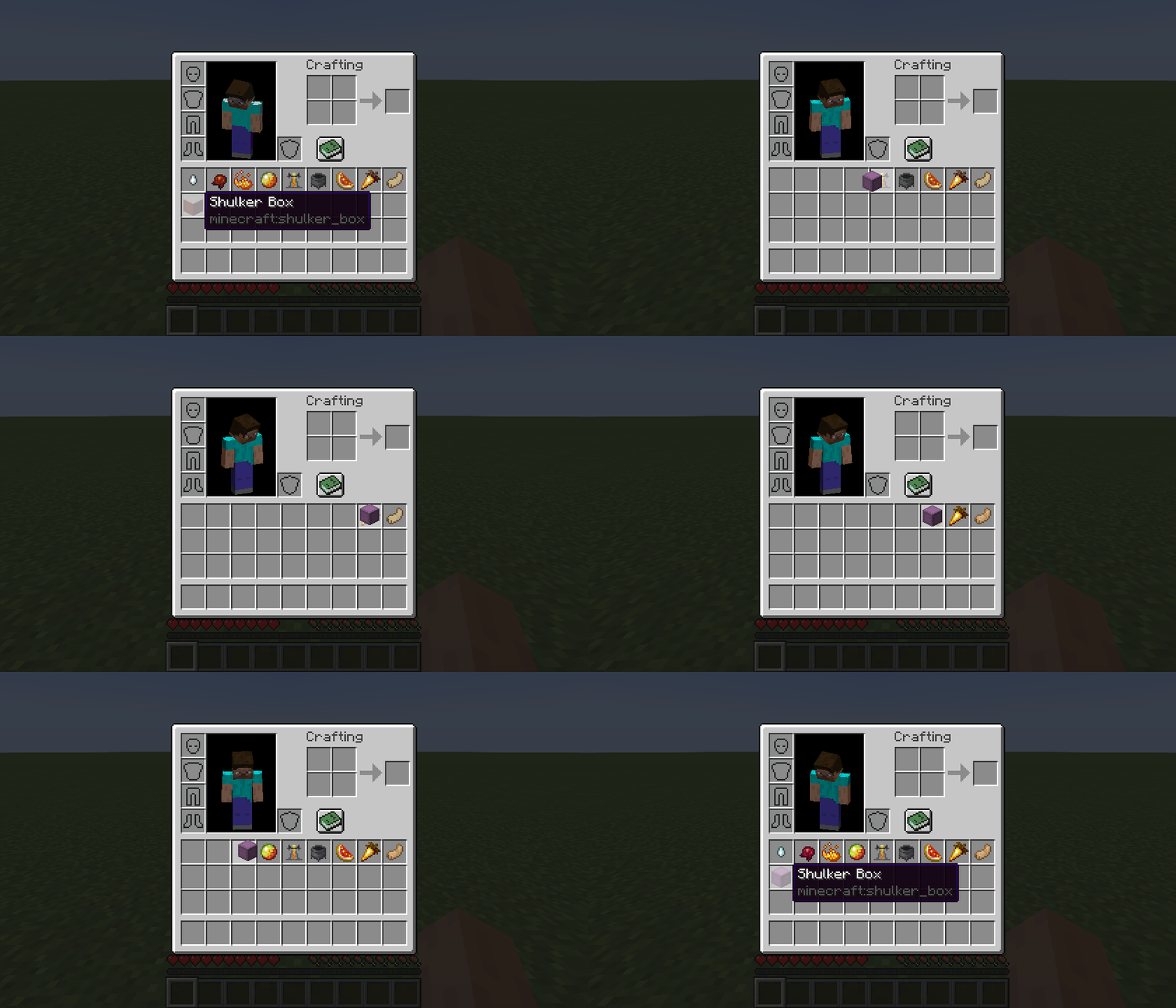
As mentioned earlier, inventory-providing items (e.g., shulker boxes, ender chests, and any items registered via the Packed Inventory API) automatically gain bundle-like functionality, allowing you to quickly move items into or out of them.
To store items inside an inventory-providing item, you can either:
- Pick up the inventory-providing item and press
kon the item(s) to be stored, or - Pick up the inventory-providing item and press
kon the inventory-providing item(s) to be stored, or - Pick up the item(s) to be stored and press
kon the inventory-providing item.
To retrieve items from an inventory-providing item:
- Pick up the inventory-providing item and press
kon the empty slot(s) to extract the item(s) to, or - Pick up the inventory-providing item and press
lorctrl + kon the slot(s) to extract the item(s) to, or - Press
lorctrl + kon the inventory-providing item(s) to extract the items from.
To dump all items from an inventory-providing item out into the world:
- Pick up the inventory-providing item, move it outside of the inventory frame, and press
k.
Tooltips
Here are some tooltip examples for you:
- Container tooltip
- Colored container tooltip
- Compact container tooltip
- Filled map tooltip
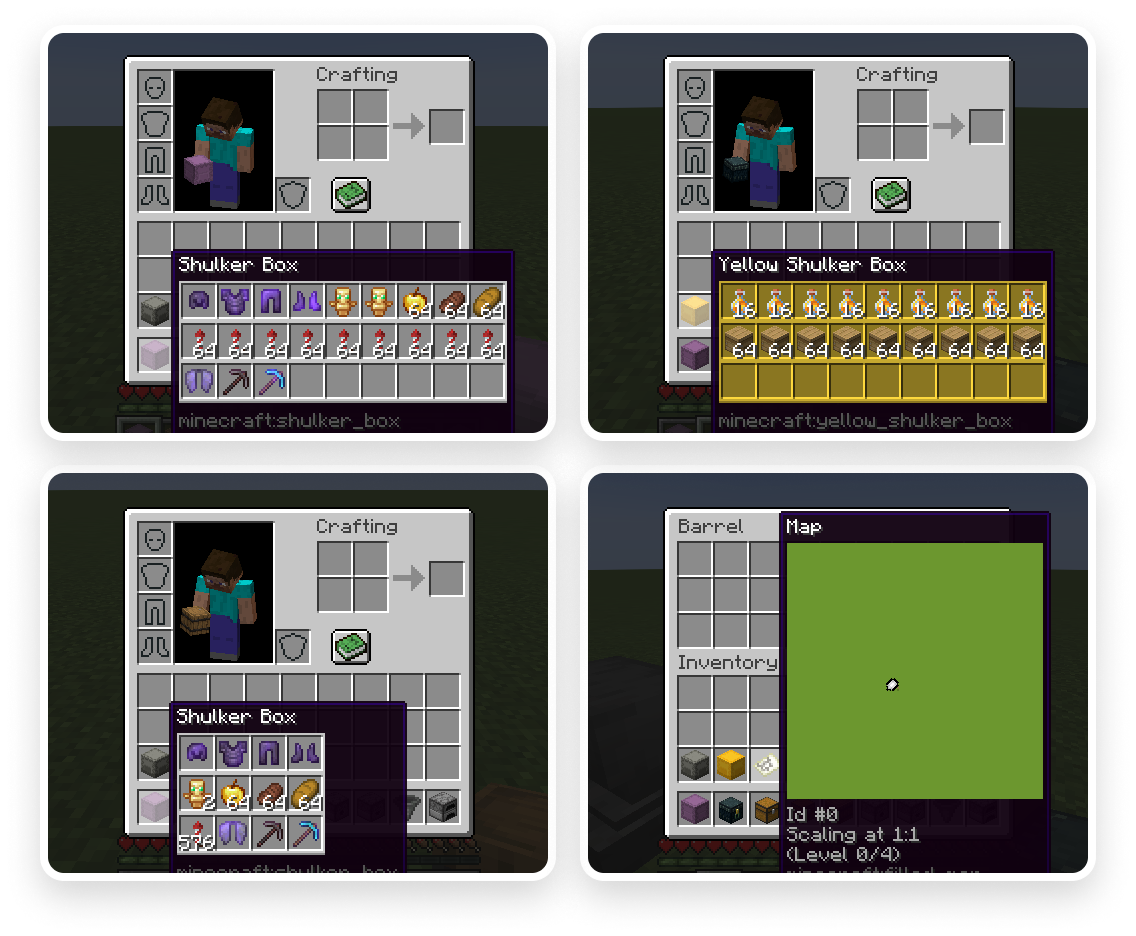
More screenshots can be found here.
Key Binds
Key binds can be configured just like vanilla ones:
1) Go to Options. 2) Select Controls. 3) Then choose Key Binds. 4) Scroll down to the Packed Inventory section. 5) Configure the available key binds.
| Name | Description | Default | | ---- | ----------- | ------- | | Interact with item | Interacts with the item in the active hotbar slot. Alternatively, if the inventory screen is open, interacts with the item the mouse is hovering over. Depending on the context, this action can either:
- Open a screen associated with the selected item,
- Store an item inside the selected inventory-providing item,
- Retrieve an item from the selected inventory-providing item, or
- Dump all the items stored in the selected inventory-providing item out into the world
k | | Toggle interaction mode (hold) | Makes the Interact with item key bind behave like Extract from item | Left Control | | Extract from item | Extracts an item from the selected inventory-providing item | l | | Invert tooltip visibility (hold) | Inverts tooltip visibility while pressed | Left Shift | | Invert tooltip compact mode (hold) | Inverts tooltip compact mode while pressed | c |
Note that it's totally fine for these key binds to interfere with others since they are applied only when your inventory screen is open, where other key binds usually do not work.
Config
If you have Cloth Config installed, you can customize the behavior of the mod. A config is usually located at ./config/packed-inventory.json and by default looks like this:
Highlights
From source dataGame versions
Supports 12 Minecraft versions, the newest being 1.20.4.
Loaders
Runs on Fabric.
Footprint
Rated a light load on a server.
Packed Inventory on Nxeon
From our catalogue- One-click install
- Supported on Nxeon Minecraft servers. We download it from Modrinth, place it, and restart the server.
- Server side
- Required on the server
- Server type needed
- Fabric
- Server load
- light
- Smallest plan we suggest
- Minecraft — 2 GB (2 GB RAM). This follows our own load rating above, not a benchmark.
- Latest build
- 0.3.0+1.20.3, released 2024-01-01
Game versions by loader
| Loader | Game versions | Newest |
|---|---|---|
| Fabric | 1.19.4 to 1.20.4 (6 versions) | 1.20.4 |
From 5 recorded builds of Packed Inventory.
Recent builds
| Build | Released | Game versions | Loaders |
|---|---|---|---|
| 0.3.0+1.20.3 | 2024-01-01 | 1.20.3 to 1.20.4 (2 versions) | Fabric |
| 0.3.0+1.20.2 | 2024-01-01 | 1.20.2 | Fabric |
| 0.3.0+1.20 | 2024-01-01 | 1.20 to 1.20.1 (2 versions) | Fabric |
| 0.3.0+1.19.4 | 2023-12-31 | 1.19.4 | Fabric |
| 0.2.2+1.19.4 | 2023-12-24 | 1.19.4 | Fabric |
Dependencies
- Required: modrinth project P7dR8mSH (modrinth, not in our catalogue)
- Optional: modrinth project 9s6osm5g (modrinth, not in our catalogue)
- Optional: modrinth project mOgUt4GM (modrinth, not in our catalogue)
Declared by the newest build that lists any. Required ones are installed with it on one-click installs.
Run Packed Inventory on a Minecraft server
Pick a server or deploy a new one above; it is installed in one click.
What kind of mod it is
From the catalogQuality of life & UI
Small conveniences, tweaks and interface improvements players notice straight away.
Runs on your server
From source side supportModrinth lists Packed Inventory as required on the server. Check its Modrinth page to see whether players need it too.
Compatibility
- Game
- Minecraft
- Loaders
- Fabric
- Runs on
- Serverrequired on the server
- Game versions
- 1.20.4 and 11 earlier
Verified at the source
- ✓ModrinthOfficial listing, checked 2026-10-02Open ↗
- ✓AuthorKira-NT, as published on Modrinth
- ✓LicenseMITFree









