






About PlotSquared SG
From SpigotMCPlotSquared standalone generator

Source Code: GitHub
Authors: Citymonstret, Empire92
Donate: <a href="https://www.paypal.com/cgi-bin/webscr?return=http%3A%2F%2Fwww.spigotmc.org%2Fdonate%2Fhomepage%2F&cn=Donate%28s%29&business=intellectualcrafters%40gmail.com&bn=PP-DonationsBF%3Abtn_donateCC_LG.gif%3ANonHosted&cancel_return=http%3A%2F%2Fwww.spigotmc.org%2Fdonate%2Fdonatez%2F&lc=US&item_name=Donate+to+PlotSquared&cmd=_donations&rm=1&no_shipping=1&currency_code=USD" target="_blank" class="externalLink" rel="nofollow">PayPal
[IMPORTANT NOTICE]
This is just the generator taken from PlotSquared and doesn't come with the plot management system.
OverviewThis is just the generator taken from PlotSquared and doesn't come with the plot management system.
(The standalone generator is new, so please tell me if you spot any issues)
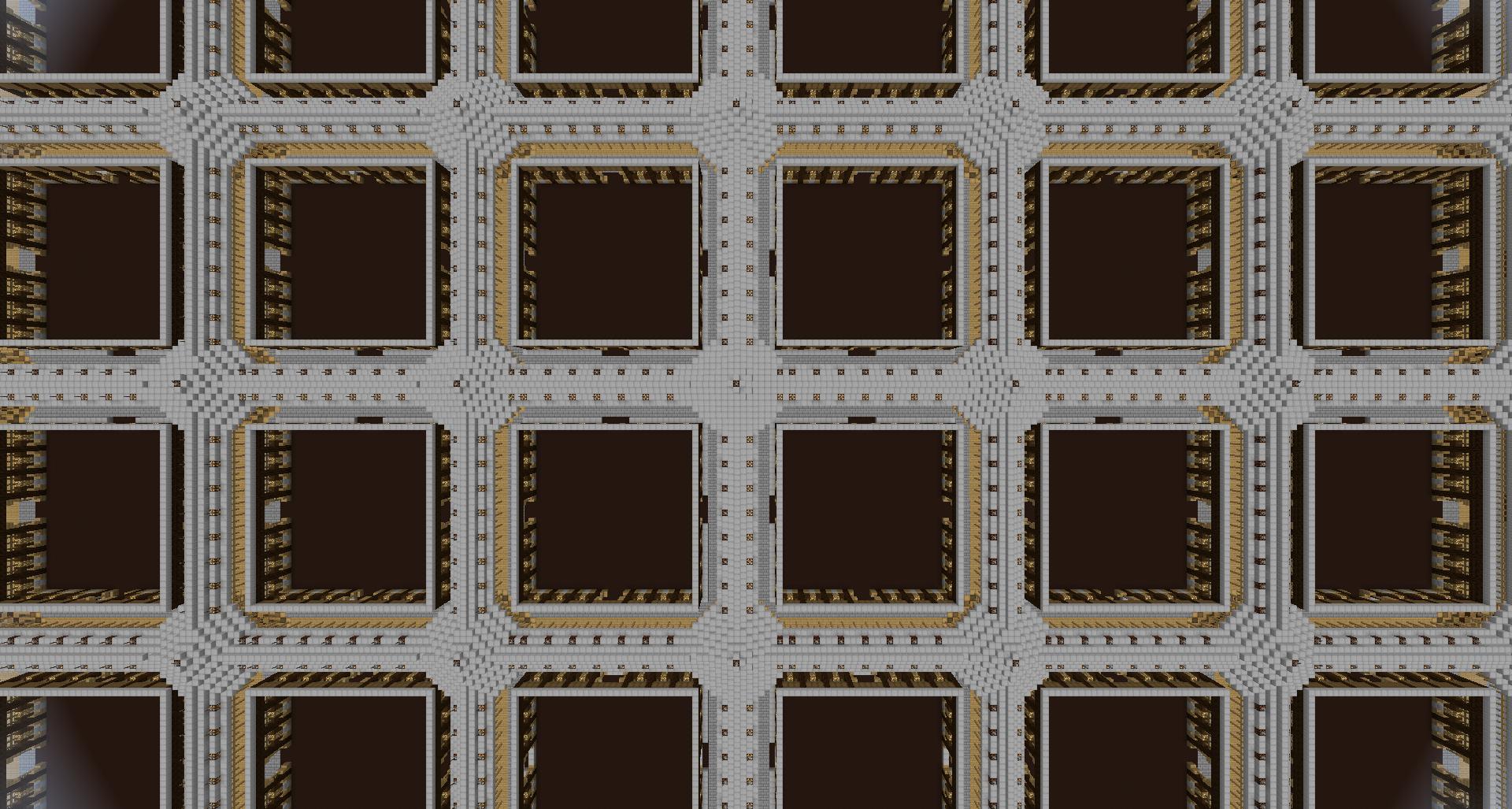
This plugin is a simple yet advanced plot generator. It supports schematic generation on top of it's highly configurable stock generator.
PlotMe features
- 0.15.x: download
Use this generator instead of the PlotMe-Default generator for a whole range of improvements:
- Near instant plot clearing (even on large plots)
- Many other performance improvements
General features
- Optional schematic generation (see below)
- Support for multiple top and plot fill blocks with percentage composition.
- Lots of other configuration
(Let me know if there's something else you want)
Schematic example image:
Installation
Navigate to " plugins/PlotSquared/config/settings.yml" to configure the plotworld. Downloading the plugin comes with an example settings.yml which you can base your worlds off of.
Most of it should be fairly self explanatory, but I'll give you an example of percentage composition. Let's say we want the top of a plot to be 5% wood and 95% bedrock, here is an example configuration:
Code (Text):
worlds:
plotworld:
plot:
height: 64
floor:
- 5%5:0
- 95%7:0
filling:
- '1:0'
biome: FOREST
size: 32
wall:
block: '44:0'
height: 64
block_forsale: '44:1'
block_protected: '44:1'
block_auction: '44:1'
filling: '1:0'
block_claimed: '44:1'
road:
block: '155:0'
height: 64
width: 7
To create the world with Multiverse use:
/mv create plotworld normal -g PlotSquaredSG
Or with MultiWorld:
/mw create plotworld plugin lotSquaredSG
If you do not have a multiworld plugin, you can manually add a world in the Bukkit.yml
Adding schematics
Adding schematics is fairly straightforward, but can be somewhat tedious if you want to build like 15 and see what each one looks like in a whole world.
Adding a road schematic
Generate a plotworld as usual then find some plot. Build the roads around this plot then execute the following command:
/CreateRoadSchematic <worldname>
Adding a plot schematic
Navigate to the following directory: plugins\PlotSquaredSG\schematics\GEN_ROAD_SCHEMATIC\<world> You may need to create the directories if they do not exist (case sensitive).
- Replace <world> with the name of your world
Put a schematic called plot.schematic in the folder, then generate the world (see below). Note: the schematic pastes from the plot height defined in the settings.yml
All new chunks will now generate with this schematic, however existing chunks will stay the same. To regenerate the entire map, go to your server root, then into the folder for the world and delete the " region" folder. Your server will need to be stopped to do this, afterwards you can start the server and all the chunks should be regenerated.
If you want to convert an existing world to schematics, you will need to use the PlotSquared plot management system.
Highlights
From source dataLoaders
Runs on Spigot and Paper.
Footprint
Rated a light load on a server.
Last update
Its author last shipped an update 12 yr ago.
PlotSquared SG on Nxeon
From our catalogue- One-click install
- Supported on Nxeon Minecraft servers, for Paper servers. We download it from SpigotMC, place it, and restart the server.
- Server side
- Required on the server
- Server type needed
- Spigot, Paper
- Server load
- light
- Smallest plan we suggest
- Minecraft — 2 GB (2 GB RAM). This follows our own load rating above, not a benchmark.
- Latest build
- 1.0.0, released 2015-06-09
Game versions by loader
| Loader | Game versions | Newest |
|---|---|---|
| Paper | ||
| Spigot |
From 2 recorded builds of PlotSquared SG.
Recent builds
| Build | Released | Game versions | Loaders |
|---|---|---|---|
| 1.0.0 | 2015-06-09 | n/a | Spigot, Paper |
| 1.0.0 | 2015-02-05 | n/a | Spigot, Paper |
Run PlotSquared SG on a Minecraft server
Pick a server or deploy a new one above; it is installed in one click.
What kind of mod it is
From the catalogListed on SpigotMC as “Plugins”
Technology & automation
Machines, power, logistics and automation.
Runs on your server
From source side supportSpigotMC lists PlotSquared SG as required on the server. Check its SpigotMC page to see whether players need it too.
Compatibility
- Game
- Minecraft
- Loaders
- SpigotPaper
- Runs on
- Serverrequired on the server
- Requires
- One-click install needs a Paper server.
Verified at the source
- ✓SpigotMCOfficial listing, checked 2026-10-02Open ↗
- ✓AuthorEmpire92, as published on SpigotMC
- ✓LicenseNot published by the sourceFree









