








About RE:Constructed Wands
From ModrinthBuilding wands: extend walls and floors in one click, place in mid-air, clear or swap whole surfaces, and build lines, boxes and rings in two clicks. Live previews, undo and redo, blocks from shulker boxes, bundles and chests.
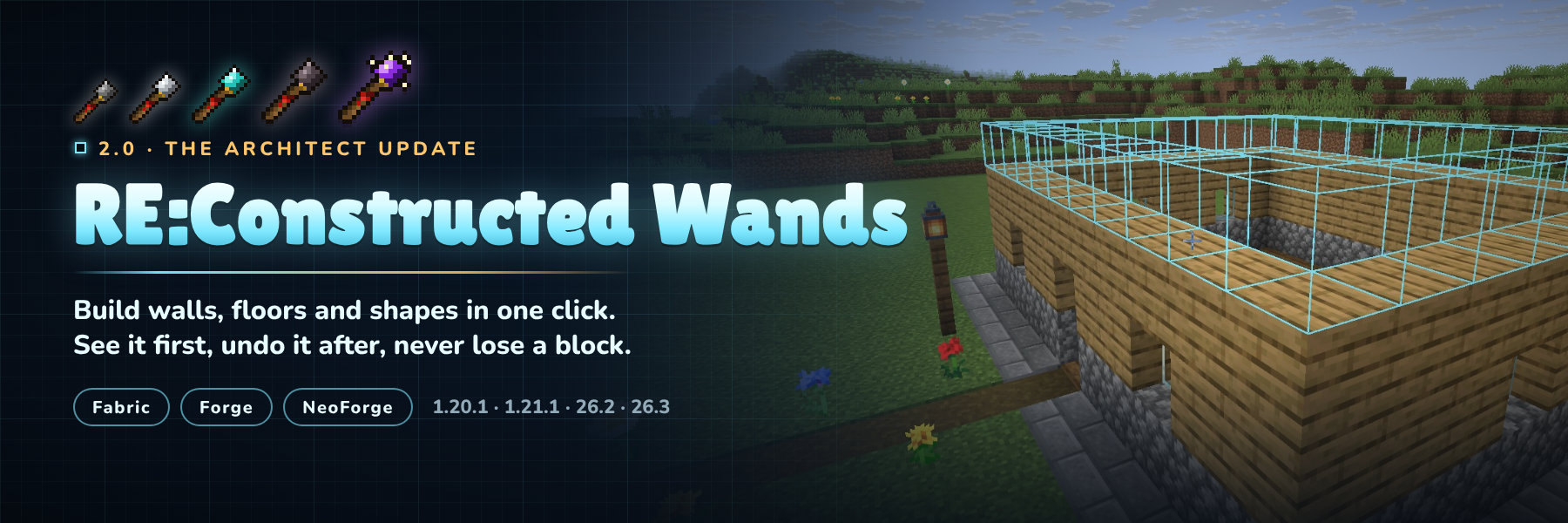
Build the boring parts in one click. Point a wand at a wall and the next layer appears. Fill a floor, clear a cliff face, swap cobblestone for stone bricks, or click twice and get a ring, a box or a whole wall. You see every block before you click, you can undo anything, and the wand takes its blocks from your shulker boxes, bundles, Ender Chest or a chest you bind it to.
Fabric and NeoForge (Forge on 1.20.1) · Minecraft 1.20.1, 1.21.1, 26.2 and 26.3 · install on server and client

Version 2.0 rebuilds the whole mod. Here's what changed from 1.x:
- Two new cores: Exchange swaps a surface for another block, Architect builds lines, walls, floors, boxes and
cubes between two corners, and circles and rings around a centre
- Undo and redo with Ctrl+Z and Ctrl+Y, ten steps deep, and nothing is ever duplicated
- Blocks come from shulker boxes, bundles, your Ender Chest and a bound chest
- Ctrl + scroll sets how many blocks a click places, Sneak + scroll locks a direction
- A HUD, a mode wheel, a new settings screen and colour-coded previews
- Claims and protection are respected on every loader, checked before anything moves
- A server config synced to every player, deny tags, and
/wands reload - New textures, recipes that no longer clash with vanilla, repairable and enchantable wands
- Your 1.x wands keep their cores and settings

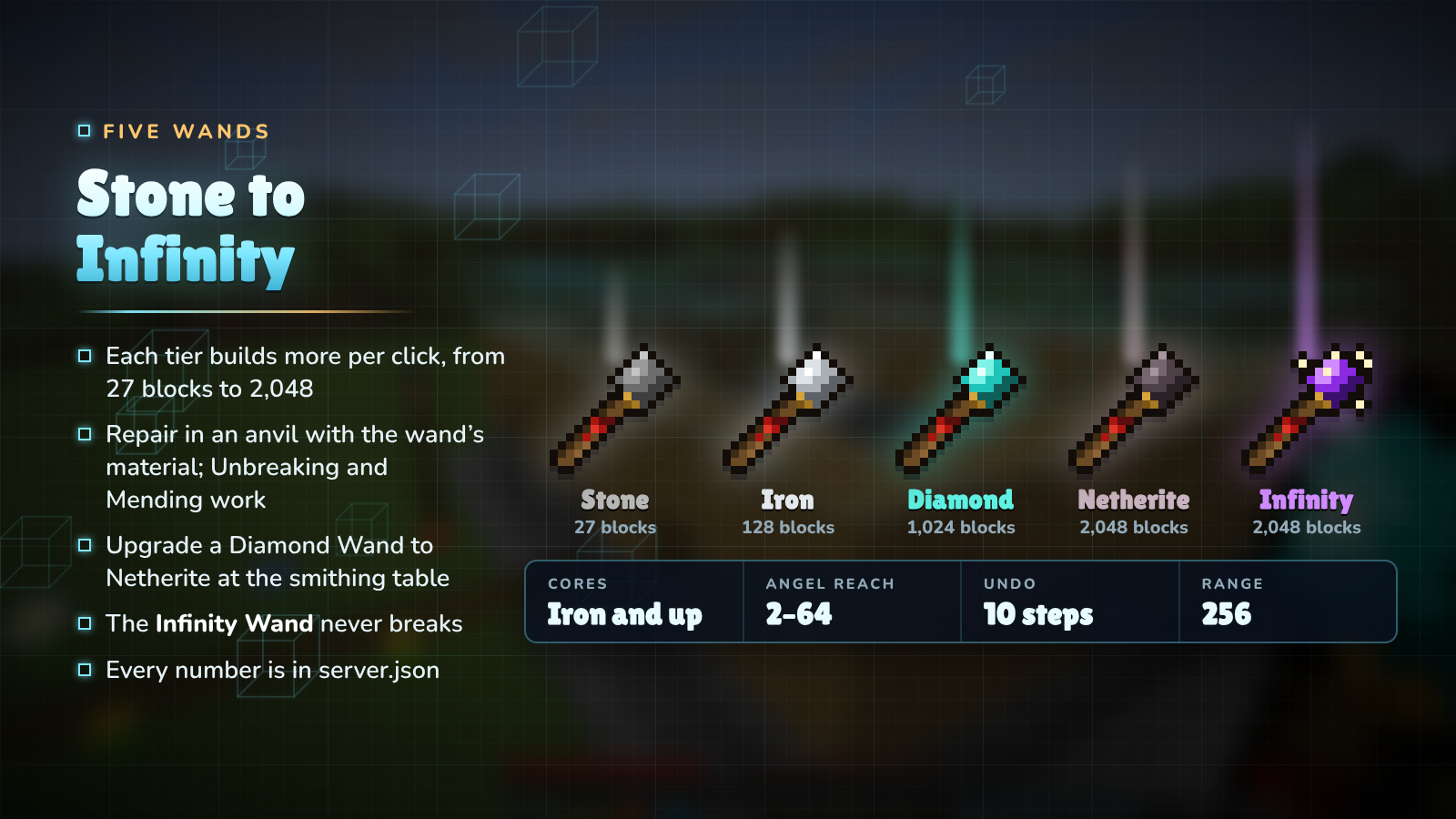
| Wand | Durability | Blocks per click | Angel reach | Destruction / Exchange | Cores | |------|-----------|------------------|-------------|------------------------|-------| | Stone | 131 | 27 | 2 | 4 | no | | Iron | 250 | 128 | 4 | 9 | yes | | Diamond | 1,561 | 1,024 | 16 | 81 | yes | | Netherite | 2,031 | 2,048 | 32 | 128 | yes | | Infinity | unbreakable | 2,048 (8,192 in creative) | 64 | 128 | yes |
Wands repair in an anvil with their material and take Unbreaking and Mending. The Netherite Wand is a smithing upgrade of the Diamond Wand. Server owners can change every number in server.json.

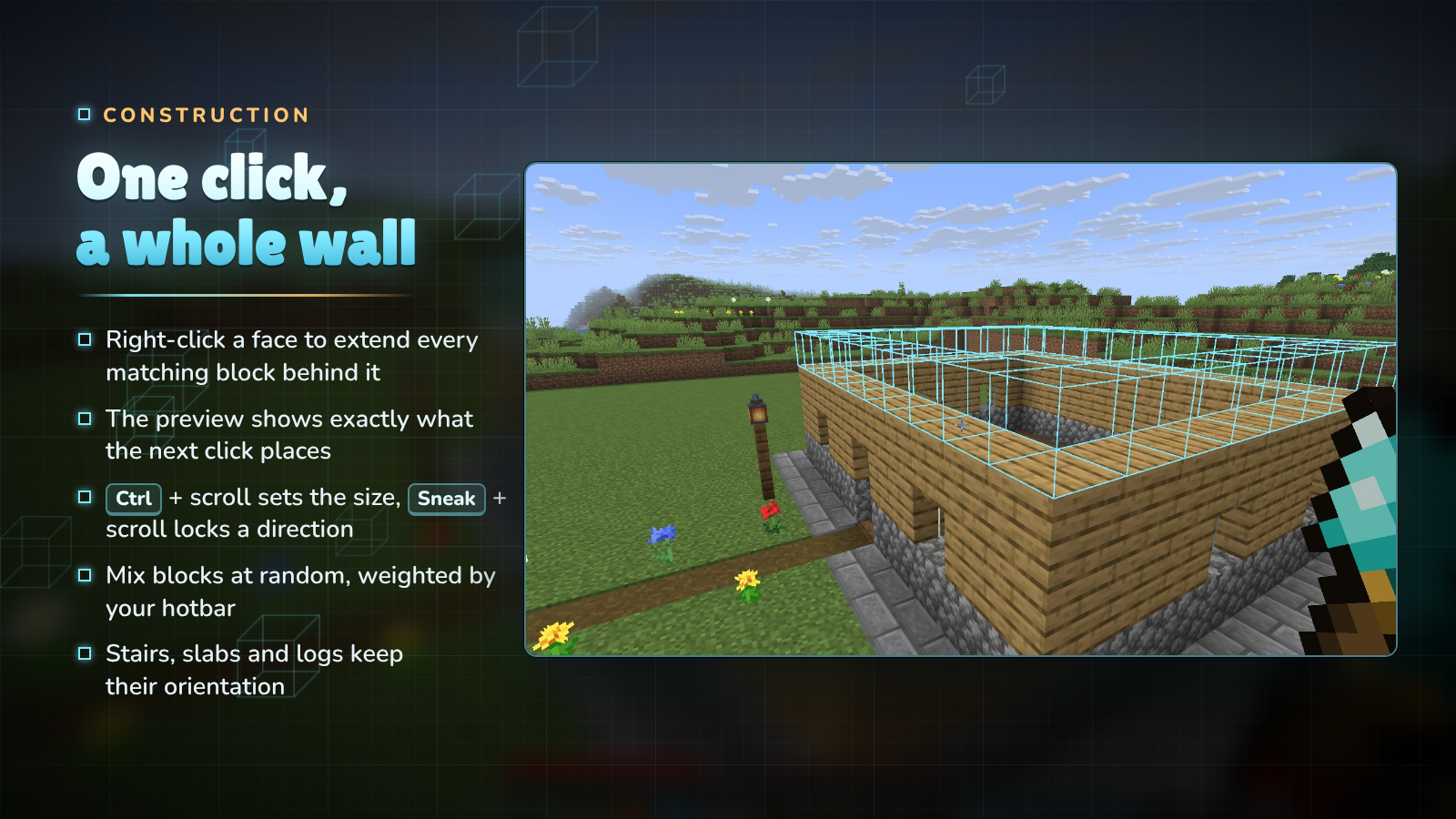
Right-click the face of a block and the wand copies that face across every matching block behind it: the top of a floor adds a layer, the side of a wall makes it thicker, the edge of a path makes it wider. The outline shows exactly what the next click will place, and turns red where you are short of blocks.
- Ctrl + scroll sets the size, from one block up to the wand's limit.
- Sneak + scroll locks the direction: horizontal, vertical, north/south or east/west.
- Match decides what counts as the same block: exact, similar (dirt and grass together) or anything.
- Random mixes the blocks in your hotbar, weighted by how many slots hold each one.
- Stairs, slabs, logs and pillars keep their orientation.

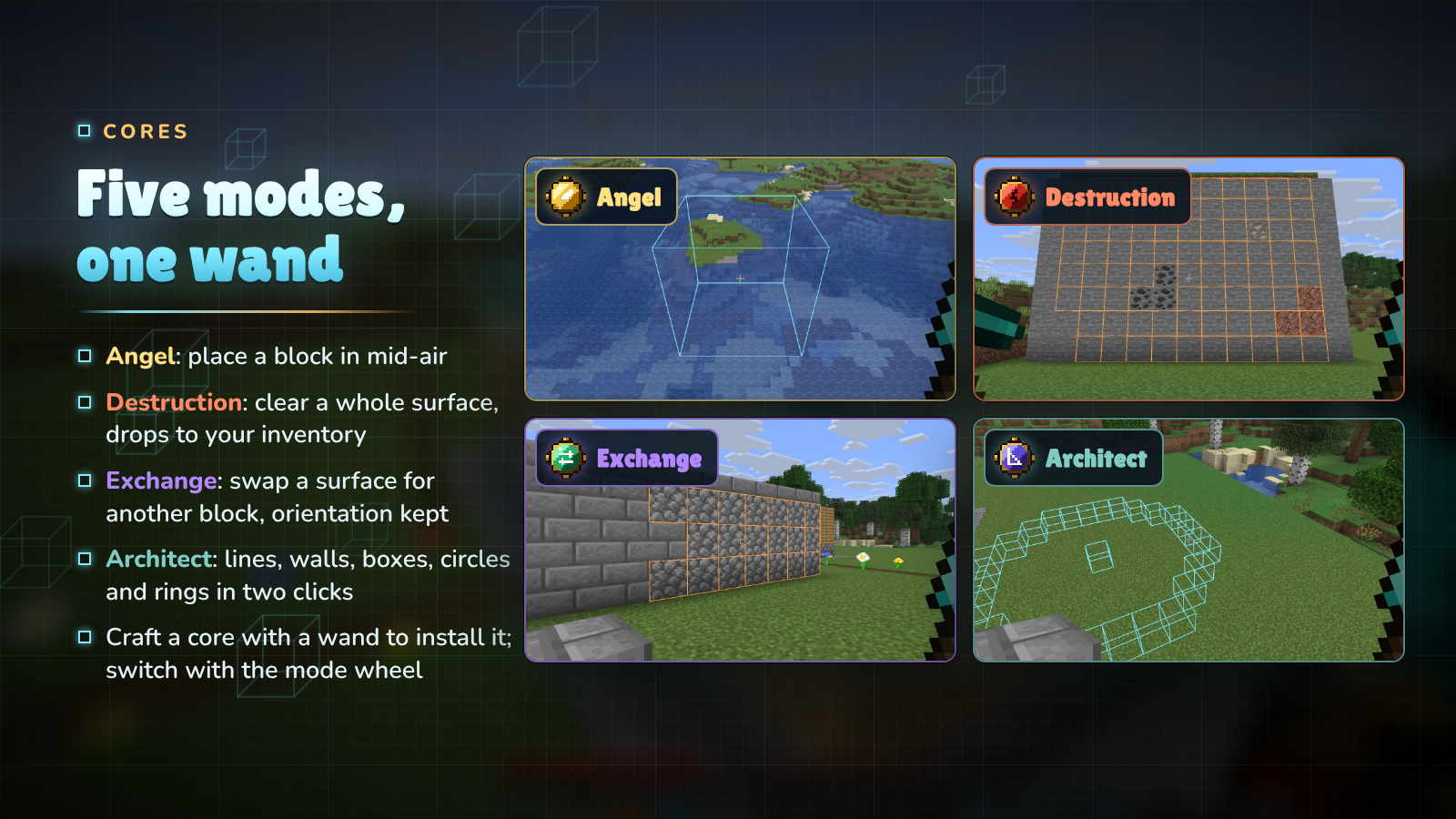
Craft a core together with an Iron, Diamond, Netherite or Infinity Wand to install it. A wand holds every core at once; switch modes with the mode wheel (hold R) or the settings screen.
- Angel Core: place a block in mid-air in front of you, or behind the block you click. Bridges, sky bases and
scaffolding without scaffolding.
- Destruction Core: remove the exposed surface of matching blocks. The drops go straight to your inventory, as if
you broke them with the tool in your offhand, so a Silk Touch pickaxe there gives you the blocks themselves.
- Exchange Core (new): swap a surface for the block in your offhand. Stairs and logs keep their facing, and the
old blocks come back to you.
- Architect Core (new): build shapes with two clicks. See below.

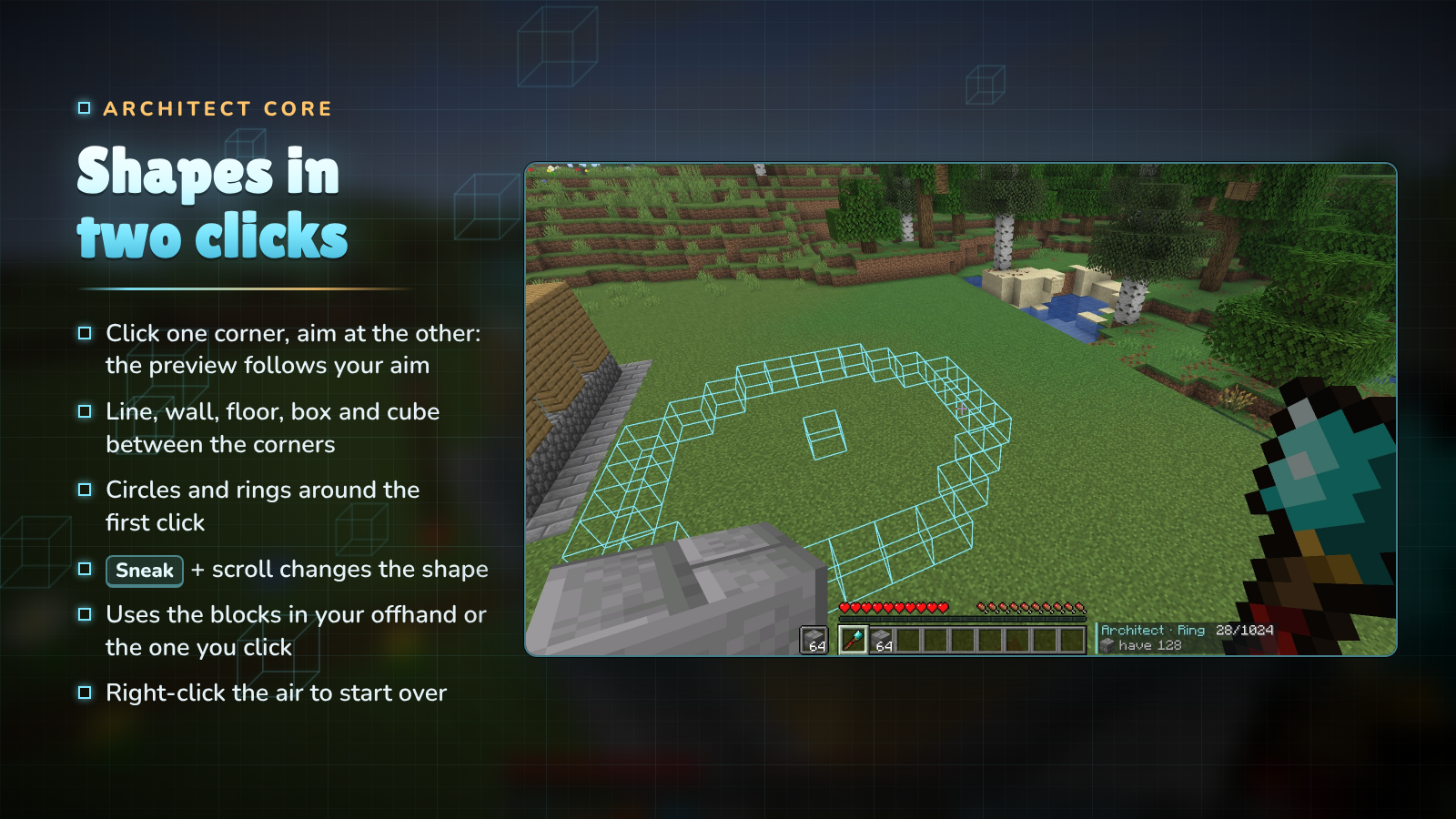
Right-click the first corner, then aim at the second: the preview follows your aim and the next right-click builds it. A line, wall, floor, box or cube fills the space between the two corners; a circle or ring is centred on the first click and reaches out to the second. Pick the shape with Sneak + scroll, and right-click the air to clear the first click and start again.

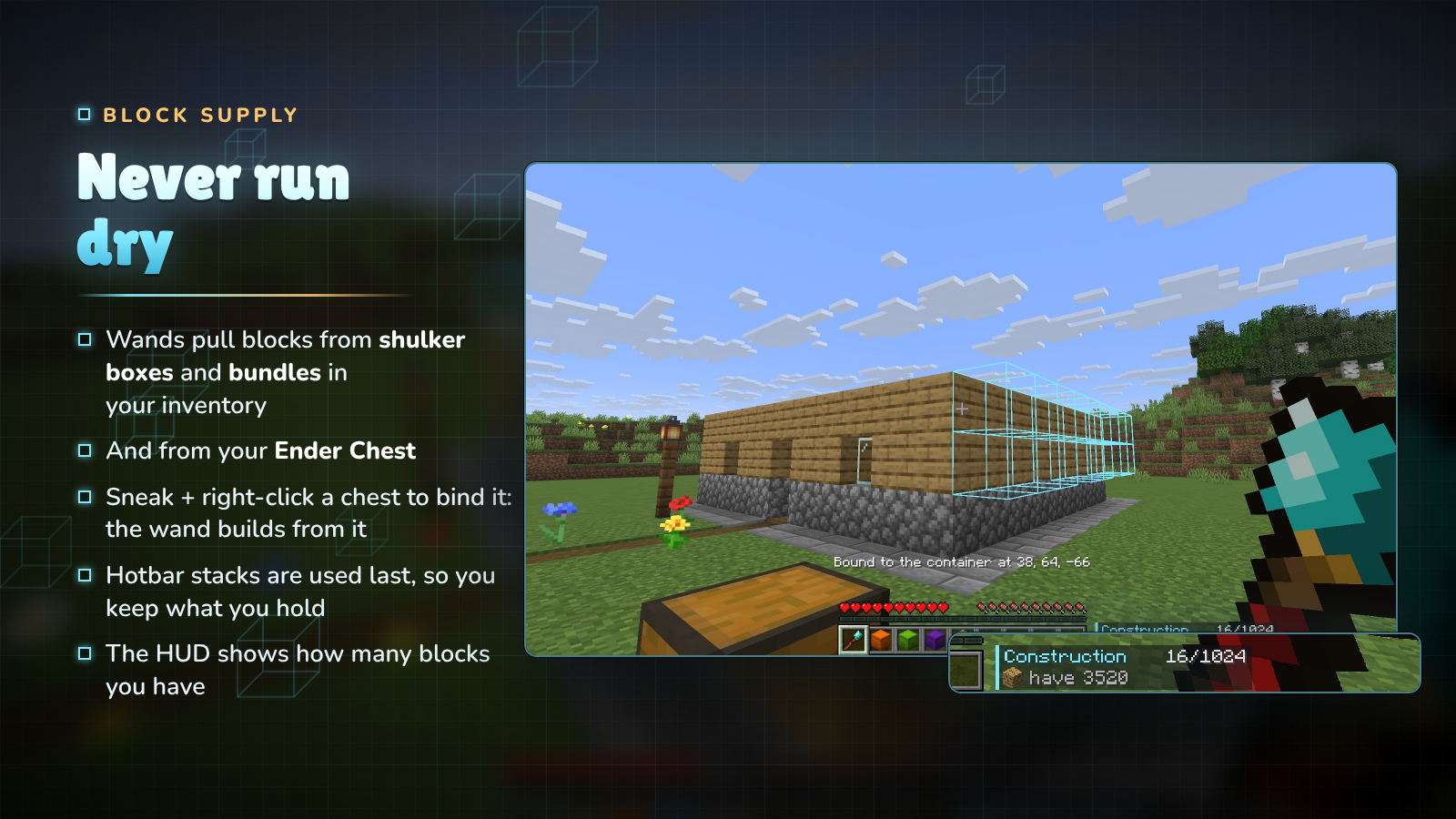
Wands look for blocks in this order:
- loose stacks in your inventory,
- shulker boxes and bundles you carry,
- the chest you bound the wand to (Sneak + right-click a chest, barrel or shulker box; again to unbind),
- your Ender Chest,
- and last your hotbar and offhand, so the stacks you hold are kept longest.
The HUD shows how many blocks you have across all of them. Only plain blocks are used: a renamed or enchanted stack is never placed by mistake.
Highlights
From source dataGame versions
Supports 8 Minecraft versions, the newest being 26.3.
Loaders
Runs on Fabric, Forge and NeoForge.
Footprint
Rated a light load on a server.
RE:Constructed Wands on Nxeon
From our catalogue- One-click install
- Supported on Nxeon Minecraft servers. We download it from Modrinth, place it, and restart the server.
- Server side
- Required on the server
- Server type needed
- Fabric, Forge, NeoForge
- Server load
- light
- Smallest plan we suggest
- Minecraft — 2 GB (2 GB RAM). This follows our own load rating above, not a benchmark.
- Latest build
- 2.0.0+neoforge-26.3, released 2026-10-24
Game versions by loader
| Loader | Game versions | Newest |
|---|---|---|
| Fabric | 1.21.1 to 26.3 (3 versions) | 26.3 |
| NeoForge | 1.21.1 to 26.3 (3 versions) | 26.3 |
| Forge | 1.20.1 | 1.20.1 |
From 10 recorded builds of RE:Constructed Wands.
Recent builds
| Build | Released | Game versions | Loaders |
|---|---|---|---|
| 2.0.0+neoforge-26.3 | 2026-10-24 | 26.3 | NeoForge |
| 2.0.0+neoforge-26.2 | 2026-10-24 | 26.2 | NeoForge |
| 2.0.0+neoforge-1.21.1 | 2026-10-24 | 1.21.1 | NeoForge |
| 2.0.0+forge-1.20.1 | 2026-10-24 | 1.20.1 | Forge |
| 2.0.0+fabric-26.3 | 2026-10-24 | 26.3 | Fabric |
| 1.1.5+neoforge-26.2 | 2026-08-04 | 26.2 | NeoForge |
Dependencies
- Required: modrinth project P7dR8mSH (modrinth, not in our catalogue)
Declared by the newest build that lists any. Required ones are installed with it on one-click installs.
Run RE:Constructed Wands on a Minecraft server
Pick a server or deploy a new one above; it is installed in one click.
What kind of mod it is
From the catalogBuilding & decoration
Blocks, furniture, decorations and building tools.
Runs on your server
From source side supportModrinth lists RE:Constructed Wands as required on the server. Check its Modrinth page to see whether players need it too.
Compatibility
- Game
- Minecraft
- Loaders
- FabricForgeNeoForge
- Runs on
- Serverrequired on the server
- Game versions
- 26.3 and 7 earlier
Verified at the source
- ✓ModrinthOfficial listing, checked 2026-10-25Open ↗
- ✓AuthorNAIZO, as published on Modrinth
- ✓LicenseApache-2.0Free









