






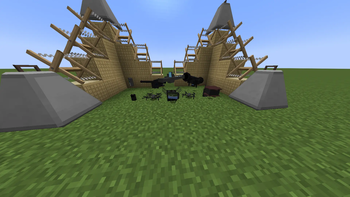

About [SBW] Electronic Warfare
From Modrinth[SBW] Electronic Warfare adds EW systems, radios, FPV drones, fiber-optic control, anti-drone nets, EMP weapons, interception, and guided missiles to Superb Warfare.
[SBW] Electronic Warfare
[SBW] Electronic Warfare is a major Superb Warfare addon focused on electronic warfare, tactical communications, and remotely controlled combat systems.
The mod introduces stationary and portable jammers, voice-enabled radios, advanced FPV drones, radio and fiber-optic control, EMP weapons, signal interception, anti-drone nets, and a player-controlled guided missile.
Main Features
Electronic Warfare
- Stationary and portable electronic warfare systems.
- Three power modes: Eco, Normal, and Maximum.
- Battery-powered operation with real energy consumption.
- Phased-array upgrade that significantly increases the effective range.
- Multiple suppression zones: weak interference, moderate interference, and critical jamming.
- Disruption of drone controls and radio communications.
- Visible smoke, electrical sparks, and an operating sound while the jammer is active.
- Creative-mode power without a battery; the jammer automatically switches off after its owner returns to Survival mode.
Radio Communications
- Portable and stationary radios.
- Configurable frequencies, operating modes, volume, and transmission range.
- Text and voice distortion caused by weak signals or electronic warfare.
- Integration with Simple Voice Chat and Plasmo Voice.
- Voice mods are optional; the rest of Electronic Warfare works without them.
Advanced FPV Drones
- Full first-person drone control.
- Professional controller interface with power, range, and link status displays.
- Radio control affected by interference and protected fiber-optic control.
- Physical fiber cable with limited length, tension, and breakage.
- Working heat flares against infrared-guided missiles.
- Separate first-person effects for moderate and critical damage.
- Signal loss, EMP interference, and incoming-threat warnings.
- A physical copy of the operator remains in the world during an FPV session.
Anti-Drone Net
- Stretch a net between two selected anchor points.
- Tensioning duration depends on the size of the net.
- Countdown timer to
0.00 swith tensioning audio. - Natural sag that stops at the ground instead of clipping through it.
- Captured drones become visibly tangled, struggle inside the net, and cannot fall through it.
- Instant placement in Creative mode.
EMP and Interception
- The EMP gun temporarily disrupts control and video instead of instantly destroying its target.
- The interceptor can connect to the camera of an enemy radio-controlled drone.
- Operator movement and free camera rotation are locked during interception.
- Fiber-optic control is protected from ordinary radio interception and jamming.
Guided Missile
- A player-controlled missile with 120 HP.
- Professional-controller operation over radio or fiber optics.
- Hold
Spaceto accelerate. - Hold
Shiftfor active braking. - When speed is lost, the missile begins to descend and pitches its nose downward.
- Clean first-person view without the missile model blocking the pilot's camera.
- Press
F5to toggle a GTA-style elevated chase camera. - Heat flares and target-lock warnings.
- Custom thrust, shockwave, and supersonic visual effects.
- Original ignition, jet-engine, and sonic-boom sounds.
- Guided missiles are not captured by anti-drone nets.
Placing an Anti-Drone Net
- Right-click the first anchor point.
- Right-click the second anchor point.
- Keep holding the button until the tensioning timer reaches zero.
- Use
Shift + Right Clicknear the net to remove it.
Compatibility
Minecraft 1.20.1
- Forge 47+
- Superb Warfare 0.8.0+
Minecraft 1.21.1
- NeoForge 21.1.235+
- Superb Warfare 0.8.0+
- Kotlin for Forge 5.8.0+
Optional Integrations
- Simple Voice Chat
- Plasmo Voice
Environment
The mod must be installed on both the client and the server.
Authors and License
- @ViaQuelt — visual design
- Xylos_Official — programming
- haurma228 — models and artwork
- License: MIT
Highlights
From source dataGame versions
Supports 2 Minecraft versions, the newest being 1.21.1.
Loaders
Runs on Forge and NeoForge.
Footprint
Rated a light load on a server.
[SBW] Electronic Warfare on Nxeon
From our catalogue- One-click install
- Supported on Nxeon Minecraft servers. We download it from Modrinth, place it, and restart the server.
- Server side
- Required on the server
- Server type needed
- Forge, NeoForge
- Server load
- light
- Smallest plan we suggest
- Minecraft — 2 GB (2 GB RAM). This follows our own load rating above, not a benchmark.
- Latest build
- 1.1.1, released 2026-08-02
Game versions by loader
| Loader | Game versions | Newest |
|---|---|---|
| Forge | 1.20.1 | 1.20.1 |
| NeoForge | 1.21.1 | 1.21.1 |
From 5 recorded builds of [SBW] Electronic Warfare.
Recent builds
| Build | Released | Game versions | Loaders |
|---|---|---|---|
| 1.1.1 | 2026-08-02 | 1.21.1 | NeoForge |
| 1.1.1 | 2026-08-02 | 1.20.1 | Forge |
| 1.1.0 | 2026-08-01 | 1.21.1 | NeoForge |
| 1.1.0 | 2026-08-01 | 1.20.1 | Forge |
| 1.0.4 | 2026-07-24 | 1.21.1 | NeoForge |
Dependencies
- Required: modrinth project Cd3DYqzn (modrinth, not in our catalogue)
Declared by the newest build that lists any. Required ones are installed with it on one-click installs.
Run [SBW] Electronic Warfare on a Minecraft server
Pick a server or deploy a new one above; it is installed in one click.
What kind of mod it is
From the catalogVehicles & ships
Cars, boats, aircraft, ships and other things to drive or fly.
Runs on your server
From source side supportModrinth lists [SBW] Electronic Warfare as required on the server. Check its Modrinth page to see whether players need it too.
Compatibility
- Game
- Minecraft
- Loaders
- ForgeNeoForge
- Runs on
- Serverrequired on the server
- Game versions
- 1.21.1 and 1 earlier
Verified at the source
- ✓ModrinthOfficial listing, checked 2026-10-02Open ↗
- ✓AuthorXylos_Official, as published on Modrinth
- ✓LicenseMITFree









