






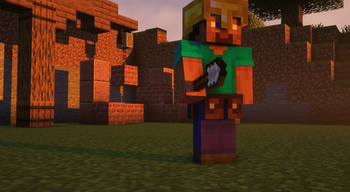

About Utility Belt
From ModrinthAdds a wearable secondary hotbar to help manage your tools and clear inventory clutter
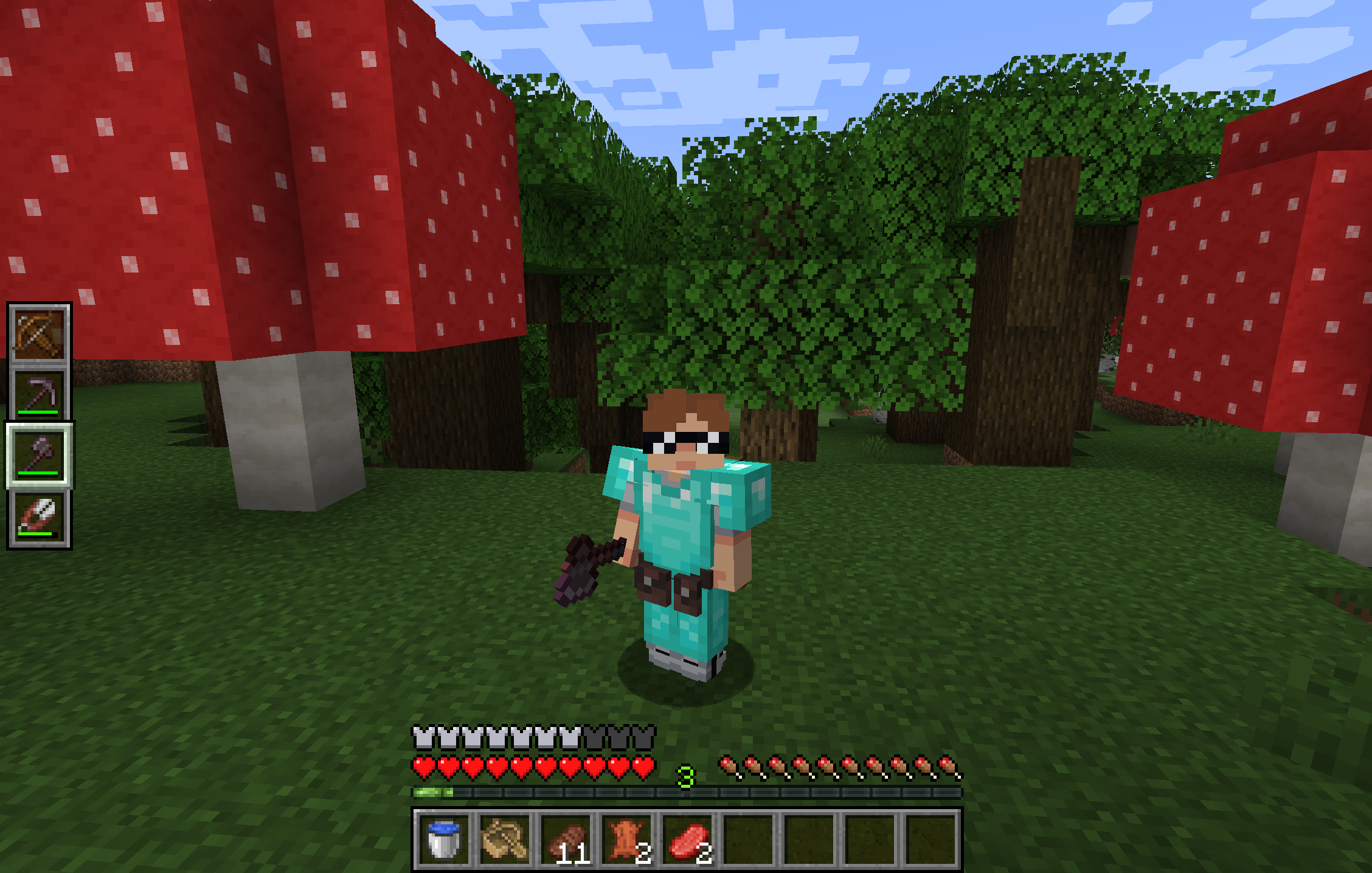
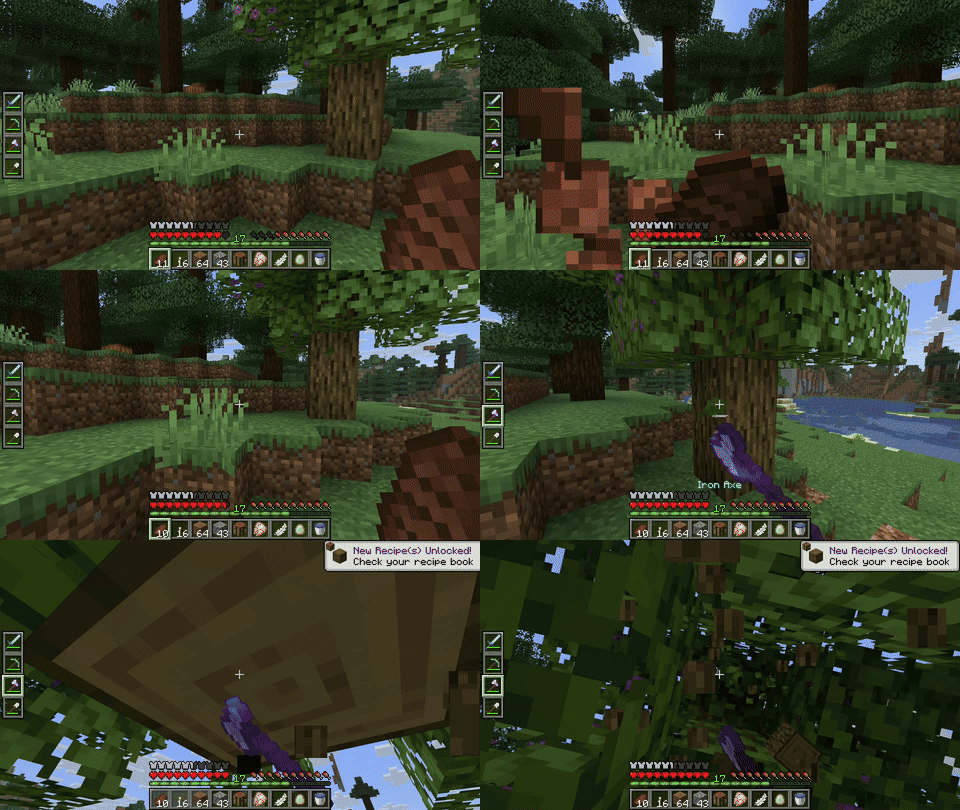
Utility Belt will solve your inventory clutter issues. 9 hotbar slots are not enough, especially when playing with mods. Wearing a Utility Belt gives you a second hotbar where only tools and weapons can be stored.
🛠️ Getting Started
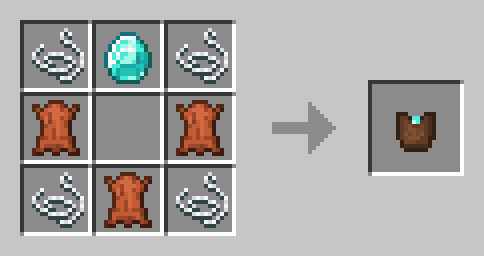
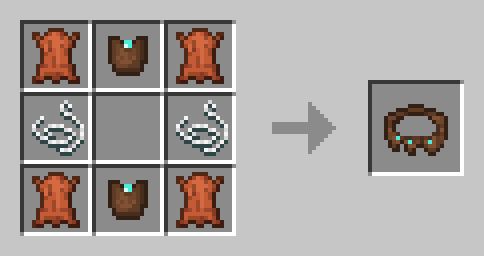
- Craft two belt pouches using the recipe above.
- Craft a Utility Belt using the recipe above.
- Equip it in your belt slot.
- Fill it with your tools and weapons.
⬆️ Upgrading the Belt
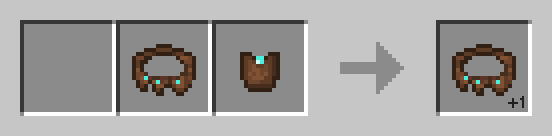
By default, the belt has 4 slots and can be upgraded to have up to 6 slots (_these values can be changed in the mod configuration_). You can add a slot to a belt in a Smithing Table using the recipe below.
🎮 Controls
| Action | Default Keybind | Description | |----------------------|--------------------------|------------------------------------------------------------------| | Open Belt Screen | ' | Opens the belt GUI to store items in the belt | | Swap Hotbar | B (toggle), N (hold) | Switches between your main hotbar and the belt hotbar | | Quick Transfer | Sneak + Swap | Swap the item in your hand between your main hotbar and the belt |
⚙️ Configuration
You can customize Utility Belt's options using the in-game configuration screen:
- Fabric: Accessible using ModMenu.
- Forge/NeoForge: Accessible using the Mods screen.
To change which items are accepted in the belt, you can make a datapack and add items to the allowed_in_utility_belt tag.
🔗 Compatibility
- LambDynamicLights: torches and lanterns in your belt will light up the world around you.
🐛 Bugs and Suggestions
You can report any issues and suggest changes on the GitHub issue tracker. Try out the /utilitybelt fixme command to see if it resolves the issue while you wait for a fix.
Always keep backups of your world, especially when playing versions marked as beta.

Highlights
From source dataGame versions
Supports 7 Minecraft versions, the newest being 1.21.10.
Loaders
Runs on Fabric, Forge, NeoForge and Quilt.
Footprint
Rated a light load on a server.
Utility Belt on Nxeon
From our catalogue- One-click install
- Supported on Nxeon Minecraft servers. We download it from Modrinth, place it, and restart the server.
- Server side
- Required on the server
- Server type needed
- Fabric, Forge, NeoForge, Quilt
- Server load
- light
- Smallest plan we suggest
- Minecraft — 2 GB (2 GB RAM). This follows our own load rating above, not a benchmark.
- Latest build
- 3.0.2+1.21.10, released 2026-05-24
Game versions by loader
| Loader | Game versions | Newest |
|---|---|---|
| Fabric | 1.21.1 to 1.21.10 (2 versions) | 1.21.10 |
| NeoForge | 1.21.1 to 1.21.10 (2 versions) | 1.21.10 |
| Quilt | 1.21.1 to 1.21.10 (2 versions) | 1.21.10 |
| Forge | 1.20.1 | 1.20.1 |
From 5 recorded builds of Utility Belt.
Recent builds
| Build | Released | Game versions | Loaders |
|---|---|---|---|
| 3.0.2+1.21.10 | 2026-05-24 | 1.21.10 | NeoForge |
| 3.0.2+1.21.10 | 2026-05-24 | 1.21.10 | Fabric, Quilt |
| 3.0.2+1.21.1 | 2026-05-24 | 1.21.1 | NeoForge |
| 3.0.2+1.21.1 | 2026-05-24 | 1.21.1 | Fabric, Quilt |
| 3.0.2+1.20.1 | 2026-05-24 | 1.20.1 | Forge |
Run Utility Belt on a Minecraft server
Pick a server or deploy a new one above; it is installed in one click.
What kind of mod it is
From the catalogTechnology & automation
Machines, power, logistics and automation.
Runs on your server
From source side supportModrinth lists Utility Belt as required on the server. Check its Modrinth page to see whether players need it too.
Compatibility
- Game
- Minecraft
- Loaders
- FabricForgeNeoForgeQuilt
- Runs on
- Serverrequired on the server
- Game versions
- 1.21.10 and 6 earlier
Verified at the source
- ✓ModrinthOfficial listing, checked 2026-10-01Open ↗
- ✓Authorjamalam, as published on Modrinth
- ✓LicenseMITFree









