
About Kill Shot
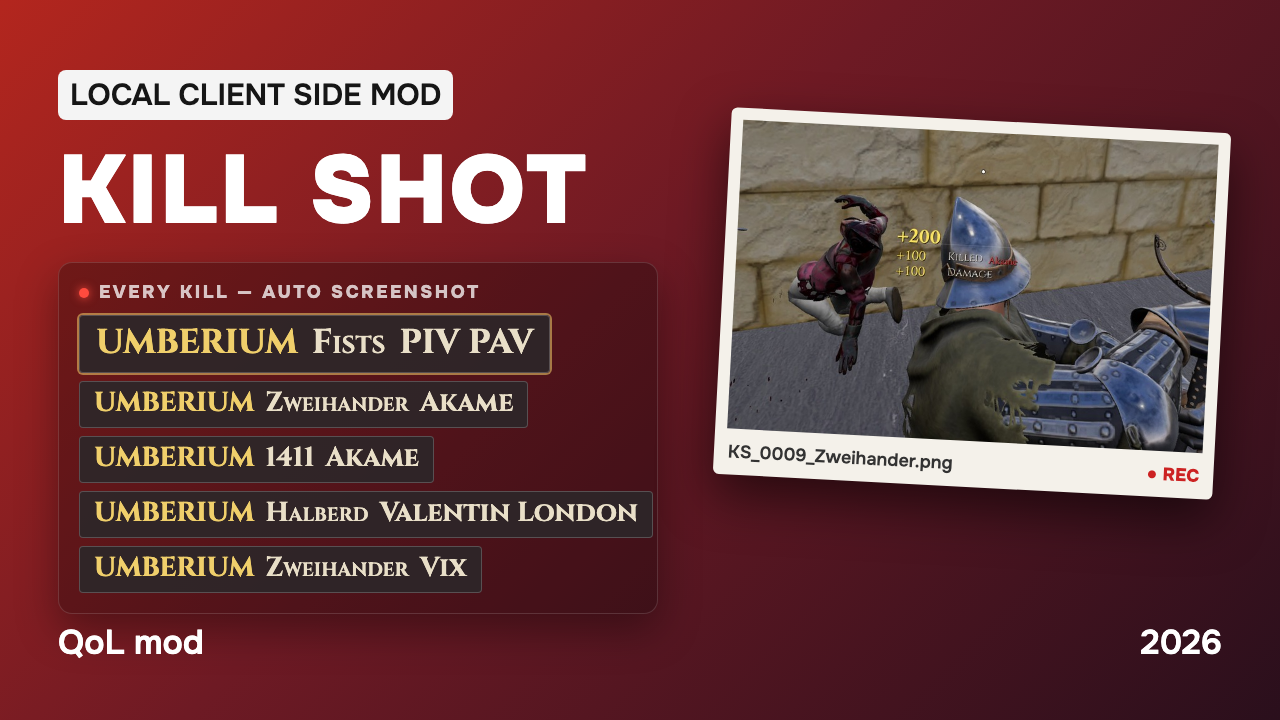
From mod.ioKill Shot – a client-side mod that automatically takes a screenshot when you kill someone, with the killfeed in the frame. Filter by weapon (fists by default), target players or clan tags, kill log and clipboard report for clan wars.
Kill Shot is a client-side mod that automatically takes a screenshot the moment you kill someone. The killfeed line and the falling body end up in the frame, so every fist kill, clan-war frag or lucky 1411 shot is saved as proof — without pressing a single key.
⚠ Work in progress (WIP). Feedback and ideas are welcome.
Features
-
Automatic screenshot on kill
The mod detects your kills and saves a screenshot with the HUD and killfeed visible. Every file gets a number, the weapon name and the victim's PlayFab ID:KS_0012_Fists_<PlayFabID>.png(bots are marked asbot). -
Weapon filter [default: fists]
Choose which kills are worth a screenshot. The weapon is taken from the killfeed and sorted into categories:melee—fists,kick,onehand,twohand,shield,toolthrown— throwing knives, axes, javelins,bomb(firepots, smoke bombs)ranged—bow,crossbow,firearmother—fire,fall,siege,horseall— every kill
-
Targets and clan tags
Switch to list mode to capture only specific players: add them by PlayFab ID or by part of their name, add the last player you killed with one command, or add a clan tag — every player with that tag in their name becomes a target. Perfect for clan war reports. -
Kill log and session report
Every screenshot is written to a log with date, weapon, victim name and PlayFab ID.KS.Reportcopies all kills of the current session to your clipboard — paste it straight into Discord. -
With or without HUD [default: with HUD]
Keep the killfeed in the frame as proof, or take clean shots without the interface. -
Settings are saved
Mode, weapons, targets, clan tags and the screenshot counter are stored inGame.iniand restored on the next launch. -
Fully client-side
The mod only reads what your game already shows you and saves files on your PC. It does not affect servers, gameplay or other players.
How to Use
Open the console (~) and use the commands:
- KS.Help – Shows all KillShot commands.
- KS.Status – Shows current settings.
- KS.Mode all | list | off – Screenshot every kill / only targets / disable.
- KS.Weapon <tags> – Which kills to capture, space separated. Example: KS.Weapon fists kick thrown
- KS.UI on | off – Include the HUD and killfeed in the screenshot.
- KS.Add <PlayFabID or part of name> — Add a target.
- KS.AddLast – Add the last player you killed as a target.
- KS.Remove <PlayFabID or part of name> – Remove a target.
- KS.Clan <tag> – Add or remove a clan tag. Players whose name contains it count as targets.
- KS.List – Show targets and clan tags, and which of them are online.
- KS.Players – List online players with their PlayFab IDs.
- KS.Shot – Take a screenshot manually.
- KS.Folder – Open the screenshots folder (the path is also copied to your clipboard).
- KS.Report – Copy this session's kills to the clipboard.
Where the files are:
- Screenshots: <user>/AppData/Local/Mordhau/Saved/Screenshots/WindowsClient/
- Kill log: <user>/AppData/Local/Mordhau/Saved/PlayerFiles/KillShotLog.txt
⚠ The weapon is read from the killfeed. If the killfeed is disabled in your game settings, only the general category (melee / thrown / ranged) is detected.
⚠ Screenshots are saved as PNG (about 1-3 MB each), and the game may freeze for a split second while a screenshot is saved. Use the weapon filter or list mode to keep only the kills you need.
Installation Instructions
🏷 If you are already using client-side mods, you can skip step 1.
1. Installing AutoLoader
- Go to https://mod.io/g/mordhau/m/clientside-mod-autoloader and install the AutoLoader Mod by @cswic.
- Follow the instructions on the page. This will simplify the use of this mod and other client-side mods in the long run.
2. Installing the Mod
- Choose the manual installation option to download the file.
- Copy the .pak file into your Mordhau game directory: /Mordhau/Content/CustomPaks, just like any other client-side mod.
- If the CustomPaks folder does not exist in /Mordhau/Content, create it manually.
3. Configuring Game.ini
- Close the game first, otherwise it will overwrite your changes.
- Open the file: <user>/AppData/Local/Mordhau/Saved/Config/WindowsClient/Game.ini
- Add the following lines:
If you are already using other client-side mods (e.g., LuteMod, GuardianSpectatorUtility), simply add the line to the existing AutoLoader section.
Highlights
From source dataFootprint
Rated a light load on a server.
Last update
Its author last shipped an update 38d ago.
Kill Shot on Nxeon
From our catalogue- One-click install
- Not available. One-click install isn't available for this game's mods yet. Download it and upload it to your server in Files.
- Server load
- light
- Smallest plan we suggest
- Mordhau — 4 GB (4 GB RAM). This follows our own load rating above, not a benchmark.
- Latest build
- 0.5.1, released 2026-09-27
Run Kill Shot on a Mordhau server
Deploy a server above, then upload the file in Files.
What kind of mod it is
From the catalogWeapons, items & crafting
New weapons, gear, items and the recipes to make them.
Compatibility
- Game
- Mordhau
Verified at the source
- ✓mod.ioOfficial listing, checked 2026-11-04Open ↗
- ✓AuthorUMBERIUM, as published on mod.io
- ✓LicenseNot published by the sourceFree